How to Automate Cancellation Requests with AI
How to Automate Cancellation Requests with AI
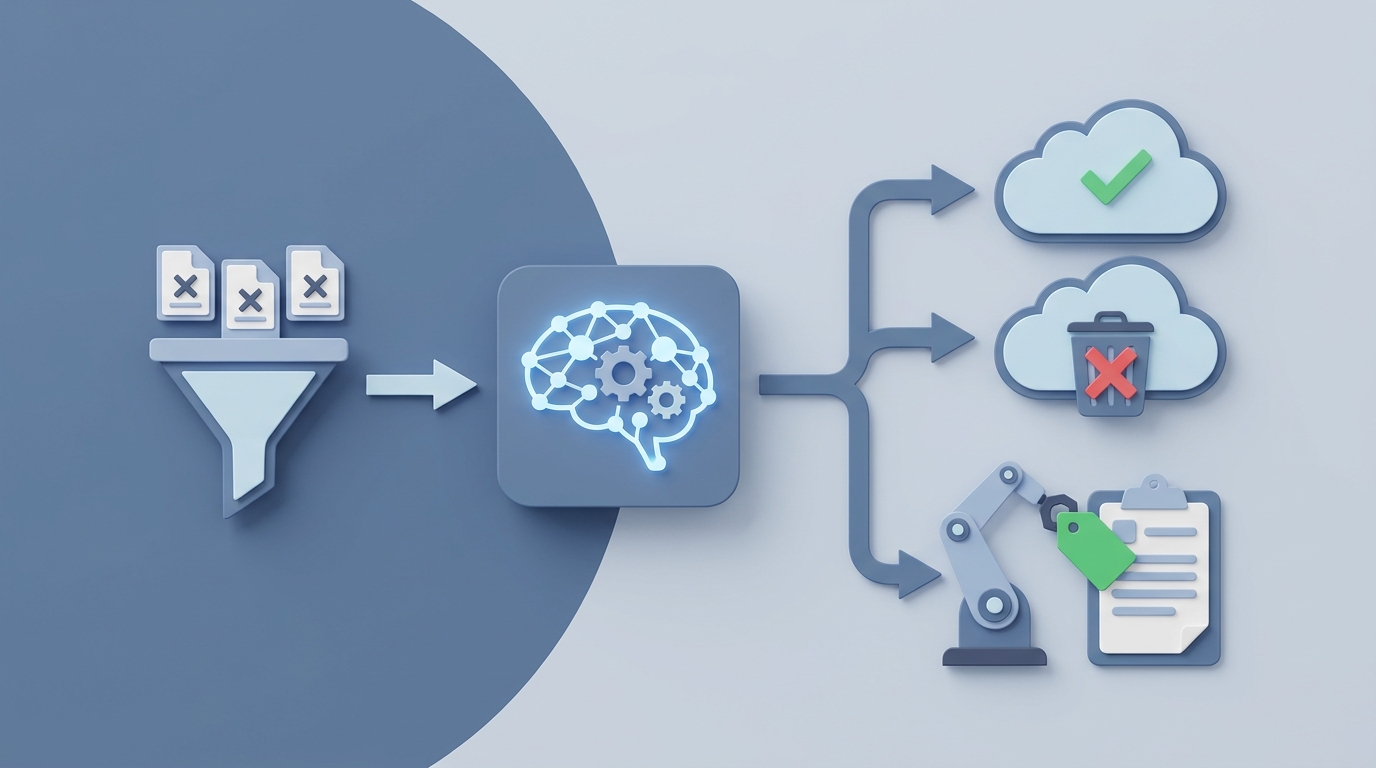
Every subscription business has the same dirty secret: cancellation requests eat an absurd amount of human time, and most of that time is spent on accounts that were going to cancel anyway.
Your support team spends somewhere between 18 and 27 percent of their total working hours dealing with billing disputes and cancellation requests. That's according to a joint Gainsight and Zendesk report from 2023, and if anything, it's gotten worse since then. For a five-person support team, that's effectively one full-time employee doing nothing but processing people who want to leave.
Here's the thing: most of that work is mechanical. It follows predictable patterns. It involves looking up the same data, offering the same retention deals, processing the same billing adjustments, and sending the same confirmation emails. This is exactly the kind of workflow an AI agent handles well.
This post walks through how to build a cancellation automation agent on OpenClaw—from mapping your current manual process to deploying an agent that handles 80 percent of cancellation requests without a human touching them. No hype. Just the actual implementation.
The Manual Workflow Today
Let's be honest about what cancellation handling actually looks like inside most subscription companies. Here's the typical flow, step by step:
Step 1: Customer initiates cancellation. They click a button in your app, send an email, open a support ticket, or—worst case—call your support line. Time: 0 minutes of your team's time (if self-service) to 5-10 minutes (if they contact support directly).
Step 2: Retention flow triggers. Your system shows a survey, offers a discount, or routes them to a "saves" specialist. If you're using something like Churnkey or a custom-built flow, this might be partially automated. If not, a human is manually looking up the account, checking their plan, checking their usage, and deciding what to offer. Time: 5-15 minutes.
Step 3: Manual review by Customer Success. For anything above your lowest tier—or for accounts flagged as "strategic"—a CS rep or account manager gets pulled in. They review the account history, recent support tickets, usage trends, and decide on an approach. Time: 15-30 minutes.
Step 4: Outreach. The account manager sends a personalized email or books a call. For enterprise accounts, this needs to happen within 4 hours of the cancellation request. They have the conversation, try to understand the real reason, make a counteroffer. Time: 30-60 minutes including prep and follow-up.
Step 5: Reason coding and documentation. Someone logs the cancellation reason in your CRM. They update the account status. They add notes about what was offered and why the customer declined. Time: 5-10 minutes.
Step 6: Billing adjustment. Final invoice generation, proration calculations, refund processing if applicable. If your billing system isn't tightly integrated with your support tools, this involves switching between Stripe (or Chargebee or Zuora) and your CRM. Time: 5-15 minutes.
Step 7: Deprovisioning. Revoking access, triggering data export if requested, archiving the account, handling any GDPR or CCPA deletion requirements. Time: 5-10 minutes.
Step 8: Win-back sequence. Someone needs to set up or trigger a post-cancellation email sequence. Time: 2-5 minutes if it's manual enrollment.
Step 9: Churn analysis. The cancellation gets added to a spreadsheet or dashboard for quarterly review. Time: 2-5 minutes per entry, hours for the actual analysis.
Total time per cancellation:
- Low-touch self-service: 2-4 minutes of human oversight
- Standard support-handled: 20-45 minutes
- High-touch enterprise: 45-90 minutes
A Churnkey study of 187 SaaS companies found the fully-loaded cost per manual cancellation runs $42 to $67. If you're processing 200 cancellations a month, that's $8,400 to $13,400 in labor costs—just for the people who are leaving.
What Makes This Painful
The time cost is obvious. But the real pain points are more subtle:
Inconsistent retention offers. When humans handle cancellations ad hoc, different reps offer different things. One rep gives 50 percent off for three months; another offers a free month. There's no systematic approach, which means you can't measure what actually works.
Terrible reason data. Recurly's data shows 40 to 60 percent of cancellation reasons come back as "Other" or blank. Your quarterly churn analysis is based on garbage data, which means your product decisions are based on garbage data.
Delayed response times. When your CS team is juggling cancellations alongside onboarding calls and feature questions, cancellation requests sit in queue. By the time someone responds, the customer has already mentally checked out. The save rate on a cancellation request handled within 10 minutes is dramatically higher than one handled after 24 hours.
Human error in billing. Proration mistakes, forgotten refunds, accounts that keep getting charged after cancellation—these create support tickets that generate more support tickets. They also create chargebacks, which cost you $15 to $25 each in fees on top of the refund.
Compliance risk. GDPR and CCPA require you to handle data deletion requests within specific timeframes. When cancellation and data deletion are manual processes handled by different teams, things fall through cracks. The fines are not small.
Burnout. Nobody on your support team signed up to spend a quarter of their day processing cancellations. It's repetitive, often emotionally draining (angry customers), and it pulls them away from work that actually helps retain customers proactively.
What AI Can Handle Right Now
Not everything in this workflow needs a human. Here's what an AI agent on OpenClaw can realistically handle today—not in some theoretical future, but with current capabilities:
Fully automatable:
- Parsing the cancellation request and extracting the reason, account details, and urgency
- Looking up the customer's account, usage history, billing status, and support ticket history
- Classifying the cancellation reason using NLP (far more accurately than a dropdown menu)
- Selecting and presenting a personalized retention offer based on the customer's segment, usage, and reason
- Processing the cancellation if the customer declines the offer (billing adjustment, access revocation, confirmation email)
- Triggering the appropriate win-back sequence
- Logging everything in your CRM with structured reason codes
- Handling data export and GDPR/CCPA deletion requests
- Routing edge cases to the right human
Partially automatable (AI handles first pass, human reviews):
- Retention conversations with mid-value accounts where the reason is nuanced
- Custom billing adjustments that fall outside standard rules
- Accounts with complex multi-seat or enterprise contracts
Still needs a human:
- Enterprise accounts above $50K ARR where relationship and negotiation matter
- Customers who are angry, threatening legal action, or escalating publicly
- Strategic product decisions based on aggregated churn data
- Exception approvals (custom contracts, non-standard refund policies)
This isn't a guess. Companies using AI-assisted cancellation flows see 2.8x lower churn than those relying on fully manual processes, according to that same Churnkey study. Calendly reduced churn by 18 percent using AI to detect at-risk accounts and trigger personalized outreach. Drift (now Salesloft) saved $2.4 million in ARR in one year with AI-powered cancellation flows.
Step by Step: Building the Automation on OpenClaw
Here's how to actually build this. I'm assuming you have a subscription billing system (Stripe, Chargebee, Recurly, etc.) and a CRM or support tool (Zendesk, Intercom, HubSpot, etc.).
Step 1: Map Your Decision Tree
Before you touch OpenClaw, document your current cancellation logic on paper. You need to answer:
- What retention offers exist? (Discount, pause, downgrade, free month, etc.)
- What triggers each offer? (Account value, tenure, usage level, reason for leaving)
- What are the hard rules? (e.g., "accounts less than 30 days old get a full refund, no questions asked")
- What are the escalation criteria? (e.g., "accounts over $500/mo always go to a human")
Write this out as a decision tree. Be explicit. The AI agent is only as good as the logic you give it.
Step 2: Build Your Agent in OpenClaw
OpenClaw lets you create agents that can connect to your existing tools, process natural language input, and execute multi-step workflows. Here's the core setup:
Define the agent's role and constraints:
You are a cancellation processing agent for [Company Name]. Your goals, in order of priority:
1. Understand why the customer wants to cancel
2. Offer the most relevant retention option based on their account profile
3. If they decline, process the cancellation cleanly and completely
4. Log all data accurately

You NEVER make promises outside the approved offer matrix.
You ALWAYS escalate accounts meeting these criteria: [your escalation rules].
You maintain a helpful but not pushy tone. One retention offer, presented clearly. If they say no, respect it and process immediately.
Connect your data sources. OpenClaw agents can pull from your billing system, CRM, and support tools. You'll want the agent to have read access to:
- Customer billing profile (plan, MRR, tenure, payment history)
- Usage data (logins, feature usage, seat utilization)
- Support history (open tickets, recent interactions, CSAT scores)
And write access to:
- Billing system (to process cancellations, apply discounts, issue refunds)
- CRM (to update account status, log reason codes, add notes)
- Email/messaging system (to send confirmations and trigger sequences)
Step 3: Build the Retention Logic
This is where the decision tree from Step 1 becomes code. In OpenClaw, you define this as a structured workflow:
IF account_value < $100/mo AND tenure < 3 months:
  → Offer: "Would a pause for up to 60 days help? Your data stays safe."

IF account_value < $100/mo AND tenure >= 3 months:
  → Offer: "I can switch you to our Basic plan at $X/mo — you'd keep [features they actually use]."

IF account_value >= $100/mo AND account_value < $500/mo:
  → Offer: "I can apply 30% off for the next 3 months while you evaluate."

IF account_value >= $500/mo:
  → Escalate to human CS with full context package.

IF reason = "too_expensive":
  → Prioritize downgrade or discount offers.

IF reason = "not_using":
  → Prioritize pause or usage coaching resources.

IF reason = "switching_to_competitor":
  → Log competitor name, offer competitive switch incentive if available.

IF reason = "missing_feature":
  → Log feature request, check roadmap for ETA, share if available.
The beauty of building this on OpenClaw is that the agent handles the natural language conversation around these rules. It doesn't just execute a rigid flow chart—it has an actual conversation with the customer, understands their stated reason (even if it's messy and unstructured), maps it to the right category, and presents the relevant offer naturally.
Step 4: Handle the Billing Mechanics
When a cancellation goes through, the agent needs to execute:
1. Calculate proration (current billing period, usage to date)
2. Process final invoice or refund per your rules
3. Set account to "canceled" status with end-of-billing-period access
4. Revoke access at period end (or immediately if requested)
5. Trigger data export job if requested
6. Queue GDPR/CCPA deletion if applicable (with appropriate delay)
7. Send confirmation email with receipt and data export link
8. Enroll in win-back sequence (30/60/90 day cadence)
OpenClaw handles these as sequential actions with error handling. If any step fails (say, the Stripe API returns an error on the refund), the agent pauses that specific action, retries with backoff, and alerts a human if it can't resolve it.
Step 5: Set Up Monitoring and Escalation
This is the part most people skip, and it's the part that determines whether your automation actually works in production.
Configure alerts for:
- Any cancellation where the agent's confidence in reason classification is below 80 percent
- Accounts that match your escalation criteria but somehow didn't get routed
- Billing actions that fail after retry
- Customers who express frustration with the agent itself
- Unusual volume spikes (which might indicate a product issue or outage)
Build a daily digest that shows your CS lead:
- Total cancellations processed (automated vs. escalated)
- Retention offer acceptance rate by offer type
- Top cancellation reasons (with the AI's NLP classification, not a dropdown)
- Flagged accounts that need review
- Revenue saved vs. revenue churned
Step 6: Test With Real Cancellation Data
Before going live, run your last 100 cancellations through the agent in simulation mode. Compare its decisions to what your team actually did. Look for:
- Did it classify reasons accurately?
- Did it select the right retention offer?
- Would the billing calculations have been correct?
- Did it correctly identify accounts that should've been escalated?
Fix the gaps. Then deploy to 10 percent of incoming cancellations as a shadow mode (agent processes in parallel with your human team, but humans still handle the customer-facing work). Compare outcomes for two weeks. Then gradually roll out.
What Still Needs a Human
I want to be clear about the boundaries. AI agents on OpenClaw are excellent at structured, repeatable workflows with clear rules. They're not a replacement for human judgment in every scenario.
Keep humans in the loop for:
-
Enterprise deals over $50K ARR. The relationship, the negotiation dynamics, the multi-stakeholder politics—these require a human who understands the account deeply. The AI agent should prepare a comprehensive context package for the human, not replace them.
-
Emotionally charged situations. A customer who's been jerked around by a bug for three weeks and is furious doesn't want to talk to an AI. Route these to your best people, fast.
-
Non-standard exceptions. A customer who wants to cancel half their seats but restructure their contract in a way your system doesn't support. A customer who's going through an acquisition and needs a temporary freeze with custom terms.
-
Strategic synthesis. The agent can log and classify every cancellation reason with great accuracy. But deciding "we need to rebuild our reporting module because it's driving 23 percent of churn" is still a human call that involves product strategy, resource allocation, and prioritization.
The goal isn't zero humans. The goal is humans spending their time on the 20 percent of cancellations where they actually make a difference, instead of drowning in the 80 percent that are routine.
Expected Time and Cost Savings
Let's do the math on a mid-market SaaS company processing 200 cancellation requests per month.
Current state (mostly manual):
- 160 low-touch cancellations × 30 min avg = 80 hours/month
- 30 mid-touch cancellations × 60 min avg = 30 hours/month
- 10 high-touch cancellations × 90 min avg = 15 hours/month
- Total: 125 hours/month of human time
- At $35/hour fully loaded: ~$4,375/month in labor
With OpenClaw automation:
- 160 low-touch cancellations: fully automated (0 human hours, agent handles end to end)
- 30 mid-touch cancellations: AI handles first pass, human reviews (10 min each = 5 hours)
- 10 high-touch cancellations: AI prepares context, human handles (60 min each = 10 hours)
- Total: 15 hours/month of human time
- At $35/hour fully loaded: ~$525/month in labor
That's an 88 percent reduction in human time. Your CS team gets back 110 hours per month to spend on proactive retention, onboarding, and expansion revenue—the work that actually grows your business.
But the labor savings are actually the smaller win. The bigger wins:
- Better retention rates. Instant response to cancellation requests (no queue time), consistent offer presentation, and personalized retention based on actual usage data. Companies with optimized AI-assisted flows see net retention rates 15 to 25 percentage points higher than manual processes.
- Better data. Every cancellation reason properly classified and logged, giving your product team actual insight into why people leave.
- Better compliance. Automated GDPR/CCPA handling with audit trails, eliminating the risk of missed deletion requests.
- Better customer experience. Even for people who do cancel, a clean, fast, respectful process increases the likelihood they come back. Or at minimum, don't trash you on social media.
Getting Started
You don't need to automate everything on day one. Start with the lowest-hanging fruit:
- Week 1: Map your cancellation decision tree. Document every rule, offer, and escalation criteria.
- Week 2: Build your first agent in OpenClaw with your core retention logic and billing integrations.
- Week 3: Run shadow mode on 100 historical cancellations. Tune the logic.
- Week 4: Deploy to 20 percent of incoming low-touch cancellations. Monitor closely.
- Month 2: Scale to 100 percent of low-touch, start handling mid-touch.
The Claw Mart marketplace has pre-built agent templates for subscription cancellation workflows that you can customize rather than building from scratch. If your stack includes Stripe and one of the major CRMs, you can likely have a working prototype within a few days.
If you want someone to build this for you, check out Clawsourcing—Claw Mart's network of vetted developers who specialize in building production-ready OpenClaw agents. They've built cancellation automation agents for SaaS companies across the spectrum, and they can typically get you from zero to deployed in two to three weeks. [Browse Clawsourcing providers on Claw Mart →]
The companies that figure out cancellation automation aren't just saving money on support costs. They're building a systematic, data-driven understanding of why customers leave—and using that understanding to keep more of them from leaving in the first place. That's the real win.