Context Window Overflow in OpenClaw: How to Fix It
Context Window Overflow in OpenClaw: How to Fix It
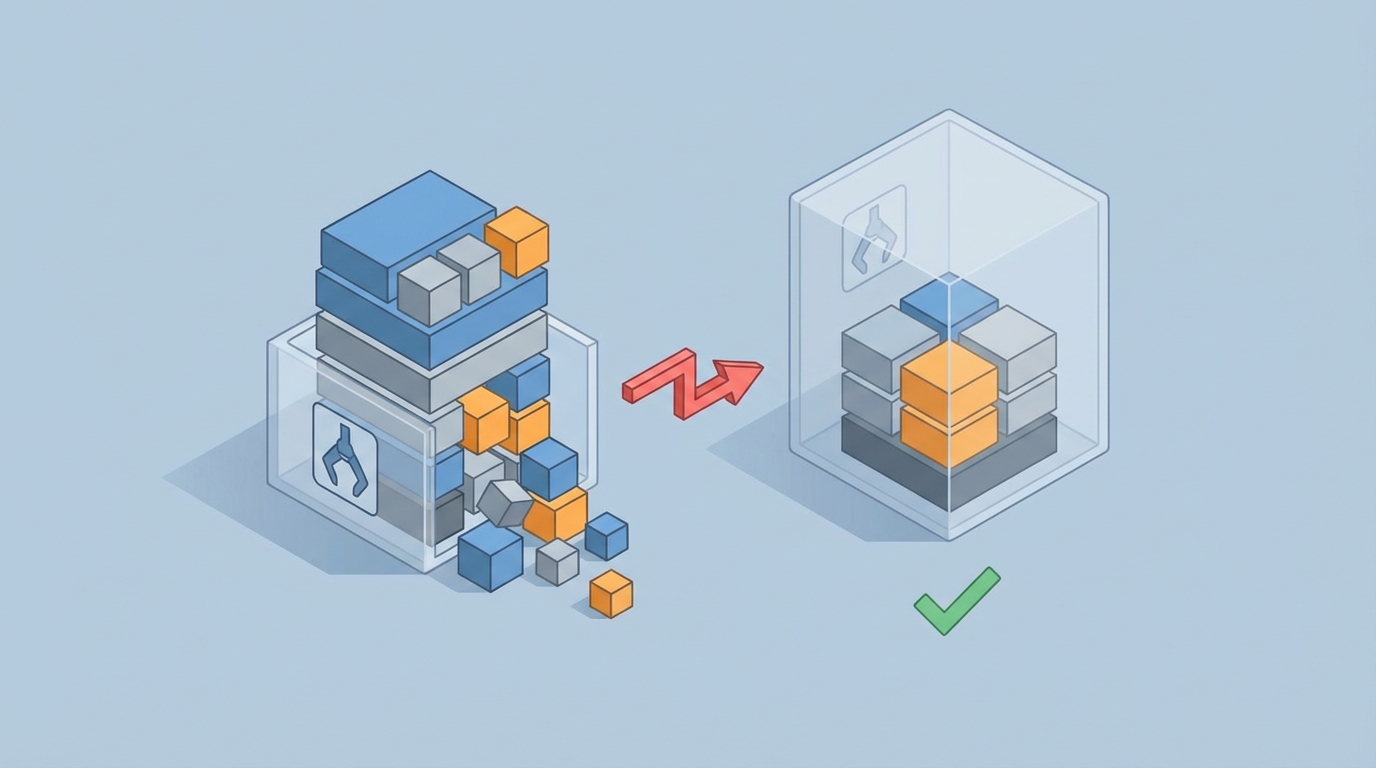
If you've been running agents in OpenClaw for more than a weekend, you've seen this error:
Error: This model's maximum context length is 128000 tokens.
Your messages resulted in 134,892 tokens.
Please reduce the length of the messages.
Your agent worked beautifully for the first seven turns. It was calling tools, reasoning through problems, making progress on the task you gave it. Then it just… died. Context window overflow. The silent killer of agentic workflows.
Here's the thing: this isn't a bug. It's a fundamental architectural problem with how most people build agents. Every single tool call, every observation, every chain-of-thought reasoning step — they all pile up inside your context window like dishes in a sink nobody wants to deal with. A typical ReAct-style tool call adds 300 to 800 tokens. Do that fifteen times and you've burned through 10,000 tokens of context on tool outputs alone, most of which are completely irrelevant to what the agent needs to do right now.
I've spent the last few months building long-running agents in OpenClaw that need to survive 50, 100, even 200+ turns without falling apart. What follows is everything I've learned about diagnosing, preventing, and fixing context window overflow — the practical way, no hand-waving.
Why Your Agent Forgets Its Own Name After Ten Steps
Let's start with what's actually happening under the hood when your agent blows its context window.
Picture your context window as a fixed-size box. At the bottom of that box, you've got your system prompt — the instructions that tell the agent who it is, what it should do, and how it should behave. On top of that sits the user's original goal. Then every turn of conversation, every tool call, and every result gets stacked on top.
The problem isn't just running out of room. The real damage starts way before you hit the hard limit. Research consistently shows that model performance starts degrading once you fill about 60 to 70 percent of available context with accumulated history. The model starts paying attention to recent noisy tool outputs instead of your carefully crafted system prompt sitting at the very bottom of the stack. Your original goal — the whole reason the agent exists — gets buried under layers of irrelevant observations.
This is why your agent starts doing weird things around turn eight or nine. It hasn't technically overflowed yet. It's just drowning in its own history.
In OpenClaw, this manifests in a few predictable ways:
- Goal drift: The agent stops pursuing the original task and starts responding to whatever showed up in the last tool observation.
- Repetitive actions: The agent calls the same tool with the same parameters because it can't "see" that it already did this three turns ago (the relevant turn got pushed out of its effective attention).
- Hard crash: The actual token limit error that kills the run entirely.
- Cost explosion: Even before crashing, you're paying for every token in that bloated context. A 20-turn agent conversation on a large model can cost several dollars per run if you're naively stuffing everything in.
The Naive Fix (And Why It Doesn't Work)
The first thing everyone tries is truncation. Just chop off the oldest messages when you get close to the limit. OpenClaw makes this easy to implement:
from openclaw import Agent, ContextConfig

agent = Agent(
    model="oc-reason-v3",
    context_config=ContextConfig(
        max_tokens=128000,
        overflow_strategy="truncate_oldest"
    )
)
This keeps your agent alive, sure. But it's like treating a headache by cutting off your head. Those old messages you're dropping? Some of them contain critical information. The user's original request. Early tool results that established important facts. Constraints the agent discovered three steps in that still apply.
Truncation is a blunt instrument. We need a scalpel.
The OpenClaw Memory Architecture That Actually Works
After burning through way too many tokens (and way too many dollars) on failed approaches, I landed on a layered memory architecture inside OpenClaw that handles long-running agents reliably. It has three layers:
Layer 1: The Pinned Core
Certain messages should never leave the context window. In OpenClaw, you can pin messages to ensure they survive any pruning:
from openclaw import Agent, Message, PinPolicy

agent = Agent(model="oc-reason-v3")

# System prompt — always pinned
agent.add_message(
    Message(
        role="system",
        content="""You are a research agent. Your goal is to find,
        verify, and synthesize information about the topic the user provides.
        Always cite sources. Never fabricate information. If you're unsure,
        say so and suggest a tool call to verify.""",
        pin=PinPolicy.ALWAYS
    )
)

# User's original goal — always pinned
agent.add_message(
    Message(
        role="user",
        content="Research the current state of solid-state battery technology...",
        pin=PinPolicy.ALWAYS
    )
)
This is dead simple but it solves the goal drift problem entirely. No matter how much history accumulates, the agent always sees its instructions and the user's original request.
Layer 2: The Working Memory Window
This is the most recent N turns of conversation — the stuff the agent is actively working with. Think of it as short-term memory. In OpenClaw, you configure this with the working memory buffer:
from openclaw import ContextManager, WorkingMemory

context_mgr = ContextManager(
    working_memory=WorkingMemory(
        max_recent_turns=8,
        include_tool_results=True,
        token_budget=40000  # Reserve 40k tokens for recent activity
    )
)
The key insight: you set a token budget, not just a turn count. Some tool results are huge (imagine a web scrape that returns 3,000 tokens). The budget ensures your working memory doesn't quietly eat the whole context window because one tool was chatty.
Layer 3: Compressed Long-Term Memory
This is where it gets interesting. Everything that falls out of the working memory window doesn't just disappear — it gets compressed and stored. OpenClaw has a built-in summarization pipeline for this:
from openclaw import LongTermMemory, CompressionStrategy

ltm = LongTermMemory(
    compression=CompressionStrategy.HIERARCHICAL,
    summary_model="oc-fast-v2",  # Use a cheaper/faster model for summaries
    embedding_model="oc-embed-v1",
    retrieval_top_k=5,
    token_budget=20000  # Reserve 20k tokens for long-term context
)

context_mgr = ContextManager(
    working_memory=working_memory,
    long_term_memory=ltm
)
Here's how HIERARCHICAL compression works in practice:
- When a turn exits the working memory window, it gets summarized into a compact representation (typically 10 to 20 percent of original size).
- Those summaries get embedded and stored in a vector index.
- Each new turn, OpenClaw retrieves the most relevant past summaries based on semantic similarity to the current state of the conversation.
- Retrieved summaries get injected into the context between the pinned core and the working memory.
The result: your agent has perfect recall of its instructions, clear visibility of recent activity, AND access to relevant older context — all without exceeding its token budget.
The Full Configuration, Put Together
Here's what a production-ready context management setup looks like in OpenClaw:
from openclaw import (
    Agent,
    ContextManager,
    WorkingMemory,
    LongTermMemory,
    CompressionStrategy,
    PinPolicy,
    TokenBudget,
    Message
)

# Define the token budget allocation
budget = TokenBudget(
    total=128000,
    pinned_reserve=5000,       # System prompt + user goal
    long_term_reserve=20000,   # Compressed historical context
    working_reserve=40000,     # Recent turns
    generation_reserve=4000,   # Leave room for the model's response
    # Remaining ~59k is buffer for safety
)

# Set up working memory
working_mem = WorkingMemory(
    max_recent_turns=10,
    token_budget=budget.working_reserve,
    prune_strategy="drop_oldest_tool_results_first"
)

# Set up long-term memory with compression
long_term_mem = LongTermMemory(
    compression=CompressionStrategy.HIERARCHICAL,
    summary_model="oc-fast-v2",
    embedding_model="oc-embed-v1",
    retrieval_top_k=5,
    token_budget=budget.long_term_reserve,
    persist_path="./agent_memory/research_agent"
)

# Build the context manager
ctx = ContextManager(
    token_budget=budget,
    working_memory=working_mem,
    long_term_memory=long_term_mem
)

# Create the agent
agent = Agent(
    model="oc-reason-v3",
    context_manager=ctx,
    tools=[web_search, document_reader, calculator, note_taker]
)

# Pin the essentials
agent.add_message(Message(
    role="system",
    content="You are a research agent...",
    pin=PinPolicy.ALWAYS
))
This agent can run for hundreds of turns without overflowing, without forgetting its goal, and without bankrupting you on token costs.
Pruning Strategies That Preserve What Matters
Not all context is created equal. OpenClaw lets you define custom pruning strategies that are smarter than "just drop the oldest stuff":
from openclaw import PruningStrategy

class SmartPruner(PruningStrategy):
    def score_message(self, message, current_goal, turn_number):
        score = 0.0

        # Tool results decay in relevance faster than reasoning
        if message.role == "tool":
            age = turn_number - message.turn
            score -= age * 0.15  # Aggressive decay for old tool results

        # Assistant reasoning stays more relevant
        if message.role == "assistant" and not message.is_tool_call:
            age = turn_number - message.turn
            score -= age * 0.05  # Slower decay

        # Boost messages that reference the current goal
        goal_relevance = self.semantic_similarity(
            message.content, current_goal
        )
        score += goal_relevance * 2.0

        # Penalize very long messages (likely raw tool dumps)
        if message.token_count > 1000:
            score -= 0.3

        return score

agent = Agent(
    model="oc-reason-v3",
    context_manager=ContextManager(
        pruning_strategy=SmartPruner(),
        # ... rest of config
    )
)
The philosophy: tool outputs are the fastest-depreciating asset in your context window. A web search result from fifteen turns ago is almost certainly irrelevant. But the agent's own reasoning about what it learned from that search? That stays useful much longer.
The Goal Refresh Technique
Even with pinned messages, agents running 50+ turns can start to drift. The model's attention to those pinned messages weakens as the middle of the context grows. OpenClaw has a neat feature for this: periodic goal refresh.
from openclaw import GoalRefresh

agent = Agent(
    model="oc-reason-v3",
    context_manager=ctx,
    goal_refresh=GoalRefresh(
        interval=15,  # Every 15 turns
        style="reiterate_with_progress"
    )
)
What this does: every fifteen turns, OpenClaw injects a synthetic message that restates the original goal along with a compressed summary of progress so far. It looks something like this in the actual context:
[System — Goal Checkpoint]
Reminder: Your original task is to research the current state of
solid-state battery technology.

Progress so far: You've identified 3 major companies (QuantumScape,
Solid Power, Toyota), found recent papers on sulfide-based electrolytes,
and noted the manufacturing scalability challenge.

Next: You still need to investigate cost projections and timeline
estimates for commercial availability.
This is shockingly effective. It acts like a human manager popping in to say "hey, remember what we're doing here?" The agent snaps back to focus immediately.
Monitoring Your Context Usage
You can't fix what you can't see. OpenClaw provides real-time context monitoring that has saved me from overflow more times than I can count:
from openclaw import ContextMonitor

monitor = ContextMonitor(
    warn_at=0.70,    # Warning at 70% capacity
    critical_at=0.85, # Critical alert at 85%
    log_level="info"
)

agent = Agent(
    model="oc-reason-v3",
    context_manager=ctx,
    monitors=[monitor]
)

# During a run, you can check programmatically:
usage = agent.context_manager.get_usage()
print(f"Total: {usage.total_tokens}/{usage.budget}")
print(f"Pinned: {usage.pinned_tokens}")
print(f"Working: {usage.working_tokens}")
print(f"Long-term: {usage.long_term_tokens}")
print(f"Available for generation: {usage.remaining}")
I set up a simple dashboard that shows context usage over time. Healthy agents show a sawtooth pattern — usage climbs as turns accumulate, then drops when pruning kicks in, then climbs again. If you see a steady upward line with no drops, your pruning isn't working and you're headed for overflow.
Common Mistakes I Still See People Making
Mistake 1: Using the biggest context window available and assuming the problem is solved. A 200k context window is not a substitute for context management. Your agent will still degrade at 60 to 70 percent capacity. You've just delayed the inevitable and made it more expensive.
Mistake 2: Summarizing too aggressively. If you compress every message down to one sentence, you lose the details that make the agent's future decisions accurate. Hierarchical compression in OpenClaw preserves key facts and entities while removing boilerplate.
Mistake 3: Not budgeting for the model's response. Your context window needs to hold the input AND the output. If you fill 127,000 tokens of a 128k window, the model has 1,000 tokens to respond. That's not enough for a thoughtful tool-calling response. Always reserve at least 4,000 tokens for generation.
Mistake 4: Treating all tool results equally. A calculator returning "42" and a web scraper returning 3,000 tokens of HTML should not be treated the same way. Use tool-specific result truncation in OpenClaw:
from openclaw import Tool, ResultConfig

web_search = Tool(
    name="web_search",
    function=search_fn,
    result_config=ResultConfig(
        max_tokens=800,
        truncation="smart_extract"  # Keeps relevant paragraphs, drops nav/boilerplate
    )
)

calculator = Tool(
    name="calculator",
    function=calc_fn,
    result_config=ResultConfig(
        max_tokens=200  # Calculator results are always short
    )
)
Getting Started Without the Headache
If all of this sounds like a lot of configuration to get right on your own — it is. That's why I'd recommend starting with Felix's OpenClaw Starter Pack. It bundles pre-configured context management templates, working memory setups, and pruning strategies that handle the most common agent patterns out of the box. Instead of wiring all of this up from scratch and debugging token budget math at 2 AM, you get sane defaults that work for research agents, coding agents, and multi-step task agents. You can always customize from there once you understand how each layer behaves, but it dramatically shortens the "oh god, why is my agent broken" phase.
What's Next
Once you've got context management working, the next frontier is multi-agent context sharing — making sure that when Agent A hands off to Agent B in a LangGraph-style workflow, it passes relevant context without dumping its entire history. OpenClaw's context manager supports serialization and selective export for exactly this use case, but that's a whole separate post.
For now, here's your action list:
- Audit your current agent's context usage. Add monitoring. See where you actually are.
- Pin your system prompt and user goal. This takes thirty seconds and fixes goal drift immediately.
- Set up the three-layer architecture. Pinned core, working memory, compressed long-term memory.
- Configure token budgets. Don't leave this to chance. Allocate explicitly.
- Add tool-level result truncation. Stop letting web scrapers eat your entire context window.
- Grab Felix's OpenClaw Starter Pack if you want to skip the boilerplate and start with production-tested configurations.
Context window overflow is the single biggest reason agents that work in demos fail in production. It's not glamorous to fix. Nobody's writing papers about token budget allocation. But it's the difference between an agent that dies after eight turns and one that runs reliably for two hundred. Fix this, and everything else about your agent gets better.