Automate Win/Loss Analysis Reporting: Build an AI Agent That Processes Closed Deals
Automate Win/Loss Analysis Reporting: Build an AI Agent That Processes Closed Deals
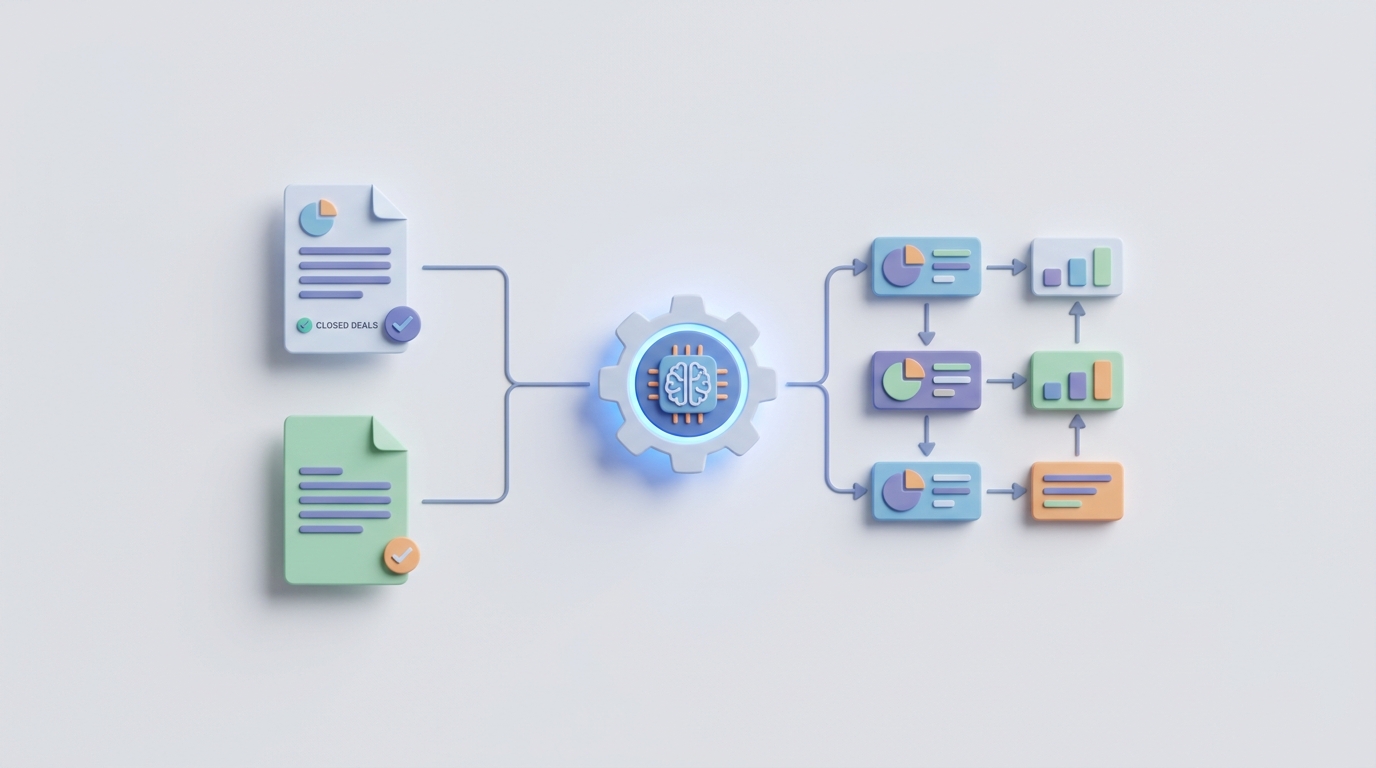
Most sales teams say they do win/loss analysis. What they actually do is ask reps to pick a loss reason from a dropdown, watch 60% of them select "price" or "no decision," and then move on. Once a quarter, someone pulls a report that confirms what everyone already suspected, packages it in a deck no one reads, and the cycle repeats.
Real win/loss analysis—the kind that actually changes win rates—requires pulling CRM data, listening to call recordings, reading email threads, interviewing buyers, coding themes, spotting patterns across hundreds of deals, and synthesizing it into something a VP of Sales will act on. It's brutally labor-intensive. A proper analysis of 25–30 deals takes a single analyst four to eight weeks. Most companies can only afford to examine 10–20% of their lost deals. The rest disappear into a CRM graveyard with a vague loss reason and zero learning.
This is exactly the kind of workflow that AI agents were made for. Not replacing the strategic thinking—but handling the extraction, categorization, pattern recognition, and report drafting that currently eat weeks of analyst time.
Here's how to build one on OpenClaw.
The Manual Workflow (And Why It Barely Works)
Let's be specific about what a thorough win/loss analysis actually looks like when done by hand:
Step 1: Deal Selection (2–4 hours) Someone queries the CRM for closed-won and closed-lost opportunities from the past quarter. They filter by deal size, segment, product line, or rep. They build a spreadsheet.
Step 2: Data Collection (40–60 hours) This is where it gets ugly. For each deal, the analyst needs to:
- Pull the CRM activity history (emails, notes, stage transitions, fields)
- Listen to recorded sales calls (often 3–8 calls per deal, 30–60 minutes each)
- Review proposals and pricing documents
- Survey or interview the sales rep (30–90 minutes per rep, if they respond)
- Attempt to interview the buyer (success rate: 15–25%)
For 25 deals with an average of five calls each, you're looking at 60+ hours of call listening alone.
Step 3: Categorization and Coding (15–25 hours) The analyst tags each deal with loss/win reasons, competitive mentions, objection types, buying criteria, and process gaps. Most do this in a spreadsheet. Terminology is inconsistent. One analyst writes "integration concerns," another writes "technical fit," and a third writes "API limitations." They're all describing the same thing.
Step 4: Pattern Analysis (10–15 hours) Cross-referencing themes by segment, deal size, competitor, rep, and region. Looking for statistical significance in small sample sizes. Usually done in Excel or a BI tool.
Step 5: Report Creation (8–12 hours) PowerPoint deck or written report. Executive summary, key findings, recommendations. Charts that took way too long to format.
Step 6: Action Planning (varies) This is where most programs die. The report gets presented, people nod, and nothing changes. Not because the insights are bad—but because they arrived six weeks late and are too abstract to act on.
Total time: 75–120 hours for a single quarterly analysis of 25–30 deals.
That's roughly $15,000–$30,000 in loaded analyst cost per cycle, or $60,000–$120,000 per year. Companies that outsource to specialized firms like Primary Intelligence pay $50,000–$150,000 annually for similar programs.
And here's the kicker: even after all that work, the data from Gong and Forrester consistently shows that CRM loss reasons are wrong 40–65% of the time. Reps attribute losses to price and product gaps. Buyers tell a different story—usually about poor sales execution, unclear value articulation, or timing.
What Makes This So Painful
The problems compound:
Bias is baked in. When you rely on rep-reported loss reasons, you get systematic distortion. Reps externalize blame. "The price was too high" is easier to say than "I didn't build a strong enough business case." Research from SiriusDecisions (now Forrester) found that reps cite price as the primary loss reason 60–70% of the time, while buyer interviews reveal it's the actual primary factor less than 30% of the time.
The "unknown" bucket is massive. In most CRMs, 40–65% of closed-lost deals have loss reasons recorded as "No Decision," "Budget," "Other," or simply blank. You can't improve what you can't see.
It doesn't scale. A SaaS company closing 1,000+ deals per year cannot manually analyze each one. So they sample, and the sample is usually too small and too biased (analysts gravitate toward big, dramatic losses and ignore the death-by-a-thousand-cuts pattern losses).
Insights arrive too late. A six-week analysis cycle means you're acting on last quarter's data. In fast-moving markets, that competitor who ate your lunch in Q1 has already changed their playbook by Q2.
Reports become shelfware. The gap between "here are the patterns" and "here's what to do Monday morning" is where most win/loss programs fail. By the time findings reach the people who need them, the context is stale and the recommendations are too generic.
What AI Can Handle Now
Not everything—but a lot more than most teams realize. Here's what an AI agent built on OpenClaw can reliably automate today:
Transcription and initial categorization: Speech-to-text accuracy on English-language sales calls is above 95%. An OpenClaw agent can process a full quarter's worth of call recordings in hours instead of weeks, tagging each segment with speaker identification, topic classification, and sentiment.
Automated loss reason coding: Instead of relying on a rep's dropdown selection, the agent analyzes the actual conversation data—what was said, what objections came up, where deals stalled—and assigns structured loss/win reasons. This alone can shrink the "unknown" bucket from 50%+ to under 15%.
Theme detection at scale: "Pricing objections appeared in 73% of lost enterprise deals but only 12% of lost mid-market deals." "Competitor X was mentioned in 47 closed-lost deals, up from 18 last quarter." "Deals where the champion went silent for 14+ days before close had a 78% loss rate." These patterns exist in your data. A human would need months to find them. An agent finds them in minutes.
Buyer language extraction: The exact words prospects use to describe their problems, evaluate solutions, and justify decisions. This is gold for messaging, battle cards, and sales enablement content. An OpenClaw agent can surface the 20 most common phrases buyers use when describing why they chose a competitor—pulled from hundreds of calls, verbatim.
Automated report generation: Executive summaries, trend analysis, segment-level breakdowns, and recommended actions—drafted by the agent, ready for human review and refinement.
Early warning signals: By analyzing patterns in active deals against historical win/loss data, the agent can flag deals that are exhibiting loss indicators while there's still time to intervene.
Step-by-Step: Building the Agent on OpenClaw
Here's the practical architecture for a win/loss analysis agent. I'm assuming you're using Salesforce as your CRM and Gong or a similar tool for call recordings, but the pattern adapts to other stacks.
Step 1: Define Your Data Sources and Connect Them
Your agent needs access to:
- CRM data: Opportunity records, stage history, activity logs, contact roles, custom fields
- Call recordings/transcripts: From Gong, Chorus, Fireflies, or whatever conversation intelligence tool you use
- Email data: Thread summaries from Salesforce activity or a connected email tool
- Proposal/pricing documents: Stored in your CRM or document management system
In OpenClaw, you'll configure these as data connectors. The platform supports direct integrations with Salesforce, HubSpot, and common conversation intelligence APIs. For call transcripts, if your tool exposes an API (Gong's API is well-documented), you can pipe transcripts directly into the agent's context.
# Example: OpenClaw data source configuration
data_sources:
  - type: salesforce
    objects: [Opportunity, OpportunityHistory, Task, Event, Contact]
    filters:
      StageName: ["Closed Won", "Closed Lost"]
      CloseDate: "LAST_QUARTER"
  - type: gong_api
    endpoint: /v2/calls
    filters:
      associated_opportunity: true
  - type: document_store
    path: /proposals/
    format: pdf
Step 2: Build the Processing Pipeline
The agent's core workflow runs in stages:
Stage 1: Data Ingestion and Enrichment Pull all closed deals from the defined period. For each deal, aggregate the associated calls, emails, notes, and documents into a unified deal record. Enrich with metadata: deal size, segment, product, rep, region, sales cycle length, number of stakeholders involved, competitive mentions.
Stage 2: Transcript Analysis For each call transcript, the agent runs structured extraction:
- Objections raised (categorized by type)
- Competitor mentions (with context)
- Buying criteria discussed
- Sentiment trajectory (did the call start positive and end negative?)
- Decision-maker engagement level
- Next steps promised vs. next steps delivered
This is where OpenClaw's structured output capabilities matter. You're not asking the agent to "summarize the call." You're asking it to extract specific fields into a structured schema:
# OpenClaw extraction schema for call analysis
extraction_schema:
  objections:
    type: array
    items:
      category: enum [price, features, integration, timing, competition, trust, internal_politics]
      verbatim_quote: string
      speaker: string
      severity: enum [minor, moderate, dealbreaker]
  competitor_mentions:
    type: array
    items:
      competitor_name: string
      context: enum [comparing_features, price_benchmark, already_using, evaluating]
      sentiment: enum [positive, neutral, negative]
  buying_criteria:
    type: array
    items:
      criterion: string
      importance: enum [nice_to_have, important, critical]
      our_score: enum [strong, adequate, weak, not_discussed]
Stage 3: Deal-Level Synthesis The agent combines all call analyses, email activity, CRM data, and documents for each deal into a single deal assessment. This includes:
- AI-determined win/loss reasons (overriding or supplementing the CRM dropdown)
- Key moments that influenced the outcome
- Sales execution score (based on methodology adherence—MEDDPICC gaps, for example)
- Competitive dynamics summary
Stage 4: Cross-Deal Pattern Analysis This is where the agent earns its keep. Across all deals in the analysis set, it identifies:
- Statistical patterns (loss rate by competitor, by segment, by deal size, by rep)
- Emerging themes (new objections appearing, shifting buyer priorities)
- Process failures (deals that skipped stages, lacked multi-threading, had no technical validation)
- Messaging gaps (where buyer language diverges from our positioning)
Stage 5: Report Generation The agent produces a structured report including:
- Executive summary (3–5 key findings, recommended actions)
- Win rate trends with breakdowns
- Top loss reasons (AI-coded, not rep-reported) with supporting evidence
- Competitive landscape changes
- Rep-level and segment-level performance patterns
- Specific recommendations tied to each finding
Step 3: Configure the Output Format
Your stakeholders don't want to read raw AI output. Configure the agent to produce deliverables in formats people actually use:
# OpenClaw output configuration
outputs:
  - type: executive_summary
    format: markdown
    max_length: 1500_words
    audience: sales_leadership
    include: [key_findings, win_rate_trends, top_recommendations]
  - type: detailed_report
    format: pdf
    sections: [methodology, deal_summaries, pattern_analysis, competitive_intel, recommendations]
  - type: battle_card_updates
    format: structured_json
    destination: enablement_platform
  - type: dashboard_data
    format: csv
    destination: bi_tool
    metrics: [loss_reasons, competitor_frequency, objection_types, cycle_length]
Step 4: Set the Trigger and Cadence
You can run this agent on a schedule (weekly, monthly, quarterly) or trigger it when a deal closes. For most teams, a weekly automated run with a monthly deep-dive report is the sweet spot.
For real-time value, set up a trigger that fires whenever an opportunity moves to Closed Lost. The agent immediately processes the deal's data and sends a brief analysis to the rep's manager and the enablement team. No more waiting until quarter-end to learn from losses.
Step 5: Human Review Layer
This is not optional. Build a review step into the workflow where a human—your sales ops analyst, enablement lead, or revenue operations manager—reviews the agent's output before it goes to leadership. They're checking for:
- Hallucinated patterns (the agent found a trend that doesn't hold up under scrutiny)
- Missing context (the agent doesn't know about the reorg at the prospect's company)
- Prioritization (the agent identified 15 findings; which 3 matter most right now?)
The human review step should take 2–4 hours per cycle instead of 75–120. That's the leverage.
What Still Needs a Human
Being honest about limitations matters more than hype:
Strategic interpretation. The agent can tell you that deals involving Competitor X have a 34% lower win rate when your SE isn't involved in the first two calls. A human needs to decide whether that means you need more SEs, earlier SE engagement, better qualification to avoid those deals entirely, or a product change that eliminates the need for technical validation.
Buyer interviews. For strategic losses—especially large enterprise deals—nothing replaces a skilled human interviewer. Buyers reveal things in conversation they'd never write in a survey. The political dynamics, the internal champion who got overruled, the last-minute budget freeze. An OpenClaw agent can help you prepare for these interviews (generating targeted question lists based on deal data), but it can't conduct them.
Change management. The hardest part of win/loss analysis was never the analysis. It's getting product teams to adjust roadmaps, getting marketing to update messaging, getting sales managers to change coaching behavior. That's human work.
Nuance and sarcasm. AI still struggles with subtext. A buyer who says "your demo was really... thorough" might not be complimenting you. A human reviewer catches this. The agent might not.
Validation of edge cases. When the agent flags something unexpected—a pattern you've never seen before—a human needs to investigate before you reorganize your sales process around it.
Expected Time and Cost Savings
Based on the manual workflow costs outlined earlier and real-world results from companies using AI-powered win/loss analysis:
| Metric | Manual Process | With OpenClaw Agent |
|---|---|---|
| Time per quarterly analysis | 75–120 hours | 8–15 hours (mostly human review) |
| Deals analyzed per quarter | 25–30 (sampled) | All closed deals |
| Time from deal close to insight | 4–8 weeks | 24–48 hours |
| "Unknown" loss reasons | 40–65% | Under 15% |
| Annual analyst cost | $60,000–$120,000 | $15,000–$30,000 (review time + platform) |
| Coverage of closed-lost deals | 10–20% | 100% |
The coverage number is the one that matters most. When you go from analyzing 20% of losses to analyzing all of them, you stop missing patterns. The mid-market segment that's quietly bleeding deals to a startup you've never heard of? You catch it in week two, not month four.
A mid-market SaaS company that made this shift (documented in a 2026 Gong case study) reduced their analysis cycle from six weeks to near real-time, cut analyst time by roughly 80%, and began acting on insights within days. Their win rate improved meaningfully within two quarters—not because the AI was magic, but because faster insights meant faster action.
Getting Started
You don't need to build the entire pipeline on day one. Start with the highest-leverage piece: automated loss reason coding. Connect your CRM and call transcript data to an OpenClaw agent, have it analyze your last quarter's closed-lost deals, and compare its loss reasons to what's in your CRM dropdowns. The gap between "what reps reported" and "what actually happened" will make the case for the full build.
If you want to skip the build entirely, check out Claw Mart for pre-built agent templates, including win/loss analysis workflows you can configure and deploy without starting from scratch. And if you'd rather have someone build and tune the agent for your specific sales process, data stack, and reporting needs, Clawsource it — post the project and let a specialist handle the implementation while you focus on acting on the insights.
The goal isn't to remove humans from win/loss analysis. It's to stop wasting human brainpower on transcription, tagging, and spreadsheet formatting so they can spend it on the part that actually moves win rates: deciding what to do about what you've learned.