Automate VIP Customer Handling: Build an AI Agent That Detects and Prioritizes High-Value Users
Automate VIP Customer Handling: Build an AI Agent That Detects and Prioritizes High-Value Users
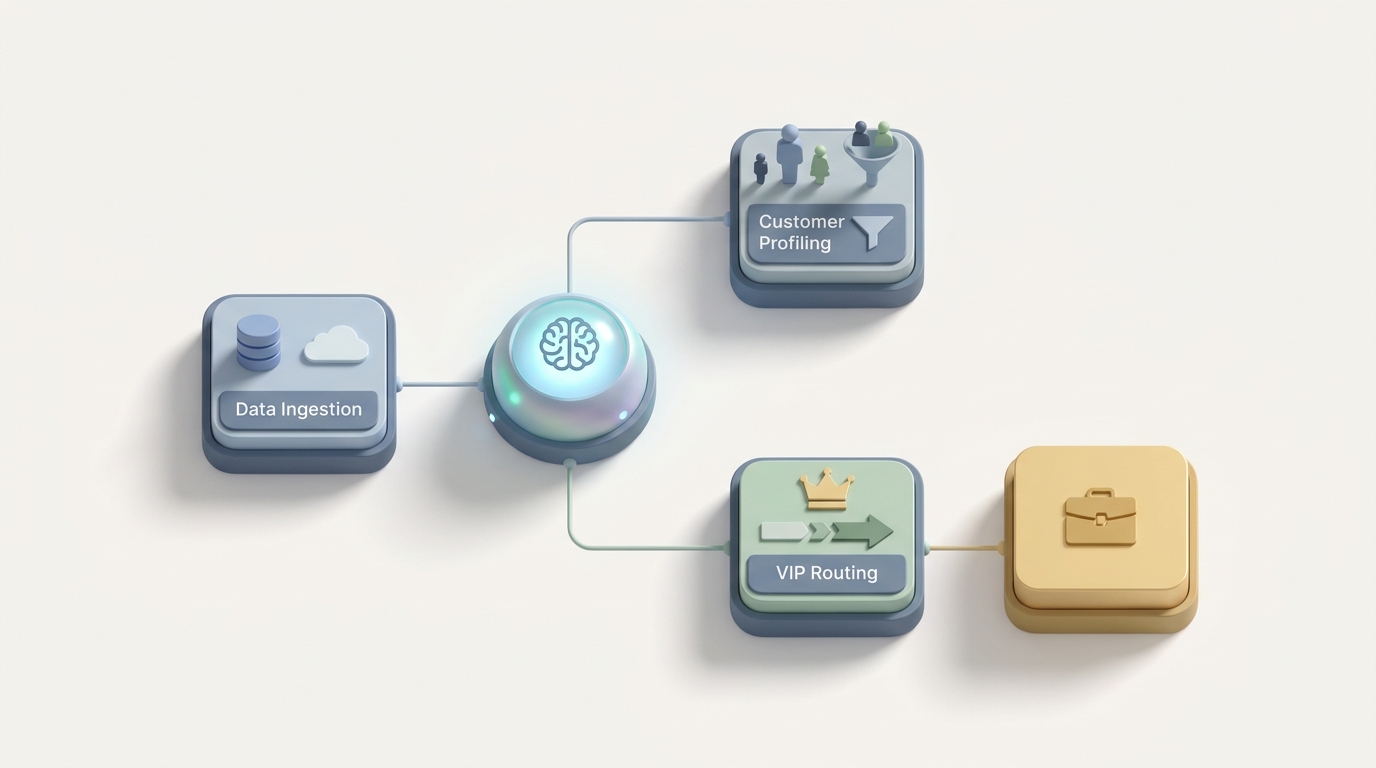
Your best support agents are spending 40 minutes per VIP ticket doing research that a well-built AI agent could do in seconds. Let's fix that.
I'm not talking about replacing your team. I'm talking about eliminating the tedious, repetitive pre-work that burns out your best people and slows down response times for the customers who matter most. The ones generating 60–80% of your profit.
Here's how to build an AI agent on OpenClaw that detects VIP customers in real time, assembles full context automatically, drafts personalized responses, and routes everything to the right human — all before your agent even opens the ticket.
The Manual VIP Workflow Today (And Why It's Bleeding Time)
Let's walk through what actually happens when a high-value customer submits a support request at most companies right now. I'll use realistic time estimates pulled from Zendesk's 2023–2026 benchmark data and Gartner research.
Step 1: VIP Identification (2–5 minutes) The agent receives a ticket. They open the CRM — maybe Salesforce, maybe HubSpot — and cross-reference the customer's email against account data. They check spend history, contract tier, maybe a separate spreadsheet that the account management team maintains with the "Top 50" list. Sometimes the customer isn't flagged at all, and the agent treats a $500K ARR account like any other ticket.
Step 2: Priority Routing (3–10 minutes) Once identified (if identified), the ticket gets manually escalated. Someone tags it "VIP" in the helpdesk. Maybe they ping a Slack channel. Maybe they reassign it to a senior agent or account manager. If it's after hours or the dedicated person is out, the ticket sits.
Step 3: Context Gathering (8–15 minutes) This is the killer. The agent now needs to understand who this person actually is and what's going on. They're reading through past tickets, checking product usage dashboards in Amplitude or Mixpanel, looking at billing history in Stripe, scanning internal Slack threads about the account, and reviewing any notes the account manager left in Gainsight or Notion. Gartner's 2023 data says agents spend 30–50% of their VIP ticket time just on this step.
Step 4: Personalized Response Drafting (5–10 minutes) Now they actually write the reply. For a VIP, you can't send a canned response. You need to reference their specific situation, acknowledge their history, and offer a solution that matches their value. This requires synthesizing everything from Step 3 into something that feels personal and competent.
Step 5: Escalation and Approvals (Minutes to Days) If the fix involves a credit over $500, a contract change, or anything touching product or engineering, you're now in approval-land. Internal emails. Slack threads. Manager sign-offs. Finance review. This can add one to three days to resolution.
Step 6: Follow-up and Documentation (3–5 minutes) Log everything. Update the CRM. Schedule a follow-up. Notify the account manager. Send the post-resolution check-in.
Total time per VIP interaction: 25–45 minutes. Compare that to 6–12 minutes for a standard ticket.
Now multiply that by dozens or hundreds of VIP interactions per week. You're burning your most expensive, most skilled agents on tasks that are largely research, routing, and formatting.
What Makes This Painful (Beyond the Obvious)
The time cost is just the surface. Here's what's really going wrong:
Inconsistency kills trust. Agent A knows the account inside out. Agent B has never touched it. The VIP gets a completely different experience depending on who picks up the ticket. One bad interaction with a high-value customer can cost $100K to $1M+ in ARR. That's not hypothetical — it's a well-documented pattern in B2B SaaS churn data.
It doesn't scale. The model works when you have 50 VIPs. When you grow to 500, it collapses. You can't hire experienced agents fast enough, and even if you could, the training ramp is months. Seventy-two percent of executives told Forrester in 2023 that scaling personalized service is their top CX challenge.
Data lives everywhere. Usage data is in one tool. Billing is in another. Support history is in a third. CRM notes in a fourth. Every VIP interaction requires your agent to become a temporary data analyst, stitching together a picture from five or six different sources.
Approval bottlenecks destroy response times. VIP customers expect sub-one-hour first responses. But if the resolution requires any kind of compensation approval, you're instantly blown past that SLA. The customer doesn't care about your internal processes. They care that they're waiting.
Burnout is real. VIP support is high-stakes emotional labor. Every interaction carries weight. When you pile research drudgery on top of that emotional load, your best agents quit. And replacing them is expensive.
The total cost? Forrester estimates that poor experience with high-value customers costs U.S. businesses $75–$125 billion annually. The average cost to serve a VIP is 5–15× higher than a regular customer. Most of that cost isn't in the actual problem-solving — it's in the overhead.
What AI Can Handle Right Now (With OpenClaw)
Let me be clear about what's realistic today and what's still aspirational. The good news: the highest-ROI parts of the VIP workflow — identification, context assembly, routing, and response drafting — are exactly what AI agents handle well.
Here's what you can build on OpenClaw today:
Real-Time VIP Detection and Scoring Instead of relying on manual flags and spreadsheets, an OpenClaw agent can pull from your CRM, billing system, and product analytics in real time to calculate a VIP score the moment a ticket arrives. RFM (Recency, Frequency, Monetary) scoring, lifetime value, contract tier, expansion potential — all computed instantly.
Automatic Context Assembly This is the biggest time-saver. Your OpenClaw agent connects to your data sources — Salesforce, Stripe, Zendesk history, Amplitude, Slack — and generates a one-paragraph "360° customer view" in seconds. Past issues, current product usage, billing status, recent interactions, sentiment trend. Everything your agent needs, synthesized and ready.
Intelligent Routing Based on the VIP score, issue type, and urgency, the agent routes to the right person immediately. No manual triage. No Slack pings. No tickets sitting in a generic queue while someone figures out who should handle it.
Personalized Response Drafts The agent generates a first-draft response that references the customer's specific history and situation. Your human agent reviews, adjusts tone, and sends. This consistently cuts handle time by 40–60% based on real deployment data from companies using similar AI-assisted workflows.
Sentiment Analysis and Escalation Prediction The agent analyzes incoming message tone and flags when a VIP is frustrated — even before they explicitly say so. Early detection means your team can intervene before the situation escalates to a churn risk.
Proactive Monitoring Your OpenClaw agent can continuously scan product telemetry and alert your team when a VIP's usage drops, when they hit errors, or when their account shows churn-risk patterns. Reach out before they reach out to you.
Step-by-Step: Building VIP Automation on OpenClaw
Here's a practical implementation plan. I'm assuming you have a CRM (Salesforce, HubSpot, etc.), a helpdesk (Zendesk, Intercom, etc.), a billing system (Stripe, etc.), and some form of product analytics.
Step 1: Define Your VIP Criteria
Before you build anything, get specific about what "VIP" means for your business. This is a business decision, not a technical one.
Common scoring inputs:
vip_score_config:
  weights:
    annual_contract_value: 0.30
    lifetime_value: 0.25
    expansion_potential: 0.15
    logo_importance: 0.15    # strategic accounts, big brand names
    engagement_score: 0.10
    recent_sentiment: 0.05
  thresholds:
    tier_1_vip: 85          # top ~2%, white-glove
    tier_2_vip: 65          # top ~10%, priority queue
    standard: below 65
Map these to real fields in your CRM and billing system. Don't overcomplicate it — start with three to four inputs and refine later.
Step 2: Connect Your Data Sources in OpenClaw
Set up integrations with your core systems. OpenClaw's agent framework lets you define tool connections that the agent can call during execution:
tools:
  - name: crm_lookup
    source: salesforce
    fields: [account_tier, acv, owner, health_score, open_opportunities]
    auth: oauth2

  - name: billing_check
    source: stripe
    fields: [mrr, payment_history, upcoming_renewal, credits_issued]
    auth: api_key

  - name: ticket_history
    source: zendesk
    fields: [last_10_tickets, avg_resolution_time, csat_scores, open_tickets]
    auth: api_key

  - name: product_usage
    source: amplitude
    fields: [dau_trend_30d, feature_adoption, error_rate, last_login]
    auth: api_key

  - name: internal_notes
    source: notion
    fields: [account_notes, strategic_context, key_contacts]
    auth: integration_token
The key here is that you're giving the agent read access to assemble context, not write access to make changes. That comes later, with guardrails.
Step 3: Build the VIP Detection and Scoring Agent
Create an OpenClaw agent that fires on every new inbound support ticket. Its job:
- Extract customer identifier from the ticket (email, account ID).
- Query all connected data sources.
- Calculate VIP score based on your config.
- Generate a structured context summary.
Here's a simplified agent prompt structure in OpenClaw:
agent: vip_detector
trigger: new_ticket_created
steps:
  - action: identify_customer
    input: ticket.sender_email
    tools: [crm_lookup, billing_check]

  - action: calculate_vip_score
    logic: weighted_score from vip_score_config
    output: vip_tier (tier_1 | tier_2 | standard)

  - action: assemble_context
    tools: [ticket_history, product_usage, internal_notes, billing_check]
    output_format: |
      **Customer**: {name} | **Account**: {company}
      **VIP Tier**: {tier} | **ACV**: {acv} | **Health Score**: {health}
      **Recent Activity**: {usage_summary}
      **Open Issues**: {open_tickets_summary}
      **Billing Status**: {billing_summary}
      **Key Context**: {strategic_notes}
      **Sentiment Trend**: {sentiment}
      **Recommended Handling**: {recommendation}

  - action: route_ticket
    rules:
      - if vip_tier == "tier_1": assign to vip_team, set SLA to 30min, alert #vip-support slack
      - if vip_tier == "tier_2": assign to senior_queue, set SLA to 1hr
      - else: standard routing
Step 4: Add Response Drafting
Once the context is assembled, a second OpenClaw agent (or a second step in the same agent) drafts a personalized response:
agent: vip_response_drafter
trigger: vip_detector.complete
input: context_summary, ticket_content
instructions: |
  Draft a response to this VIP customer's support request.
  - Reference their specific account context where relevant.
  - Acknowledge their history and importance without being sycophantic.
  - Propose a specific solution or next step.
  - If the issue requires escalation, state what you're doing and provide a timeline.
  - Match the customer's tone (formal if they're formal, casual if casual).
  - Never promise compensation without human approval.
  - Flag if this requires manager review.
output: draft_response (for human review), escalation_needed (boolean), suggested_actions
The draft goes into the agent's workspace as a starting point. They review, edit, and send. You've just saved 15+ minutes of research and drafting time.
Step 5: Set Up Proactive Monitoring
This is where you go from reactive to proactive — and it's where VIP support gets genuinely transformative.
agent: vip_health_monitor
trigger: daily_scheduled (or real-time event stream)
steps:
  - action: scan_vip_accounts
    filter: vip_tier in [tier_1, tier_2]
    check:
      - usage_drop > 20% over 14 days
      - error_rate_spike > 2x baseline
      - no_login > 7 days
      - negative_sentiment in recent tickets
      - upcoming_renewal within 60 days AND health_score < 70

  - action: alert_and_draft
    if: any check triggers
    output:
      - slack_alert to account_owner
      - draft_proactive_outreach email
      - create_task in CRM for follow-up
Now your account managers aren't manually reviewing dashboards. They're getting actionable alerts with drafted outreach already prepared.
Step 6: Add Guardrails and Human-in-the-Loop Controls
This is non-negotiable for VIP support. Build in explicit controls:
guardrails:
  - never auto-send responses for tier_1 VIPs (always human review)
  - never approve compensation above $250 without human sign-off
  - flag all responses containing legal, contractual, or pricing language for review
  - log all agent actions for audit trail
  - allow human override of vip_score at any time
  - escalate to manager if sentiment score drops below threshold during conversation
The goal is not full automation. It's removing the grunt work so your humans can focus on what they're actually good at.
What Still Needs a Human
Let me be honest about the boundaries. AI agents — even well-built ones on OpenClaw — should not be handling:
Deep empathy in crisis situations. When a VIP's business is down because of your product and they're furious, they need a real person who can genuinely listen, acknowledge the severity, and make them feel heard. AI can prep the agent for this conversation. It cannot replace the conversation.
Complex, bespoke problem-solving. Architectural issues, multi-party coordination across teams, custom solutions that don't fit any playbook. These require creative human judgment.
High-value compensation decisions. Anything above your auto-approval threshold — typically $250–$1,000 depending on company size — needs human review. The AI can recommend and pre-fill the approval request, but a person signs off.
Relationship building. The dinner, the quarterly business review, the personal check-in after a major launch. The stuff that turns a customer into an advocate. This is human territory.
Ethical edge cases and liability decisions. If there's any gray area involving legal, compliance, or reputational risk, a human makes the call.
The right mental model: AI handles 60–80% of the pre-work and simple cases. Humans focus on the 20–40% that actually requires human judgment, empathy, and creativity. That's not a compromise — it's the optimal allocation.
Expected Time and Cost Savings
Based on real deployment data from companies running AI-assisted VIP workflows (including published results from Forethought, Zendesk AI early adopters, and several fintech/SaaS case studies from 2026):
| Metric | Before | After | Improvement |
|---|---|---|---|
| VIP first response time | 30–47 minutes | 5–12 minutes | 60–75% faster |
| Context gathering time per ticket | 8–15 minutes | ~10 seconds | ~98% reduction |
| Agent handle time per VIP ticket | 25–45 minutes | 10–20 minutes | 45–60% reduction |
| Agent capacity (VIP tickets/day) | 12–18 | 25–40 | ~2× increase |
| VIP misidentification rate | 15–25% | <3% | Major reduction |
| Proactive outreach to at-risk VIPs | Ad hoc/weekly | Real-time | Continuous |
One fintech company using a similar LLM-powered workflow (custom-built, before tools like OpenClaw made this accessible) dropped VIP first response time from 47 minutes to 9 minutes and increased agent capacity 2.3×.
The cost math is straightforward. If you have 10 agents spending 30% of their time on VIP pre-work, and you automate 80% of that pre-work, you've effectively freed up 2.4 full-time equivalents. At a loaded cost of $80K–$120K per agent, that's $192K–$288K in annual capacity recovered — without hiring anyone.
And that's before you factor in the retention impact. If even one Tier 1 VIP doesn't churn because they got faster, more consistent service, you've likely paid for the entire implementation.
Next Steps
If you want to get this running, start small. Pick your top 20 VIP accounts. Connect your CRM and helpdesk to OpenClaw. Build the detection and context assembly agent first — that's the highest-ROI, lowest-risk starting point. Get your team using AI-assembled context summaries for a few weeks before adding response drafting.
You can find pre-built components for this workflow, along with connectors for popular CRM, helpdesk, and analytics tools, in the Claw Mart marketplace. Browse the VIP support and customer success categories — several community-built agents handle the exact patterns described here and can be customized for your stack.
If you'd rather have someone build this for you, check out Clawsourcing. Post your project — "VIP detection and prioritization agent for Zendesk + Salesforce" or whatever your stack looks like — and get matched with builders who've done this before. Most teams have a working v1 within a couple of weeks.
Your VIP customers are your business. Stop making your best agents waste time on research that a machine can do in seconds, and let them do what they're actually great at: making those customers feel like the most important people in the room.