Automate 30-60-90 Day Tenant Check-In Workflows
Automate 30-60-90 Day Tenant Check-In Workflows
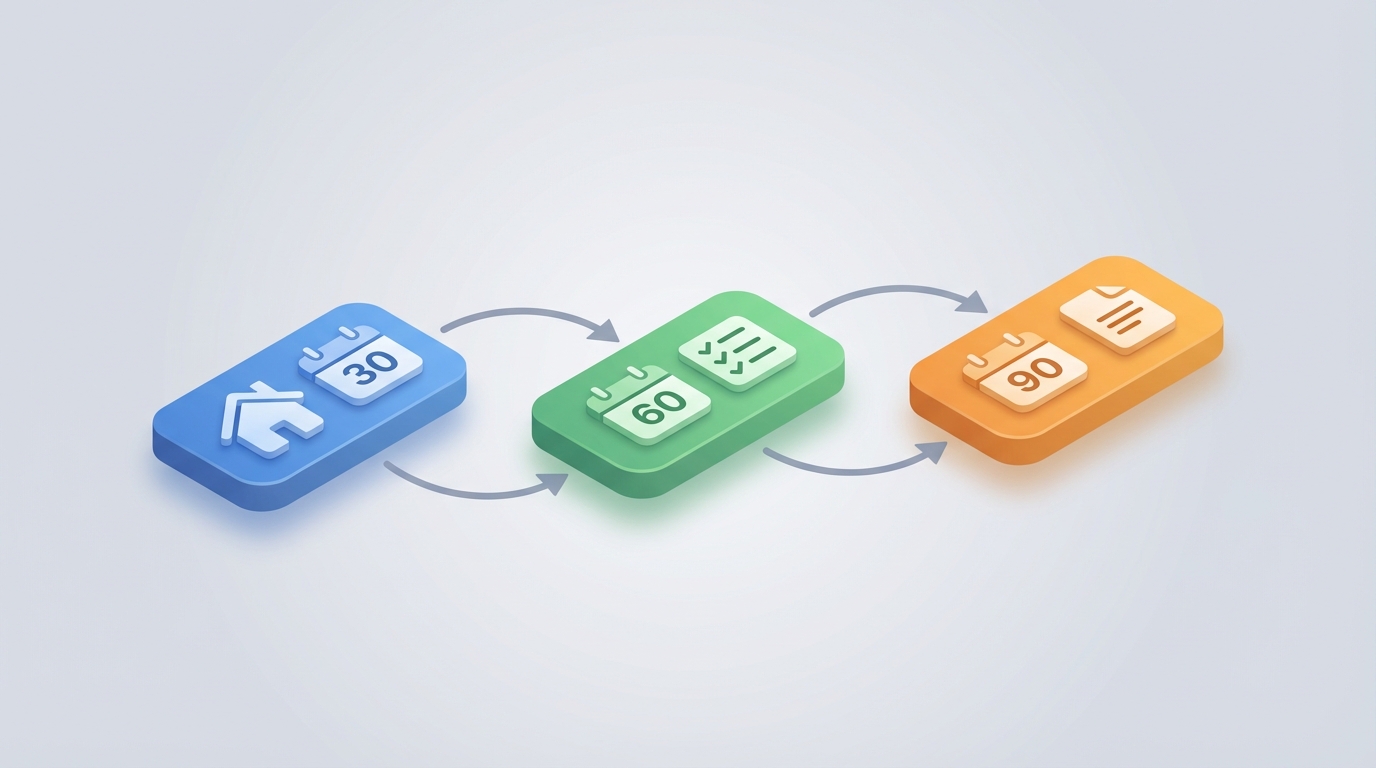
Most property managers treat tenant check-ins like a one-and-done event. Lease signed, keys handed over, done. Then they wonder why maintenance requests pile up unresolved for weeks, why tenants ghost on lease renewals, and why turnover keeps eating $3,000–$5,000 per unit.
The 30-60-90 day check-in workflow exists because the first three months of a tenancy predict almost everything that follows. A tenant who feels ignored in month one starts browsing apartments in month eight. A maintenance issue unreported at day 30 becomes a $2,000 repair at day 180. A confused tenant who never figured out the resident portal calls your office seventeen times instead of submitting one ticket.
This is a workflow that practically begs for automation. It's structured, time-bound, and repeatable. Yet most property managers either do it manually (burning hours per tenant), do it inconsistently (some tenants get check-ins, others don't), or skip it entirely.
Here's how to build a 30-60-90 day tenant check-in system using an AI agent on OpenClaw that actually runs itself — and where you still need a human in the loop.
The Manual Workflow Today
Let's be honest about what this looks like when someone actually does it well. The 30-60-90 framework breaks down into three touchpoints, each with distinct goals:
Day 30: The "How's Everything Going?" Check
- Send a personalized email or text asking about move-in experience
- Ask if any maintenance issues have surfaced
- Confirm they've set up the resident portal, autopay, renter's insurance
- Document their responses
- Create maintenance tickets for anything flagged
- Follow up on any outstanding move-in items (missing addendums, pet documentation, etc.)
Staff time: 15–25 minutes per tenant (if you include writing the message, waiting for response, reading it, logging it, creating any tickets).
Day 60: The "Let's Catch Problems Early" Check
- Follow up on any Day 30 maintenance items — were they resolved?
- Ask about neighbor issues, noise, parking, amenities
- Gauge overall satisfaction (informally)
- Remind about lease terms they tend to forget (guest policies, renewal timelines)
- Update tenant file with notes
Staff time: 15–20 minutes per tenant.
Day 90: The "Retention Groundwork" Check
- Assess overall satisfaction more directly
- Address any unresolved issues as a priority
- Begin soft introduction to renewal process (especially for shorter leases)
- Document everything for the renewal decision later
- Flag at-risk tenants for manager attention
Staff time: 20–30 minutes per tenant.
Total per tenant across all three touchpoints: 50–75 minutes of staff time. For a 200-unit property with 15% annual turnover, that's 30 new tenants per year, or roughly 25–37 hours of staff time annually just on check-ins. Sounds manageable in isolation — until you remember this is layered on top of the other 40 hours a week your team already doesn't have.
And that's the optimistic version. In reality, here's what happens: the Day 30 email goes out for the first three tenants. Then someone quits, or a pipe bursts, or leasing season hits. The Day 60 check-in never happens. Day 90 is forgotten entirely. The tenant who had a slow-draining bathtub at Day 30 now has water damage at Day 150, and you're filing an insurance claim instead of spending $150 on a plumber.
What Makes This Painful
The pain isn't complexity. This isn't rocket science. The pain is consistency at scale.
The consistency problem. Different staff members send different messages. Some are thorough, others fire off "everything ok?" and call it done. There's no standardized data collection, so you can't compare satisfaction across your portfolio or spot systemic issues.
The follow-through problem. A check-in without follow-up is worse than no check-in at all. If a tenant reports a problem at Day 30 and nobody creates a ticket, you've now demonstrated that you don't listen. You've actively damaged the relationship.
The data problem. Even when check-ins happen, the information lives in email threads, text messages, sticky notes, or someone's memory. It never makes it into your property management system in a structured way. Six months later, when you're deciding whether to offer a renewal incentive, you have no data to work with.
The cost of getting it wrong. Turnover is the single largest controllable expense in property management. NMHC data puts the average cost at $2,500–$5,000 per unit including make-ready, vacancy loss, marketing, and staff time. If automated check-ins prevent even two or three unnecessary move-outs per year on a 200-unit property, you've saved $5,000–$15,000. The ROI math on this isn't subtle.
The timing problem. Check-ins need to happen at specific intervals. Not "sometime around the one-month mark." Day 30. Day 60. Day 90. Humans are terrible at calendar-based tasks that span months, especially when they're managing dozens of tenants simultaneously. Something always slips.
What AI Can Handle Now
This is where I'd normally hedge and say "AI is getting better but isn't ready." Not here. The 30-60-90 check-in workflow is one of the cleanest use cases for an AI agent because it's:
- Triggered by a date (move-in date + 30/60/90 days)
- Following a script (with personalization based on tenant data)
- Collecting structured information (satisfaction ratings, maintenance issues, yes/no confirmations)
- Routing outputs to existing systems (maintenance tickets, tenant files, manager alerts)
Here's what an AI agent built on OpenClaw can do today, not theoretically, but practically:
Automated outreach with real personalization. Not a mail merge. An agent that pulls the tenant's name, unit number, any open maintenance tickets, their lease terms, and pet status — then generates a check-in message that reads like it came from a human who actually knows their situation. "Hi Sarah, you're about a month into 4B — how's that dishwasher treating you? I saw we had a tech out on the 15th. Did that resolve the issue?"
Multi-channel communication. The agent sends via the tenant's preferred channel (email, SMS, resident portal message) and handles responses across all of them. No more checking three inboxes.
Intelligent response processing. When a tenant replies "the kitchen faucet has been dripping since week two," the agent doesn't just log it. It classifies the issue (plumbing, non-emergency), drafts a maintenance ticket with the relevant details, and routes it to the right person. It can ask clarifying follow-up questions: "Is the drip constant or intermittent? Can you send a quick photo?"
Escalation when needed. If a tenant's response signals dissatisfaction, frustration, or a potential lease violation issue, the agent flags it for human review immediately instead of letting it sit in a queue.
Structured data capture. Every interaction gets logged in a standardized format. Satisfaction signals, reported issues, response times, resolution status. This feeds dashboards you can actually use for portfolio-level decision-making.
Automatic scheduling of follow-ups. Day 30 agent asks about a maintenance issue. Day 60 agent automatically asks whether that specific issue was resolved. No human has to remember to check.
Step-by-Step: How to Build This on OpenClaw
Here's the practical implementation path. This isn't a weekend project, but it's not a six-month IT initiative either.
Step 1: Define Your Check-In Templates
Before you touch any technology, write out what you actually want to ask at each interval. Be specific.
Day 30 Template — Core Questions:
- How would you rate your move-in experience? (1-5)
- Have you encountered any maintenance issues? (If yes, describe)
- Have you successfully set up your resident portal and autopay?
- Is there anything about the property or unit that wasn't what you expected?
- Do you have any questions about your lease terms or community policies?
Day 60 Template — Core Questions:
- Have any previously reported issues been resolved to your satisfaction?
- Any new maintenance concerns?
- How are things with your neighbors and shared spaces?
- Anything we could do better?
Day 90 Template — Core Questions:
- Overall, how satisfied are you with your home? (1-5)
- Are there any unresolved issues we should prioritize?
- Is there anything that would make you more likely to renew your lease?
- Any feedback on our responsiveness and communication?
These become the bones of your agent's conversation flows.
Step 2: Set Up Your Data Connections
Your OpenClaw agent needs access to:
- Tenant records — names, unit numbers, move-in dates, contact preferences, lease terms
- Maintenance history — open and recently closed tickets for each tenant's unit
- Property details — amenities, policies, and any property-specific information the agent might need to answer questions
Most property management systems (AppFolio, Yardi, Buildium, Rent Manager) offer APIs or data exports. In OpenClaw, you'll configure these as data sources your agent can query. If your PMS doesn't have a clean API, a nightly CSV export to a connected database works fine as a starting point.
Step 3: Build the Agent Workflow in OpenClaw
Here's where it comes together. In OpenClaw, you're building an agent that operates on a trigger-and-flow basis:
Trigger: Move-in date + 30 days (then 60, then 90). OpenClaw lets you set time-based triggers that fire based on dates in your tenant data.
Flow:
1. Pull tenant record (name, unit, contact preference, lease details)
2. Pull open/recent maintenance tickets for that unit
3. Select appropriate template (Day 30, 60, or 90)
4. Generate personalized message using template + tenant context
5. Send via preferred channel (email/SMS)
6. Await response (with reminder at +48 hours if no reply)
7. Process response:
   a. Extract satisfaction signals → log to tenant record
   b. Extract maintenance issues → create/update tickets
   c. Extract questions → attempt to answer from property knowledge base
   d. Detect escalation triggers → alert property manager
8. Log complete interaction with structured data
9. Schedule next check-in trigger
In OpenClaw, each of these steps is a node in your agent workflow. The platform handles the orchestration — you define the logic, the data connections, and the decision points.
For the message generation step, you'll want to give the agent clear instructions about tone and content. Something like:
You are a helpful property manager assistant for [Property Name].
Write a friendly, concise check-in message to the tenant.
Use their first name. Reference any open maintenance tickets naturally.
Keep it under 150 words. Sound human, not corporate.
Ask the specific questions from the Day [30/60/90] template.
Do not make promises about specific timelines or costs.
Step 4: Build the Response Processing Logic
This is the most important part. When a tenant replies, the agent needs to do more than acknowledge — it needs to act.
Maintenance issue detection: Configure the agent to identify maintenance-related language and extract: issue type, location in unit, severity (based on keywords like "flooding" vs. "squeaky"), and duration. Then auto-create a ticket in your maintenance system or queue it for staff review.
Satisfaction scoring: The agent should map responses to a simple internal score. Explicit ratings are easy. But the agent should also infer sentiment from free-text responses. "Everything's great!" is a 5. "I guess it's fine" is a 3. "I've been dealing with this for weeks" is a 1 plus an escalation flag.
Escalation rules: Define these clearly in your OpenClaw agent configuration:
- Satisfaction score ≤ 2 → immediate manager notification
- Mention of health/safety issue → immediate notification + emergency maintenance flag
- Mention of legal terms (lawyer, lawsuit, habitability) → immediate manager notification
- Tenant unresponsive after 3 attempts → flag for personal outreach
- Any Fair Housing-adjacent topic → route to human immediately
Step 5: Connect to Your Downstream Systems
The agent's outputs need to land in the right places:
- Maintenance tickets → your PMS or maintenance management tool
- Tenant satisfaction data → a dashboard or spreadsheet (OpenClaw can push to Google Sheets, Airtable, or your PMS if it accepts incoming data)
- Escalation alerts → email, Slack, or SMS to the responsible manager
- Interaction logs → stored in OpenClaw and/or synced to your tenant records
Step 6: Test With a Small Cohort
Don't roll this out to your entire portfolio on day one. Pick 10–15 tenants who moved in recently. Run the Day 30 check-in. Review every message the agent sends before it goes out (OpenClaw supports human-in-the-loop approval for this). Read every response and how the agent handled it. Adjust your templates, tone, and escalation rules based on what you see.
After you're confident the agent handles the common cases well, remove the pre-send approval for standard messages and keep it only for edge cases and escalations.
Step 7: Monitor and Iterate
Track these metrics monthly:
- Response rate by channel (email vs. SMS)
- Average satisfaction score at each interval
- Number of maintenance issues caught proactively
- Escalation rate (what percentage need human intervention)
- Tenant retention rate compared to pre-automation baseline
OpenClaw gives you logging and analytics on agent interactions. Use them. The first version of your agent won't be perfect. The fifth version will be excellent.
What Still Needs a Human
I want to be direct about this because overpromising is how automation projects fail.
Escalated conversations. When a tenant is genuinely upset, an AI agent making empathetic noises isn't enough. A human needs to call them, listen, and solve their problem. The agent's job is to identify these situations fast and route them correctly — not to handle them.
Judgment calls on maintenance priority. The agent can create tickets and suggest severity levels, but a property manager needs to make the final call on what gets fixed this week versus next month, especially when budgets are tight.
Retention negotiations. The Day 90 check-in might surface that a tenant is considering leaving. The agent can flag this. But the conversation about whether to offer a rent concession, upgrade, or other incentive requires human judgment about that tenant's value, market conditions, and financial constraints.
Anything involving Fair Housing. If a tenant's check-in response touches on disability accommodations, familial status issues, or anything that could implicate Fair Housing regulations, a human must handle it. Full stop. The legal and ethical risks of an AI agent navigating these waters are too high.
Unusual situations. A tenant going through a personal crisis. A unit with a recurring problem that maintenance can't seem to fix. A neighbor dispute that's escalating. These require the kind of contextual, empathetic judgment that AI genuinely cannot replicate today.
The point of automation here isn't to remove humans from property management. It's to make sure humans spend their time on the conversations that actually need them, instead of sending 30 identical "how's everything going?" emails.
Expected Time and Cost Savings
Let's do the math conservatively.
Time savings per tenant: 40–55 minutes across the three check-ins (out of 50–75 minutes total). The agent handles outreach, response processing, ticket creation, and logging. Humans handle only escalated conversations, which occur in maybe 15–20% of interactions.
For a 200-unit property (30 new tenants/year):
- Manual time: ~37.5 hours/year (midpoint estimate)
- Automated time: ~8 hours/year (handling escalations only)
- Net savings: ~29.5 hours/year of staff time
That doesn't sound like a lot until you consider three things:
-
You're now actually doing the check-ins. Most properties skip them entirely, so the real comparison isn't "automated vs. manual" — it's "automated vs. nothing." The value is in the outcomes (retention, proactive maintenance, satisfaction data), not just the time savings.
-
Proactive maintenance saves real money. Catching a slow leak at Day 30 instead of discovering water damage at Day 180 can save $1,000–$5,000 per incident. If the automated check-ins catch even two or three of these per year, you've paid for the entire system many times over.
-
Retention impact. If improved check-ins prevent even one unnecessary move-out per year, you've saved $2,500–$5,000 in turnover costs. On a large portfolio, two or three retained tenants per property per year is a conservative estimate for a well-run check-in program. That's $5,000–$15,000 per property, annually.
Total estimated annual value for a 200-unit property: $10,000–$25,000 when combining staff time savings, avoided maintenance costs, and improved retention. Your OpenClaw agent costs a fraction of that.
Getting Started
If you're managing more than about 50 units, this workflow is almost certainly worth automating. The 30-60-90 check-in is one of those processes where the ROI is obvious but execution has always been the bottleneck. An AI agent eliminates the execution problem.
You can browse pre-built property management agent templates on Claw Mart to see how other operators have structured their tenant communication workflows. Some of these are ready to deploy with minimal configuration — connect your data sources, customize your templates, and you're running.
If you want something more tailored — maybe you have a unique portfolio mix, specific PMS integrations, or compliance requirements that need custom handling — consider Clawsourcing it. Post your workflow requirements on Claw Mart and let an experienced OpenClaw builder design and deploy the agent for you. You describe the process. They build the automation. You get an agent that runs your 30-60-90 check-ins without you thinking about it.
Either way, stop letting tenant check-ins be the thing that falls off the plate every quarter. The process is too valuable and too automatable to keep doing it badly — or not at all.