How to Automate Student Onboarding and Welcome Packet Distribution with AI
How to Automate Student Onboarding and Welcome Packet Distribution with AI
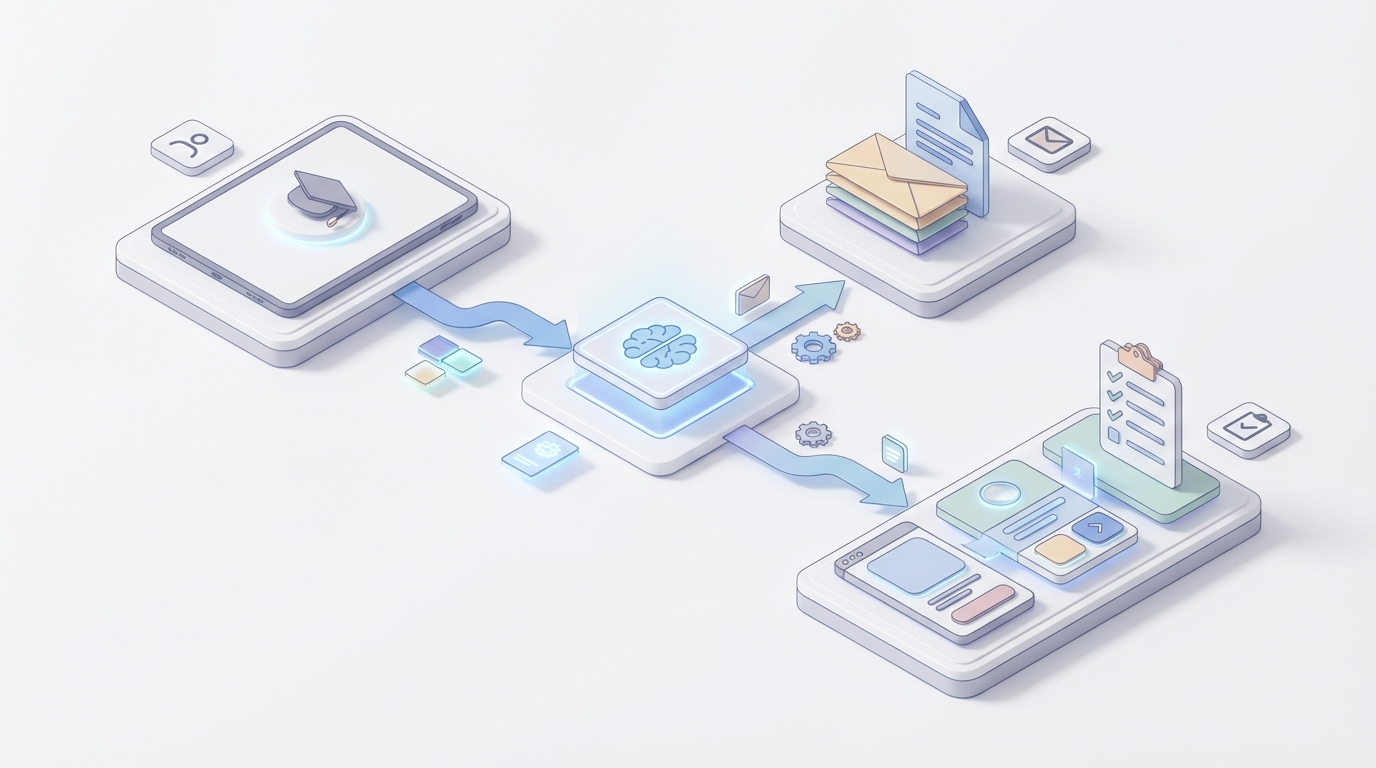
Every fall, enrollment offices across the country enter a period that can only be described as controlled chaos. Thousands of students need to be onboarded — documents verified, accounts provisioned, financial aid confirmed, welcome packets sent — and most of it still happens through a patchwork of manual steps, spreadsheet tracking, and frantic email chains.
The result? Staff burning 4–12 hours per student on repetitive tasks. A 10–25% "summer melt" rate where admitted students never actually show up. And first-gen students quietly falling through the cracks because nobody caught that their immunization record was missing until week three.
This is a workflow that's begging to be automated. Not with another SaaS dashboard bolted onto your existing stack, but with an AI agent that actually orchestrates the end-to-end process — from the moment a student is admitted to the moment they log into their first class.
Here's how to build that with OpenClaw, step by step.
The Manual Workflow Today (and Why It's a Problem)
Let's map the actual process most institutions run. If you work in higher ed enrollment, this will feel painfully familiar:
Step 1: Document Collection & Verification (30–90 minutes per student) Students upload transcripts, IDs, visa documents, immunization records, and test scores. Staff manually review each document for completeness, authenticity, and — for international students — credential equivalence. Missing items trigger email follow-ups that may or may not get a response.
Step 2: Data Entry & Reconciliation (15–45 minutes per student) Information from those documents gets re-keyed or copy-pasted between your SIS (Banner, PeopleSoft, Workday Student), your CRM (Slate, Salesforce Education Cloud), your LMS (Canvas, Blackboard), your finance system, and sometimes your housing system. Each system has its own data format and its own quirks.
Step 3: Eligibility & Hold Checks (10–30 minutes per student) Staff manually check for financial holds, missing prerequisites, disciplinary flags, incomplete immunization records, and a dozen other potential blockers. Each one requires a different lookup in a different system.
Step 4: Account Provisioning (5–15 minutes per student) Creating institutional email addresses, LMS accounts, library access, two-factor authentication setup, and campus system credentials. Usually involves IT, which means another handoff and another queue.
Step 5: Orientation & Compliance Tracking (10–20 minutes per student) Students need to complete FERPA acknowledgment, Title IX training, alcohol education modules, and orientation sessions. Someone has to schedule these, send reminders, and track who actually completed them.
Step 6: Welcome Packet Distribution (5–15 minutes per student) Sending personalized welcome materials — academic calendars, advisor contact info, campus maps, program-specific resources, parking permits, meal plan details. This often involves assembling information from multiple sources and personalizing it per student type (freshman, transfer, international, online, graduate).
Step 7: Advising & Registration Follow-Up (15–60 minutes per student) Advisors review course selections, flag conflicts, and follow up with students who haven't registered. For at-risk or first-gen students, this is supposed to be high-touch. In practice, advisors are so buried in logistics that the relationship-building part gets squeezed.
Step 8: Financial Aid Chasing (10–45 minutes per student) Missing FAFSA documents, verification requirements, scholarship paperwork. Each incomplete file means another round of outreach, another deadline risk, another student who might not enroll because the money didn't come through in time.
Total: 4–12 staff hours per traditional student. 1.5–4 hours per fully online student.
Multiply that by a few thousand incoming students and you understand why enrollment offices run on caffeine and anxiety every August.
What Makes This Painful Beyond Just Time
The time cost is obvious. But the real damage is more subtle:
Error rates compound. Manual data entry between systems produces 1–5% error rates. That sounds small until you realize it means dozens or hundreds of students with wrong course assignments, incorrect financial aid amounts, or missing system access. Each error creates a downstream support ticket and an erosion of trust.
Students fall through cracks at the worst possible moment. The period between admission and first day of class is when students are most vulnerable to dropping out. AACRAO's 2026 data shows admissions staff spend 35–45% of their time on repetitive manual tasks — time that could be spent on the human conversations that actually prevent summer melt.
Data silos create blind spots. When your SIS doesn't talk to your CRM doesn't talk to your LMS, nobody has a complete picture of where a student is in the onboarding process. A student might have a financial hold in one system while receiving a "Welcome to campus!" email from another. That's not just inefficient — it's a terrible experience.
Seasonal scaling is brutal. You can't easily hire and train temporary staff for a 6-week crunch, then let them go. But you also can't justify year-round headcount for peak-season work.
The cost is real. If you're paying $25/hour fully loaded for enrollment staff and spending an average of 6 hours per student across 3,000 incoming students, that's $450,000 in onboarding labor alone. Every year. And that doesn't count the revenue lost to summer melt — at many institutions, a single additional retained student represents $15,000–$40,000 in annual tuition.
What AI Can Handle Right Now
Not everything in this workflow needs a human. In fact, the emerging best practice across leading institutions is that AI handles 70–85% of routine interactions and data processing, while humans focus on exceptions and high-touch relationship building.
Here's what's strongly automatable today with an AI agent built on OpenClaw:
Document Classification and Data Extraction An OpenClaw agent can receive uploaded documents, classify them (transcript vs. immunization record vs. ID vs. visa), extract structured data using OCR and ML, and pre-fill forms across your connected systems. This alone eliminates the bulk of Step 1 and Step 2.
Completeness Checks and Automated Follow-Up The agent monitors each student's onboarding checklist in real time. Missing immunization record? The agent sends a personalized text or email within hours, not days. Still missing after 48 hours? It escalates — first with another nudge, then by flagging a human staff member. No more spreadsheet tracking.
Eligibility Rules and Hold Detection Basic eligibility logic — GPA thresholds, prerequisite completion, financial balance checks — can be encoded as rules the agent evaluates automatically. It pulls data from your SIS and finance systems, flags holds, and either resolves routine ones (e.g., sending a payment link) or routes complex ones to the right staff member with full context.
Account Provisioning The agent triggers account creation workflows across your identity management system, LMS, email, and library access. What used to be a ticket to IT becomes an automated process that fires the moment a student clears their eligibility checks.
Welcome Packet Assembly and Distribution This is where it gets interesting. Instead of a generic PDF, the OpenClaw agent assembles a personalized welcome packet based on the student's profile — program, campus, residency status, financial aid type, advising assignment — and delivers it through the student's preferred channel (email, SMS, student portal). A freshman engineering student living on campus gets different information than a part-time online MBA student.
Orientation Scheduling and Compliance Tracking The agent schedules orientation sessions based on student availability and program requirements, sends calendar invites, tracks completion of mandatory training modules, and sends targeted reminders to students who haven't finished.
Conversational FAQ and Status Checking Students can ask the agent "What's the status of my financial aid?" or "Where do I get my parking permit?" and get accurate, real-time answers pulled from your actual systems — not a static FAQ page. Institutions using AI chatbots have reduced inbound email and phone volume by 60–80%.
Behavioral Nudges Based on engagement signals — did the student open the welcome email? Have they logged into the LMS? Have they registered for classes? — the agent sends timely, personalized nudges. Georgia State University's version of this increased freshman retention by 4–6 percentage points.
Step-by-Step: Building the Automation with OpenClaw
Here's how to actually implement this. I'm assuming you have a typical higher ed stack (SIS + CRM + LMS + document management) and you want to start with the highest-ROI automation first.
Phase 1: Document Processing and Completeness Engine
This is your biggest time sink and your best starting point.
What to build: An OpenClaw agent that monitors your document upload portal (or email inbox), classifies incoming documents, extracts key data, checks completeness against a per-student requirements checklist, and triggers follow-up actions.
Connections you'll need:
- Your document management system or file storage (Google Drive, SharePoint, S3, or your SIS's built-in document module)
- Your SIS or CRM for student profile data and requirements logic
- Email/SMS for automated follow-up (SendGrid, Twilio, or your CRM's messaging)
Core agent logic:
TRIGGER: New document uploaded for student {student_id}

STEP 1: Classify document type
  → Use OpenClaw's document analysis to determine: transcript, immunization, ID, visa, test score, financial aid form, other

STEP 2: Extract structured data
  → Pull: student name, institution name, dates, GPA, courses, scores, immunization types/dates, ID number, expiration

STEP 3: Validate against requirements
  → Query SIS for student's requirement checklist
  → Mark matched requirements as "received" with extracted data
  → Flag any data quality issues (expired ID, missing fields, unreadable scan)

STEP 4: Update student record
  → Push extracted data to SIS/CRM fields
  → Log document receipt with timestamp

STEP 5: Check completeness
  → If all requirements met → trigger Phase 2 (eligibility check)
  → If requirements remain → send personalized follow-up listing specific missing items
  → If data quality issue → route to staff with context and the flagged document
What this saves: At 18 minutes per complex application for manual document processing (per Hyperscience's education data), processing 3,000 students saves approximately 900 staff hours in this phase alone.
Phase 2: Eligibility, Hold Resolution, and Account Provisioning
Once documents are complete, the agent handles the eligibility cascade.
Core agent logic:
TRIGGER: Student {student_id} document checklist = complete

STEP 1: Run eligibility checks
  → Query SIS: GPA requirements met?
  → Query finance: Balance clear or payment plan active?
  → Query health services: Immunization compliant?
  → Query registrar: Academic holds?
  → Query disciplinary: Conduct holds?

STEP 2: Route based on results
  → All clear → proceed to account provisioning
  → Financial hold (routine) → send payment link + payment plan options via preferred channel
  → Immunization gap → send specific requirements + health center scheduling link
  → Complex hold (disciplinary, academic appeal) → create staff task with full context

STEP 3: Provision accounts (on all-clear)
  → Trigger institutional email creation
  → Create LMS account and enroll in orientation course
  → Set up library and campus system access
  → Generate student ID number if not yet assigned
  → Send credentials via secure channel

STEP 4: Confirm and log
  → Send student confirmation: "Your accounts are ready. Here's how to log in."
  → Update SIS status to "onboarding - active"
Phase 3: Personalized Welcome Packet Assembly
This is where the student experience goes from "institutional" to "someone actually thought about me."
Core agent logic:
TRIGGER: Student {student_id} accounts provisioned

STEP 1: Build student profile snapshot
  → Program, major, campus/online, residency status
  → Housing assignment (if applicable)
  → Financial aid type
  → Assigned advisor
  → Student type: freshman, transfer, international, graduate, returning adult

STEP 2: Assemble welcome packet from component library
  → Base template (all students)
  → Program-specific addendum (course sequence, lab requirements, clinical placements)
  → Campus-specific info (parking, dining, recreation) OR online-specific info (tech requirements, virtual orientation)
  → Financial aid summary with key dates and next steps
  → Advisor introduction with scheduling link
  → International student addendum (if applicable): visa check-in requirements, DSO contact, cultural resources

STEP 3: Personalize and deliver
  → Merge student-specific data into templates
  → Deliver via: email (with PDF attachment) + student portal + SMS summary with link
  → Track delivery and engagement (opened? clicked?)

STEP 4: Schedule follow-up sequence
  → Day 2: "Did you get everything you need?"
  → Day 5: Orientation reminder + any outstanding items
  → Day 10: Registration check — are they enrolled in classes?
  → Day 14: Pre-semester engagement — connect with advisor, join community
Phase 4: Ongoing Monitoring and Behavioral Nudges
The agent doesn't stop after the welcome packet. It monitors engagement signals through the first weeks.
ONGOING: Monitor student {student_id} engagement

SIGNALS TO WATCH:
  → Welcome email opened? (Y/N + when)
  → LMS first login? (Y/N + when)
  → Orientation modules completed? (which ones, progress %)
  → Class registration status (registered / not registered / waitlisted)
  → Financial aid disbursed? (Y/N)
  → Advisor meeting scheduled? (Y/N)

RULES:
  → No LMS login within 72 hours of provisioning → nudge via SMS
  → Orientation not started by Day 7 → escalating reminders (SMS → email → advisor alert)
  → Not registered for classes by Day 10 → advisor notification + student outreach
  → Financial aid not disbursed by expected date → auto-check for missing docs → notify financial aid office if system issue
  → Low engagement score (composite of signals) by Day 14 → flag for human outreach by success coach
What Still Needs a Human
Being honest about this matters. Here's where you should not try to automate, at least not in 2026:
Complex academic advising. A transfer student with 47 credits from three institutions, some of which may or may not count toward their new major, needs a human advisor who can exercise judgment and explain trade-offs. The agent can pre-process the transcript and suggest a preliminary evaluation, but the final advising conversation should be human.
Exception requests and appeals. "I missed the deadline because I was hospitalized." "My transcript is from a university in a country where the grading scale is different." These require empathy, context, and discretionary authority that AI shouldn't have.
Sensitive personal situations. Mental health flags, family emergencies, disability accommodations, undocumented student concerns. These need trained humans with both institutional knowledge and emotional intelligence.
Relationship building with at-risk students. First-gen students, students from underrepresented backgrounds, students with low engagement scores — these are precisely the students who benefit most from a human being who knows their name and checks in. The agent should identify these students and free up staff time for them, not replace the human contact.
Fraud and high-risk cases. Identity verification edge cases, suspected credential fraud, disciplinary history evaluation. An AI agent can flag anomalies, but a human needs to make the call.
The pattern that works: AI handles the 70–85% that's routine so humans can spend real time on the 15–30% that actually requires human judgment, empathy, and expertise. That's not a compromise — it's how you deliver a better experience for everyone.
Expected Time and Cost Savings
Let's be conservative and specific.
Document processing and data entry: From 45–135 minutes per student down to 5–15 minutes of human review for flagged cases only. That's a 70–90% reduction. For 3,000 students, you're saving roughly 600–1,000 staff hours per cycle.
Completeness tracking and follow-up: From constant manual spreadsheet monitoring to fully automated. Staff hours here effectively go to zero for routine cases. Realistically, this saves 200–400 hours per cycle.
Account provisioning: From an IT ticket queue averaging 24–72 hours to automated provisioning in minutes. Saves 100–300 IT staff hours and dramatically improves time-to-access for students.
Welcome packet assembly and distribution: From 5–15 minutes per student of manual assembly to zero. Fully automated, fully personalized. Saves 250–750 hours per cycle.
FAQ and status inquiries: A 60–80% reduction in inbound email and phone volume. For a mid-size institution handling 15,000+ inquiries during onboarding season, that's thousands of staff hours redirected.
Summer melt reduction: This is the big financial number. If your incoming class is 3,000 and your melt rate drops by even 3 percentage points (90 additional students retained), at $20,000 average annual tuition, that's $1.8 million in retained revenue. Georgia State's results suggest this is achievable.
Total conservative estimate: 1,500–3,000 staff hours saved per enrollment cycle, plus significant retained revenue from reduced melt.
Getting Started
You don't have to build all four phases at once. Start with Phase 1 (document processing) because it has the highest immediate ROI and the simplest integration requirements. Get that running, measure the results, then layer on Phases 2–4.
The pre-built agents and components on Claw Mart can accelerate this significantly — there are document processing agents, notification orchestrators, and system integration templates that handle the common patterns so you're not building from scratch.
If you want this built but don't want to build it yourself, consider Clawsourcing — post the project and let an experienced OpenClaw builder handle the implementation. You define the workflow, the requirements, and the systems involved. They build the agent, test it against your actual data, and hand you a working system.
Post your student onboarding automation project on Claw Mart and get it built through Clawsourcing. The enrollment crunch is coming whether you're ready or not.