How to Automate Student Enrollment Processing with AI
How to Automate Student Enrollment Processing with AI
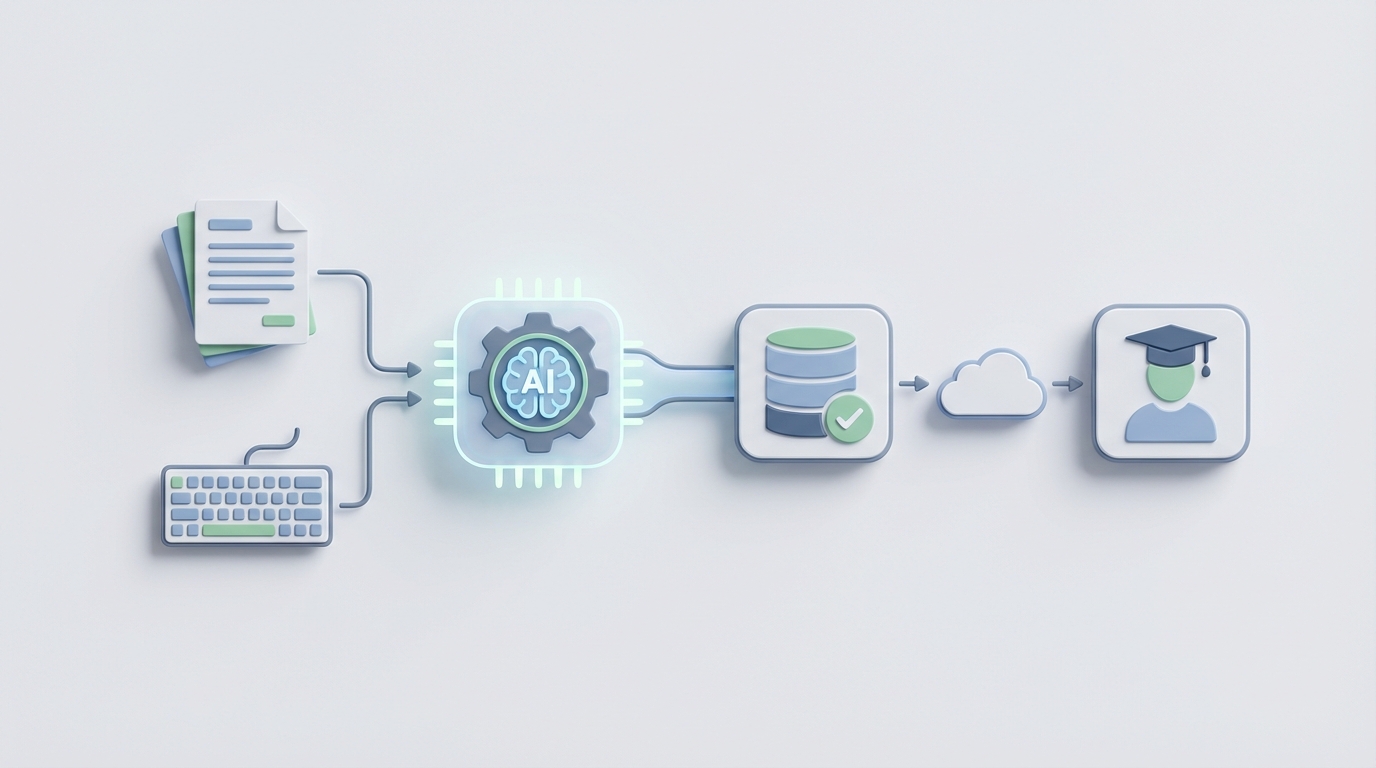
Most enrollment teams are stuck in a loop that looks something like this: a prospective student fills out a form, someone copies that data into a CRM, someone else emails them a checklist, a third person manually verifies their transcript, and then everyone waits. Multiply that by hundreds or thousands of applicants during peak season, and you've got admissions counselors buried in data entry instead of actually talking to students.
The irony is that 60–75% of this work is repetitive, rules-based, and perfectly suited for automation. The technology exists right now to handle it. Most organizations just haven't wired it up yet.
This guide walks through exactly how to automate student enrollment processing using an AI agent built on OpenClaw — what to automate, what to leave to humans, and how to build it step by step.
The Manual Enrollment Workflow (And Why It's So Slow)
Let's map the typical enrollment pipeline from first inquiry to enrolled student. Whether you're running a university admissions office, a private training provider, or an online education business, the steps are remarkably similar:
Step 1: Lead Inquiry (5–15 minutes per lead) A prospective student fills out a web form, sends an email, calls, or messages on social media. Someone on staff has to read it, log it in the CRM, and send an initial response. During peak periods, response times stretch from hours to days.
Step 2: Application Completion (10–30 minutes of staff time per application) The student submits their application — personal info, transcripts, test scores, essays, recommendation letters, IDs. Staff nudge incomplete applications, answer questions about requirements, and chase missing documents. Completion rates for complex applications hover around 40–60%. That means almost half of started applications die on the vine.
Step 3: Document Verification (15–45 minutes per applicant) Staff manually check transcripts for authenticity, verify GPAs, confirm prerequisite coursework, validate IDs. International credentials are especially painful — unfamiliar grading systems, foreign institutions, language barriers. This step alone can take days for a single international applicant.
Step 4: Eligibility & Prerequisite Checking (10–20 minutes) Does the student meet GPA thresholds? Have they completed required courses? Do they meet age, residency, or English proficiency requirements? This is pure rules-based logic, but most teams still do it by reading documents and cross-referencing spreadsheets.
Step 5: Data Entry Across Systems (10–20 minutes) Information gets transferred — often manually — from the CRM to the Student Information System (SIS) to the Learning Management System (LMS). Every re-keying introduces errors. Studies show manual data entry has a 3–8% error rate. At scale, that means hundreds of student records with wrong course assignments, incorrect contact info, or mismatched financial data.
Step 6: Review & Decision (15–60 minutes for selective programs) Admissions counselors read essays, evaluate portfolios, conduct interviews, and assess "fit." For open-enrollment or criteria-based programs, this step is mostly mechanical. For selective programs, it requires genuine human judgment.
Step 7: Financial Aid & Compliance (15–30 minutes) Staff verify financial aid documents, check regulatory requirements, process tuition deposits. For U.S. institutions, this means FAFSA verification, Title IV compliance, and state-level reporting.
Step 8: Payment & Registration (5–15 minutes) Processing payments, assigning course sections, generating student accounts.
Step 9: Onboarding & Follow-up (ongoing) Orientation scheduling, welcome communications, and the constant battle against "summer melt" — the phenomenon where 10–25% of admitted students never actually show up.
Total staff time per student: 2–4 hours of direct labor, spread across multiple people over 2–6 weeks.
For an organization processing 1,000 enrollments per cycle, that's 2,000–4,000 hours of staff time. At an average loaded cost of $30–50/hour for admissions staff, you're looking at $60,000–$200,000 in labor per enrollment cycle just for administrative processing.
What Makes This Painful
The time cost is obvious, but the real damage is more insidious:
Speed kills (your competitors). Private bootcamps and online schools have figured out that the first institution to respond to an inquiry gets the student 50% more often. If your team takes 48 hours to respond because they're buried in transcript verification, you're losing enrollments to competitors who respond in 5 minutes.
Errors compound. A 5% data entry error rate across 2,000 students means 100 records with problems — wrong email addresses, incorrect course placements, financial aid miscalculations. Each error generates downstream support tickets, student frustration, and potential compliance issues.
Staff burnout is real. AACRAO's 2023 survey found that admissions offices spend roughly 60–70% of their time on manual processing tasks. That means your most experienced enrollment counselors — the people who are actually good at building relationships and closing enrollments — spend most of their day doing data entry. Peak seasons (August and January) mean weeks of overtime, and turnover in enrollment offices is notoriously high.
Application abandonment. Complex, multi-step application processes with poor user experience lose 40–60% of applicants before completion. Every abandoned application is a student (and their tuition revenue) that walked away because the process was too painful.
Summer melt. Between admission and the first day of class, 10–25% of students disappear. Most of these students needed a nudge — a reminder, a question answered, a financial aid concern addressed. But enrollment teams are already stretched thin processing the next cycle.
The average cost to recruit and enroll a single student ranges from $1,000 to $5,000+ depending on institution type (NACAC 2023). When a significant chunk of that spend is wasted on manual processes, errors, and melt, the business case for automation writes itself.
What AI Can Handle Right Now
Not everything should be automated. But a surprising amount can be — and the technology isn't theoretical. Here's what an AI agent built on OpenClaw can realistically handle today:
Instant Lead Response & Qualification
When a prospective student submits an inquiry form, an OpenClaw agent can immediately respond with a personalized message, ask qualifying questions, answer common questions about programs and requirements, and route the lead to the right counselor based on program interest, geography, or readiness to enroll. This alone can cut initial response time from hours or days to seconds.
Intelligent Document Processing
OpenClaw agents can extract data from uploaded transcripts, IDs, test scores, and recommendation letters using document processing capabilities. For standard U.S. transcripts, accuracy rates above 95% are achievable with properly configured extraction. The agent can pull GPA, course names, credit hours, and institution details directly into structured data — no manual data entry required.
Automated Eligibility Checking
Once document data is extracted, an OpenClaw agent can run rules-based checks instantly: Does the GPA meet the threshold? Are prerequisite courses completed? Is the English proficiency score sufficient? Are age and residency requirements met? This turns a 10–20 minute manual task into a sub-second automated check for the vast majority of applicants.
Personalized Nurture Communications
An OpenClaw agent can manage the entire communication sequence — from initial inquiry through enrollment — sending personalized emails and messages based on where each student is in the pipeline, what documents are missing, and what questions they've asked. This is where summer melt gets addressed at scale.
Cross-System Data Sync
Instead of staff manually transferring data between your CRM, SIS, and LMS, an OpenClaw agent can handle the synchronization — creating student records, assigning courses, and triggering downstream workflows automatically.
Predictive Lead Scoring
Based on inquiry behavior, application completeness, engagement patterns, and demographic data, an OpenClaw agent can score each prospect's likelihood of enrolling. This lets your human counselors focus their limited time on the students who need personal attention most.
Step by Step: Building the Enrollment Automation Agent on OpenClaw
Here's how to actually build this. I'm going to walk through a practical architecture that works for most enrollment operations, from small bootcamps to mid-size universities.
Step 1: Map Your Current Workflow and Identify Automation Targets
Before you build anything, document every step in your current enrollment process with actual time estimates. Be honest. Use this framework:
For each step:
- What triggers it?
- What data does it need?
- What systems are involved?
- How long does it take?
- How often does it require human judgment vs. just following rules?
- What's the error rate?
Focus your initial automation on the highest-volume, most rules-based steps. For most organizations, that's: lead response, document data extraction, eligibility checking, and communication sequencing.
Step 2: Set Up Your OpenClaw Agent's Core Workflow
In OpenClaw, you'll define your agent's workflow as a series of connected steps. Here's a simplified version of what the enrollment agent's core logic looks like:
ENROLLMENT AGENT WORKFLOW:

TRIGGER: New form submission received
  → Extract applicant data from form fields
  → Create/update record in CRM (via API)
  → Send personalized acknowledgment message
  → Check: Is application complete?
    → IF NO: Send checklist of missing items, schedule follow-up
    → IF YES: Proceed to document processing

TRIGGER: Document uploaded
  → Extract data from document (transcript, ID, test score)
  → Validate extracted data against application record
  → Run eligibility rules:
    - GPA >= minimum threshold
    - Prerequisites met
    - English proficiency (if applicable)
    - Age/residency requirements
  → Check: All criteria met?
    → IF YES: Flag as "Eligible — Ready for Review"
    → IF NO: Flag specific deficiency, notify applicant
    → IF EDGE CASE: Route to human reviewer with context

TRIGGER: Status changed to "Admitted"
  → Send admission notification
  → Begin onboarding sequence
  → Schedule payment reminder
  → Monitor engagement; if no response in X days, escalate

TRIGGER: Payment received
  → Create student record in SIS
  → Assign course sections
  → Provision LMS account
  → Send welcome/orientation materials
This is the backbone. Each step connects to your existing systems through integrations — Salesforce, Slate, Canvas, Stripe, whatever you're running.
Step 3: Configure Document Processing
For transcript and credential processing, configure your OpenClaw agent to handle the most common document formats you receive. Start with:
- U.S. high school and college transcripts (PDF format): Extract institution name, student name, GPA, course list, credit hours, and dates.
- Government-issued IDs: Extract name, date of birth, ID number.
- Test scores (SAT, ACT, TOEFL, IELTS): Extract scores and test dates.
Build a validation layer that cross-references extracted data against the application record. If the name on the transcript doesn't match the application, flag it. If the GPA extracted is outside a reasonable range (say, 0.0–4.0 for U.S. transcripts), flag it for human review.
For international credentials — and this is important — don't try to fully automate these on day one. International transcript formats vary enormously, and the risk of misinterpretation is high. Instead, have your OpenClaw agent extract what it can, flag the application as "international credential — needs review," and route it to a human evaluator with the extracted data pre-populated. This still saves significant time even if it doesn't eliminate the human step entirely.
Step 4: Build the Communication Sequences
This is where you get the biggest immediate impact on enrollment yield. Configure your OpenClaw agent to manage these communication flows:
Inquiry → Application:
- Immediate personalized response to inquiry (< 1 minute)
- Day 2: Follow-up with program details relevant to stated interests
- Day 5: Address common questions/objections
- Day 10: Final nudge or offer to connect with a counselor
Application → Completion:
- Immediate confirmation of submission
- Reminder at 48 hours if documents are missing (specific to which documents)
- Weekly follow-up until complete or 30 days elapsed
Admission → Enrollment:
- Immediate admission notification
- Day 3: Financial aid information and payment instructions
- Day 7: Orientation details
- Day 14: Check-in if no payment received
- Weekly engagement until enrolled or term starts
The key here is personalization. Your OpenClaw agent should reference specific details — the student's name, their intended program, which documents are missing, their specific financial aid status. Generic mass emails get ignored. Personalized, contextually relevant messages get responses.
Step 5: Connect to Your Existing Systems
Your OpenClaw agent needs to talk to your current tech stack. Common integrations for enrollment automation:
- CRM (Salesforce, Slate, HubSpot): Read/write student records, update pipeline stages
- SIS (Banner, PeopleSoft, custom databases): Create student records, assign courses
- LMS (Canvas, Moodle, Blackboard): Provision accounts, assign enrollments
- Payment (Stripe, TouchNet, Nelnet): Monitor payment status, trigger receipts
- Communication (SendGrid, Twilio, your email platform): Send messages across channels
- Document Storage (Google Drive, AWS S3, SharePoint): Store and retrieve uploaded documents
- E-signature (DocuSign, Adobe Sign): Trigger and track enrollment agreements
OpenClaw handles these connections through its integration framework. You configure each integration once, and then your agent can read from and write to these systems as part of its workflow.
For organizations looking for pre-built enrollment automation agents or integration templates, Claw Mart is worth checking. It's the marketplace for OpenClaw, and other teams have published agents and components specifically for education workflows — document extractors, CRM connectors, communication sequence templates. You can use these as a starting point rather than building everything from scratch.
Step 6: Set Up Human Review Queues
This is critical and often overlooked. Your OpenClaw agent should not be a black box. Build explicit handoff points where:
- Applications that fail automated eligibility checks get routed to a human with all the context pre-loaded
- Edge cases (unusual transcripts, incomplete records, special circumstances) are flagged rather than auto-rejected
- Final admissions decisions for selective programs stay with human reviewers
- Any application where the AI's confidence in extracted data falls below a threshold gets human verification
The goal is to present human reviewers with a pre-processed, organized case rather than a raw pile of documents. Your counselors should be spending their time making decisions, not hunting for information.
Step 7: Monitor, Measure, and Iterate
Once your agent is live, track these metrics:
- Response time: How fast are inquiries getting initial responses?
- Application completion rate: Has it improved?
- Processing time per application: Total elapsed time from submission to decision
- Error rate: How often does extracted data need correction?
- Yield rate: What percentage of admitted students actually enroll?
- Staff hours per enrollment: The core efficiency metric
Review weekly for the first month, then monthly. Tune your agent's rules, communication sequences, and document processing based on what you see.
What Still Needs a Human
Let me be direct about the limitations. AI agents — even well-built ones on OpenClaw — should not be making these decisions autonomously:
Holistic admissions decisions for selective programs. Evaluating essays, assessing character, weighing extenuating circumstances — this requires human judgment and carries legal and ethical weight. The agent can organize and present the information, but a person should decide.
Complex exceptions and appeals. A student whose GPA is 0.02 below the cutoff but has a compelling reason. A student with non-traditional credentials. A student transferring from an unaccredited institution. These need human discretion.
High-stakes relationship moments. When a student is deciding between your institution and a competitor, a genuine conversation with a knowledgeable counselor is worth more than any automated message. The agent should identify these moments and route them to your best people.
International credential evaluation (for now). The variability is too high and the stakes too significant. Use AI to pre-process and extract, but keep humans in the loop for final verification.
Bias monitoring. AI systems can perpetuate or amplify existing biases in enrollment data. Someone needs to regularly audit outcomes across demographic groups and adjust accordingly.
Expected Time and Cost Savings
Based on what organizations running similar automations have reported, here's a realistic range of what to expect:
Time savings:
- Lead response time: From 24–48 hours → under 5 minutes
- Document processing: From 15–45 minutes per applicant → 2–5 minutes (including human review of flagged items)
- Eligibility checking: From 10–20 minutes → near-instant for standard cases
- Data entry across systems: From 10–20 minutes → eliminated entirely
- Communication management: From hours per day → fully automated with human override capability
- Total staff time per enrollment: Reduced by 50–70%
Cost savings:
- For an organization processing 1,000 enrollments per cycle with a current labor cost of $100,000–$200,000 in processing time, expect to recover $50,000–$140,000 per cycle
- Additional revenue from improved yield (faster response times + better nurture = more enrollments): Varies widely, but institutions using predictive analytics and AI communication have reported 10–15% yield improvements
- Reduced error-related costs: Fewer incorrect registrations, fewer support tickets, fewer compliance issues
Timeline to ROI:
- Basic lead response + communication automation: 2–4 weeks to implement, immediate impact
- Document processing + eligibility checking: 4–8 weeks to configure and validate
- Full pipeline automation with system integrations: 8–16 weeks depending on complexity of existing tech stack
- Most organizations see positive ROI within the first enrollment cycle after implementation
Georgia State University's widely cited results — 22% increase in enrollment of low-income students and dramatic reduction in summer melt — came from exactly this kind of approach: AI handling the volume work (predictive analytics and chatbot-driven communication) while humans focused on the judgment work (advising and counseling).
Private bootcamps and online education companies have moved even faster. Some have reduced enrollment team headcount by 50%+ while increasing throughput, because the economics of their business demanded it.
Where to Start
Don't try to automate everything at once. Pick the highest-pain, highest-volume step in your current process and start there. For most organizations, that's one of two things:
- Automated lead response and nurture sequences — because the ROI is immediate and the implementation is straightforward.
- Document processing and eligibility checking — because it consumes the most staff hours and has the highest error rate.
Build your first OpenClaw agent for that one use case. Get it running. Measure the results. Then expand.
If you want to skip the cold-start problem, browse Claw Mart for pre-built enrollment automation agents and components. Other education organizations have already solved some of these problems and published their solutions. No reason to reinvent the wheel.
And if you'd rather have someone build the whole thing for you — the agent, the integrations, the workflow — that's what Clawsourcing is for. Post your enrollment automation project on Clawsourcing and connect with builders who specialize in education workflow automation on OpenClaw. You describe what you need, they build it, and you get a working system without pulling your team off their current work.
The enrollment teams that figure this out first are going to have a significant advantage — faster responses, higher yield, lower costs, and staff who actually get to do the work they were hired for. The technology is ready. The question is just whether you're going to wire it up.