Automate Staff Scheduling: Build an AI Agent That Creates Weekly Rosters
Automate Staff Scheduling: Build an AI Agent That Creates Weekly Rosters
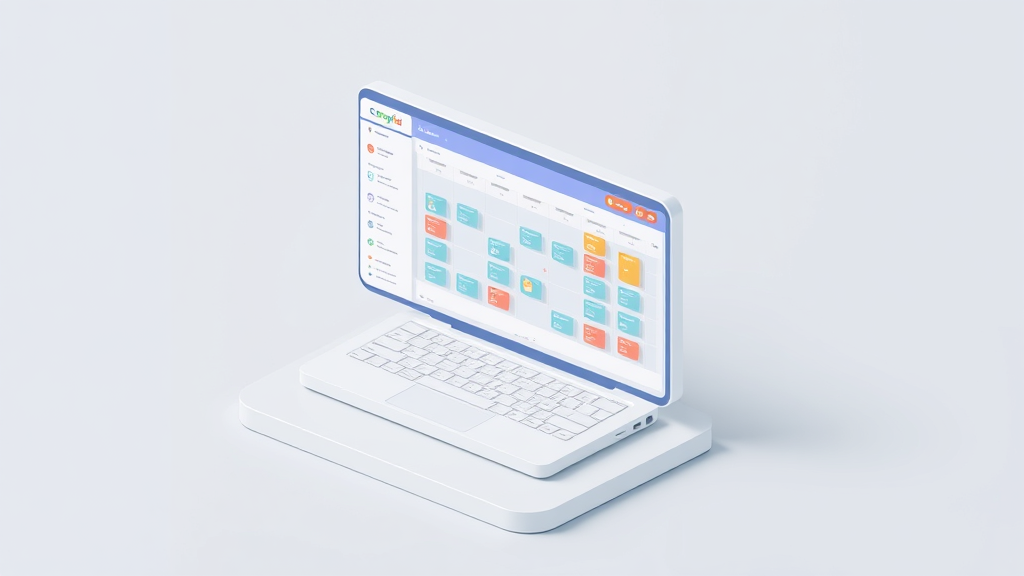
Every week, somewhere right now, a restaurant manager is hunched over a laptop at 11 PM trying to piece together next week's schedule. They've got a spreadsheet open, three text threads going with employees who "might" be available Saturday, a sticky note reminding them that Jake can't work with Melissa anymore, and a vague sense that they're about to blow their labor budget again.
This is one of the most tedious, error-prone, and surprisingly expensive tasks in restaurant operations. And it's one that AI can meaningfully improve right now — not in some theoretical future, but today, with tools that exist and work.
Let me walk through exactly how to build an AI agent on OpenClaw that generates weekly staff rosters, respects your constraints, and gives you back 6+ hours a week.
The Manual Workflow: What Scheduling Actually Looks Like
If you've never managed a restaurant, you might assume scheduling is just "put names in boxes." It's not. Here's the actual process most managers go through every week:
Step 1: Forecast demand (45–90 minutes). You pull up last week's sales from your POS, check the weather forecast, look at local events (is there a concert downtown? a high school football game?), review your reservation book, and try to estimate how many covers you'll do each hour across each day. This is the foundation — if you get it wrong, everything downstream is wrong too.
Step 2: Collect availability and constraints (60–120 minutes, spread across the week). You chase down employees via text, check who has time-off requests, remember who's a minor with restricted hours, review who's approaching overtime, and cross-reference any state-specific labor rules. In states like California, New York, or Seattle with predictive scheduling laws, this step is even more complex.
Step 3: Build the schedule (90–180 minutes). Now you're actually slotting people in. You need the right number of servers, cooks, hosts, bartenders, and dishwashers for each shift, matched to their skills and certifications. You're trying to balance seniority, fairness, preferences, and the fact that your best closer just requested three days off. This is essentially a constraint-satisfaction problem — the kind computers are very good at and humans are very bad at.
Step 4: Review and adjust (30–60 minutes). Check labor cost projections against your budget. Make sure nobody's working seven days straight. Verify compliance. Realize you forgot that two employees can't work together. Move things around. Break something else. Fix it again.
Step 5: Distribute and manage fallout (30–60 minutes). Post the schedule. Field complaints. Process swap requests. Approve changes. Update the schedule. Re-post it.
Total: 6–12 hours per week for a typical independent restaurant. Multi-unit operators or anyone still using spreadsheets often report 10–15+ hours.
That's 300–600 hours per year spent on a task that is fundamentally about solving a set of constraints against a forecast. This is exactly the kind of work AI agents are built for.
Why This Hurts More Than You Think
The time cost alone is painful, but it's not the whole picture.
Labor misallocation costs real money. Cornell University hospitality research and McKinsey retail labor studies suggest restaurants lose 2–6% of revenue due to poor labor optimization. For a restaurant doing $1.5M annually, that's $30,000–$90,000 in wasted labor cost or lost revenue from understaffing. Staffing represents 30–35% of operating costs, so even small improvements in precision compound fast.
Bad schedules drive turnover. Restaurant turnover already hovers between 70–80% annually — and a 2023 survey by One Fair Wage found that 62% of restaurant workers had quit a job specifically due to scheduling issues. Unpredictable hours, "clopening" shifts (closing then opening), and perceived unfairness are poison for retention. Every employee you lose costs $3,000–$5,000 to replace, at minimum.
Compliance risk is real and growing. Predictive scheduling laws are expanding. Violating overtime rules, break requirements, or minor labor restrictions can result in fines and lawsuits. A spreadsheet doesn't flag these automatically. A tired manager at 11 PM definitely doesn't.
Manager burnout cascades. The person spending 10 hours on scheduling is usually also working the floor, managing vendors, and handling customer issues. Scheduling is the task most likely to push a good manager toward quitting — and replacing managers is even more expensive than replacing line staff.
What AI Can Handle Right Now
Not everything about scheduling should be automated. But a lot of it can be, and the parts AI handles well happen to be the parts humans struggle with most.
Demand forecasting. An AI agent can pull historical POS data, integrate weather APIs, cross-reference local event calendars, and account for seasonality to predict hourly staffing needs. Modern forecasting models achieve 85–95% accuracy compared to 60–70% for manual methods. This alone eliminates the most error-prone step.
Constraint-based schedule generation. Given a set of rules — availability, skills, labor laws, overtime limits, max consecutive days, minimum rest between shifts, cost targets — an optimization algorithm can generate a compliant schedule draft in seconds. This is a well-understood class of problem (mixed-integer programming combined with machine learning), and AI handles it far better than a human juggling dozens of variables in their head.
Real-time re-optimization. When someone calls out sick (5–10% of shifts on average have a no-show), an AI agent can immediately suggest the best replacement based on availability, proximity, skill match, recent hours worked, and historical reliability.
Compliance checking. Automatic flagging of overtime violations, insufficient rest periods, minor labor restrictions, and predictive scheduling requirements — before the schedule goes live, not after you get a fine.
Pattern recognition. Over time, AI can identify which team combinations perform best, which employees thrive on specific shifts, and which scheduling patterns correlate with higher sales or lower turnover.
Step by Step: Building the Scheduling Agent on OpenClaw
Here's how to actually build this. I'm going to be specific.
Step 1: Define Your Data Inputs
Your agent needs access to structured data. At minimum:
- Employee roster: Names, roles, skills/certifications, hire dates, seniority, employment status (full-time/part-time), minor status
- Availability: Weekly availability windows per employee, standing time-off requests, approved PTO
- Scheduling rules: Max hours per week, max consecutive days, minimum rest between shifts (typically 8–11 hours depending on jurisdiction), overtime thresholds, break requirements
- Demand forecast inputs: Historical sales by hour/day (at least 8–12 weeks), upcoming reservations, local event calendar, weather data
- Budget constraints: Target labor cost percentage, max total labor hours per week
Most of this data already lives in your POS (Toast, Square, Lightspeed), your existing scheduling tool or spreadsheets, and your HR/payroll system. The key is structuring it so your OpenClaw agent can access it.
In OpenClaw, you'd set up data connectors to pull from these sources. If you're using spreadsheets, a Google Sheets integration works. If you're on Toast or Square, use their APIs. The Claw Mart marketplace has pre-built connectors for the most common restaurant POS systems that save significant setup time.
Step 2: Build the Forecasting Module
This is the first functional piece of your agent. Configure it to:
- Pull the last 12 weeks of hourly sales data from your POS
- Cross-reference with a weather API (OpenWeatherMap works fine) for the upcoming week
- Incorporate any known events (you can maintain a simple calendar or use a local events API)
- Output a staffing needs matrix: for each day and shift window, how many of each role you need
In OpenClaw, you'd structure this as the first node in your agent workflow. The prompt engineering here matters. You want to give the model your historical data as context and ask it to output a specific structured format:
Forecast Output Format:
{
  "week_of": "2026-01-20",
  "daily_forecasts": [
    {
      "day": "Monday",
      "shifts": [
        {
          "window": "11:00-15:00",
          "covers_expected": 85,
          "roles_needed": {
            "servers": 3,
            "cooks": 2,
            "host": 1,
            "dishwasher": 1
          }
        },
        {
          "window": "17:00-22:00",
          "covers_expected": 140,
          "roles_needed": {
            "servers": 5,
            "cooks": 3,
            "bartender": 1,
            "host": 1,
            "dishwasher": 1
          }
        }
      ]
    }
  ]
}
The agent learns your patterns over time. Friday dinner is always your biggest shift. Mondays after holidays are slower. Weather drops of 10°F or more reduce covers by 15–20%. These patterns get baked into increasingly accurate forecasts.
Step 3: Build the Constraint Engine
This is where the real scheduling logic lives. Your OpenClaw agent needs a clear set of rules. Define them explicitly:
Scheduling Constraints:
- No employee works more than 40 hours/week without manager approval
- Minimum 10 hours between shift end and next shift start
- Employees under 18: max 4 hours on school days, max 8 hours on non-school days, no shifts after 10 PM
- No employee works more than 6 consecutive days
- Each shift must have at least one employee with food safety certification
- Each shift must have at least one senior employee (12+ months tenure)
- Honor all approved time-off requests (hard constraint)
- Honor availability preferences where possible (soft constraint)
- Distribute weekend shifts as equitably as possible across the month
- Target labor cost: 32% of forecasted revenue (+/- 2%)
Hard constraints (legal requirements, approved PTO) can never be violated. Soft constraints (preferences, fairness targets) should be optimized for but can bend when necessary. Making this distinction explicit in your agent configuration is critical — it's the difference between a useful tool and one that produces illegal schedules.
Step 4: Generate and Score Schedules
Configure your OpenClaw agent to generate multiple candidate schedules (3–5 is a good number) and score them against your criteria. Each candidate should include:
- Total labor cost and percentage of projected revenue
- Compliance status (any violations flagged in red)
- Fairness score (variance in weekend/holiday distribution)
- Preference satisfaction rate (what percentage of soft preferences were honored)
- Coverage confidence (any shifts where you're one call-out away from being short)
Present these to the manager as ranked options with clear trade-offs. "Schedule A is cheapest but gives Server 4 their third consecutive weekend. Schedule B costs 2% more but has better fairness distribution and a stronger bench for Saturday dinner."
This is where the agent earns its keep. A human can't realistically generate and compare five schedule variants. The agent does it in seconds.
Step 5: Set Up the Communication and Swap Layer
Once the manager approves a schedule, the agent should:
- Distribute it to all employees via their preferred channel (SMS, email, app notification — OpenClaw supports multi-channel output)
- Accept swap requests and evaluate them against constraints in real time
- Auto-approve swaps that don't violate any hard constraints and maintain coverage requirements
- Escalate swaps that create issues to the manager with a clear explanation of the problem
You can also build a natural language interface so employees can interact with the agent directly. "Can I swap my Tuesday dinner shift?" gets processed against constraints and either approved instantly or routed for review. This alone saves hours of back-and-forth texting.
Step 6: Build the Call-Out Response System
When an employee calls out, the agent should immediately:
- Identify the gap (role, shift, time)
- Filter available employees by: correct role/skill, not already scheduled, not in overtime territory, historical reliability for picking up extra shifts
- Rank candidates and send requests in order
- Track responses and confirm coverage
- Update the schedule and notify affected parties
This turns a 30-minute scramble into a 2-minute automated process.
What Still Needs a Human
I want to be direct about this because overpromising is how AI tools lose trust.
Team dynamics. Your agent doesn't know that two employees just went through a messy breakup, or that your new hire needs to shadow a specific senior cook for training. These interpersonal factors matter and require human awareness.
Judgment calls on exceptions. When your best server requests time off during your busiest weekend, that's a conversation — not an algorithm output. Same with deciding whether to overstaff for a VIP private dining event or a new menu launch.
Performance management. The schedule shouldn't be used as punishment or reward without human intent behind it. Scheduling someone for fewer shifts because their performance is declining is a management decision, not an optimization output.
Final approval. Always keep a human in the loop for final sign-off. The Starbucks case study is instructive here — they implemented AI-driven scheduling that optimized beautifully for costs but created terrible employee experiences with erratic hours and "clopening" shifts. The algorithm wasn't wrong by its metrics. It was wrong by human standards. A manager reviewing the output catches these issues. A fully autonomous system doesn't.
Building trust. Employees need to know a human is making decisions about their lives. "The computer scheduled you" is not a satisfying answer when someone gets three closing shifts in a row.
Expected Savings
Based on real-world data from operators who've moved from manual to AI-assisted scheduling:
Time saved: 4–8 hours per week (consistent with 7shifts' reported average of 4.5 hours saved and Deputy's claim of up to 80% reduction). For a manager making $55,000/year, that's roughly $5,500–$11,000 in recovered time annually.
Labor cost reduction: 3–6% through better demand matching. On a $500K annual labor spend, that's $15,000–$30,000.
Turnover reduction: 10–20% through more predictable, fairer scheduling. If you lose even two fewer employees per year, that's $6,000–$10,000 in avoided replacement costs.
Compliance risk reduction: Hard to quantify until you get a fine. One predictive scheduling violation in New York City can cost $500 per affected employee per incident.
Conservative total annual value for a single restaurant: $30,000–$55,000. That's not hypothetical. That's math based on published industry data.
Getting Started
You don't need to build all six steps at once. Start with the forecasting module and constraint engine — those two alone handle the most painful parts of the process. Add the communication layer and call-out system once the core scheduling is working well.
The agent templates and pre-built restaurant connectors available on Claw Mart will cut your setup time significantly. Several operators have already published scheduling agent configurations you can fork and customize rather than building from scratch.
If you'd rather have someone build this for you, the Clawsourcing network on Claw Mart connects you with builders who specialize in exactly these kinds of operational AI agents. Post your requirements — restaurant size, POS system, specific scheduling challenges — and get matched with someone who's already built this for a similar operation. Most scheduling agents can be configured and tested within a week or two.
The gap between how most restaurants schedule today and what's possible with a well-built AI agent is enormous. The tools are here. The ROI is clear. The only question is whether you keep spending 10 hours a week on a spreadsheet or spend a few hours setting up a system that does it better than you ever could.