How to Automate SEO Blog Post Internal Linking Suggestions and Implementation
How to Automate SEO Blog Post Internal Linking Suggestions and Implementation
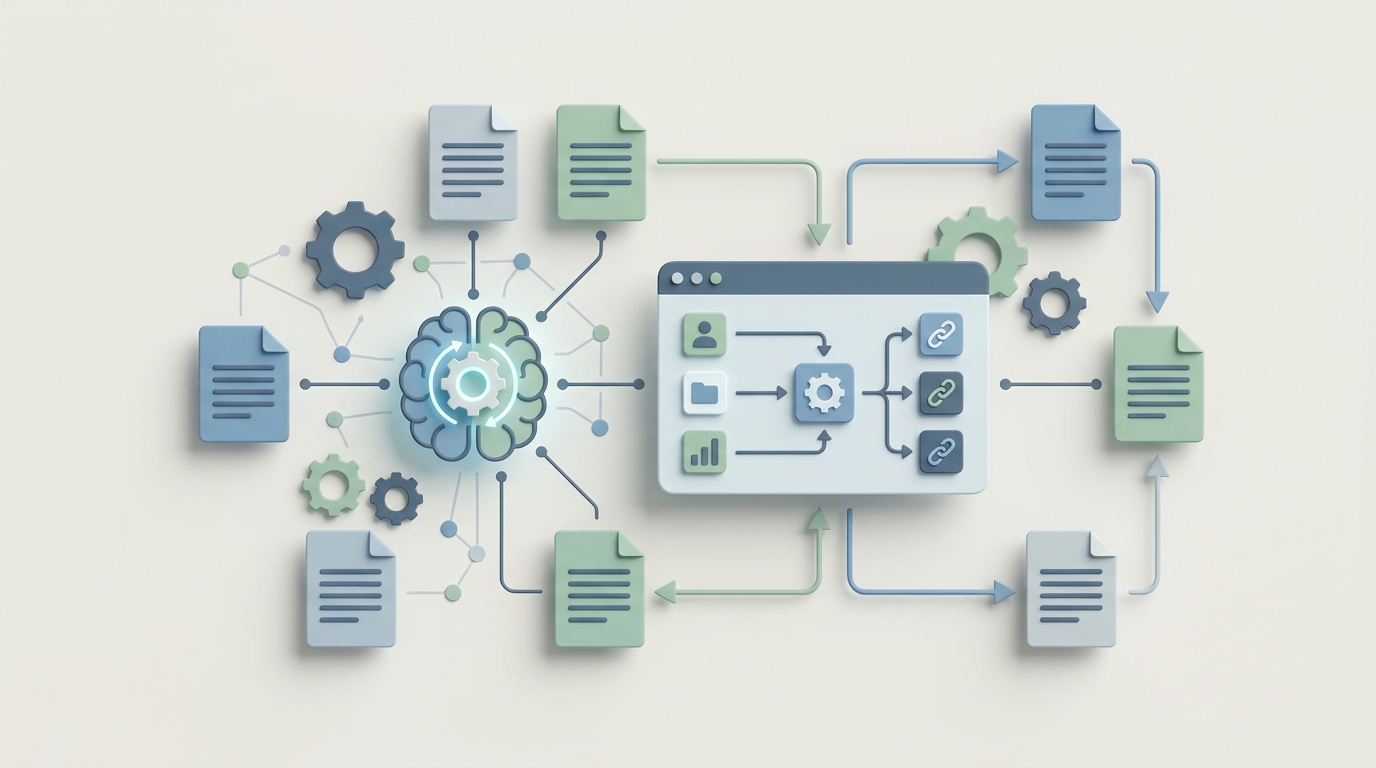
Let's start with a number that should make you uncomfortable: if your site has 1,000+ blog posts, you're probably sitting on 80–250 hours of manual internal linking work. And that's just the initial project. Maintenance adds another 11–18 hours every single month.
Internal linking is one of those SEO tasks that everyone agrees is important—pages in Google's top 10 have 3.8x more internal links than lower-ranking pages—but almost nobody does well because the process is brutally tedious. You're reading through hundreds of articles, trying to remember what you published eight months ago, manually inserting links, checking that nothing is broken, and then doing it all again when you publish your next batch of content.
The good news: most of this workflow can be automated with an AI agent. Not with some magic button that "does your SEO," but with a properly constructed agent that handles the 70–80% of grunt work while you make the strategic decisions that actually require a brain.
Here's exactly how to build that system using OpenClaw.
The Manual Workflow (And Why It's Bleeding You Dry)
Before we automate anything, let's map out what "internal linking" actually involves when you do it properly. Most teams follow some version of these steps:
Step 1: Full Site Crawl and Inventory. You fire up Screaming Frog or Sitebulb and crawl every URL on your site. You export the data—titles, H1s, meta descriptions, word counts, existing internal links, orphan page flags. For a 1,000-page site, this alone takes 1–3 hours once you account for configuration, waiting for the crawl, and cleaning the export.
Step 2: Content Mapping. Someone (usually a content strategist or the SEO lead) goes through that inventory and tags every page by topic cluster, target keyword, page type (pillar, cluster, product, transactional), and strategic priority. This is where most projects stall. It's 15–40 hours of spreadsheet work for a medium site.
Step 3: Opportunity Discovery. Now the painful part. You open an article, read through it, and ask: "Is there a phrase here that could naturally link to another page on our site?" You do this for every paragraph of every article. For 1,000 posts averaging 1,500 words each, you're reading 1.5 million words. That's roughly 100 hours of focused reading at a reasonable pace, and that assumes you can actually remember what other content exists.
Step 4: Anchor Text Selection and Link Insertion. You pick anchor text that's descriptive but not over-optimized, edit the HTML or CMS block, and move on. Each link takes 2–5 minutes when you include the decision-making and QA.
Step 5: Ongoing Maintenance. Every time you publish new content, every existing article is potentially out of date in terms of internal links. Most teams do quarterly re-audits, each one consuming 15+ hours.
The cost? When agencies handle this, the initial project for a 1,000-URL site runs $8,000–$25,000. In-house, you're looking at a content strategist spending a full month or more on it. And then there's the opportunity cost—that person isn't writing new content, optimizing conversion pages, or doing anything else productive during that time.
What Makes This So Painful
The time cost is bad enough, but the real problems are more insidious:
Inconsistency across writers. If you have three writers, you have three different linking patterns. Writer A links aggressively to product pages. Writer B forgets internal links exist. Writer C links to whatever they personally wrote last week. Without a centralized system, your internal link architecture is basically random.
Orphan pages accumulate silently. Ahrefs data consistently shows that 15–30% of pages on the average site receive very few or zero internal links. These pages are effectively invisible to both search engines and users. They just sit there, wasting the effort you spent creating them.
Human memory doesn't scale. A writer publishing a new post about "email deliverability" might not know that six months ago, someone else wrote an excellent guide on "SPF and DKIM configuration" that would be a perfect link target. You can't remember what's on a 1,000-page site. Nobody can.
Link rot compounds. Pages get deleted, URLs change, redirects break. Every month you don't audit, the problem gets worse. One documented case found that 8% of a site's internal links were broken or pointing to redirected URLs—tanking crawl efficiency and wasting link equity.
Strategic misallocation. Writers tend to link to what they've read recently, not what's strategically important. Your highest-converting product comparison page might have fewer internal links than a random listicle because nobody thought to point to it.
What AI Can Handle Right Now
Here's where I want to be precise, because the SEO tool market is full of overpromises. AI—specifically, the kind of agent you can build on OpenClaw—can reliably automate these tasks:
Semantic similarity matching. An agent can process every page on your site into vector embeddings, then compare any given paragraph against your entire content library to find the most relevant link targets. This is the core capability that makes automation viable. Instead of relying on human memory, you're doing mathematical similarity matching across your entire corpus.
Orphan page detection and prioritized suggestions. The agent can cross-reference your crawl data with your content map and immediately flag pages that need more inbound links, ranked by strategic priority.
Anchor text generation and diversity tracking. Given a target page and a source paragraph, the agent can suggest natural anchor text variations while keeping a running tally to avoid over-optimization of any single phrase.
Bulk rule-based linking. Some links should always exist. Every mention of "shipping policy" should link to your shipping page. Every reference to "our free plan" should link to the pricing page. An agent handles these deterministic rules perfectly.
New content integration. When you publish a new post, the agent can scan your existing library and suggest which older articles should now link to this new piece—and what anchor text to use. This is the maintenance task that never gets done manually, and it's trivially easy for an AI.
Content gap identification. By analyzing your topic clusters and the internal linking between them, the agent can identify where you have weak connections—cluster pages that don't link to their pillar, related topics with no cross-links, etc.
What the research shows: tools like Link Whisper already handle basic NLP-powered suggestions, and power users report accepting 60–75% of its recommendations. An agent built on OpenClaw can go significantly further because you're not limited to a WordPress plugin's interface—you can chain together crawl data, embedding models, your CMS API, and custom business rules into a single workflow.
Step-by-Step: Building the Internal Linking Agent on OpenClaw
Here's the architecture. This isn't theoretical—it's a practical blueprint you can implement.
Step 1: Ingest and Embed Your Content Library
Your agent's first job is to know what exists on your site. You'll connect it to your content source—whether that's a CMS API (WordPress REST API, Shopify, Webflow), a sitemap XML, or a Screaming Frog export.
The agent processes each page and stores:
- URL
- Title and H1
- Full body text
- Target keyword(s) (pulled from your SEO tool or a metadata field)
- Page type and strategic priority
- Current internal links (inbound and outbound)
- A vector embedding of the content
On OpenClaw, you'd configure this as an ingestion workflow that runs on a schedule (e.g., weekly) or triggers when new content is published. The embeddings are what make the semantic matching possible—they convert your content into numerical representations so the agent can mathematically compare "how related is paragraph X to page Y."
Step 2: Define Your Linking Rules
Before the agent starts suggesting links, give it constraints. These are the business rules that prevent it from doing dumb things:
LINKING_RULES:
  max_internal_links_per_1000_words: 5
  min_semantic_similarity_threshold: 0.72
  max_links_per_paragraph: 2
  never_link_to:
    - /cart
    - /checkout
    - /admin/*
    - /tag/*
  always_link (exact match rules):
    "free trial": /pricing
    "shipping policy": /shipping
    "return policy": /returns
    "contact us": /contact
  priority_boost_targets:
    - /products/*   (weight: 1.3)
    - /pillar/*      (weight: 1.2)
  anchor_text_diversity:
    max_identical_anchors_per_target: 3
  exclude_self_links: true
  exclude_already_linked_targets_in_same_post: true
These rules are critical. Without them, the agent will over-link, send equity to useless pages, and create a worse user experience than having no automation at all.
Step 3: Build the Suggestion Engine
This is the core logic. For each article (or new draft), the agent:
- Breaks the content into paragraphs or logical sections.
- For each section, generates an embedding and queries the vector store for the top N most semantically similar pages (excluding the current page and already-linked targets).
- Filters results through the linking rules.
- For each viable suggestion, generates 2–3 natural anchor text options using the surrounding sentence context.
- Scores each suggestion by combining semantic similarity, target page priority, current inbound link count (pages with fewer links get boosted), and anchor text naturalness.
- Returns a ranked list of suggestions per article.
On OpenClaw, this is where you define the agent's core workflow. You're chaining together the embedding lookup, the rule filter, and the anchor text generation into a single pipeline. The agent handles the semantic reasoning—understanding that a paragraph about "improving email open rates" is relevant to your guide on "subject line testing"—while the rules keep it from going off the rails.
The output looks something like this:
{
  "source_url": "/blog/email-marketing-basics",
  "suggestions": [
    {
      "paragraph_index": 3,
      "context": "...one of the most overlooked factors in email deliverability is your sender reputation...",
      "target_url": "/blog/spf-dkim-setup-guide",
      "target_title": "How to Set Up SPF and DKIM Records",
      "semantic_score": 0.87,
      "priority_score": 0.91,
      "suggested_anchors": [
        "email deliverability",
        "sender reputation",
        "your SPF and DKIM configuration"
      ],
      "confidence": "high"
    },
    {
      "paragraph_index": 7,
      "context": "...segmenting your list by engagement level lets you target active subscribers...",
      "target_url": "/blog/email-list-segmentation",
      "target_title": "Email List Segmentation: A Practical Guide",
      "semantic_score": 0.81,
      "priority_score": 0.84,
      "suggested_anchors": [
        "segmenting your list",
        "email list segmentation",
        "segment by engagement level"
      ],
      "confidence": "high"
    }
  ]
}
Step 4: Build the Implementation Layer
Suggestions are worthless if they sit in a spreadsheet. The implementation layer connects to your CMS and either:
Option A: Auto-insert with approval queue. The agent prepares the exact HTML changes and puts them in a review queue. A human approves, modifies, or rejects each one. This is the recommended approach for most teams.
Option B: Auto-insert for high-confidence suggestions. Suggestions above a certain confidence threshold (say, 0.90+) and matching an exact rule (like "shipping policy" → /shipping) get inserted automatically. Everything else goes to the queue.
Option C: Draft annotation. For new content, the agent annotates the draft with suggested links before publication. The writer or editor reviews during the normal editorial process.
For WordPress sites, the agent uses the REST API to update post content. For Shopify, it's the Storefront API or direct Liquid template modifications. For headless CMS platforms, you'd hit whatever content API they expose.
Step 5: Set Up the Monitoring Loop
The agent runs a weekly check:
- New pages published since last run → scan existing content for link-to opportunities
- Broken link detection → flag or auto-remove dead links
- Orphan page report → highlight pages with fewer than N inbound links
- Anchor text diversity report → flag over-optimized anchors
- Crawl depth report → identify pages more than 3 clicks from the homepage
This monitoring loop is where the real long-term value lives. It's the thing nobody does manually because it's too tedious, and it's the reason internal linking degrades over time on every site that doesn't automate it.
What Still Needs a Human
I said AI handles 70–80% of the work. Here's the 20–30% that needs you:
Contextual judgment. The agent might find a semantically relevant link, but does it actually help the reader at that specific point in the article? Sometimes a paragraph is building toward a conclusion and a link would be a distraction. An algorithm can't feel narrative flow.
Strategic priority calls. Should you boost internal links to a page that converts at 8% even though the semantic match is only moderate? That's a business decision, not a math problem.
Brand voice and trust signals. Does this link feel helpful or does it feel like you're trying to funnel the reader somewhere they don't want to go? Over-linking to product pages from informational content erodes trust. A human needs to sense-check the overall balance.
E-E-A-T considerations. Google's quality guidelines emphasize expertise and experience. Links should demonstrate topical depth, not just keyword relevance. A human editor understands the difference.
Link density and UX. Three links in one paragraph looks spammy regardless of how relevant they are. The rules you configure will catch the obvious cases, but edge cases need human eyes.
The practical workflow: the agent generates suggestions, a content strategist spends 15–30 minutes reviewing a batch of 50–100 suggestions, approving ~65% and modifying another ~15%. The remaining ~20% get rejected. This is dramatically faster than finding and implementing links from scratch.
Expected Time and Cost Savings
Based on the research data and existing tool benchmarks, here's what you can realistically expect:
Initial project (1,000-page site):
- Manual: 80–250 hours (~$8,000–$25,000 at agency rates)
- With OpenClaw agent: 15–40 hours (mostly initial setup + human review)
- Savings: 70–85% of time and cost
Ongoing maintenance (monthly):
- Manual: 11–18 hours/month
- With OpenClaw agent: 2–4 hours/month (review queue + strategic adjustments)
- Savings: 75–80% of monthly time
Quality metrics you should track:
- Orphan page percentage (target: under 5%)
- Average internal links per page (target: 5–15 for content pages)
- Average crawl depth (target: under 3 clicks for important pages)
- Anchor text diversity ratio
- Organic traffic change to previously under-linked pages
One Link Whisper user documented going from 47 hours of manual work to 9 hours with basic NLP suggestions. A properly configured OpenClaw agent—with deeper semantic matching, CMS integration, and automated monitoring—should push that even further because you're eliminating the tool-switching overhead and building a pipeline that runs continuously rather than in one-off sessions.
Where to Start
If you're managing a site with more than a few hundred pages, the ROI on automating internal linking is hard to argue against. The work is repetitive, the rules are definable, the semantic matching technology is mature, and the only reason most teams still do it manually is inertia.
The build itself isn't complicated. The hard part is defining your linking rules well and committing to the human review step. Skip the review and you'll end up with awkward links that hurt more than they help. Skip the rules and the agent will over-optimize into oblivion.
But get those two things right, and you've turned a 200-hour project into a 30-hour project—with better consistency and ongoing maintenance built in.
You can find pre-built agent templates for SEO workflows, including internal linking pipelines, on Claw Mart. If you've already built something similar and want to make it available to other teams, consider Clawsourcing it—there's a growing market for tested, production-ready SEO agents that solve exactly this kind of operational headache. Publish your agent, set your price, and let other teams benefit from the work you've already done.