Automate Quarterly Business Review (QBR) Preparation with AI
Automate Quarterly Business Review (QBR) Preparation with AI
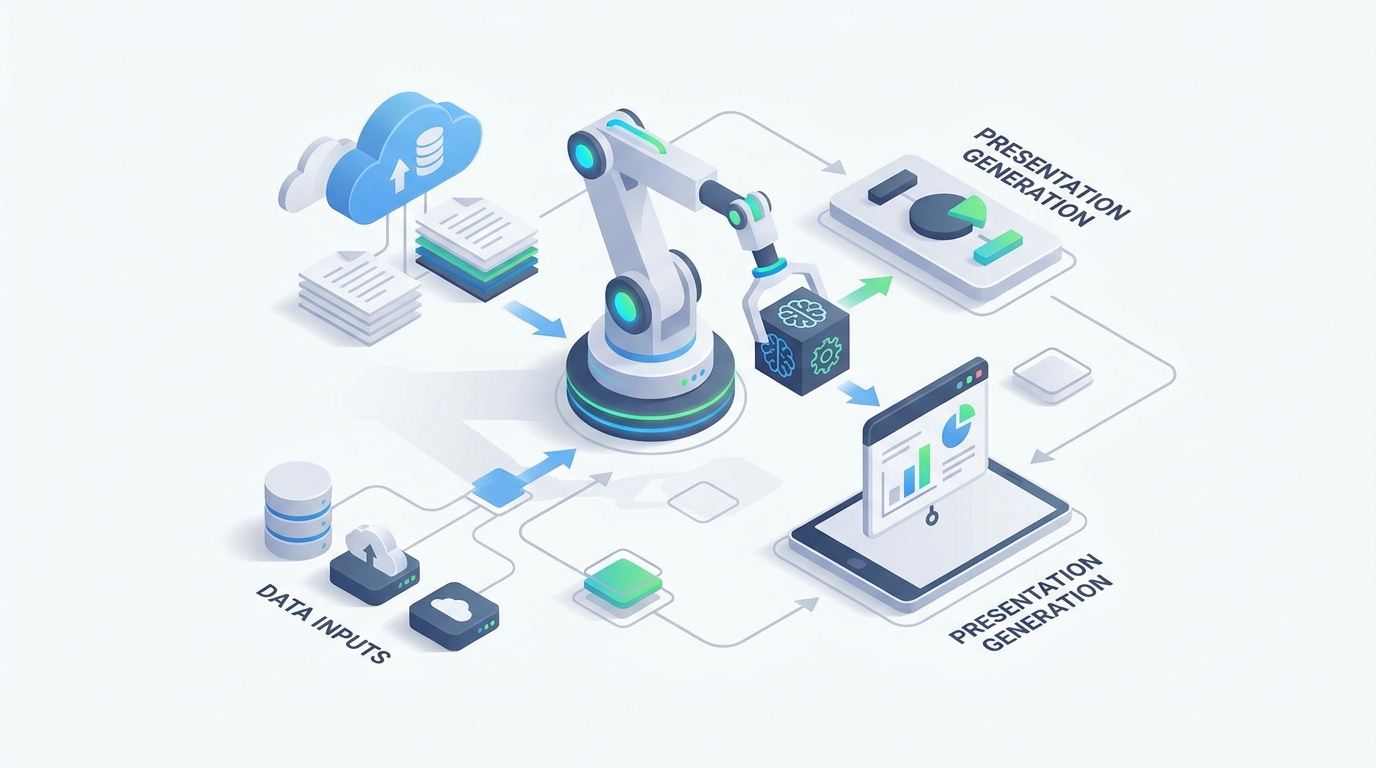
Every quarter, the same ritual plays out across thousands of Customer Success and Account Management teams: someone opens a blank PowerPoint, sighs, and begins the 15-hour slog of pulling data from six different systems to build a deck that'll be presented for 45 minutes and then never looked at again.
Quarterly Business Reviews are important. They're often the single highest-leverage touchpoint you have with a strategic account. But the preparation process? It's a catastrophically bad use of your most expensive people's time.
Let's fix that.
The Manual QBR Workflow Today (And Why It's Brutal)
Here's what a typical QBR preparation cycle looks like for a mid-market or enterprise account, broken down honestly:
Step 1: Data Collection — 4 to 8 hours
You're pulling usage metrics from Mixpanel or Pendo. You're exporting CRM data from Salesforce — ARR, expansion pipeline, open opportunities, renewal dates. You're digging through Zendesk or Jira for support ticket trends. You're checking billing data in Stripe or NetSuite. You're hunting down the previous QBR deck to see what action items were promised last quarter. You're scrolling through Slack threads and CSM notes to find context you half-remember from three months ago.
None of these systems talk to each other well. You're copying and pasting between browser tabs like it's 2009.
Step 2: Analysis and Insight Generation — 3 to 6 hours
Now you have a pile of raw data. You need to calculate trends, compare performance against goals, segment usage by team or feature, identify wins worth celebrating and risks worth flagging. You're building charts in Excel or Tableau. You're trying to figure out if that dip in usage in month two was a real problem or just a holiday week.
Step 3: Deck Creation — 4 to 10 hours
This is where the real soul-crushing work happens. You're building a 15-to-40-slide deck from scratch (or more realistically, from a half-outdated template). You're writing the executive summary. You're crafting narratives around each section. You're customizing the language for this specific client's industry, their stakeholders' priorities, and the political dynamics you've picked up over the past quarter. You're doing layout and design work that you were never trained for.
Step 4: Internal Review — 2 to 4 hours
Your manager reviews the deck. Your Solutions Architect adds technical context. Your VP wants to change the framing on the risk section. Two rounds of revisions. Version control is a nightmare. "QBR_Acme_v3_FINAL_v2_ACTUALLYFINAL.pptx" lives on someone's desktop.
Step 5: Final Prep
Rehearse. Anticipate tough questions. Update the mutual action plan. Pray the data hasn't changed since you pulled it six days ago.
Total: 12 to 25 hours per QBR. That's the median range across multiple industry surveys, including data from Gainsight, ChurnZero, and Totango benchmarks. Some enterprise EBRs run 40+ hours.
Now multiply that by your book of business. A team of 8 AMs handling 80 strategic accounts, each doing 8–10 QBRs per year at 18 hours average, burns roughly 1,300 hours annually — about 8 months of full-time work. The fully loaded cost? $180,000 to $220,000 per year. Just on preparation. Not strategy. Not relationship building. Preparation.
What Makes This Painful Beyond Just Time
The time cost is obvious. Here's what's less obvious but equally damaging:
Inconsistency kills your brand. When every CSM builds their own deck their own way, the client experience varies wildly. One account gets a polished, insight-rich presentation. The next gets a data dump with clip art. Your company looks disorganized.
Your best people are doing your worst work. You hired senior CSMs and AMs for their strategic thinking and relationship skills. Instead, they're spending a quarter of their week as "slide monkeys" (their words, not mine — this phrase comes up constantly in CS communities). Every hour spent formatting a bar chart is an hour not spent actually advising the client.
Data goes stale. If it takes you a week to build the deck, the numbers you pulled on Monday might be meaningfully different by Friday. You're presenting a snapshot of the past, and not even a current one.
Narrative quality suffers. By hour 14, nobody is writing compelling stories. They're writing "usage increased 12% quarter over quarter" and calling it analysis. The difference between a QBR that drives expansion and one that gets a polite nod is almost entirely in the storytelling — and that's exactly the part that gets short-changed when you're exhausted from data wrangling.
Last-minute changes cause chaos. Leadership wants to add a competitive slide. A major support incident happened yesterday. The renewal date moved up. Every change cascades through a manually-built deck and the revision cycle starts over.
What AI Can Actually Handle Right Now
Let's be specific about what's automatable today versus what still requires a human brain. No hype — just an honest breakdown.
High automation potential (80–90% time savings):
- Data collection and aggregation across CRM, product analytics, support, and billing systems
- Chart and trend visualization generation
- Baseline performance summaries ("ARR grew 34% QoQ, exceeding target by 12 points")
- Risk and opportunity flagging based on usage patterns and health scores
- First-draft narrative generation for factual and observational sections
- Personalized slide deck assembly using your company's templates and the client's history
- Extraction of key themes and quotes from recorded calls via conversation intelligence
Requires human judgment (AI assists, doesn't replace):
- Strategic recommendations — what you should actually do about the data, given the political dynamics and business context you understand
- Storytelling and framing — turning "usage dropped 19%" into a narrative that creates urgency without panic
- Stakeholder calibration — knowing the CFO wants ROI numbers front and center while the VP Engineering only cares about adoption velocity
- Tone decisions — when to be direct versus diplomatic based on the relationship's current health
- Creative insight — novel ideas that aren't obvious from historical patterns
- Final accountability — you're the one in the room, standing behind the recommendations
The practical upshot: AI generates a complete "Draft Zero" in under 30 minutes. You spend 3 to 6 hours on strategy, storytelling, refinement, and rehearsal. That's a 60–80% reduction in total prep time, and the hours you do spend are the high-value ones.
How to Build a QBR Automation Agent with OpenClaw
Here's how to set this up using OpenClaw, step by step. The goal is an agent that takes a client name and a quarter, pulls all relevant data, generates analysis and narratives, and produces a ready-to-edit deck draft.
Step 1: Define Your Data Sources and Connections
Before you build anything, map out where your QBR data actually lives. For most teams, this means:
- CRM (Salesforce or HubSpot): ARR, pipeline, renewal dates, account health, CSM notes
- Product Analytics (Mixpanel, Amplitude, Pendo): Usage metrics, feature adoption, active users
- Support (Zendesk, Jira, Intercom): Ticket volume, resolution times, escalations, CSAT
- Billing (Stripe, NetSuite, Chargebee): Invoice history, payment status, expansion revenue
- Conversation Intelligence (Gong, Chorus): Call summaries, key themes, stakeholder sentiment
- Previous QBR Decks: Action items, commitments, goals set last quarter
In OpenClaw, you'll set up integrations for each of these sources. OpenClaw's agent framework lets you connect to APIs directly and define what data gets pulled for each account. Think of it as creating a data manifest — a structured list of exactly what the agent needs to retrieve and from where.
Step 2: Build the Data Aggregation Layer
Your OpenClaw agent's first job is being a tireless data collector. Configure it to:
- Accept an input (client name + quarter)
- Query each connected system for that account's data within the relevant date range
- Normalize the data into a consistent structure
Here's the key architectural decision: define a QBR Data Schema that your agent populates every time. Something like:
QBR Data Object:
├── Account Overview
│   ├── ARR (current, previous quarter, YoY)
│   ├── Renewal date
│   ├── Contract details
│   └── Key stakeholders + roles
├── Usage Metrics
│   ├── Active users (trend, by team/role)
│   ├── Feature adoption (% by feature, changes)
│   ├── Login frequency
│   └── Usage vs. licensed capacity
├── Support Health
│   ├── Ticket volume + trend
│   ├── Avg resolution time
│   ├── Open escalations
│   ├── CSAT scores
│   └── Notable incidents
├── Financial
│   ├── Billing status
│   ├── Expansion revenue
│   └── Open opportunities
├── Engagement
│   ├── Meeting frequency
│   ├── Key call themes (from Gong/Chorus)
│   ├── Stakeholder sentiment signals
│   └── Executive sponsor engagement level
├── Previous QBR
│   ├── Action items + status
│   ├── Goals set + progress
│   └── Commitments made by both sides
└── External Context
    ├── Industry benchmarks (if available)
    ├── Competitor mentions (from calls)
    └── Relevant product roadmap items
This schema is your agent's blueprint. Every field gets populated automatically. When a source is unavailable or data is missing, the agent flags it rather than guessing.
Step 3: Configure the Analysis Engine
With the data aggregated, your OpenClaw agent runs a structured analysis pass. Configure this as a series of analytical prompts:
Trend Analysis: "Compare all key metrics against the previous quarter and the same quarter last year. Flag anything that changed more than 10% in either direction."
Goal Tracking: "For each goal set in the previous QBR, calculate current progress. Categorize as On Track, At Risk, or Off Track with supporting data."
Risk Identification: "Based on usage trends, support patterns, engagement frequency, and sentiment signals, identify the top 3 risks to this account's renewal/expansion. For each risk, cite the specific data points."
Opportunity Spotting: "Based on usage patterns, licensed capacity versus actual usage, and product roadmap alignment, identify the top 3 expansion or upsell opportunities."
Win Documentation: "Identify the top 3–5 measurable wins from this quarter that demonstrate ROI. Frame each as: [metric] improved by [amount] resulting in [business impact]."
The critical thing here: you're not asking the AI to make strategic judgment calls. You're asking it to surface the patterns, do the math, and organize the findings. The strategic interpretation comes later, from you.
Step 4: Generate the Narrative Draft
This is where the real magic happens. Your OpenClaw agent takes the structured analysis and produces written narratives for each section of the QBR deck.
Configure your agent with:
- Your company's QBR template (upload the slide structure and section definitions)
- Tone and style guidelines (professional but conversational, data-driven, forward-looking)
- Client-specific context (industry, their stated priorities, their internal language — pull this from past call transcripts and CRM notes)
- Section-by-section prompts that specify what each narrative should cover and how long it should be
For example, the executive summary prompt might look like:
"Write a 150-word executive summary for [Client]'s Q[X] business review. Lead with the single most important headline (positive if possible). Summarize key metrics performance in one sentence. Flag the primary risk and primary opportunity in one sentence each. Close with a forward-looking statement about next quarter's priorities. Use language appropriate for a [Client's industry] audience. Reference specific numbers."
The agent generates a complete first draft of every narrative section. Not a bullet-point outline — actual paragraphs ready for human editing.
Step 5: Assemble the Deck
OpenClaw can output the final product in the format your team uses. The options here include:
- A structured document (Markdown, Google Docs, or Notion page) that your team copies into your slide template
- Direct generation into Google Slides via API
- A formatted export that maps to your PowerPoint template's structure
The deck should include auto-generated charts and visualizations alongside the narrative sections. Configure your agent to produce the visual specifications (chart type, data series, labels) even if the final rendering happens in your presentation tool.
Step 6: Build the Review and Feedback Loop
This is the part most people skip, and it's what separates a toy demo from a production workflow. Set up your OpenClaw agent to:
- Learn from edits. When a CSM significantly revises the AI-generated narrative, that feedback improves future drafts for that account and for the team generally.
- Track what gets cut. If a particular section is consistently deleted or rewritten, the prompt needs adjustment.
- Maintain a "QBR memory" per account. Each quarter's final deck and action items feed into next quarter's preparation. The agent gets better at each successive QBR because it has more context.
Over time, your Draft Zero gets closer and closer to your Draft Final. The first QBR might save you 50% of your time. By the fourth, you're looking at 70–80%.
What Still Needs a Human (Don't Skip This Section)
If you automate everything and let the AI run the meeting, you will lose accounts. The whole point of a QBR is that it's a relationship touchpoint, not a data delivery mechanism.
Here's where you spend your now-freed-up hours:
Strategic framing. The AI told you usage dropped 19% in the operations team. You know from a side conversation that their VP of Ops just left and the team's been in chaos. Your framing isn't "usage is declining" — it's "here's how we can help the new VP hit the ground running." No AI has that context, and it shouldn't try.
Stakeholder customization. You know the CEO wants a 90-second version. The product manager wants to nerd out on feature adoption. The CFO wants ROI or nothing. Review the AI draft through each stakeholder's lens and adjust emphasis accordingly.
Difficult conversations. If there's a real risk to the account — a missed SLA, a competitor evaluation, internal champion departure — the way you raise it matters enormously. AI can flag the risk. You decide how, when, and whether to address it in the QBR or in a separate conversation first.
Creativity and provocation. The best QBRs don't just report on the past quarter. They challenge the client's thinking. They propose something the client hasn't considered. "Based on your usage patterns, here's an entirely different way your team could use the platform that we've seen work at similar companies." That kind of insight comes from pattern matching across your full experience, not just this account's data.
Rehearsal and presence. Practice the delivery. Anticipate objections. Bring energy and confidence to the meeting. A perfect deck delivered by someone reading slides is worse than a good deck delivered by someone who genuinely understands the account and is ready for a real conversation.
Expected Time and Cost Savings
Let's be conservative and use real numbers.
Before automation:
- 15 hours average per QBR
- 80 QBRs per year (team of 8, ~10 accounts each)
- 1,200 hours annually
- ~$200,000 in fully loaded salary cost
After building a QBR agent on OpenClaw:
- AI generates Draft Zero: ~30 minutes (mostly wait time)
- Human strategic review, editing, and customization: 4–5 hours
- Total: ~5 hours per QBR
- 400 hours annually
- ~$67,000 in salary cost
Net savings: 800 hours and $133,000 per year. For a team of eight.
But the real gain isn't the cost savings. It's what your team does with those 800 hours. That's 800 hours of actual strategic advisory, relationship building, proactive outreach, and expansion selling. The things CSMs and AMs were hired to do.
Companies already doing some version of this — combining automated health scores with AI-assisted narrative generation — are reporting prep times of 6 to 8 hours, down from 20+. That's with relatively basic tooling. A purpose-built agent on OpenClaw can push that further because the entire workflow is integrated rather than stitched together with Zapier and good intentions.
Get Started
You don't need to automate the entire workflow on day one. Start with the highest-pain step — usually data aggregation — and expand from there.
- Pick one account. Build the agent for a single QBR. See how the Draft Zero compares to what you'd have built manually.
- Refine the prompts. The first output won't be perfect. Adjust the analysis and narrative prompts based on what's missing or off-tone.
- Scale to the team. Once the workflow is solid for one account, standardize it across your CSM or AM team.
- Build the feedback loop. Make sure edits feed back into the system so it improves every quarter.
If you want to skip the build-from-scratch phase and get a QBR automation agent that's already architected for this workflow, check out what's available on Claw Mart. The marketplace has pre-built agent templates for revenue operations and customer success workflows — including QBR preparation — that you can deploy and customize on OpenClaw without starting from zero.
And if you've got deep expertise in Customer Success tooling and want to build QBR agents for other teams, Clawsourcing is worth a look. Companies are actively looking for specialists who can build and optimize these workflows as a service. The demand is there. The 1,300-hours-per-year problem isn't going away, and most CS teams don't have the bandwidth to build the solution themselves.
Stop being a slide monkey. Go be a strategic advisor. Let the agent handle the rest.