Automate Pinterest Pin Creation from Blog Content
Automate Pinterest Pin Creation from Blog Content
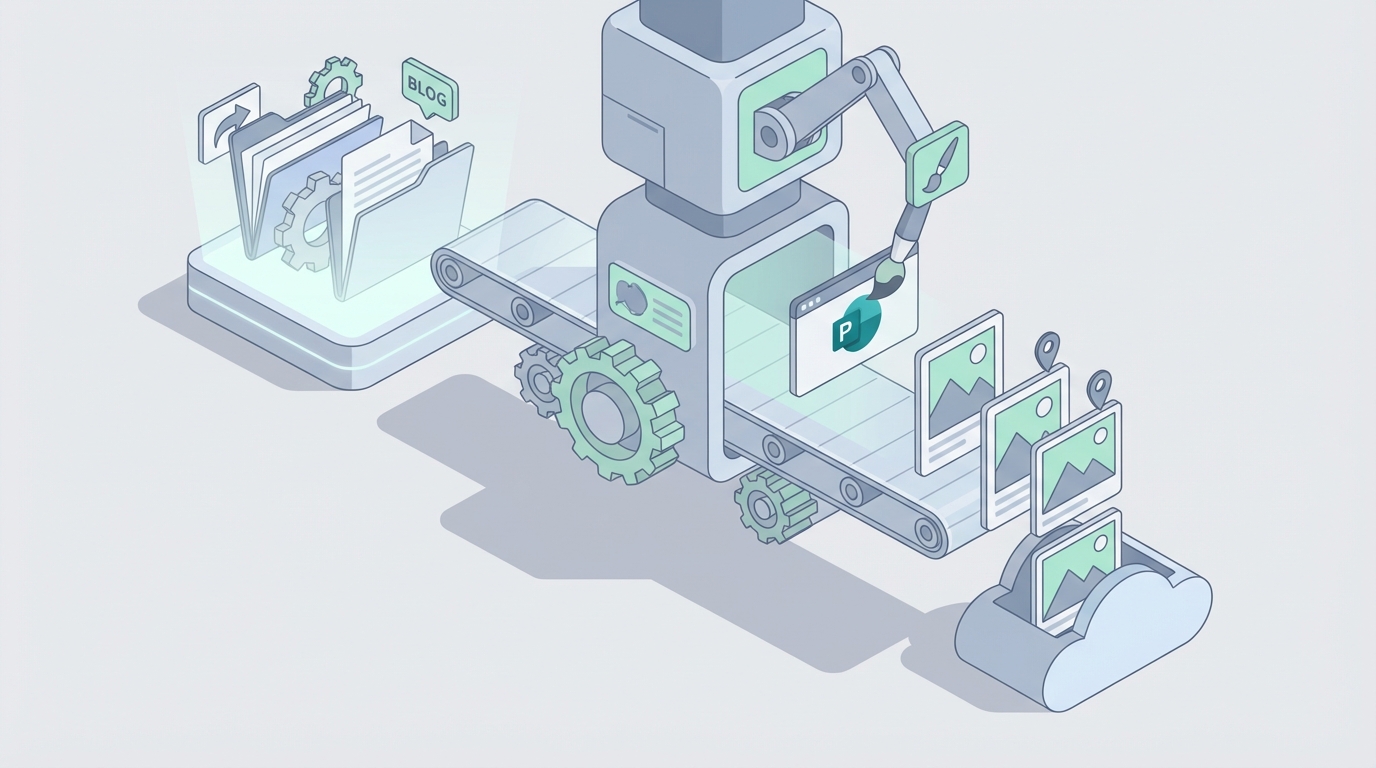
Most businesses treat Pinterest like an afterthought. They know it drives traffic — sometimes more than any other social platform — but the actual work of creating pins is so tedious that it falls off the priority list within a few weeks.
Here's the thing: creating a single Pinterest pin from a blog post involves at least six distinct steps, each requiring a different tool, a different skill set, and a different mental mode. Multiply that by 20-30 pins per week (the minimum most agencies recommend for consistent growth), and you're looking at a part-time job that nobody actually wants to do.
This is the kind of problem that AI agents solve well. Not perfectly — I'll be clear about the limitations — but well enough that you can take a 10-hour weekly workflow and compress it into about 2 hours of actual human involvement.
Let me walk through exactly how to build this with OpenClaw, what the realistic savings look like, and where you still need a person in the loop.
The Manual Workflow (And Why It's Brutal)
If you're doing Pinterest pin creation properly from blog content, here's what the full workflow looks like:
Step 1: Keyword Research (10-15 minutes per blog post) You open Pinterest Trends, maybe Tailwind's keyword tool, cross-reference with what's actually ranking in your niche. You identify 3-5 target keywords for each blog post you want to promote.
Step 2: Asset Sourcing (10-20 minutes per pin) You need images. Either you're pulling from your own photography library, buying stock photos, or generating something custom. Stock photos that look like stock photos perform terribly on Pinterest, so you usually need to do some curation or editing.
Step 3: Design (15-25 minutes per pin) Open Canva or Photoshop. Resize to 1000×1500 pixels (2:3 ratio). Add your text overlay — the blog title or a hook version of it. Apply brand fonts, colors, logo. Make sure the text is readable on mobile. If you're doing it right, you're creating 3-5 design variations per blog post, not just one.
Step 4: Copywriting (5-10 minutes per pin) Write a pin title under 100 characters. Write a description between 150-300 characters that naturally incorporates your target keywords. Add relevant hashtags if your strategy includes them (Pinterest's relationship with hashtags keeps changing).
Step 5: Upload and Configure (5 minutes per pin) Upload to Pinterest or your scheduling tool. Set the destination URL. Assign to the right board. Enable Rich Pins if applicable.
Step 6: Schedule (5-10 minutes per batch) Space pins out appropriately. Don't dump 15 pins at once. Set up a cadence across days and weeks.
Total time per pin: 15-45 minutes depending on complexity and experience. For a batch of 5 pin variations from a single blog post, you're looking at 1.5-3 hours. For 5 blog posts per week with 3-5 pins each, that's easily 8-15 hours weekly.
That's the equivalent of hiring someone two days a week just to make Pinterest pins. Most businesses can't justify that, so they either do it poorly, do it inconsistently, or don't do it at all.
What Makes This Actually Painful
The time cost alone isn't the full story. There are compounding problems:
Context switching kills productivity. You're going from strategic thinking (keywords) to visual design (Canva) to copywriting (descriptions) to administrative work (scheduling). Each switch costs you mental energy and startup time.
Design fatigue is real. After creating your 50th pin with the same brand template, everything starts looking identical. Your pins blend together in the feed, which defeats the entire purpose.
The feedback loop is slow and noisy. A pin might take 30-90 days to gain traction on Pinterest. So you're creating content now based on guesses about what will work, getting results months later, and trying to reverse-engineer what actually drove performance. By the time you have data, you've already created 200 more pins.
Consistency matters more than quality on Pinterest. The algorithm rewards fresh content posted regularly. A mediocre pin posted on schedule outperforms a brilliant pin posted sporadically. This makes the grind non-optional.
The economics don't scale. If you're an e-commerce store with 500 products and a blog with 200 posts, creating unique pins for all of that content is thousands of hours of work. Agencies charge $25-75 per custom pin. At that rate, comprehensive Pinterest coverage for a mid-size catalog costs $12,000-$37,000 — before ongoing monthly creation.
What AI Can Actually Handle Right Now
Let me be straight about what works and what doesn't in the current state of AI-powered pin creation. I'm not going to tell you that an agent can do everything perfectly on autopilot. But it can do a lot of the heavy lifting.
What AI handles well:
-
Extracting key information from blog posts. Given a URL or raw text, an AI agent can pull out the main topic, key points, suggested angles for visual content, and relevant keywords. This is bread-and-butter language processing.
-
Generating pin copy at scale. Titles, descriptions, keyword-rich text — this is where language models shine. You can generate 10 title variations and 10 descriptions in seconds instead of agonizing over each one.
-
Creating design variations programmatically. Using image generation APIs or template-based systems, an agent can produce multiple visual treatments of the same content — different color schemes, different text placements, different imagery styles.
-
Keyword research and trend analysis. An agent can pull Pinterest trend data, cross-reference with your existing content, and suggest which keywords to target without you manually combing through tools.
-
Scheduling optimization. Based on your audience data and posting history, an agent can determine optimal posting times and frequencies.
-
Performance analysis. Pulling analytics data, identifying top performers, and suggesting which pin styles to replicate.
What AI still struggles with:
- Matching a specific, nuanced brand aesthetic (it gets close but usually needs human refinement)
- Understanding seasonal business strategy (should you promote winter products in August for Pinterest's planning-ahead audience? The agent doesn't know your inventory situation)
- Detecting legal or trademark issues in generated images
- Creating truly original creative concepts that break through a saturated niche
Step-by-Step: Building the Automation with OpenClaw
Here's how to build a Pinterest pin creation agent on OpenClaw that handles the bulk of this workflow. I'm going to be specific about the architecture and logic.
Step 1: Set Up the Blog Content Ingestion
Your agent needs a trigger. The most common setup is:
- RSS feed monitor — watches your blog for new posts
- Webhook from your CMS — WordPress, Ghost, Webflow, etc. fires a webhook when you publish
- Manual trigger — you paste a URL when you want pins created for a specific post
In OpenClaw, you'd configure your agent to accept a blog post URL as input. The agent's first action is to fetch the page content, strip the HTML to clean text, and extract:
- The post title
- The main heading structure (H2s, H3s)
- The first 200-300 words (for context)
- Any existing images and their alt text
- The meta description if available
The agent prompt for this step would look something like:
Extract the following from this blog post content:
- Primary topic (2-3 words)
- 5 key takeaways or angles suitable for Pinterest pins
- Target audience for this content
- 3-5 Pinterest-relevant keywords (think about what someone would search on Pinterest to find this)
- Suggested emotional hook (what makes someone save this pin?)
Step 2: Generate Pin Copy Variations
With the extracted content, your agent generates multiple copy options. In OpenClaw, this is a second step in the agent's workflow that takes the extracted data and produces structured output.
You want the agent to generate for each blog post:
- 5 pin title variations (each under 100 characters, keyword-rich, curiosity-driven)
- 5 pin descriptions (each 150-300 characters, naturally incorporating target keywords, with a clear call to action)
- Suggested board names if you're creating new boards
The key here is giving your OpenClaw agent specific constraints in its instructions:
Generate Pinterest pin copy with these rules:
- Titles must be under 100 characters
- Titles should create curiosity or promise a specific benefit
- Descriptions must be 150-300 characters
- Descriptions must include at least 2 of these keywords: [extracted keywords]
- Never use clickbait that the blog post doesn't deliver on
- Include one clear CTA in each description (e.g., "Read the full guide," "Get the free template")
- Tone: [your brand tone — e.g., "friendly and practical, not salesy"]
Step 3: Generate Pin Visuals
This is where you have options depending on your technical setup and brand requirements.
Option A: Template-based generation (more brand-consistent)
Your OpenClaw agent connects to a design API — Canva's API, or a custom template system — and populates pre-designed templates with:
- The generated title text
- A color scheme pulled from your brand kit
- Your logo
- A background image (either from a curated library or generated)
This approach is more predictable and brand-safe. You design 10-15 master templates once, and the agent rotates through them with different content.
Option B: AI image generation (more creative variety)
The agent uses an image generation model to create custom visuals for each pin. You'd include style instructions in your OpenClaw agent configuration:
Generate a Pinterest pin image with these specifications:
- Dimensions: 1000x1500 pixels (2:3 aspect ratio)
- Style: [your brand style — e.g., "clean, minimal, lifestyle photography aesthetic with warm tones"]
- Include space for text overlay in the upper third
- Do not include any text in the generated image (text will be added separately)
- Subject matter: [derived from blog post topic]
Option C: Hybrid (recommended)
Use AI generation for the background imagery, then overlay text and branding elements programmatically. This gives you visual variety while maintaining brand consistency in typography and layout.
Your OpenClaw agent orchestrates this by chaining the image generation step with a template composition step.
Step 4: Assemble and Review Queue
The agent compiles everything — title options, descriptions, generated images — into a structured output. This is where you build in the human review checkpoint.
The agent should format its output so you can quickly review and approve or reject each pin. Something like:
Blog Post: "10 Ways to Organize Your Kitchen Pantry"
URL: [blog URL]

Pin Variant 1:
- Title: "Pantry Organization Ideas That Actually Last"
- Description: "Stop reorganizing your pantry every month. These 10 simple systems keep everything in place. Read the full guide for our favorite storage containers and labeling tricks."
- Image: [generated image preview]
- Target Board: Home Organization Tips
- Keywords: pantry organization, kitchen storage ideas

Pin Variant 2:
[...]
In OpenClaw, you can set this up to output to wherever your team reviews content — a Slack channel, an Airtable base, an email digest, or a custom dashboard.
Step 5: Automated Publishing
After human approval, the agent handles the scheduling and posting. It connects to Pinterest's API (or through a tool like Tailwind's API) to:
- Upload the approved images
- Apply the approved title and description
- Set the destination URL to the blog post
- Assign to the specified board
- Schedule according to your optimal posting cadence
You can also configure the agent to stagger the pin variations across days or weeks so you're not publishing all five versions of the same blog post at once.
Step 6: Performance Monitoring Loop
The most sophisticated version of this agent includes a feedback loop. After pins have been live for 7, 14, and 30 days, the agent pulls performance data (impressions, saves, outbound clicks) and:
- Identifies which title styles perform best
- Notes which visual treatments get more engagement
- Adjusts future generation parameters based on what's working
- Flags underperforming pins that might need manual attention
This feedback loop is what separates a basic automation from an actually useful system. Over time, the agent learns your audience's preferences and generates better first drafts.
What Still Needs a Human
I want to be honest about this because over-automating Pinterest is a fast way to waste money on content that doesn't perform.
You still need a human for:
-
Initial brand setup and template creation. Spend the time upfront defining your visual identity, tone of voice, and content strategy. The agent executes against these — it doesn't create them.
-
Review and approval. Budget 10-15 minutes per batch to review the agent's output. You're looking for off-brand copy, awkward image compositions, or keyword stuffing. Most batches will need minor tweaks, not overhauls.
-
Strategic decisions. Which blog posts to prioritize, seasonal timing, campaign alignment, new board creation for emerging topics.
-
Creative refresh. Every 2-3 months, update your templates, try new visual styles, and adjust your agent's instructions based on performance trends. Pinterest's feed evolves, and what worked six months ago might look stale.
-
Quality control on images. AI-generated images occasionally produce weird artifacts, culturally insensitive compositions, or elements that look too similar to recognizable brands. A quick human scan catches these.
Expected Time and Cost Savings
Let's do the math with realistic numbers.
Before automation (manual workflow):
- 5 blog posts per week × 4 pin variations each = 20 pins/week
- Average 25 minutes per pin = 8.3 hours/week
- At $30/hour (freelancer rate): $250/week or ~$1,000/month
- Or equivalent internal employee time: ~40% of a part-time role
After automation with OpenClaw:
- Agent handles: keyword extraction, copy generation, visual creation, scheduling = ~90% of time savings per pin
- Human handles: review and approval (2-3 minutes per pin), weekly strategy (30 minutes), monthly creative refresh (2 hours)
- Total human time: ~1.5-2 hours/week
- OpenClaw platform costs plus any connected API costs (image generation, scheduling tools)
Net result: 75-80% reduction in time spent, with comparable or better output quality because the agent maintains consistency that humans lose after their 15th pin of the day.
The biggest unlock isn't just the hours saved — it's the consistency. When pin creation takes 10 hours a week, it's the first thing that gets dropped during a busy period. When it takes 2 hours, it actually gets done every single week. And on Pinterest, consistency compounds.
Where to Start
If you're spending more than 3 hours a week on Pinterest pin creation — or you've stopped doing it because it's too time-consuming — this is a high-ROI automation to build.
Start with a single blog post. Set up the agent in OpenClaw to process one URL, generate copy and image options, and present them for review. Get that working reliably, then expand to batch processing and automated scheduling.
If you'd rather skip the build phase and get a pre-configured Pinterest pin creation agent, check out what's available on Claw Mart. The marketplace has agents built by other OpenClaw users, including content creation workflows that you can customize for your brand and deploy immediately.
And if you've already built a Pinterest automation workflow that's working well for you, consider listing it on Claw Mart through Clawsourcing — other businesses are actively looking for exactly this kind of agent, and your implementation could be generating revenue while you sleep. Learn more about Clawsourcing on Claw Mart.
Recommended for this post

YouTube content production specialist: script writing, SEO optimization, thumbnail concepts, publishing calendar, analytics review, and content repurposing (video → shorts/tweets/blogs).
 Bravo1058AI
One run. Blog post, LinkedIn post, Twitter thread. In your voice. Every time.
 Marco
MarcoTurn your ideas into viral Twitter threads in minutes
 clawbiz87