How to Automate Personalized Email Campaign Sequencing with AI
How to Automate Personalized Email Campaign Sequencing with AI
Most marketing teams will tell you their email campaigns are "automated and personalized." What they actually mean is they set up a Klaviyo flow eighteen months ago that says "Hey {first_name}" and triggers when someone abandons a cart. That's not personalization. That's a mail merge with a delay timer.
Real personalized email sequencing — the kind where every subscriber gets the right message, with the right content, at the right time, in a sequence that adapts based on their behavior — is extraordinarily labor-intensive. Which is exactly why it's a prime candidate for AI automation.
This post walks through how to build an AI agent on OpenClaw that handles the heavy lifting of personalized email campaign sequencing, from audience segmentation to copy generation to send-time optimization. No hand-waving. No "just plug in AI and watch the magic happen." Specific steps, specific tools, specific expectations about what works and what still needs a human being paying attention.
The Manual Workflow Today (And Why It Takes So Damn Long)
Let's map out what actually happens when a competent marketing team builds a personalized email sequence — say, a post-purchase upsell flow for an e-commerce brand. This isn't a single broadcast email. This is a multi-step, branching sequence that behaves differently based on what someone bought, when they bought it, what they've browsed since, and how they've engaged with previous emails.
Here's the real workflow:
Step 1: Audience Definition & Segmentation (4–12 hours)
Someone has to define the rules. "Purchased from Category A but not Category B in the last 45 days, with an AOV above $75, who has opened at least one email in the last 30 days." Then they pull the data, clean it, validate it, and often manually upload or sync it. Many teams are still exporting CSVs from their data warehouse and importing them into their ESP. Even teams with proper Segment or RudderStack integrations spend hours defining and debugging segment logic.
Step 2: Data Validation & Enrichment (5–10 hours per campaign)
Broken merge tags. Missing first names that render as "Hey {undefined}." Outdated purchase data because the sync lagged. Suppression list checks for GDPR/CCPA compliance. Consent verification. This is tedious, error-prone, and absolutely critical. One bad merge tag in a subject line tanks your open rate and your brand credibility.
Step 3: Creative Development (8–25 hours)
This is the big one. A proper personalized sequence needs:
- 3–5 email variants per step (different copy for different segments)
- Dynamic content blocks (different product recommendations, different imagery)
- Subject line and preheader variations for testing
- HTML design that renders correctly across 90+ email client/device combinations
A 5-step sequence with 3 variants per step is 15 distinct pieces of email copy. Plus subject lines. Plus preheaders. For a small team, this can eat an entire week.
Step 4: Automation Workflow Building (6–20 hours)
Triggers, wait steps, if/else branches, exit criteria, suppression logic. In Klaviyo or Braze, a complex flow with multiple decision nodes can take days to build and test. One misconfigured branch and half your audience gets the wrong email — or no email at all.
Step 5: Testing & QA (3–8 hours)
Render testing across devices and clients. Link checking. Spam score analysis. Personalization QA (does the dynamic content actually pull the right product for the right person?). Accessibility review.
Step 6: Approval & Compliance (2–10 hours)
Legal review, brand review, stakeholder sign-off. For regulated industries, this alone can take longer than the creative development.
Step 7: Launch, Monitoring & Iteration (ongoing)
The flow goes live. Then someone needs to watch it. Pause underperforming branches. Tweak copy. Update product feeds. Adjust timing. This is not a "set it and forget it" situation, despite what every ESP's marketing page implies.
Total: A single sophisticated email sequence routinely requires 30–60 hours of upfront work, with ongoing maintenance on top. Litmus reports the average single email takes 3.4–4.1 hours to produce. A multi-step personalized flow multiplies that significantly.
Agencies charge $3,000–$12,000 per flow for this work. And most brands are running 15–40 active flows simultaneously.
What Makes This Painful
The time cost alone is brutal, but it's compounded by several structural problems:
Creative doesn't scale. You can't manually write unique copy for every customer segment. So most "personalization" stops at the first name and maybe one product attribute. Only 14–22% of retail emails are meaningfully personalized beyond basic tokens, according to Experian's most recent data. Meanwhile, personalized emails drive 6x higher transaction rates when done well. The ROI is obvious. The labor cost makes it impractical.
Data quality is a constant nightmare. Every survey from HubSpot, Iterable, and Braze identifies data quality and integration as the number-one pain point in email marketing. Your personalization is only as good as your data, and your data is only as good as your infrastructure — which, for most companies, is a patchwork of tools that don't quite sync correctly.
Small teams manage too many flows. A 2–3 person email team managing 30 active flows means nobody is truly optimizing anything. They're in maintenance mode, not growth mode.
Performance is declining. Generic emails get ignored. Average open rates have fallen to 18–22% in many industries. Gmail and Yahoo's 2026 sender requirements have made it harder to even reach the inbox. The bar for relevance keeps rising, but the resources to clear that bar haven't kept pace.
Measurement is broken. Most teams still use last-click attribution, which dramatically undervalues email's contribution to revenue. This makes it harder to justify the investment in better personalization, which creates a vicious cycle.
What AI Can Handle Now (And How OpenClaw Fits)
Here's where things get concrete. Not every step in that workflow is ready for full automation. But several of the most time-consuming steps are — and OpenClaw gives you the platform to build agents that handle them.
OpenClaw is purpose-built for creating AI agents that execute multi-step workflows. Rather than using a generic chatbot or stitching together a dozen disconnected AI tools, you build a single agent (or a coordinated set of agents) that handles the workflow end-to-end, with defined inputs, decision logic, and outputs.
Here's what AI can reliably automate today, mapped to the workflow above:
Audience Discovery & Segmentation
AI is very good at clustering and next-best-action recommendations. An OpenClaw agent can connect to your data warehouse (Snowflake, BigQuery, etc.) or CDP (Segment, RudderStack), analyze purchase and engagement patterns, and generate segment definitions automatically.
Instead of a marketer spending 8 hours defining "customers likely to repurchase within 30 days," the agent analyzes historical data and produces segments with predicted conversion probabilities. Klaviyo's predictive analytics does a basic version of this natively. An OpenClaw agent can go deeper — combining data from multiple sources and applying custom logic your ESP can't handle.
Copy Generation at Scale
This is the highest-ROI application. An OpenClaw agent trained on your brand voice, product catalog, and historical email performance data can generate:
- Subject line variants (consistently beating human-written controls by 10–30% in platforms like Phrasee)
- Full email body copy, personalized per segment
- Dynamic content blocks with product-specific messaging
- Preheader text optimized for mobile preview
The key differentiator from using a generic LLM: the OpenClaw agent has context. It knows your brand guidelines, your tone, your product taxonomy, and what's worked before. You're not starting from a blank prompt every time.
Here's a simplified example of what the agent's copy generation step might look like in an OpenClaw workflow:
agent: email_copy_generator
inputs:
  - segment: "high_aov_repeat_buyers"
  - product_category: "outerwear"
  - campaign_type: "post_purchase_upsell"
  - brand_voice_profile: "brand_voice_v3.json"
  - historical_top_performers: "top_emails_q4_2024.csv"
  - email_position_in_sequence: 2
  - previous_email_content: "{dynamic_ref: email_1_content}"

rules:
  - max_subject_line_length: 50
  - must_include_product_name: true
  - tone: "conversational, confident, not salesy"
  - cta_style: "soft_ask"
  - personalization_tokens: ["first_name", "last_purchase_item", "days_since_purchase"]

outputs:
  - subject_line_variants: 5
  - preheader_variants: 3
  - body_copy: 1
  - dynamic_product_block: true
The agent generates the copy. A human reviews it. We'll get to that review step shortly.
Send-Time Optimization
Individual-level send-time prediction is one of the most mature AI applications in email. It reliably adds 10–40% to open rates. An OpenClaw agent can analyze per-subscriber engagement patterns and output optimized send times for each recipient, which then get pushed to your ESP's API.
Testing & Quality Assurance
An OpenClaw agent can automate:
- Spam score analysis before send
- Personalization token validation (checking that every dynamic field resolves correctly)
- Link verification
- Basic compliance scanning (flagging risky claims, missing unsubscribe links, tone issues)
- Render preview checks via API integrations with tools like Litmus or Email on Acid
This alone saves 3–8 hours per campaign and eliminates a category of embarrassing errors.
Performance Monitoring & Auto-Optimization
Post-launch, an agent can monitor key metrics (open rate, click rate, conversion, unsubscribes) in real time and take predefined actions:
- Pause a sequence step if unsubscribe rate exceeds a threshold
- Automatically promote the winning subject line variant after statistical significance is reached
- Flag flows where performance has degraded below baseline
- Generate weekly performance summaries with recommended actions
Step-by-Step: Building the Automation on OpenClaw
Here's the practical build sequence. This assumes you have an existing ESP (Klaviyo, Braze, ActiveCampaign, whatever) and a data source (warehouse, CDP, or even a well-structured CRM).
Step 1: Define Your Data Connections
Your OpenClaw agent needs access to:
- Customer data: Purchase history, browsing behavior, engagement metrics. Source: your CDP, warehouse, or ESP's API.
- Product catalog: Names, categories, prices, images, inventory status. Source: your e-commerce platform API or product feed.
- Email performance history: Open rates, click rates, conversions by campaign/flow/segment. Source: your ESP's reporting API.
- Brand assets: Voice guidelines, approved copy examples, design templates. Source: uploaded documents in OpenClaw.
Set up these connections in OpenClaw first. The agent is only as good as the data it can access.
Step 2: Build the Segmentation Agent
Create an agent whose job is audience analysis and segment generation. Feed it your customer data and define the types of segments you care about (lifecycle stage, purchase behavior, engagement level, predicted LTV).
The agent outputs segment definitions that can be pushed to your ESP via API, or used as inputs for the next agent in the chain.
agent: audience_segmenter
schedule: daily
data_sources:
  - snowflake.customer_events
  - klaviyo.engagement_metrics

segment_types:
  - lifecycle: ["new", "active", "at_risk", "lapsed", "win_back"]
  - purchase_behavior: ["single_purchase", "repeat", "high_aov", "discount_driven"]
  - engagement: ["highly_engaged", "moderate", "disengaged", "never_opened"]

output:
  - segment_definitions → klaviyo.lists (via API)
  - segment_summary_report → slack.marketing_channel
Step 3: Build the Copy Generation Agent
This is the core of the system. Configure it with your brand voice profile (upload examples of your best emails, your style guide, and explicit tone instructions). Connect it to your product catalog so it can pull real product data into copy.
Define templates for each campaign type (welcome series, post-purchase, win-back, browse abandonment, etc.) and let the agent generate variants within those structures.
Step 4: Build the Sequence Assembly Agent
This agent takes the segments and the generated copy, and assembles the actual automation workflow. It defines:
- Trigger conditions
- Wait steps and timing
- Branch logic (if opened → path A; if not → path B)
- Exit criteria
- Which copy variant goes to which segment
The output is a structured workflow definition that can be pushed to your ESP's API. Most major ESPs (Klaviyo, Braze, ActiveCampaign) have APIs that support programmatic flow creation. The agent assembles the sequence; the ESP executes it.
Step 5: Build the QA Agent
Before anything goes live, this agent validates:
- All personalization tokens resolve correctly for a test sample
- Links are valid and tracked
- Spam score is below threshold
- Required compliance elements are present (unsubscribe link, physical address, etc.)
- Copy passes brand guideline checks
The QA agent outputs a pass/fail report with specific issues flagged. If it passes, the sequence moves to human review. If it fails, it loops back to the relevant agent for correction.
Step 6: Build the Monitoring Agent
Post-launch, this agent watches performance and takes action according to rules you define. It can escalate to a human (via Slack, email, or your project management tool) when decisions exceed its authority — like killing an entire flow or fundamentally changing the strategy.
Step 7: Connect the Chain
In OpenClaw, you wire these agents together into a coordinated workflow:
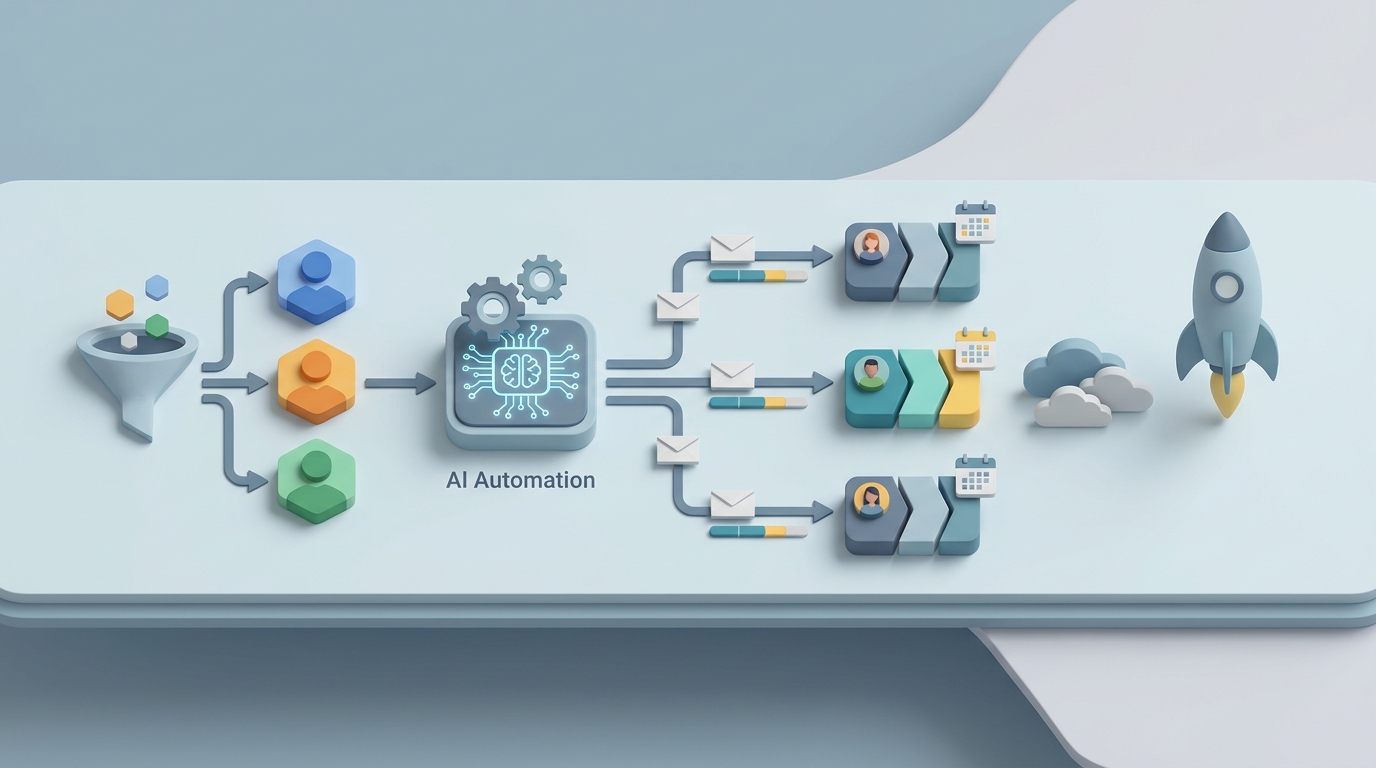
Data Sync → Segmentation → Copy Generation → Sequence Assembly → QA → Human Review Gate → Launch → Monitoring
The human review gate is critical. More on that next.
What Still Needs a Human
This is the section most AI hype pieces skip. Here's what you should not automate, or at least not without human oversight:
Strategy and campaign concept. AI can generate copy for a win-back sequence, but the decision to run a win-back sequence, what the emotional arc should be, and how it fits into your broader lifecycle strategy — that's human judgment. The "why" behind the campaign matters enormously and requires understanding your customers as people, not just data points.
Brand voice quality gate. AI-generated copy is good enough to use as a strong first draft. It is not good enough to send unsupervised — especially for premium, humorous, or mission-driven brands. Without human editing, one B2B SaaS company reported 60% higher unsubscribe rates on pure AI sequences versus human-reviewed ones. Use the OpenClaw agent for generation. Have a human do a final pass.
Legal and ethical decisions. Claims substantiation, pricing transparency, sensitive category messaging (health, finance, children) — these require human judgment and often legal review. The agent can flag potential issues, but a person makes the call.
Creative direction. The overarching story you're telling across a sequence, the campaign concept that ties everything together, the decision to use humor versus urgency versus empathy — this is where great marketers earn their keep. AI executes within a framework. Humans design the framework.
Exception handling. Crisis communications, VIP customer outreach, unusual situations (product recall, shipping disaster, PR issue) — these need human sensitivity and judgment. Build escalation paths into your OpenClaw agents so they know when to stop and ask for help.
Expected Time and Cost Savings
Let's be specific. Based on the workflow times outlined above and what the AI agents can realistically handle:
| Workflow Step | Manual Time | With OpenClaw Agent | Savings |
|---|---|---|---|
| Segmentation | 4–12 hours | 30 min (review agent output) | ~85% |
| Data Validation | 5–10 hours | 1 hour (review flags) | ~80% |
| Creative Development | 8–25 hours | 2–4 hours (review + edit drafts) | ~75% |
| Flow Building | 6–20 hours | 1–2 hours (review assembled sequence) | ~85% |
| Testing & QA | 3–8 hours | 30 min (review QA report) | ~90% |
| Monitoring & Iteration | Ongoing (5+ hrs/week) | 1 hr/week (review escalations) | ~80% |
Conservative estimate: A flow that previously took 40 hours to build and launch now takes 8–10 hours, with most of that being human review rather than production labor. That's a 75% reduction in time-to-launch.
For a team managing 20 active flows, that's the difference between drowning in maintenance and actually having capacity to think strategically.
The cost math is equally compelling. If you're paying an agency $6,000 per flow and you build 10 flows per quarter, that's $60,000. Reduce the labor by 75% and you're looking at significant savings — even after accounting for the OpenClaw platform cost and the time investment to set up the agents.
A mid-sized DTC brand featured in a Klaviyo case study reduced flow launch time from 25 hours to 6 hours using AI tools and saw a 41% increase in revenue per recipient. That's the ballpark you should expect: dramatically faster production and meaningfully better performance, because you're actually personalizing at scale instead of pretending to.
The Honest Bottom Line
AI won't replace your email marketing team. It will replace the parts of their job they hate — the repetitive production work, the data wrangling, the copy variant generation, the QA checklists. It frees them to do the parts that actually drive results: strategy, creative direction, customer insight, and quality judgment.
OpenClaw gives you the platform to build these agents in a way that's coordinated, context-aware, and connected to your actual data and tools. Not a generic chatbot generating copy in a vacuum, but a structured system that handles the workflow end-to-end with defined inputs, rules, and human checkpoints.
The companies seeing the best results in 2026–2026 aren't the ones who automated everything. They're the ones who built intelligent human-plus-AI workflows — where AI handles the production and humans handle the judgment.
That's the system worth building.
Ready to build AI agents that actually do the work? Browse Claw Mart to find pre-built agents and components for email marketing workflows, or explore OpenClaw to start building your own. If you've already built something that works, consider listing it on Claw Mart through our Clawsourcing program — where your agent templates, prompt libraries, and workflow blueprints become products that other teams can buy and deploy.