Automate Late Assignment Detection and Reminder Emails: Build an AI Agent
Automate Late Assignment Detection and Reminder Emails: Build an AI Agent
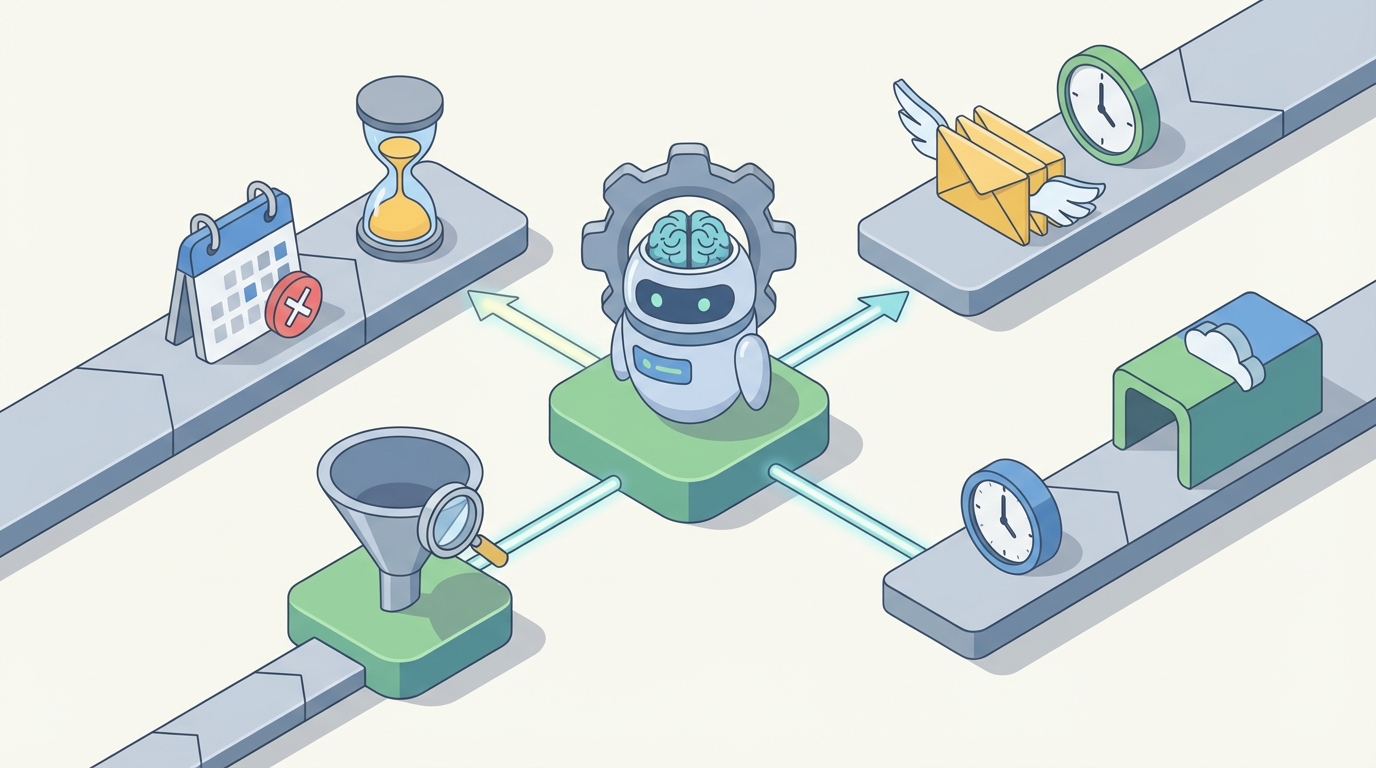
Every week, someone on your team is spending hours doing the same thing: opening a spreadsheet, scanning for overdue items, writing a polite-but-firm email, sending it, logging that they sent it, and then doing the whole thing again three days later when the person still hasn't responded. Multiply that across every project, every client, every internal deadline, and you've got a part-time job that nobody signed up for.
This is one of those workflows that feels too nuanced to automate — until you actually break it down and realize that 80% of it is mechanical. The other 20% genuinely needs a human brain. The trick is separating the two and letting an AI agent handle the mechanical part so your people can focus on the judgment calls.
Here's how to build that agent on OpenClaw, step by step.
The Manual Workflow (And Why It Eats So Much Time)
Let's be honest about what "managing late assignments" actually looks like in most organizations. Whether you're an agency chasing client deliverables, an ops team tracking internal deadlines, or a training department monitoring compliance completions, the process is roughly the same:
Step 1: Maintain the tracker. Someone keeps a spreadsheet, Notion database, or project management board with every assignment, its owner, its due date, and its status. This alone requires daily upkeep — 15 to 30 minutes just to keep it accurate.
Step 2: Scan for overdue items. Every day or every few days, someone filters for anything past due. In a spreadsheet, this means sorting by date and eyeballing it. In a PM tool, it means running a filtered view and cross-referencing with recent updates. Call it 10 to 20 minutes per review session.
Step 3: Gather context. Before sending a reminder, a good operator checks: Is this the first time this person is late? Did they already communicate a delay? Is there something sensitive going on? This is the step that separates a thoughtful follow-up from a tone-deaf automated ping. It takes 2 to 5 minutes per overdue item.
Step 4: Write the message. Draft an email or Slack message. Decide on tone — friendly nudge, firm reminder, or escalation. Personalize it enough that it doesn't feel like a robot wrote it. Another 3 to 5 minutes per message if you're doing it right.
Step 5: Send and log. Send the message, then go back to the tracker and note that a reminder was sent, when, and what was said. One to two minutes per item, but it adds up.
Step 6: Follow up on follow-ups. If someone doesn't respond to the first reminder, decide when to send a second one. If they don't respond to that, decide whether to escalate — loop in a manager, switch to a phone call, adjust the project timeline. This requires judgment and memory.
Step 7: Handle replies. Read responses ("I'll have it by Friday," "Sorry, I forgot," "We need to discuss scope"), update the tracker, and decide next steps.
Step 8: Report. Compile metrics for leadership: how many items are late, who's chronically behind, what's the average delay.
Agencies and consulting firms report spending 6 to 12 hours per week on this cycle. Larger organizations sometimes have dedicated "chase" roles — people whose entire job is following up. That's real salary going toward copy-paste emails and spreadsheet updates.
What Makes This Painful
The time cost is obvious. But there are less visible costs too:
Inconsistency. Different people on your team apply different standards. One project manager sends a gentle nudge on day one; another waits a week and then sends something aggressive. There's no unified approach, which means your organization's "brand" around accountability is all over the map.
Alert fatigue. If you're using basic automation (like Asana's overdue notifications), people start ignoring them. Generic "Task X is overdue" messages blend into the noise. They're easy to dismiss because they carry no context and no consequence.
Tone risk. The flip side of alert fatigue: when a human finally does send a pointed follow-up, it can come across as too harsh if they're frustrated, or too soft if they're conflict-averse. Neither extreme gets results consistently.
Scattered data. The assignment lives in Monday.com. The conversation about the delay happened in email. The extension was granted in Slack. The status update is in a Google Sheet. Nobody has the full picture, so every follow-up requires archaeology.
No analytics. Most teams can't answer basic questions: What's our average late rate? Which clients are chronically late? Which types of assignments get delayed most? Without this data, you can't improve the system — you just keep chasing.
The Asana "Anatomy of Work" report found that knowledge workers spend 60% of their time on coordination — status updates, follow-ups, and "work about work." Late assignment management is a textbook example of this category. It's necessary work, but it's not the work your team was hired to do.
What AI Can Handle Right Now
Here's where it gets practical. An AI agent built on OpenClaw can take over the mechanical 70 to 80% of this workflow. Not with generic if-then rules, but with actual contextual intelligence.
Detection is trivial. Comparing today's date to a due date is not a hard problem. But OpenClaw agents can go beyond simple date math. They can check whether an assignment was partially submitted, whether the owner sent a message indicating a delay, or whether there's been any activity at all. The agent can classify each overdue item into categories: "no activity, no communication," "communicated delay," "partial submission," or "disputed scope."
Tiered reminders with real personalization. This is where OpenClaw's language capabilities matter. Instead of sending the same template email every time, the agent generates messages calibrated to the situation:
- Day 1 overdue, first occurrence, good track record: Light, friendly. "Hey Sarah — looks like the brand guidelines doc slipped past yesterday's deadline. Any update on timing?"
- Day 3 overdue, no response to first reminder: Slightly firmer. "Following up on this — we need the brand guidelines to keep the project on track for the Oct launch. Can you confirm a revised delivery date?"
- Day 7 overdue, second reminder ignored, client-facing: Escalation flag. The agent drafts a message but routes it to a human for review before sending, along with context: "This client has been late twice before. Last time, a 2-day extension was granted. No response to two reminders."
This is fundamentally different from a Zapier automation that just fires off the same template. The agent thinks about what message is appropriate given the full context.
Response classification. When someone replies to a reminder, the OpenClaw agent can read the response and classify it: "Committed to new date," "Requested extension," "Raised a blocker," "Vague/non-committal," or "No useful information." Based on the classification, it either updates the tracker automatically or flags it for human attention.
Reporting and pattern detection. The agent can generate weekly summaries: 14 items overdue, 8 resolved after first reminder, 3 escalated, average resolution time 2.4 days. Over time, it spots patterns: "Client X has been late on 6 of their last 8 deliverables" or "Internal design reviews are late 40% of the time — consider adjusting the default timeline."
Step-by-Step: Building This on OpenClaw
Here's the concrete implementation path. This assumes you have your assignments tracked somewhere structured — a Google Sheet, Airtable base, Notion database, or project management tool with an API.
Step 1: Define Your Data Source
Your agent needs access to the assignment data. At minimum, each record should have:
- Assignment name/description
- Owner (name and contact info)
- Due date
- Status (not started, in progress, submitted, approved)
- Any notes or communication history
If you're using Google Sheets, the structure might look like:
| Assignment | Owner | Email | Due Date | Status | Last Reminder | Notes |
|------------|-------|-------|----------|--------|---------------|-------|
| Q3 Report | Sarah | sarah@co.com | 2026-01-15 | In Progress | None | — |
| Brand Guide | Mike | mike@co.com | 2026-01-12 | Not Started | 2026-01-13 | No response |
Step 2: Build the Detection Agent on OpenClaw
On the OpenClaw platform, you're going to create an agent whose primary job is to run on a schedule (daily, or more frequently if needed), pull the current assignment data, and identify anything that's overdue.
The agent's core logic:
1. Fetch all assignments where Status ≠ "Submitted" and Status ≠ "Approved"
2. Compare Due Date to today's date
3. For each overdue item, calculate days overdue
4. Check Last Reminder date and count previous reminders
5. Categorize each item:
   - NEW_OVERDUE: No reminder sent yet
   - REMINDER_PENDING: Reminder sent, no response, <3 days since last reminder
   - NEEDS_FOLLOWUP: Reminder sent, no response, ≥3 days since last reminder
   - NEEDS_ESCALATION: 2+ reminders sent, no response, ≥7 days overdue
   - HUMAN_REVIEW: Any item flagged with sensitive notes or high-priority client
In OpenClaw, you configure this agent with access to your data source (via integration or API) and define these classification rules as part of the agent's instructions. The agent uses its reasoning capabilities to handle edge cases — like when someone's status says "In Progress" but there's a note saying "Waiting on legal approval," which means the delay isn't their fault.
Step 3: Configure the Reminder Generation
For each item that needs action, the agent generates an appropriate message. Here's where you give the agent clear guidelines in its OpenClaw configuration:
Reminder Guidelines:
- First reminder (1-2 days overdue): Casual, friendly tone. Assume good intent.
  Ask for an updated timeline. Keep it under 4 sentences.
- Second reminder (3-5 days overdue): Professional, direct. Reference the original
  due date and the first reminder. Ask for a specific commitment.
- Third reminder (6-9 days overdue): Firm. Note the impact of the delay on
  downstream work. Mention that you'll need to escalate if not resolved.
- Escalation (10+ days or 3+ unanswered reminders): Draft message for human review.
  Include full context summary.

Always:
- Use the person's first name
- Reference the specific assignment by name
- Include the original due date
- If there's relevant history (prior extensions, known blockers), acknowledge it
- Never be passive-aggressive
- Never threaten consequences the organization hasn't authorized
The agent generates the actual email text, not just a template fill. So instead of "Dear [NAME], your [ASSIGNMENT] was due on [DATE]," you get natural language that reads like a competent human wrote it.
Step 4: Set Up the Action Layer
The agent needs to actually do things, not just think about them. In OpenClaw, you wire up the actions:
For routine reminders (first and second):
- Send the email directly via your email integration (Gmail, Outlook, or SMTP)
- Update the tracker: set Last Reminder to today's date, increment reminder count
- Log the sent message content for audit trail
For escalations and human-review items:
- Send a Slack notification (or email) to the designated human reviewer
- Include: the drafted message, full context (assignment details, communication history, owner's track record), and a recommended action
- Wait for human approval before sending
For response handling:
- Monitor the inbox (or a dedicated email alias) for replies to reminder emails
- Classify the response
- If clear commitment ("I'll send by Friday"): update tracker with new expected date, set a follow-up check for that date
- If vague or problematic: flag for human review with the response text and agent's assessment
Step 5: Schedule and Monitor
Set the agent to run daily — typically early morning so reminders go out at the start of the business day. In OpenClaw, you configure the schedule and set up a monitoring dashboard so you can see:
- How many reminders were sent today
- How many items are in each category
- How many were auto-resolved vs. escalated
- Response rate by reminder tier
After the first week, review the agent's output. Check that the tone is right, the categorization is accurate, and nothing slipped through. Adjust the guidelines as needed. This calibration period is important — spend an hour reviewing the first 20-30 messages the agent generates, and you'll quickly see if you need to tighten or loosen any rules.
What Still Needs a Human
Let me be clear about what this agent should not do autonomously:
Granting extensions with business impact. If a late deliverable affects a client launch date or a revenue milestone, a human needs to make the call on whether to extend and how to communicate it.
Sensitive situations. If someone's been going through a personal crisis, or if there's a political dynamic (the late person is a VP's direct report, the client is your biggest account), the agent should surface the situation with full context and let a human craft the response.
Consequence decisions. Putting someone on a performance improvement plan, charging a late fee, or terminating a contract — these are human decisions. The agent can recommend based on patterns, but a person approves.
Ambiguous responses. When someone replies with something the agent can't confidently classify — "We should probably talk about the scope of this" — it should route to a human rather than guess.
The agent's job is to handle the 75% of cases that are straightforward, surface the 25% that need judgment with rich context so the human can make a fast decision, and make sure nothing falls through the cracks.
Expected Savings
Based on what companies report after implementing this kind of automation:
Time: If you're currently spending 8 hours/week on the chase cycle, expect to reduce that to 1.5 to 2 hours/week — the time spent reviewing escalations and handling edge cases. That's roughly a 75% reduction.
Consistency: Every assignment gets the same follow-up cadence. No more items falling through cracks because someone was on vacation or just forgot to check the spreadsheet.
Speed: Reminders go out on day one, every time. No more "Oh, I didn't notice that was overdue until it was a week late." Faster detection means shorter delays.
Relationships: Counterintuitively, automated reminders often improve relationships because they're consistent, professional, and not emotionally charged. The agent doesn't send a snippy email because it's having a bad day.
Analytics: For the first time, you'll have real data on your late rates, response patterns, and chronic offenders. This lets you fix systemic issues instead of just chasing symptoms.
Monday.com's published case studies show companies cutting manual follow-up time by 70 to 80% with even basic automations. An OpenClaw agent with contextual intelligence should hit or exceed that range because it handles the personalization and response processing that basic automations can't.
Get Started
If this is the kind of workflow you want to automate but don't want to build and maintain yourself, that's exactly what Claw Mart is for. Browse pre-built agents for task management, follow-up automation, and operations workflows — or find an OpenClaw developer through Clawsourcing who can build a custom late-assignment agent tailored to your specific tools, team structure, and communication style.
The point isn't to remove humans from the process. It's to stop wasting human judgment on things that don't require it, so when a situation genuinely needs a thoughtful decision, your people have the time and context to make a good one.
Stop chasing. Start building. Check out Claw Mart to find the right agent or Clawsource the build to someone who's done it before.