Automate Data Subject Access Request Fulfillment Workflow
Automate Data Subject Access Request Fulfillment Workflow
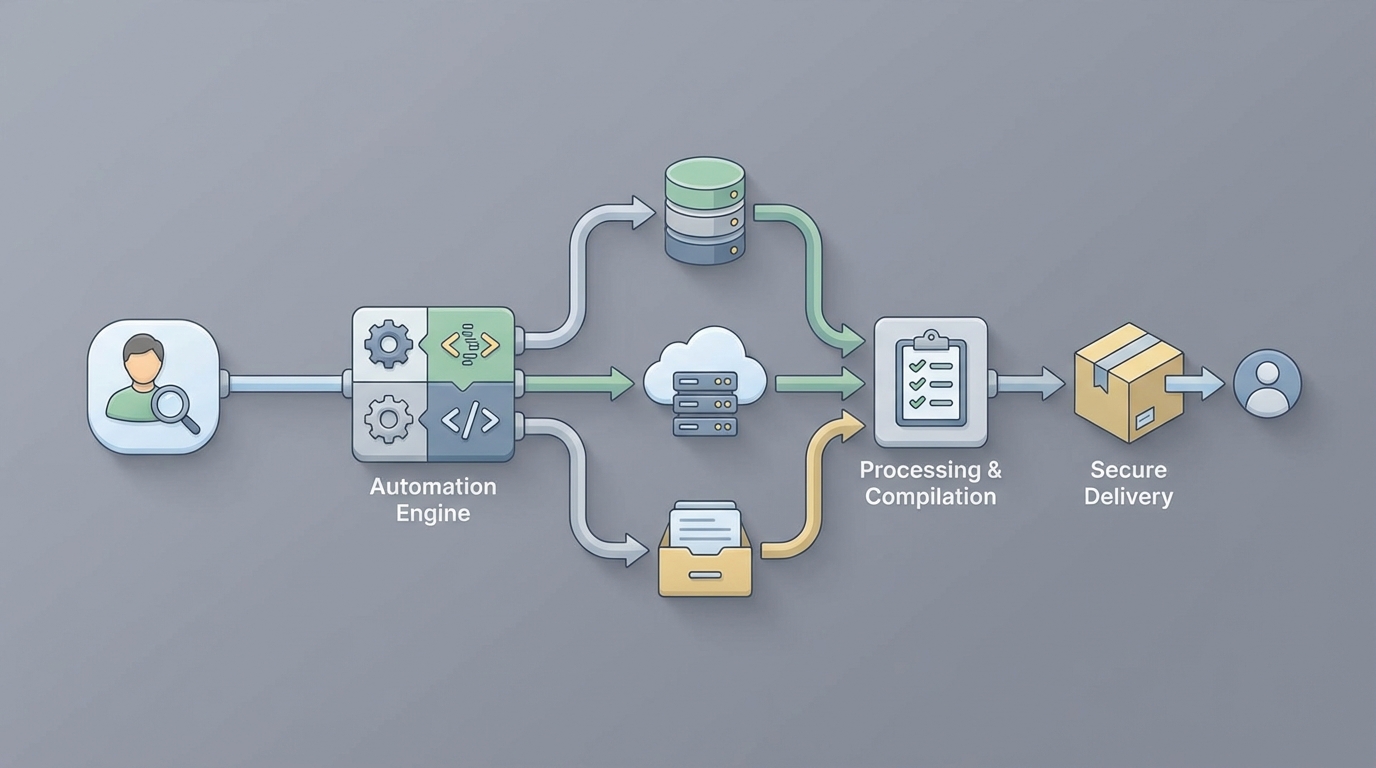
Every privacy team I've talked to in the last year has the same problem: DSAR volume is climbing, headcount isn't, and the deadline clock starts ticking the moment a request lands in your inbox. You've got 30 days under GDPR. 45 under CCPA/CPRA. And the actual work of finding, reviewing, redacting, and packaging someone's personal data across a dozen systems? That takes 20 to 80 hours per request when you're doing it manually.
This isn't a theoretical pain point. It's an operational crisis that gets worse with every new privacy regulation, every data breach that triggers a spike in requests, and every SaaS tool your company adds to its stack.
The good news: most of this workflow is automatable right now. Not in a hand-wavy "AI will figure it out" way. In a concrete, build-it-this-month way. Here's how to do it with an AI agent on OpenClaw, what to automate, what to leave to humans, and what kind of time and cost savings to actually expect.
The Manual Workflow Today (And Why It's Brutal)
Let's walk through what a DSAR fulfillment process actually looks like in most organizations. No sugarcoating.
Step 1: Intake and logging. A request comes in via email, a web form, sometimes even a phone call. Someone on the privacy team logs it in a spreadsheet, a Jira ticket, or maybe a ServiceNow queue. Already you've burned time just getting the request into a trackable format.
Step 2: Identity verification. You need to confirm the requester is who they say they are. This usually means emailing back and forth requesting government ID, running knowledge-based authentication, or directing them to a verification portal. It's manual, it's slow, and it's a security risk if you get it wrong. Over-disclose to the wrong person and you've created a data breach while trying to comply with a privacy law. Ironic.
Step 3: Data mapping and search. This is where things get ugly. You need to identify every system that might hold data about this individual. CRM, HRIS, marketing automation, email archives, Slack or Teams, SharePoint, cloud storage, legacy databases, backups. In a typical mid-size company, that's 15 to 40 systems. You send requests to department owners. You wait. You follow up. You wait more.
Step 4: Data extraction. Each system owner manually queries or exports data. SQL queries against databases. CSV exports from SaaS tools. Screenshots of user profiles. Advanced search in Gmail or Outlook. Everyone does it slightly differently, and the quality varies wildly.
Step 5: Review and redaction. This is the single most labor-intensive step. Someone has to open every document, every email, every chat message and determine: Is this relevant? Does it contain third-party data that needs redacting? Is anything legally privileged? Are there trade secrets? Could disclosure endanger someone? BigID reports that unstructured data like emails and documents accounts for 70 to 80 percent of the effort in DSAR fulfillment. One large tech company, pre-automation, had a single DSAR that required reviewing over 100,000 documents.
Step 6: Compilation. Aggregate everything into a coherent package. Usually an Excel index plus a folder of PDFs. Make it presentable enough that a regulator wouldn't raise an eyebrow.
Step 7: Internal approval. Legal reviews. Privacy officer signs off. Compliance checks the box. More calendar time burned.
Step 8: Secure delivery. Send via encrypted portal or password-protected files. Hope the requester can actually open it.
Step 9: Record-keeping. Document everything you did for the inevitable audit.
Total time per request: industry benchmarks consistently land between 20 and 80 hours for lightly automated processes. Complex requests for executives, employees involved in litigation, or anyone with a long data history can hit 100 to 200 hours. At an average cost of $1,400 to $5,000+ per request (Ponemon/IAPP data), a company processing 5,000 DSARs a year is looking at $7 million to $25 million in operational costs. Just for compliance busywork.
What Makes This Painful (Beyond the Obvious)
The time and cost numbers are bad enough, but the structural problems are worse:
Data silos everywhere. No single system holds all of a person's data. Every search is a scavenger hunt across disconnected platforms with different access controls, different export formats, and different owners who may or may not respond promptly.
Unstructured data is a black hole. Emails, Slack messages, shared documents, meeting notes. These contain massive amounts of personal data, but they're nearly impossible to search comprehensively without specialized tooling. Keyword search misses context. Manual review doesn't scale.
Volume spikes are unpredictable. A data breach, negative press coverage, or a viral social media post can 10x your DSAR volume overnight. If your process depends on human labor for every step, you can't surge capacity without hiring contractors who don't know your systems.
Error risk is high. Miss a system and you've failed to fulfill the request completely. Accidentally include third-party data and you've violated someone else's privacy. Both scenarios can lead to regulatory complaints, fines, and reputational damage. The ICO doesn't care that you were understaffed.
Your privacy team is stuck doing search-and-gather instead of strategy. The people who should be building your privacy program, advising on product design, and managing regulatory relationships are instead spending their weeks running queries and redacting PDFs.
What AI Can Actually Handle Right Now
Let's be honest about what's automatable today versus what's still aspirational. No hype. Just capability assessment based on current technology.
Strongly automatable (high confidence, production-ready):
- Intake classification and routing. Natural language processing can read a request, determine its type (access, deletion, correction, opt-out), identify the jurisdiction, and route it to the right workflow. This is table stakes for any AI agent.
- Identity verification orchestration. An agent can send verification requests, validate documents using liveness detection and document matching APIs, and flag edge cases for human review.
- Automated data discovery and collection. API connectors to your major systems (Salesforce, HubSpot, Workday, Microsoft 365, Google Workspace, Snowflake, PostgreSQL) can search for and extract records matching the data subject. This is where the biggest time savings happen.
- Pattern-based redaction. Social Security numbers, credit card numbers, email addresses, phone numbers, and other structured PII can be detected and redacted automatically with high accuracy using regex plus ML classifiers.
- Deduplication and organization. Automated grouping, deduplication, and indexing of collected records into a structured package.
- Report generation. Auto-compiling the final deliverable with summary statistics, a table of contents, and audit trail.
- Deadline tracking and escalation. Monitoring timelines and automatically escalating when deadlines approach.
Requires human judgment (keep a person in the loop):
- Legal exemption analysis. Determining whether a request is "manifestly unfounded or excessive," applying balancing tests, identifying legal privilege or trade secrets. This requires legal reasoning that AI can support but shouldn't decide.
- Contextual relevance in unstructured data. Is this email actually "about" the data subject, or do they just happen to be CC'd? Does this document reference imply personal data? Sarcasm, implied references, and context-dependent meaning still trip up AI models.
- High-risk edge cases. Employment disputes, medical records, children's data, law enforcement-related requests. These need human eyes.
- Final quality control and sign-off. Regulators expect accountable human oversight. Someone needs to verify the package is complete and appropriate before it goes out.
- Policy decisions. How transparent to be beyond the legal minimum is a strategic choice, not an algorithmic one.
The realistic automation rate for straightforward consumer DSARs is 70 to 90 percent of the work. For complex employee or litigation-adjacent requests, expect 40 to 60 percent automation with human review on the rest.
Step-by-Step: Building the Automation With OpenClaw
Here's how to build a DSAR fulfillment agent on OpenClaw that handles the automatable portions and routes the rest to your team. This isn't theoretical. These are the actual components you'd wire together.
Step 1: Set Up the Intake Agent
Build an OpenClaw agent that monitors your DSAR intake channels (email inbox, web form submissions, API endpoint from your privacy portal). The agent classifies incoming requests by type and jurisdiction, extracts key identifiers (name, email, account ID), and creates a structured case record.
# OpenClaw DSAR Intake Agent - Core Logic

dsar_intake_agent = openclaw.Agent(
    name="dsar_intake",
    instructions="""
    You are a DSAR intake processor. When a new request arrives:
    1. Classify the request type: access, deletion, correction, portability, opt-out
    2. Identify the applicable jurisdiction (GDPR, CCPA/CPRA, other)
    3. Extract data subject identifiers: full name, email, phone, account IDs
    4. Calculate the response deadline based on jurisdiction
    5. Create a case record and trigger the verification workflow

    If the request is ambiguous or appears to be a general inquiry
    rather than a formal DSAR, flag for human review.
    """,
    tools=[
        email_monitor_tool,
        form_submission_tool,
        case_management_tool,
        deadline_calculator_tool
    ]
)
Step 2: Automate Identity Verification
Connect your verification service (or build a lightweight one) through OpenClaw. The agent sends the data subject a verification link, validates their response, and either confirms identity or escalates.
verification_agent = openclaw.Agent(
    name="dsar_identity_verification",
    instructions="""
    For each new DSAR case:
    1. Send the data subject a secure verification link via email
    2. The link collects: government ID upload + selfie (for liveness check)
    3. Run automated document validation and facial matching
    4. If confidence score > 95%, mark as verified and proceed
    5. If confidence score 70-95%, flag for human review with match details
    6. If confidence score < 70% or documents appear fraudulent,
       escalate immediately to privacy team
    7. Log all verification steps for audit trail
    """,
    tools=[
        identity_verification_api,
        secure_email_tool,
        case_update_tool,
        escalation_tool
    ]
)
Step 3: Build the Data Collection Orchestrator
This is the core of the automation. An OpenClaw agent that connects to each of your data systems, runs searches for the verified data subject, and collects results. You'll build this iteratively, starting with your highest-volume systems.
data_collection_agent = openclaw.Agent(
    name="dsar_data_collector",
    instructions="""
    For each verified DSAR case, search the following systems in parallel:

    1. Salesforce CRM - search by email and name
    2. HubSpot - search by email
    3. Workday HRIS - search by employee ID or email
    4. Microsoft 365 (Exchange + OneDrive + SharePoint) - content search
    5. Google Workspace - search by account
    6. PostgreSQL customer database - query by customer_id and email
    7. Snowflake analytics warehouse - query by user identifiers
    8. Zendesk - search by requester email
    9. Stripe - search by customer email

    For each system:
    - Execute the search using the appropriate connector
    - Export all matching records
    - Log what was found (record count, data categories)
    - Log any errors or access issues
    - If a system is unreachable, retry 3 times then escalate

    Compile all results into the case folder with system-level organization.
    """,
    tools=[
        salesforce_connector,
        hubspot_connector,
        workday_connector,
        m365_content_search,
        google_workspace_connector,
        postgres_query_tool,
        snowflake_query_tool,
        zendesk_connector,
        stripe_connector,
        file_organizer_tool,
        case_update_tool
    ]
)
For each connector, you're writing specific search queries. Here's what the PostgreSQL one might look like:
# PostgreSQL connector tool for DSAR data collection

@openclaw.tool
def postgres_dsar_search(customer_email: str, customer_id: str = None):
    """Search PostgreSQL customer database for all records
    associated with the data subject."""

    queries = [
        f"SELECT * FROM customers WHERE email = '{customer_email}'",
        f"SELECT * FROM orders WHERE customer_email = '{customer_email}'",
        f"SELECT * FROM support_tickets WHERE requester_email = '{customer_email}'",
        f"SELECT * FROM newsletter_subscriptions WHERE email = '{customer_email}'",
        f"SELECT * FROM login_history WHERE user_email = '{customer_email}'"
    ]

    if customer_id:
        queries.extend([
            f"SELECT * FROM user_preferences WHERE customer_id = '{customer_id}'",
            f"SELECT * FROM consent_records WHERE customer_id = '{customer_id}'"
        ])

    results = {}
    for query in queries:
        # Parameterized queries in production - this is illustrative
        table_name = query.split("FROM ")[1].split(" WHERE")[0]
        results[table_name] = execute_query(query)

    return {
        "system": "postgresql_customer_db",
        "records_found": sum(len(r) for r in results.values()),
        "data": results
    }
Step 4: Automated Redaction and Review Prep
Once data is collected, an OpenClaw agent runs automated redaction on the results, flagging items that need human review.
redaction_agent = openclaw.Agent(
    name="dsar_redactor",
    instructions="""
    Process all collected data for the DSAR case:

    1. Scan all documents and records for third-party PII:
       - Other people's names, emails, phone numbers, SSNs, addresses
       - Use pattern matching for structured PII (SSN, credit card, phone)
       - Use NER (named entity recognition) for names and organizations

    2. Apply redactions:
       - HIGH CONFIDENCE (>95%): Auto-redact and log
       - MEDIUM CONFIDENCE (70-95%): Redact but flag for human review
       - LOW CONFIDENCE or COMPLEX: Flag for human review, do not redact

    3. Flag documents that may contain:
       - Legally privileged communications (attorney-client)
       - Trade secrets or confidential business information
       - Information that could endanger another person
       - Employment dispute-related content

    4. Generate a review queue sorted by:
       - Items needing human review (highest priority)
       - Auto-redacted items (for spot-check)
       - Clean items (no issues detected)

    5. Produce summary statistics for the case.
    """,
    tools=[
        pii_scanner_tool,
        regex_redactor_tool,
        ner_model_tool,
        document_classifier_tool,
        review_queue_tool,
        case_update_tool
    ]
)
Step 5: Compilation and Delivery
After human review is complete, an agent compiles the final package and handles delivery.
delivery_agent = openclaw.Agent(
    name="dsar_delivery",
    instructions="""
    After human review is marked complete:

    1. Compile all approved records into the final package:
       - Generate a table of contents / index
       - Organize by data category (profile, transactions, communications, etc.)
       - Include a cover letter explaining what's included, what was withheld
         and why (using approved legal templates)
       - Export as PDF bundle with index

    2. Generate the audit trail document:
       - Systems searched (with dates)
       - Records found per system
       - Redactions applied (count and categories)
       - Human review decisions (with reviewer IDs)
       - Timeline of all actions

    3. Upload to secure delivery portal
    4. Send data subject a notification with download link
       (link expires in 30 days)
    5. Log delivery confirmation
    6. Close the case with final metrics
    """,
    tools=[
        pdf_compiler_tool,
        cover_letter_generator,
        audit_trail_tool,
        secure_portal_tool,
        notification_email_tool,
        case_close_tool
    ]
)
Step 6: Orchestrate the Full Workflow
Wire it all together with an OpenClaw orchestrator that manages the end-to-end flow:
dsar_orchestrator = openclaw.Agent(
    name="dsar_orchestrator",
    instructions="""
    You manage the end-to-end DSAR fulfillment workflow.

    Flow:
    1. dsar_intake → creates case
    2. dsar_identity_verification → verifies requester
    3. dsar_data_collector → searches all systems
    4. dsar_redactor → redacts and preps review queue
    5. [HUMAN] → reviews flagged items, approves package
    6. dsar_delivery → compiles and delivers

    Monitor all cases for:
    - Deadline proximity (alert at 20 days, escalate at 25 days)
    - Stalled stages (no progress in 48 hours → escalate)
    - Failed system connections (retry then escalate)
    - Cases requiring special handling (employee requests,
      litigation holds, high-profile individuals)

    Provide daily summary to privacy team lead.
    """,
    agents=[
        dsar_intake_agent,
        verification_agent,
        data_collection_agent,
        redaction_agent,
        delivery_agent
    ],
    tools=[
        deadline_monitor_tool,
        escalation_tool,
        daily_summary_tool
    ]
)
What Still Needs a Human
I want to be direct about this because overpromising automation capabilities is how you end up with compliance failures.
Your privacy team still needs to:
- Review and decide on legal exemptions for every non-trivial case
- Make judgment calls on contextually ambiguous documents (especially emails and chat messages where mentions of a person don't clearly constitute "personal data about them")
- Handle edge cases involving minors, medical records, law enforcement, or ongoing litigation
- Approve the final package before delivery
- Make policy decisions about how generous to be beyond the legal minimum
- Manage regulatory relationships and respond to complaints about fulfillment
The goal isn't to eliminate the privacy team. It's to eliminate the 60 to 80 percent of their time spent on mechanical search, extraction, and formatting so they can focus on the judgment-intensive 20 to 40 percent that actually requires their expertise.
Expected Time and Cost Savings
Let's do real math, not marketing math.
Before automation (manual/spreadsheet process):
- Average time per DSAR: 30 hours (conservative mid-range estimate)
- Average cost per DSAR: ~$2,500 (based on blended hourly rate of privacy team, legal, IT support)
- Annual volume: 2,000 DSARs
- Annual cost: $5,000,000
- FTEs dedicated: 8-12 people
After OpenClaw automation (realistic, not best-case):
- Automated steps handle: ~70% of the work
- Human review time per DSAR: ~8 hours (focused on judgment calls, not search and formatting)
- Effective cost per DSAR: ~$700
- Annual cost: $1,400,000
- FTEs dedicated: 3-4 people (redeployed, not fired—you have plenty of other privacy work)
- Platform and infrastructure costs: ~$200,000/year
Net savings: ~$3.4 million per year for a company processing 2,000 DSARs annually. Plus faster response times (averaging 10-15 days instead of 25-28), lower error rates, and a complete audit trail generated automatically.
For companies processing higher volumes (10,000+ DSARs per year), the savings scale significantly because the marginal cost of each additional automated DSAR is minimal compared to the fixed costs of the infrastructure.
These numbers align with what vendors like Transcend report in their case studies: fulfillment time dropping from 40+ hours to under 4 hours for straightforward requests. The caveat is that straightforward consumer requests automate well. Complex employee requests or litigation-adjacent cases still require substantial human involvement.
Getting Started
You don't need to build all of this at once. Start with the highest-impact automation:
-
Week 1-2: Build the intake and classification agent on OpenClaw. Just getting requests automatically logged, classified, and deadline-tracked saves hours of admin time per week.
-
Week 3-4: Connect your two or three highest-volume data systems (usually CRM + email + primary database). Even partial automated collection cuts the manual scavenger hunt dramatically.
-
Month 2: Add automated PII detection and redaction. This tackles the most labor-intensive step.
-
Month 3: Build out remaining system connectors, delivery automation, and orchestration. Iterate based on what your team is actually spending time on.
Each phase delivers standalone value. You don't need the complete system to start saving time.
If you want pre-built components for DSAR workflows, including system connectors, redaction tools, and case management templates, check what's available on Claw Mart. The marketplace has agents and tools built by privacy operations teams who've already solved many of these integration challenges. No need to build every connector from scratch when someone's already built and tested one for Salesforce or HubSpot or Workday.
And if you'd rather have someone build the whole thing for you, Clawsource it. Post the project, define your systems and requirements, and let an experienced builder handle the implementation while you focus on the privacy work that actually needs your judgment.
The DSAR problem isn't going away. Request volumes are only going up as privacy laws expand globally. The question isn't whether to automate—it's how fast you can get there before the next spike hits your inbox.