How to Automate Course Scheduling and Conflict Resolution with AI
How to Automate Course Scheduling and Conflict Resolution with AI
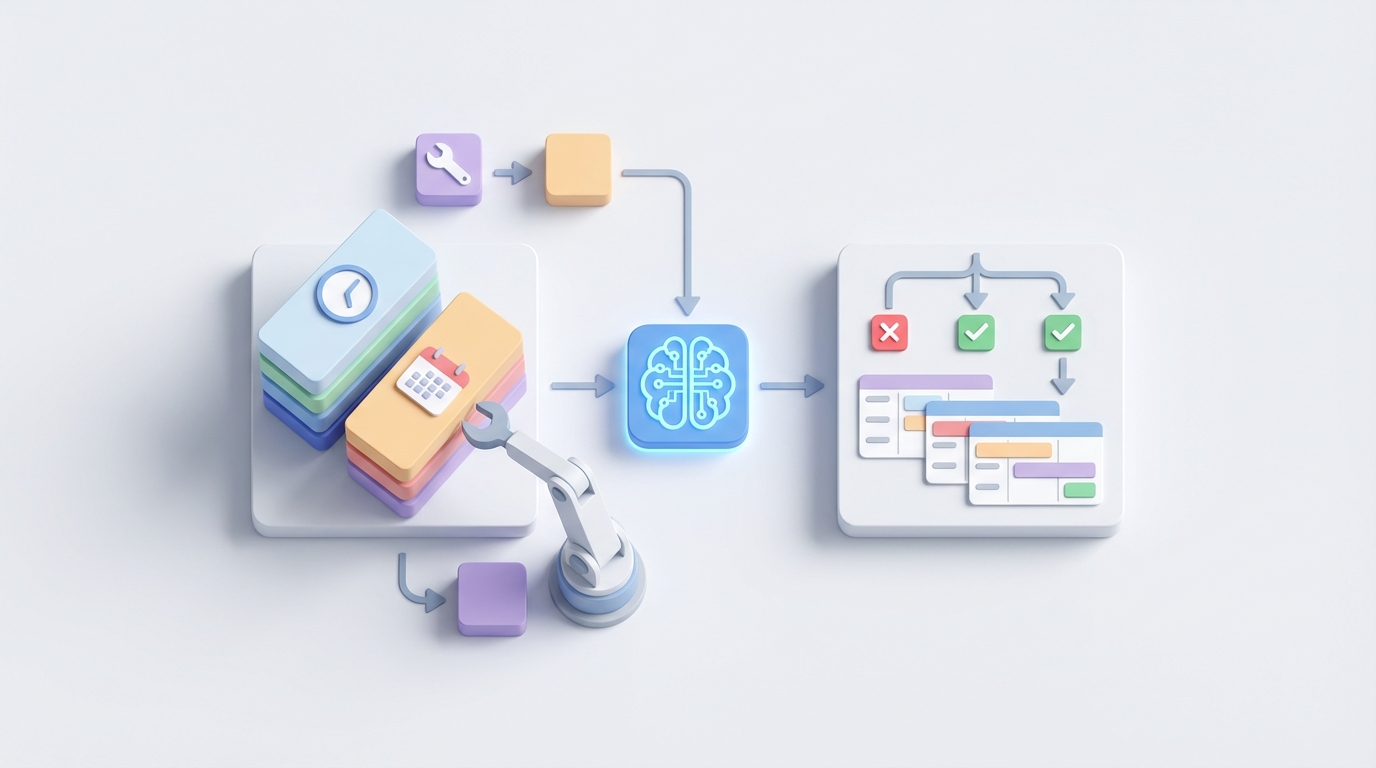
If you've ever been the person responsible for scheduling courses at a university or coordinating training sessions across a corporate L&D department, you already know the truth: it's a brutal, thankless grind that eats hundreds of hours every semester and still produces a schedule riddled with conflicts, underutilized rooms, and unhappy faculty.
The dirty secret of course scheduling is that most institutions—even large, well-funded ones—still run this process on spreadsheets, email chains, and institutional memory. A mid-sized university with 10,000 students typically burns 200 to 400 person-hours per semester just on scheduling. Department chairs each spend 15 to 30 hours on it. And after all that effort, room utilization still averages a pathetic 50–65%, a fifth of classes get rescheduled after publication, and students graduate late because they couldn't get into required courses at non-conflicting times.
This is exactly the kind of problem that AI agents are good at solving—not in a vague, hand-wavy "AI will change everything" way, but in a concrete, "we can automate 70% of this workflow and save your team hundreds of hours" way.
Here's how to actually do it, step by step, using OpenClaw.
The Manual Workflow Today (And Why It's So Slow)
Let's be precise about what course scheduling actually involves. Whether you're at a university or running corporate training, the process follows a predictable—and predictably painful—pattern.
Step 1: Data Collection (4–8 weeks)
Departments submit course offerings, instructor availability and preferences, expected enrollment numbers, room requirements (lab vs. lecture hall, AV needs, capacity), and student degree audit requirements. This is usually done via a combination of forms, emails, and spreadsheets that someone has to manually aggregate.
Step 2: Initial Draft Creation (2–4 weeks)
One to three people—often a registrar's office team or an L&D coordinator—manually block out times. They're juggling 20 to 50 hard constraints (room capacity, no double-booking instructors, no double-booking students in required courses) and dozens of soft constraints (Professor Smith prefers mornings, the biology lab needs three-hour blocks, MWF vs. TTh patterns).
Step 3: Conflict Identification (1–2 weeks)
Someone runs manual checks or basic reports to find clashes. This generates a list of problems. Then begins the real fun: multiple rounds of emails and meetings with department chairs, each of whom has their own priorities and political considerations.
Step 4: Optimization Iterations (3–6 weeks)
Five to fifteen rounds of adjustments based on faculty pushback, updated enrollment forecasts, room availability changes, and the occasional curveball like a building renovation or a professor going on sabbatical.
Step 5: Student Input and Final Adjustments (1–2 weeks)
Some schools do pre-registration or demand polling. This often reveals that certain sections are oversubscribed and others are empty, triggering another round of changes.
Step 6: Approval and Publication (1 week)
Dean or provost signs off. Schedule gets loaded into the student information system. Everyone collectively holds their breath.
On the corporate side, the process is compressed but no less frustrating. L&D coordinators collect training requests, manually check employee calendars and certifications, run Doodle polls, block calendars, and send reminders. A single training cohort can take 12 to 18 hours of coordination. No-show rates hit 25–40% because the timing didn't work for half the participants.
Total elapsed time for a university? Three to twelve months. For corporate training? Days to weeks per cohort, multiplied across every training program you run.
What Makes This Painful (Beyond Just the Time)
The hours are bad enough. But the real costs are deeper.
Financial waste from underutilized space. At 50–65% room utilization, institutions are essentially paying for buildings they're only half using. The University of Michigan saved millions in deferred construction costs just by optimizing room assignments with analytics. A large community college system was spending roughly $450,000 annually in staff time alone on manual scheduling before they automated.
Delayed student graduation. The University of California system estimated that poor scheduling added 0.2 to 0.4 extra semesters to time-to-degree for many students. That's real tuition money and real opportunity cost for students who can't get into required courses because of scheduling conflicts.
Faculty frustration and attrition. The American Association of University Professors consistently identifies scheduling conflicts as one of the top three sources of faculty dissatisfaction. When a professor's teaching schedule makes it impossible to maintain a research agenda or manage family obligations, they start looking elsewhere.
Compounding errors. Manual scheduling is inherently error-prone. When you're managing thousands of constraints in a spreadsheet, things slip through. A single missed conflict can cascade—one room double-booking forces a chain of moves that disrupts five other courses.
Institutional brittleness. When the one person who "knows how scheduling works" retires or leaves, the institutional knowledge walks out the door. I've heard of schools where a single registrar's retirement triggered a scheduling crisis because the entire process lived in their head and their personal Excel macros.
What AI Can Handle Right Now
Here's where we get practical. Not everything in scheduling needs to be automated, and not everything can be. But a surprising amount of the heavy lifting—the parts that eat the most hours and produce the most errors—are exactly what AI agents excel at.
Constraint satisfaction and initial schedule generation. This is the big one. Given a set of courses, instructors, rooms, time slots, and constraints, generating an initial conflict-free schedule is a well-understood optimization problem. Techniques like constraint programming, genetic algorithms, and integer linear programming have been solving this for decades in operations research. What's changed is that you can now set up an AI agent on OpenClaw to orchestrate this entire process without needing a PhD in operations research.
Conflict detection at scale. An AI agent can check thousands of courses against each other in seconds. Not minutes, not hours—seconds. Every student's required course sequence, every instructor's availability, every room's capacity and equipment list, all cross-referenced simultaneously.
Room assignment optimization. Historical utilization data, capacity matching, equipment requirements, accessibility needs—an AI agent can weigh all of these and produce assignments that push room utilization from 55% to 75% or higher.
Enrollment forecasting. Machine learning models trained on historical enrollment data, demographic trends, and degree audit requirements can predict how many sections of each course you'll need and when. This alone eliminates one of the biggest sources of rework: discovering mid-process that your enrollment estimates were wrong.
Scenario modeling. "What if we eliminate all 8am classes?" "What if we add a summer section of Organic Chemistry?" "What happens if Professor Davis goes on medical leave?" An AI agent can model these scenarios in real time, giving decision-makers actual data instead of gut feelings.
Dynamic rescheduling. When a pipe bursts in the science building or an instructor gets sick, an AI agent can instantly generate alternative schedules that minimize disruption.
Step by Step: Building This with OpenClaw
Here's how you'd actually build a course scheduling and conflict resolution agent on OpenClaw. This isn't theoretical—these are the concrete steps.
Step 1: Define Your Data Sources
Your agent needs access to:
- Course catalog data (course IDs, prerequisites, credit hours, required equipment)
- Instructor data (availability, preferences, teaching load limits, certifications)
- Room inventory (capacity, equipment, accessibility features, location)
- Student enrollment data (historical enrollment by course/section/time, degree requirements)
- Institutional constraints (union rules, accreditation requirements, exam schedules)
Most of this lives in your SIS (Banner, PeopleSoft, Workday Student) or your LMS. OpenClaw's integration capabilities let you connect to these systems and pull structured data into your agent's working context.
Step 2: Encode Your Constraints
This is where you translate institutional knowledge into rules your agent can enforce. You'll have two categories:
Hard constraints (must never be violated):
- No instructor teaches two courses at the same time
- No room is double-booked
- No student in a single cohort/program has conflicting required courses
- Room capacity must meet or exceed expected enrollment
- Lab courses must be in lab-equipped rooms
Soft constraints (optimize for, but can be relaxed):
- Instructor time preferences (weighted by seniority or contract terms)
- Minimize back-to-back classes in distant buildings
- Distribute courses evenly across time slots to reduce peak demand
- Prefer morning times for introductory courses (data shows higher completion rates)
In OpenClaw, you'd structure these as a prioritized rule set that your agent references during schedule generation. The agent treats hard constraints as inviolable and soft constraints as optimization targets with assigned weights.
Agent Configuration:
- Role: Course Scheduling Optimizer
- Data Inputs: SIS course catalog, instructor profiles, room inventory,
  historical enrollment (5 semesters), student degree audit requirements
- Hard Constraints: [no double-booking instructors, no double-booking rooms,
  no required-course conflicts for declared majors, room capacity >= enrollment,
  equipment match]
- Soft Constraints (weighted):
  - Instructor preferences: weight 0.7
  - Room utilization optimization: weight 0.9
  - Time distribution balance: weight 0.6
  - Building proximity for back-to-back: weight 0.5
- Output: Complete schedule draft with conflict report and utilization metrics
Step 3: Build the Scheduling Workflow
On OpenClaw, you'd create an agent workflow with these stages:
Stage 1 — Data Ingestion and Validation. The agent pulls current data from all sources, flags missing or inconsistent information (e.g., "Instructor Martinez is listed for 4 courses but has a 3-course load limit"), and requests human review of exceptions.
Stage 2 — Enrollment Forecasting. Using historical patterns, the agent predicts enrollment per course and recommends the number of sections. It surfaces its reasoning: "BIO 101 has averaged 340 enrollments in fall semesters over the past 5 years with 3.2% annual growth. Recommend 4 sections of 90 students each."
Stage 3 — Initial Schedule Generation. The agent generates a complete draft schedule that satisfies all hard constraints and maximizes soft constraint satisfaction. This is the step that replaces weeks of manual work with minutes of computation.
Stage 4 — Conflict Report and Scenario Analysis. The agent produces a detailed report: conflicts that couldn't be avoided (with proposed alternatives), soft constraint trade-offs ("Instructor Lee's Tuesday preference was overridden to resolve a room conflict—here are two alternative configurations"), and utilization metrics.
Stage 5 — Iterative Refinement. Stakeholders review the draft, provide feedback, and the agent regenerates with updated constraints. Instead of 5–15 rounds of emails over weeks, this becomes a real-time feedback loop.
Step 4: Handle the Corporate Training Variant
If you're on the L&D side rather than higher ed, the same architecture applies but with different data sources:
- Employee calendars and work schedules (via calendar API integration)
- Certification requirements and expiration dates
- Trainer availability and specialization
- Room or virtual meeting room availability
- Compliance deadlines ("All employees in Division X must complete Safety Training by March 31")
The agent can automatically identify optimal time slots, send invitations, handle rescheduling when conflicts arise, and track completion against compliance deadlines.
Step 5: Deploy and Monitor
Once your agent is running, you'll want to track:
- Schedule generation time (should drop from weeks to hours)
- Number of conflicts per draft iteration (should decrease with each semester as the model improves)
- Room utilization rates (target: 75%+)
- Faculty satisfaction scores related to scheduling
- Student time-to-degree metrics
- Rescheduling rates post-publication (target: under 10%)
OpenClaw gives you the monitoring layer to track these metrics and continuously improve your agent's performance.
What Still Needs a Human
Let's be honest about the limits. AI agents are powerful for optimization, but scheduling involves dimensions that aren't reducible to constraints and weights.
Academic strategy. Deciding which new programs to launch, which courses to sunset, and how to allocate resources across departments is a leadership decision. The agent can model the scheduling implications of those decisions, but it can't make them.
Equity and accommodation. Protecting adjunct faculty time, accommodating religious observances, supporting students with disabilities, and managing athletic schedules all require nuanced human judgment. An agent can flag potential issues, but a person needs to make the call.
Faculty life circumstances. "I have young children and can't teach before 9:30" or "I need Wednesdays completely free for clinical work" are legitimate constraints that require human empathy and discretion. You encode what you can as soft constraints, but the conversation itself is human.
Institutional politics. Department power dynamics, union rules, historical precedents ("We've always taught Shakespeare at 2pm on Tuesdays")—these are real forces that shape scheduling. The agent can model alternatives, but navigating the politics is a human skill.
Final accountability. When perfect optimization isn't possible—and it never is—someone has to own the trade-offs. The AI agent can present options with clear trade-off analysis, but the decision belongs to a person.
The right mental model is this: the AI agent handles the computational heavy lifting (constraint satisfaction, conflict detection, scenario modeling, enrollment forecasting), and humans handle the strategic and interpersonal layers (priorities, politics, equity, accountability). The agent doesn't replace the scheduler—it transforms them from a data entry clerk into a decision-maker with superpowers.
Expected Time and Cost Savings
Based on documented case studies from institutions that have automated scheduling (Coursedog, Ad Astra, and similar tools) and extrapolating to what's achievable with an OpenClaw agent:
| Metric | Before Automation | After Automation | Improvement |
|---|---|---|---|
| Person-hours per semester | 200–400 | 40–80 | 70–80% reduction |
| Schedule generation time | 3–12 months | 2–4 weeks | 75–90% faster |
| Conflict resolution rounds | 5–15 | 1–3 | 70–80% fewer |
| Room utilization | 50–65% | 70–85% | 15–20 percentage points |
| Post-publication reschedules | 20–35% of classes | 5–10% | 60–70% reduction |
| Corporate training coordination | 12–18 hours/cohort | 2–4 hours/cohort | 75–80% reduction |
For a mid-sized university spending $450,000 annually on scheduling labor, a 70% reduction translates to $315,000 in annual savings—not counting the downstream benefits of better room utilization (potentially millions in deferred construction), improved student graduation rates, and reduced faculty turnover.
Where to Start
You don't have to automate everything at once. The highest-ROI starting points:
-
Automated conflict detection. Even before you automate schedule generation, just having an agent that can instantly flag all conflicts in a proposed schedule saves enormous rework time.
-
Enrollment forecasting. Getting section counts right before you start scheduling eliminates the single biggest source of mid-process rework.
-
Room assignment optimization. This is where the fastest financial ROI lives, because room utilization improvements translate directly to deferred capital expenditure.
Build one of these first, prove the value, then expand.
If you want to skip the build and get started faster, check out Claw Mart for pre-built scheduling and optimization agents you can customize for your institution. The marketplace has agents built by people who've already solved these problems, so you're not starting from scratch.
And if you've already built something that works—a scheduling agent, a conflict resolver, an enrollment forecaster—consider listing it on Claw Mart through Clawsourcing. Other institutions are looking for exactly what you've built, and Claw Mart is where they're finding it. Start Clawsourcing today and turn your operational expertise into something that helps the entire sector.