Automate Bug Report Triage: Build an AI Agent That Routes to Engineering
Automate Bug Report Triage: Build an AI Agent That Routes to Engineering
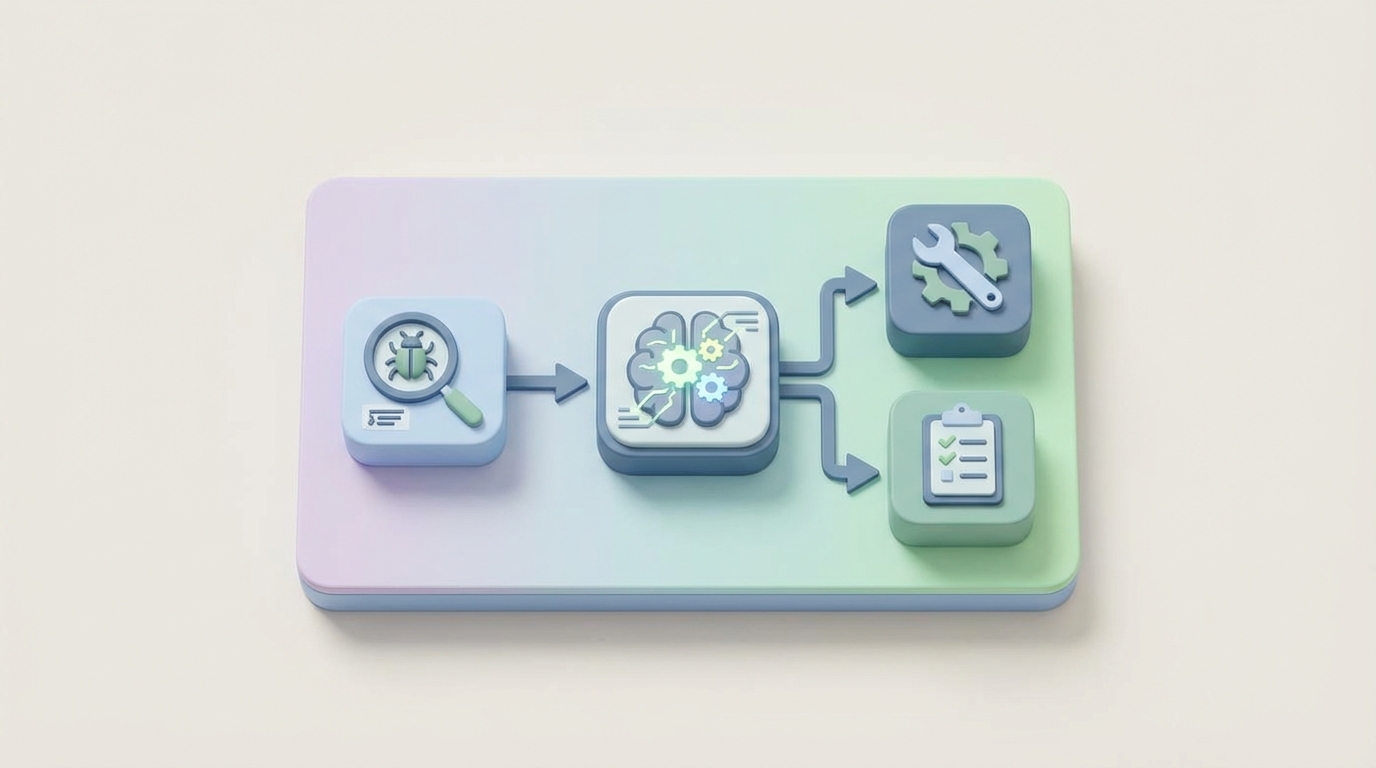
Every engineering team I've talked to in the last year has the same complaint: they're drowning in bug reports. Not because their software is terrible—though some of it is—but because the process of receiving, reading, categorizing, deduplicating, prioritizing, and routing those reports to the right human is a massive, manual time sink that nobody signed up for.
The data backs this up. Engineering teams spend somewhere between 18 and 28 percent of their total engineering time on triage and issue management. Let that number sit for a second. That's roughly a full day per week per engineer spent not writing code, not shipping features, not fixing the actual bugs—just sorting through the inbox of problems and deciding who should look at what.
This is one of those workflows that AI agents are genuinely good at automating. Not in the "wave your hands and say AI will fix everything" way, but in the concrete, measurable, "we can cut triage time by 40 percent starting this month" way.
Here's how to build it with OpenClaw.
The Manual Workflow Today (And Why It Hurts)
Let's be honest about what bug report triage actually looks like in most organizations. It's not a clean flowchart. It's more like a series of interruptions wrapped in a meeting.
Step 1: Intake. A bug report lands in Jira, GitHub Issues, Zendesk, a Slack channel, or—worst case—an email thread. Sometimes it comes from an automated monitoring tool like Sentry or Datadog. Sometimes it comes from a customer who types "it's broken" and nothing else.
Step 2: Initial read and validation. Someone (a dedicated triager, a rotating on-call engineer, or a product manager who drew the short straw) reads the report. They look at the description, the steps to reproduce, any logs or screenshots attached. They try to figure out if this is even a real bug. This takes 5 to 15 minutes per report for straightforward issues. For complex ones with vague descriptions and missing context, it can take 30 to 60 minutes.
Step 3: Duplicate detection. They search existing issues to see if someone already reported this. Keyword search in Jira is notoriously bad at catching semantically similar issues, so they often miss duplicates. Studies on Mozilla and Eclipse data show that duplicate bugs waste 15 to 25 percent of total triaging effort.
Step 4: Severity and priority assignment. Is this a P0 that's blocking production, or a P3 cosmetic issue? This is where engineers and product managers start arguing. Severity is supposed to be objective (how bad is the impact), but priority is subjective (how urgently should we fix it given everything else on our plate). Both get assigned inconsistently.
Step 5: Categorization and routing. Which component is affected? Which team owns it? Who on that team has the right expertise and availability? Getting this wrong wastes 20 to 30 percent of fixing time, because the wrong engineer spends hours getting up to speed on code they don't own before bouncing it to someone else.
Step 6: The triage meeting. Many teams still hold these two to three times a week. Three to five people sit in a room (or a Zoom call) and go through a list of bugs. These meetings run 30 to 60 minutes each. Multiply that by the number of attendees, and you're burning 3 to 10 engineer-hours per week on meetings that mostly consist of reading Jira tickets out loud.
Step 7: Assignment and handoff. The bug finally gets assigned to an engineer. If the original report was poorly written—and 40 to 70 percent of customer-reported bugs are incomplete or unreproducible—the engineer has to go back and ask for more information, adding another round-trip of delay.
The median engineering team processes about 180 bug reports per month. Without automation, that's 12 to 18 engineer-hours per week just on initial triage. Not fixing. Triaging.
The Real Costs
Let's put numbers on this.
At a fully loaded engineering cost of $150/hour (which is conservative for most US-based teams), 15 hours per week of triage time costs $117,000 per year. Per team. If you have four engineering teams, that's nearly half a million dollars annually spent on sorting bugs into buckets.
But the dollar cost isn't even the worst part. The real damage is:
Delay. Critical bugs sit in a queue while someone works through the backlog. Every hour of triage delay is an hour of customer impact.
Misrouting. When bugs go to the wrong team, the average resolution time increases by 40 to 60 percent because of the rework and re-assignment cycle.
Backlog rot. Un-triaged bugs accumulate. One 2026 survey found the median Jira instance had 4,200 open issues. Once a backlog gets that large, nobody trusts it, and important bugs get lost in the noise.
Engineer frustration. Nobody becomes a software engineer because they love reading poorly written bug reports and attending triage meetings. This is the kind of work that drives attrition.
What AI Can Actually Handle Right Now
Not everything in triage can be automated. But a surprising amount can, and the accuracy is already good enough for production use.
Here's what works today:
Duplicate detection is probably the highest-value automation. Using embeddings—semantic representations of text—an AI agent can compare incoming reports against your entire issue database and identify likely duplicates with 70 to 85 percent accuracy. This is dramatically better than keyword search.
Severity classification works well when you have historical data. Models trained on project-specific bug data achieve 82 to 91 percent accuracy on severity prediction. The key phrase there is "project-specific"—generic models drop to about 65 percent accuracy, which isn't good enough.
Component and team routing is mature. Microsoft published research showing ML systems can correctly assign about 77 percent of bugs to the right team on the first try. With project-specific training, you can get this higher.
Summarization of long crash logs, stack traces, and rambling user descriptions into concise, actionable summaries. This alone saves minutes per report.
Label and tag assignment—security bug, regression, performance issue, UI/UX, etc.—based on the content of the report.
Priority scoring based on structured data: number of customers affected, revenue impact, SLA tier, whether it's a regression in a recent release.
Building the Agent with OpenClaw: Step by Step
Here's how to build a bug triage agent on OpenClaw that handles intake, deduplication, classification, and routing automatically.
Step 1: Define Your Intake Schema
Before you build the agent, you need to standardize what information comes in. OpenClaw lets you define structured input schemas that your agent expects. Create a schema that captures the essential fields:
bug_report_schema:
  title: string (required)
  description: string (required)
  steps_to_reproduce: string (optional)
  environment:
    os: string
    browser: string
    app_version: string
  reporter:
    name: string
    customer_tier: enum [enterprise, pro, free]
    account_id: string
  attachments:
    logs: string[]
    screenshots: url[]
  source: enum [jira, github, zendesk, sentry, slack, email]
This schema becomes the contract between your intake sources and your agent. Connect it to your existing tools via OpenClaw's integration layer—pull from Jira webhooks, GitHub issue events, Zendesk tickets, or Sentry alerts.
Step 2: Build the Enrichment Step
Most bug reports are incomplete. Before your agent triages, it should enrich the report with data the reporter didn't provide. In OpenClaw, set up an enrichment node that:
- Looks up the reporter's account to get customer tier, ARR, and SLA information
- Queries your error monitoring tools (Sentry, Datadog) for related error clusters
- Checks your release log to determine if this might be a regression from a recent deploy
- Pulls relevant system health metrics from the time window the bug was reported
# OpenClaw enrichment function
def enrich_bug_report(report, context):
    customer = context.lookup("crm", report.reporter.account_id)
    report.customer_tier = customer.tier
    report.arr = customer.annual_revenue
    report.sla_tier = customer.sla_level

    recent_errors = context.query("sentry", {
        "timeframe": "24h",
        "search": report.title
    })
    report.related_errors = recent_errors

    recent_deploys = context.query("deploy_log", {
        "timeframe": "48h"
    })
    report.possible_regression = match_deploy_to_report(
        recent_deploys, report
    )

    return report
Step 3: Duplicate Detection
This is where the embedding-based approach shines. OpenClaw's vector search lets you store embeddings of all your existing issues and compare incoming reports against them semantically, not just by keyword.
# OpenClaw duplicate detection
def check_duplicates(report, context):
    embedding = context.embed(
        f"{report.title} {report.description}"
    )

    similar_issues = context.vector_search(
        collection="bug_reports",
        embedding=embedding,
        threshold=0.85,
        limit=5
    )

    if similar_issues:
        report.potential_duplicates = similar_issues
        report.duplicate_confidence = similar_issues[0].score

        if similar_issues[0].score > 0.93:
            report.auto_action = "link_as_duplicate"
            report.duplicate_of = similar_issues[0].id
        else:
            report.auto_action = "flag_for_review"

    return report
Set your confidence threshold conservatively at first. A score above 0.93 can be auto-linked as a duplicate. Anything between 0.85 and 0.93 gets flagged for human review with the potential duplicates pre-loaded. Below 0.85, treat it as a new issue.
Step 4: Classification and Severity
Configure your OpenClaw agent to classify the bug along multiple dimensions using your historical data as context:
# OpenClaw classification prompt
classification_prompt = """
Analyze this bug report and classify it.

Report: {report.title}
Description: {report.description}
Environment: {report.environment}
Customer Tier: {report.customer_tier}
Related Errors: {report.related_errors}
Possible Regression: {report.possible_regression}

Based on our historical bug data and team structure, provide:

1. Component: [auth, payments, api, frontend, mobile,
   infrastructure, data-pipeline]
2. Severity: [critical, major, minor, trivial]
3. Category: [crash, data-loss, security, performance,
   ui-cosmetic, functionality, regression]
4. Suggested Team: [platform, frontend, mobile, payments,
   security, data]
5. Confidence: [high, medium, low]
6. Summary: [2-3 sentence summary of the core issue]

Rules:
- Any data loss or security issue is automatically critical
- Enterprise customer issues with SLA breach risk are major+
- Regressions from the last 48h deploy are major+
- If confidence is low, flag for human review
"""
The key here is injecting your project-specific context. Don't use a generic prompt. Feed in your team structure, your component list, your severity definitions, and examples from your historical data. OpenClaw lets you attach reference documents and few-shot examples to your agent's context, which is what gets you from 65 percent generic accuracy to 85+ percent project-specific accuracy.
Step 5: Routing Logic
Once classification is done, route the bug to the right team and the right person. This combines the AI classification with deterministic rules:
# OpenClaw routing rules
def route_bug(report, context):
    routing = {
        "team": report.classification.suggested_team,
        "priority_score": calculate_priority(report),
        "auto_assign": False
    }

    # Deterministic overrides
    if report.classification.category == "security":
        routing["team"] = "security"
        routing["escalate"] = True
        routing["notify"] = ["security-oncall@company.com"]

    if report.customer_tier == "enterprise" and \
       report.classification.severity in ["critical", "major"]:
        routing["escalate"] = True
        routing["notify"].append("csm-team@company.com")

    if report.classification.confidence == "high":
        # Auto-assign to team lead or on-call
        oncall = context.lookup(
            "pagerduty", routing["team"]
        )
        routing["assignee"] = oncall.current
        routing["auto_assign"] = True

    # Create or update the issue in your tracker
    context.create_issue("jira", {
        "project": team_to_project[routing["team"]],
        "type": "Bug",
        "priority": routing["priority_score"],
        "assignee": routing.get("assignee"),
        "labels": report.classification.labels,
        "summary": report.classification.summary,
        "description": format_enriched_report(report)
    })

    return routing

def calculate_priority(report):
    score = base_severity_score[
        report.classification.severity
    ]

    if report.customer_tier == "enterprise":
        score += 2
    if report.possible_regression:
        score += 3
    if report.related_errors and \
       len(report.related_errors) > 10:
        score += 2  # widespread impact

    return min(score, 10)  # cap at P0
Step 6: Close the Loop
The agent should report back on what it did. Set up a summary that goes to your triage Slack channel:
🐛 New Bug Triaged Automatically
Title: Payment fails on Safari 17.4 with 3D Secure
Severity: Major | Component: Payments | Team: Payments
Priority Score: 8/10 (Enterprise customer + regression)
Assigned to: @jane-smith (payments on-call)
Potential duplicate: PAY-1234 (similarity: 0.87 — flagged)
Confidence: High
Summary: Enterprise customer reports 3D Secure payment
flow fails on Safari 17.4. Likely regression from
deploy v2.14.3 (48h ago). 23 similar errors in Sentry.
If confidence is low, the message changes to request human review and pre-loads all the context the human needs to make a fast decision.
What Still Needs a Human
Being honest about limitations is important. Here's what your agent shouldn't decide on its own:
"Is this actually a bug?" About 40 to 70 percent of customer-reported issues are feature requests, misunderstandings, or "working as designed." AI can flag likely non-bugs, but a human needs to make the call, especially when the answer is "yes, it works that way, and yes, it's confusing, and we should probably fix the UX."
Business impact trade-offs. "Should we delay the release to fix this?" requires product strategy context that no model has.
Complex reproduction. When a bug involves proprietary data, specific hardware configurations, or third-party integrations, someone needs to actually reproduce it.
Security and compliance decisions. CVSS scoring for vulnerabilities, decisions about disclosure timelines, and anything with legal implications needs human sign-off.
Customer communication. Especially with upset enterprise customers, the tone and content of responses need human judgment. The agent can draft, but a human should send.
The goal isn't to remove humans from triage entirely. It's to remove humans from the 60 to 70 percent of triage work that's mechanical—reading, categorizing, searching for duplicates, routing—so they can focus on the 30 to 40 percent that actually requires judgment.
Expected Results
Based on published data from teams that have implemented similar automation:
Time savings: 25 to 45 percent reduction in total triage time. For our example team spending 15 hours per week, that's 4 to 7 hours back. At $150/hour fully loaded, that's $31,000 to $54,000 per year per team.
Faster routing: Bugs reach the right engineer in minutes instead of hours or days. Teams using AI triage report 40 to 60 percent reduction in time-to-first-response.
Fewer misroutes: AI routing achieves 77 to 85 percent first-try accuracy vs. the roughly 60 to 70 percent that most manual processes achieve. Each avoided misroute saves 2 to 4 hours of engineer time.
Duplicate reduction: Catching duplicates automatically eliminates 15 to 25 percent of triage volume entirely.
Meeting reduction: Teams with automated pre-triage report cutting triage meetings from 3 per week to 1, or eliminating them entirely in favor of async review of agent-flagged items.
Backlog health: When every bug is automatically categorized and prioritized, the backlog stays navigable. No more 4,200 un-triaged issues.
The compound effect is significant. You're not just saving triage time—you're reducing time-to-fix, improving customer satisfaction, and freeing engineers to do the work they were actually hired for.
Getting Started
You don't have to build all of this at once. Start with the highest-value piece—usually duplicate detection, because it immediately reduces volume—and add classification and routing incrementally.
Here's a reasonable 4-week rollout:
- Week 1: Set up the intake schema and connect your primary issue source (Jira, GitHub, wherever most bugs land) to OpenClaw.
- Week 2: Implement duplicate detection. Index your existing bugs as embeddings and start comparing incoming reports. Run in "suggest" mode—flag duplicates but don't auto-close.
- Week 3: Add severity classification and component routing. Use your last 6 months of triaged bugs as training examples in your agent's context.
- Week 4: Turn on auto-routing for high-confidence classifications. Keep low-confidence items in a human review queue. Measure accuracy and tune thresholds.
After a month, you'll have data on what the agent gets right and where it struggles. Iterate from there.
If you want to skip the build-from-scratch approach and get a working triage agent faster, check out the pre-built workflow templates on Claw Mart. There are ready-made agent configurations for common triage patterns that you can customize to your team's specific tooling and workflow.
And if you've already built a bug triage agent—or any engineering workflow automation—that works well, consider listing it on Claw Mart through Clawsourcing. Other teams are looking for exactly what you've already figured out, and you should get paid for that work.