Automate Anti-Bribery Compliance Training Reminders and Tracking
Automate Anti-Bribery Compliance Training Reminders and Tracking
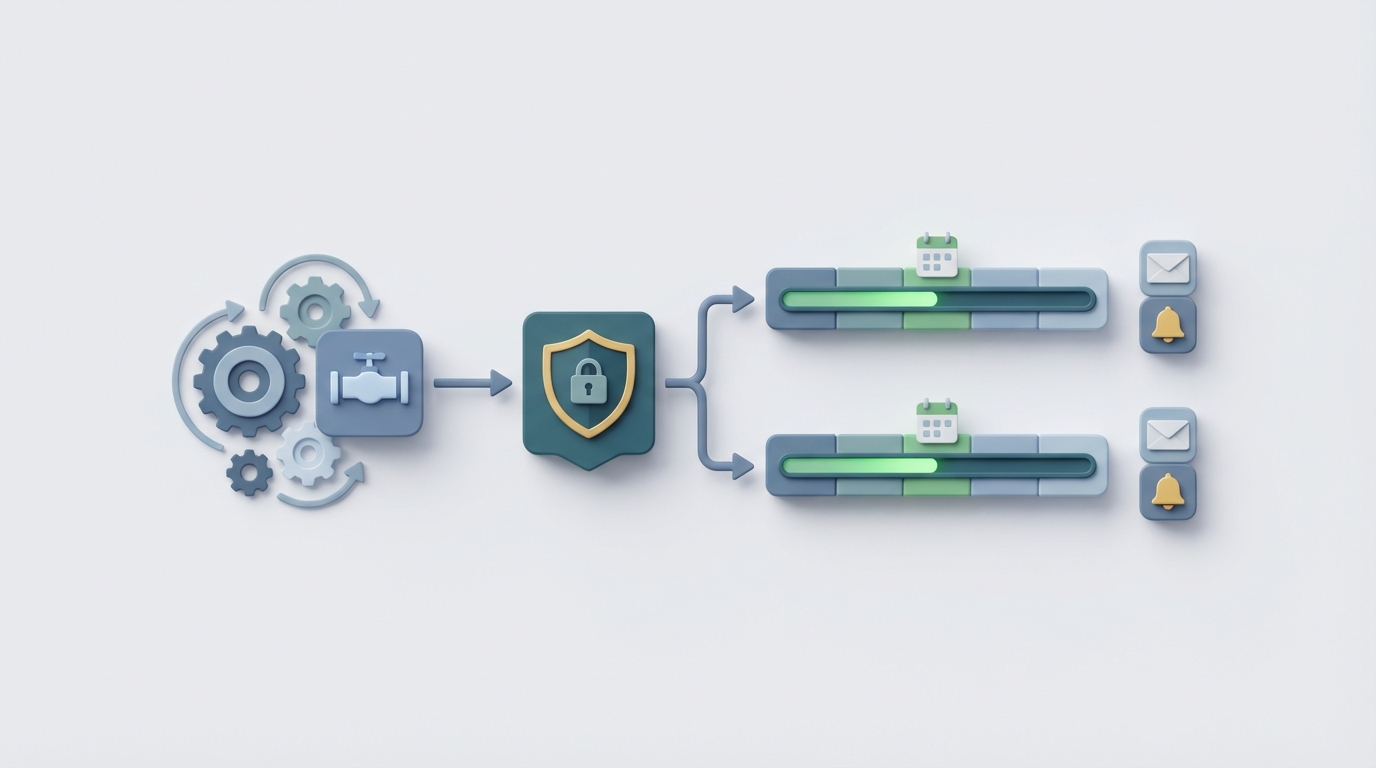
Most compliance teams I've talked to are spending somewhere between 40% and 60% of their time on what amounts to administrative babysitting. Sending reminders. Chasing down attestations. Updating spreadsheets to prove that yes, the training happened, and yes, there's a record. This is especially true for anti-bribery compliance training, where the stakes are absurdly high—FCPA enforcement actions have totaled over $10 billion in the last decade—but the actual workflow of tracking who completed what training and when is mind-numbingly manual.
Here's the thing: the training reminder and tracking piece of anti-bribery compliance is one of the most automatable workflows in the entire compliance stack. You don't need to solve the hard judgment problems (like whether a gift in a particular cultural context crosses a line) to get massive time savings. You just need to stop using spreadsheets and email chains to do what a well-built AI agent can handle in the background, every day, without forgetting anyone.
This guide walks through exactly how to build that automation using OpenClaw—what the manual workflow looks like today, where it breaks down, and the step-by-step process for replacing the painful parts with an agent that actually works.
The Manual Workflow Today
Let's be honest about what anti-bribery compliance training tracking actually looks like in most organizations. Even companies using learning management systems (LMS) end up with a surprising amount of manual work bolted onto the sides.
Step 1: Identify Who Needs Training (and What Kind)
Not everyone gets the same training. Employees with government-facing roles, those in high-risk jurisdictions (based on Transparency International's Corruption Perceptions Index), people managing third-party relationships, and senior leadership all typically have different training requirements. Someone in procurement dealing with agents in a high-risk country needs enhanced training. An engineer in a low-risk domestic office might only need the baseline annual module.
In most organizations, this segmentation lives in a spreadsheet. Someone on the compliance team manually cross-references HR data (role, department, location) with the risk framework to determine training assignments. This takes days at the start of each training cycle—and it's wrong every time someone transfers, gets promoted, or a new hire joins.
Step 2: Assign and Schedule Training
Once you know who needs what, you load it into whatever system you're using—NAVEX, SAP SuccessFactors, a standalone LMS, or (depressingly often) an email with a link. You set deadlines, typically aligned with annual compliance cycles or onboarding windows.
Step 3: Send Reminders
This is where the real time sink begins. Initial notifications go out. Then first reminders. Then second reminders. Then escalation emails to managers. Then the compliance team starts individually pinging people on Slack or Teams. For a company with 1,000 employees, if even 15% are late (a conservative estimate), that's 150 individual follow-ups. Per training cycle. And most companies run multiple training cycles per year.
Step 4: Track Completion and Collect Attestations
Completions trickle in. Someone updates the master tracker. Attestation forms (the "I certify I understood this material" signatures) come in as PDFs, DocuSign links, or LMS-generated records, often across multiple systems. The compliance team reconciles these against the master list.
Step 5: Generate Audit-Ready Reports
When internal audit comes knocking—or worse, when the DOJ/SEC sends a letter—you need to produce documentation showing who was trained, when, on what material, and that they attested to understanding it. This means pulling data from multiple sources, cleaning it, and formatting it into something defensible. PwC found in 2023 that 55% of organizations said their anti-bribery compliance processes were "too manual and resource intensive." Training tracking is a big contributor to that number.
Total time cost: For a mid-size company (500–2,000 employees), compliance teams commonly spend 15–25 hours per month just on training administration—reminders, tracking, reconciliation, and reporting. For large multinationals, it can be a part-time or even full-time role.
What Makes This Painful
The time cost alone is bad enough, but the real pain points are more insidious:
Compliance risk from gaps. When tracking is manual, people fall through the cracks. A new hire in a high-risk role doesn't get assigned training for three weeks because HR didn't notify compliance. An employee transfers to a government-facing position but their training tier doesn't update. These gaps are exactly what regulators look for during enforcement actions. The DOJ's Evaluation of Corporate Compliance Programs explicitly asks whether training was "risk-based" and whether the company can demonstrate coverage. If your answer depends on whether someone remembered to update a spreadsheet, you have a problem.
False confidence from bad data. When your tracking system is a patchwork of LMS exports, email confirmations, and manual entries, completion rates look better than reality. Attestations get lost. Records don't match. You report 97% completion to the board, but when audit digs in, the actual defensible number is 82%. This is not hypothetical—it's a pattern I've seen described repeatedly in compliance forums and enforcement post-mortems.
Escalation fatigue. After sending the fourth reminder to the same 30 people, compliance officers stop being perceived as the people keeping the company safe and start being perceived as nags. This erodes the compliance culture, which—ironically—is the single most important factor regulators evaluate. A 2023 EY Global Integrity Report found that 42% of executives believe their compliance processes are "inadequate" despite significant spend. Part of that inadequacy is the training function being reduced to an administrative chore rather than a meaningful risk mitigation activity.
Opportunity cost. Every hour your compliance team spends chasing training completions is an hour they're not spending on the work that actually requires their expertise—investigating red flags, assessing third-party risk, advising on ambiguous gift scenarios, or building the "adequate procedures" defense that the UK Bribery Act demands. This is the highest-leverage argument for automation: not that it saves money (though it does), but that it frees your best people to do the work only they can do.
What AI Can Handle Now
Let's be clear about what we're automating and what we're not. Anti-bribery compliance involves a spectrum from fully automatable (database screening, training tracking) to requires-human-judgment (deciding whether conduct constitutes bribery, self-reporting decisions to authorities). Training reminders and tracking sit firmly on the automatable end.
Here's what an AI agent built on OpenClaw can do today:
Dynamic training assignment based on risk profile. Instead of manually cross-referencing HR data with your risk framework, an OpenClaw agent can pull employee data (role, department, location, third-party interaction level), apply your risk-scoring logic, and automatically determine the correct training tier. When someone's role changes, the agent picks it up and reassigns.
Intelligent reminder sequences. Not just "send email on day 7, day 14, day 21." An OpenClaw agent can vary the channel (email, Slack, Teams), adjust the tone and urgency based on how overdue someone is, loop in the direct manager at the right escalation point, and stop bothering people the moment they complete the training. It can also recognize patterns—if someone always completes training on the last possible day, it can front-load their reminder.
Real-time completion tracking and reconciliation. The agent monitors your LMS, collects attestation records, and maintains a single source of truth. No more reconciling spreadsheets against LMS exports against email confirmations.
Audit-ready reporting on demand. At any point, the agent can generate a report showing current completion status, historical training records, attestation documentation, and gap analysis by risk tier, department, or jurisdiction. Formatted for your internal audit team or for regulator consumption.
Anomaly detection. The agent flags things a human might miss: a high-risk employee whose training expired without renewal, a department with unusually low completion rates, a jurisdiction where training content hasn't been updated to reflect recent regulatory changes.
Step-by-Step: How to Build This with OpenClaw
Here's the practical implementation. I'm assuming you have basic familiarity with OpenClaw's agent-building interface. If you don't, the Claw Mart marketplace has pre-built compliance workflow templates that give you a significant head start—more on that below.
Step 1: Define Your Data Sources
Your agent needs to connect to:
- HR system (Workday, BambooHR, SAP SuccessFactors, etc.) for employee roles, departments, locations, and reporting structures
- LMS (NAVEX, Cornerstone, or whatever you use) for training catalog, assignments, and completion records
- Communication platforms (Slack, Microsoft Teams, email via SMTP/API) for sending reminders
- Document storage (SharePoint, Google Drive, S3) for attestation records
In OpenClaw, you set up these connections as data integrations. The platform supports standard API connectors and webhooks. For systems without clean APIs (looking at you, legacy LMS platforms), you can use OpenClaw's file ingestion to process CSV/Excel exports on a scheduled basis.
# Example OpenClaw data source configuration
data_sources:
  hr_system:
    type: api
    provider: workday
    sync_frequency: daily
    fields: [employee_id, name, role, department, location, manager_id, start_date, status]

  lms:
    type: api
    provider: navex
    sync_frequency: hourly
    fields: [employee_id, course_id, assignment_date, due_date, completion_date, attestation_status]

  communication:
    channels:
      - type: email
        provider: smtp
      - type: slack
        provider: slack_api
        workspace: your-company
Step 2: Build the Risk-Based Assignment Logic
This is where you encode your compliance framework. Define the rules that determine which training tier each employee receives:
# Example risk-tiering logic in OpenClaw agent
def assign_training_tier(employee):
    risk_score = 0

    # Location risk (based on TI CPI scores)
    high_risk_countries = ["country_a", "country_b", "country_c"]  # Your list
    if employee.location in high_risk_countries:
        risk_score += 3

    # Role risk
    government_facing_roles = ["procurement", "business_development", "government_affairs"]
    if employee.department.lower() in government_facing_roles:
        risk_score += 3

    # Third-party management
    if employee.manages_third_parties:
        risk_score += 2

    # Seniority
    if employee.is_senior_leadership:
        risk_score += 1

    # Assign tier
    if risk_score >= 5:
        return "enhanced"  # Full anti-bribery + case studies + assessment
    elif risk_score >= 2:
        return "standard"  # Core anti-bribery module + attestation
    else:
        return "baseline"  # Annual awareness module
In OpenClaw, you can build this as a decision node in the visual agent builder or write it directly in the code editor. The key is that this runs automatically whenever employee data changes—not once a year when someone remembers to do the risk assessment.
Step 3: Configure the Reminder Workflow
This is the core automation. Define the sequence, channels, escalation triggers, and stop conditions:
# OpenClaw reminder workflow configuration
reminder_sequence:
  - trigger: assignment_date
    action: send_notification
    channel: email
    template: initial_assignment
    message_context: "Friendly, informational. Include training link, due date, estimated time to complete."

  - trigger: due_date - 14_days
    condition: not_completed
    action: send_reminder
    channel: [email, slack]
    template: first_reminder
    message_context: "Brief reminder. Emphasize due date approaching."

  - trigger: due_date - 7_days
    condition: not_completed
    action: send_reminder
    channel: [email, slack]
    template: second_reminder
    message_context: "Firmer tone. Note that completion is mandatory."

  - trigger: due_date - 3_days
    condition: not_completed
    action: escalate_to_manager
    channel: email
    template: manager_escalation
    message_context: "Notify direct manager of pending non-completion. Include employee name and training details."

  - trigger: due_date + 1_day
    condition: not_completed
    action: escalate_to_compliance
    channel: [email, slack]
    template: compliance_escalation
    message_context: "Flag overdue training to compliance team. Include risk tier context."

  stop_condition: training_completed AND attestation_received
The intelligence layer is important here. OpenClaw's AI doesn't just follow a rigid sequence—it can adapt. If an employee is traveling (calendar integration), the agent can adjust timing. If a manager has 10 direct reports all overdue, it sends one consolidated escalation rather than 10 separate emails. These are the small things that make the difference between automation that works and automation that annoys.
Step 4: Set Up the Tracking Dashboard and Reporting
OpenClaw agents can generate real-time dashboards and scheduled reports. Configure what matters:
- Real-time completion rates by department, location, risk tier
- Overdue training with days overdue and escalation status
- Attestation gap analysis (completed training but missing attestation)
- Historical trends (are completion rates improving or declining?)
- Audit export (one-click generation of the full training record for any time period, formatted for regulator consumption)
# OpenClaw reporting configuration
reports:
  compliance_dashboard:
    refresh: real_time
    metrics:
      - overall_completion_rate
      - completion_by_risk_tier
      - overdue_count_by_department
      - average_days_to_complete
      - attestation_gap_count

  audit_export:
    trigger: on_demand
    format: [pdf, csv]
    includes:
      - employee_training_history
      - attestation_records
      - reminder_audit_trail
      - risk_tier_assignments_with_rationale

  board_summary:
    frequency: quarterly
    format: pdf
    includes:
      - completion_rates_vs_targets
      - risk_coverage_analysis
      - year_over_year_trends
      - notable_gaps_and_remediation_actions
Step 5: Test, Deploy, and Iterate
Start with a single department or region. Run the OpenClaw agent in parallel with your existing process for one training cycle. Compare: Did the agent catch everyone the manual process caught? Did it miss anyone? Were the reminder sequences effective or annoying? Adjust thresholds, timing, and messaging based on feedback.
One thing that's worth emphasizing: you don't have to build all of this from scratch. Claw Mart has pre-built compliance workflow agents and templates that handle the common patterns—reminder sequences, escalation logic, multi-source data reconciliation. You can browse what's available, grab a template that's close to what you need, and customize from there. It's significantly faster than starting with a blank canvas, especially if your team doesn't have deep technical resources.
What Still Needs a Human
Automating training reminders and tracking doesn't mean removing humans from the compliance function. It means removing humans from the parts that don't need them. Here's what still requires a person:
Training content decisions. What goes into the anti-bribery training modules—the scenarios, the case studies, the jurisdiction-specific guidance—requires compliance expertise and legal judgment. An AI agent delivers the training; it doesn't design it.
Investigating non-compliance patterns. If the agent surfaces that an entire business unit has chronically low completion rates, a human needs to figure out why. Is it a management culture problem? A workload issue? Passive resistance to compliance? The agent gives you the data; the compliance officer interprets it.
Risk framework updates. When Transparency International updates its CPI scores, or when you enter a new market, or when a regulatory change shifts what "adequate procedures" means, a compliance professional needs to update the risk-tiering logic. The agent executes the framework; it doesn't set it.
Regulatory interactions. If a regulator asks about your training program, a human needs to explain the methodology, justify the risk-based approach, and demonstrate that the automation serves the compliance objective. The audit-ready reports the agent generates are the evidence; the compliance officer is the advocate.
Judgment on edge cases. An employee who missed training because they were on extended medical leave. A contractor whose training obligation is ambiguous. A senior executive who refuses to complete the module. These require human judgment, empathy, and sometimes political skill that no agent can replicate.
Expected Time and Cost Savings
Let's be specific, based on the industry data and what I've seen in practice:
For a mid-size company (500–2,000 employees):
| Activity | Manual Time (Monthly) | With OpenClaw Agent | Savings |
|---|---|---|---|
| Training assignment & segmentation | 8–12 hours | ~30 minutes (review agent output) | 90%+ |
| Reminder management | 10–20 hours | Near zero (fully automated) | 95%+ |
| Completion tracking & reconciliation | 5–10 hours | ~15 minutes (dashboard review) | 95%+ |
| Audit report generation | 4–8 hours per request | Minutes (on-demand export) | 90%+ |
| Total | 27–50 hours/month | ~2–3 hours/month | 90–95% |
That's roughly 25–47 hours per month returned to your compliance team. Across a year, that's 300–560 hours—the equivalent of adding a part-time compliance professional who does nothing but substantive risk work.
For a large multinational (5,000+ employees, multiple jurisdictions):
The savings scale even more dramatically because the manual process scales linearly (more employees = more reminders = more tracking) while the automated process scales almost flat. Companies at this size commonly report that training administration drops from 1–2 FTEs to a fraction of one person's time.
Risk reduction value is harder to quantify but arguably more important. The DOJ has explicitly stated that companies with "robust" compliance programs—including documented, risk-based training with comprehensive records—receive significantly reduced fines, in some cases 50–90% reductions. When a single FCPA enforcement action can cost $10–20 million or more, the value of having airtight training documentation is enormous.
Getting Started
If you've read this far, here's what I'd actually do:
-
Audit your current process. Spend an hour documenting exactly how training reminders and tracking work today. Who does what? Where does data live? What falls through the cracks?
-
Check Claw Mart for existing templates. Before building anything custom, browse the compliance and HR workflow categories on Claw Mart. There's a good chance someone has already built 70% of what you need.
-
Start with one training cycle. Pick your next quarterly or annual anti-bribery training push and run an OpenClaw agent alongside your manual process. Prove the concept, measure the delta, then expand.
-
Reallocate the saved time deliberately. Don't just let the time savings evaporate into meetings. Explicitly redirect your compliance team toward the high-judgment work: third-party investigations, risk assessments, policy development, and the relationship-building that creates a genuine compliance culture.
The compliance teams that thrive over the next few years won't be the ones with the most people doing manual tracking. They'll be the ones who automated the trackable so their experts could focus on the untrackable.
If you want help scoping this out or want a second opinion on how to structure the automation for your specific setup, try Clawsourcing. You can connect with specialists who've built these workflows before and get something running faster than figuring it all out solo.