AI Agent for Wix: Automate Website Management, Form Processing, and E-Commerce Operations
Automate Website Management, Form Processing, and E-Commerce Operations
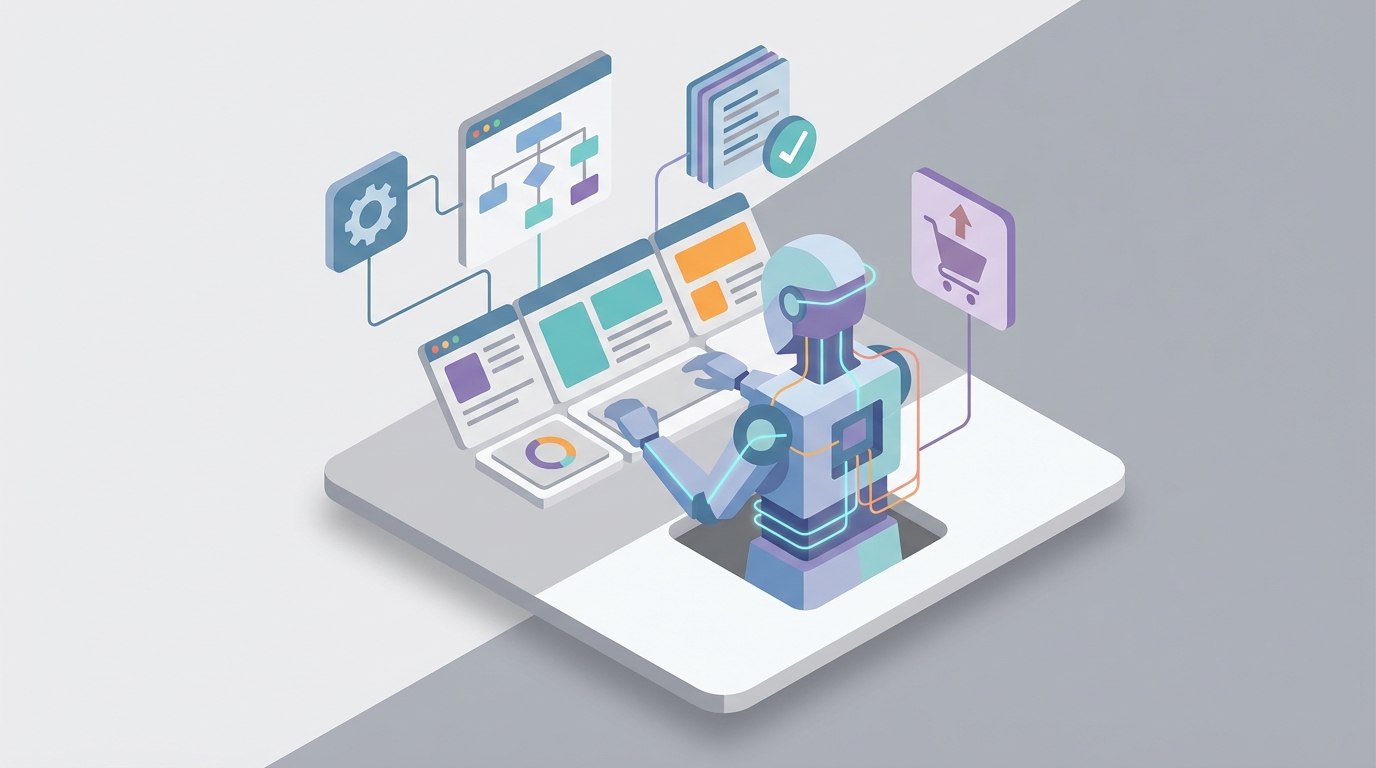
Most Wix users don't have a website problem. They have an operations problem.
The site works fine. It looks good. Customers can find it. But behind the scenes, everything runs on manual effort and duct tape. Someone submits a form, and you manually copy their info into a spreadsheet. An order comes in, and you toggle between three tabs to update inventory, send a confirmation, and log it in your accounting tool. A client books a service, and you're personally sending reminder emails because Wix's built-in automations can't handle anything beyond "send an email when X happens."
Wix gives you a surprisingly capable all-in-one platform — CRM, e-commerce, bookings, email marketing, member areas, databases, payments. What it doesn't give you is a brain to connect all of it. Their native automations are essentially a stripped-down Zapier with no conditional logic, no data transformation, no error handling, and a handful of triggers that cover maybe 20% of what you actually need.
This is where a custom AI agent changes the game entirely. Not Wix's own AI features (which are mostly content generation gimmicks), but an external agent that connects to Wix's APIs, understands your business context, and autonomously handles the complex, multi-step workflows that currently eat hours of your week.
Here's how to build one with OpenClaw, and why this turns Wix from a website builder into an intelligent business operating system.
What Wix's API Actually Lets You Do
Before we talk about the agent, you need to understand the surface area. Most Wix users don't realize how much of the platform is programmable. Through Velo (Wix's Node.js backend environment) and their REST APIs, you can read and write to almost everything:
E-commerce: Full CRUD for products, orders, carts, pricing, inventory, and checkout flows. You can create orders, modify them, issue refunds, update stock levels, and manage the entire product catalog programmatically.
CRM: Create and update contacts, manage deals and pipelines, add custom fields, log activities. This is the backbone of lead management.
Bookings: Query available time slots, create and cancel bookings, manage staff schedules, sync calendars.
Wix Data: This is the big one. Wix Data is essentially a database layer you can query, insert into, update, and delete from. If you're storing any structured information on your site — member profiles, custom content types, application submissions, pricing tables — it's all accessible.
Webhooks: Real-time event notifications for order creation, booking confirmation, form submission, membership changes, and payment events. This is how your agent knows something happened without polling.
Members & Auth: User management, role assignments, permissions.
Marketing: Trigger email campaigns, manage automation flows, handle form data.
The API coverage is genuinely solid. The problem has never been access — it's been that nobody has anything smart sitting on the other end, listening, thinking, and acting.
Why Native Wix Automations Fall Short
Let's be specific about the gap because it matters for understanding why an AI agent isn't overkill — it's necessary.
Wix Automations gives you a trigger-action model. A form gets submitted, an email gets sent. An order is placed, a notification fires. That's about it.
Here's what you cannot do with native automations:
- No conditional branching. You can't say "if the order total exceeds $300, send a VIP welcome sequence; otherwise, send the standard confirmation." It's one trigger, one action. Every time.
- No data transformation. You can't reformat a phone number, calculate a value, parse a form field, or combine data from multiple sources before acting on it.
- No loops or batching. You can't iterate over a list of products in an order and do something for each one.
- No error handling. If something fails, it just fails. No retry logic, no fallback path, no notification that something broke.
- No cross-platform orchestration. You can't natively push data to QuickBooks, pull information from a Google Sheet, send an SMS via Twilio, or update a project in Asana as part of the same workflow.
- No time-based intelligence. Scheduling is rudimentary. You can't say "if this lead hasn't responded in 48 hours, escalate" without building it yourself.
- No learning or adaptation. Every automation runs the same way every time regardless of context or outcomes.
For a solopreneur with ten orders a week, this is probably fine. For anyone running a real operation — a service business with staff, a boutique e-commerce brand with hundreds of SKUs, an agency managing client sites — it's a bottleneck that forces you back into manual mode.
Building the Agent with OpenClaw
OpenClaw is the platform you use to build an AI agent that sits on top of your Wix site and handles the operational complexity that native tools can't touch. Think of it as the intelligent layer between "something happened on my Wix site" and "the right sequence of actions was executed perfectly."
Here's the architecture at a high level:
Wix Webhooks → OpenClaw Agent → Wix APIs + External Services
Your Wix site fires webhooks when events occur. OpenClaw receives those events, processes them through an AI agent that understands your business rules and context, decides what to do, and then executes actions back through Wix's APIs — or to any external service you need.
The key difference between this and a traditional automation platform: the OpenClaw agent doesn't just follow rigid if/then rules. It reasons about context, handles ambiguity, adapts to edge cases, and can take multi-step actions that would require dozens of Zapier steps to approximate — if they were possible at all.
Setting Up the Wix Connection
First, you need to expose your Wix data to OpenClaw. This happens through a combination of Wix Velo backend functions and webhook configuration.
In your Wix site's Velo environment, you'd set up an HTTP function to serve as your API bridge:
// backend/http-functions.js
import { ok, badRequest } from 'wix-http-functions';
import wixData from 'wix-data';
import wixCrm from 'wix-crm-backend';
import { orders } from 'wix-stores-backend';

export function post_agentWebhook(request) {
  return request.body.json()
    .then((body) => {
      const { action, payload } = body;

      switch(action) {
        case 'getContact':
          return wixCrm.getContactById(payload.contactId)
            .then(contact => ok({ body: JSON.stringify(contact) }));

        case 'updateContact':
          return wixCrm.updateContact(payload.contactId, payload.data)
            .then(result => ok({ body: JSON.stringify(result) }));

        case 'queryOrders':
          return orders.queryOrders()
            .find()
            .then(results => ok({ body: JSON.stringify(results.items) }));

        case 'queryData':
          return wixData.query(payload.collection)
            .find()
            .then(results => ok({ body: JSON.stringify(results.items) }));

        case 'insertData':
          return wixData.insert(payload.collection, payload.item)
            .then(result => ok({ body: JSON.stringify(result) }));

        default:
          return badRequest({ body: 'Unknown action' });
      }
    });
}
This gives your OpenClaw agent a unified endpoint to interact with your Wix site's data. You'd secure this with an API key check in production — never expose these endpoints without authentication.
For real-time events, configure Wix webhooks to ping your OpenClaw agent's intake URL whenever key events fire:
// backend/events.js
import { fetch } from 'wix-fetch';

const OPENCLAW_WEBHOOK_URL = 'https://your-openclaw-agent-endpoint.com/intake';
const AGENT_API_KEY = 'your-secure-key';

export function wixStores_onNewOrder(event) {
  return fetch(OPENCLAW_WEBHOOK_URL, {
    method: 'POST',
    headers: {
      'Content-Type': 'application/json',
      'Authorization': `Bearer ${AGENT_API_KEY}`
    },
    body: JSON.stringify({
      eventType: 'new_order',
      data: event,
      timestamp: new Date().toISOString()
    })
  });
}

export function wixCrm_onContactCreated(event) {
  return fetch(OPENCLAW_WEBHOOK_URL, {
    method: 'POST',
    headers: {
      'Content-Type': 'application/json',
      'Authorization': `Bearer ${AGENT_API_KEY}`
    },
    body: JSON.stringify({
      eventType: 'new_contact',
      data: event,
      timestamp: new Date().toISOString()
    })
  });
}

export function wixBookings_onBookingConfirmed(event) {
  return fetch(OPENCLAW_WEBHOOK_URL, {
    method: 'POST',
    headers: {
      'Content-Type': 'application/json',
      'Authorization': `Bearer ${AGENT_API_KEY}`
    },
    body: JSON.stringify({
      eventType: 'booking_confirmed',
      data: event,
      timestamp: new Date().toISOString()
    })
  });
}
Now your OpenClaw agent receives every meaningful event from your Wix site in real-time and can act on it with full context.
Five Workflows That Actually Matter
Let me walk through specific, concrete workflows where the AI agent delivers real value. These aren't hypothetical — they're the exact use cases that Wix users are currently solving with spreadsheets, post-it notes, and memory.
1. Intelligent Lead Processing and Routing
The manual version: Someone fills out your contact form. You get an email notification. You read it, decide if it's a real lead or spam, figure out what service they need, add them to your CRM, tag them appropriately, and send a personalized response. Maybe you remember to follow up in two days. Maybe you don't.
The OpenClaw agent version: A form submission webhook hits OpenClaw. The agent reads the form data, enriches the contact with any available information (matching against existing CRM records, checking for previous orders or bookings), scores the lead based on criteria you've defined (budget mentioned, service type, urgency language), routes it to the appropriate pipeline stage, crafts a personalized response based on what they asked about, sends it, and schedules a follow-up task. If the lead mentions urgency ("need this by Friday"), the agent escalates immediately and notifies you via Slack or SMS.
If the lead doesn't respond within 48 hours, the agent sends a follow-up. If they respond, it reads the reply, updates the CRM, and continues the conversation or routes to a human when the deal is ready to close.
This single workflow replaces what most service businesses spend 30-60 minutes per day doing manually.
2. E-Commerce Order Orchestration
The manual version: Order comes in. You check inventory. You log it in your accounting tool. If it's a high-value order, you send a personal thank-you email. If an item is low-stock, you reorder from your supplier. You ship it, update the tracking info, and maybe remember to ask for a review a week later.
The OpenClaw agent version: The order webhook fires. The agent processes it end-to-end:
- Checks inventory levels and triggers a supplier notification if any item drops below threshold
- Categorizes the order by value tier and sends the appropriate post-purchase sequence (VIP treatment for high-value, standard confirmation for everyone else)
- Pushes the transaction to your accounting system (QuickBooks, Xero, even a Google Sheet if that's what you use)
- Monitors the order status and proactively notifies the customer if there's a shipping delay
- Sends a review request 7 days after delivery, timed to their specific fulfillment date — not a generic blast
- If the customer purchased a product that pairs well with something else, sends a personalized cross-sell email with timing based on typical reorder patterns
This isn't a 20-step Zapier chain that breaks every time Wix updates their API. It's a single agent that understands the entire flow and handles edge cases intelligently.
3. Booking Management for Service Businesses
Service businesses on Wix (salons, consultants, fitness studios, therapists) live and die by their booking workflow. Here's what the agent handles:
- Pre-booking: When someone views your booking page but doesn't complete a booking (tracked via Wix analytics events), the agent can trigger a gentle nudge email with available time slots.
- Post-booking: Sends confirmation with preparation instructions specific to the service booked. A consultation gets a pre-meeting questionnaire; a spa appointment gets parking directions and a "what to bring" list.
- 48-hour reminder with reschedule link and cancellation policy.
- No-show handling: If someone doesn't check in, the agent updates their CRM record, sends a "we missed you" message with a rebooking link, and flags repeat no-shows for your attention.
- Post-service: Sends a feedback request, and if the rating is below a threshold, routes to you for personal follow-up before it becomes a public review. If positive, prompts for a Google review.
- Rebooking: Based on the service type and typical revisit intervals, sends rebooking reminders at the right time. Haircut? Six weeks. Deep tissue massage? Four weeks. The agent knows because you told it once.
4. Content and SEO Operations
For Wix users running content-driven sites (blogs, membership sites, portfolio sites), the agent handles the publishing pipeline:
- When a new blog post is published, it generates social media captions tailored to each platform's format and audience expectations (LinkedIn professional, Instagram casual, Twitter/X concise)
- Monitors search console data and flags posts with declining traffic, suggesting content updates
- Automatically generates meta descriptions and alt text for images if they were left blank
- Analyzes your top-performing content and suggests topic ideas based on what's actually driving traffic
- Sends a weekly digest to your email list featuring new content, personalized based on each subscriber's past engagement
5. Proactive Business Intelligence
This is the one that has no manual equivalent because nobody has time to do it. The agent runs on a schedule — daily, weekly, whatever you configure — and analyzes your Wix data holistically:
- Revenue trends: "Revenue is down 12% week-over-week, but order volume is actually up 5%. Your average order value dropped, likely because the summer sale products have a lower price point. Consider adding a bundle offer to bring AOV back up."
- Customer health: "You have 23 contacts who made a purchase more than 90 days ago but haven't returned. Here's a win-back sequence ready to deploy."
- Booking utilization: "Your Tuesday afternoon slots have been consistently empty for the last month. Consider running a Tuesday promotion or blocking those hours to reduce overhead."
- Inventory alerts: "Based on current sell-through rate, you'll run out of [Product X] in approximately 11 days. Current reorder lead time from your supplier is 14 days. Recommend reordering today."
This is the kind of analysis that a $150/hour consultant does. Your OpenClaw agent does it continuously, for the cost of API calls.
What Makes This Different From Just Using Zapier
Fair question. Zapier can connect Wix to other tools. Make (Integromat) can build more complex workflows. Why bother with an AI agent?
Three reasons:
1. Context awareness. Zapier doesn't know that the customer who just placed a $50 order also submitted a support complaint yesterday. Your OpenClaw agent does, because it has access to the full context across your CRM, order history, and communication logs. It can decide to hold the upsell email and instead send a "we hope we resolved your issue" message.
2. Handling ambiguity. When a form submission says "I'm interested in your services but not sure which one," Zapier routes it to... wherever the static rule says. Your agent reads the context, looks at the visitor's previous page views if available, makes an intelligent recommendation, and routes accordingly.
3. Compound actions without compound complexity. A five-step workflow in Zapier has five potential failure points, each with its own error handling configuration (or lack thereof). Your OpenClaw agent treats the entire workflow as a single intelligent operation. If step three fails, it knows how to handle it — retry, fall back, skip, or alert you — without you pre-programming every possible failure mode.
Implementation: Where to Start
Don't try to automate everything at once. Here's the practical sequence:
Week 1: Foundation Set up the Velo backend functions and webhook connections. Get data flowing from Wix to your OpenClaw agent. Verify that you can read and write contacts, orders, and bookings through the API bridge.
Week 2: First Workflow Pick the one workflow that's currently costing you the most time or losing you the most money. For most businesses, that's lead processing or post-purchase follow-up. Build it, test it with real data, refine the agent's instructions until the outputs are consistently good.
Week 3: Expand Add a second workflow. Connect an external service (email provider, accounting tool, notification system). Start building the cross-system intelligence that makes the agent genuinely valuable.
Week 4: Intelligence Layer Set up the proactive monitoring. Schedule daily or weekly analysis runs. Start getting insights you weren't looking for because you didn't have time to look.
The Honest Limitations
A few things to know:
- Wix API rate limits exist. You can't make unlimited calls. Design your agent to batch operations where possible and cache data it's already fetched.
- Some Wix features aren't fully exposed via API. The visual editor, some advanced e-commerce features, and certain app integrations have limited programmatic access. Your agent works with what's available, which is a lot — but not everything.
- Wix is still Wix. If you're running a high-scale e-commerce operation with tens of thousands of products and complex permissioning, Wix itself may be the bottleneck before your agent is. The agent makes Wix dramatically more capable, but it doesn't change the underlying platform's architecture.
- You need to invest in getting the agent's instructions right. The intelligence of the output is directly proportional to the quality of the context and rules you provide. Expect to iterate. The first version won't be perfect. The fifth version will feel like magic.
What This Adds Up To
For a typical small business running on Wix, an OpenClaw agent eliminates 10-20 hours per week of manual operational work. It catches leads that would have slipped through the cracks. It follows up when you would have forgotten. It spots revenue trends before they become problems. It gives every customer an experience that feels personal and attentive, even when you're asleep or focused on the work that actually requires a human.
Wix gives you the storefront. OpenClaw gives you the operations manager who never takes a day off.
If you want help building an AI agent for your Wix site — whether it's lead processing, e-commerce operations, booking management, or something specific to your business — check out our Clawsourcing service. We'll scope the integration, build the agent, and get it running on your live site. No sixty-page proposals. Just the agent, working.