AI Agent for UserTesting: Automate User Research, Test Distribution, and Insight Synthesis
Automate User Research, Test Distribution, and Insight Synthesis
Most teams using UserTesting are drowning in data they paid a premium to collect and then never properly analyze.
You've got the platform. You're running 20, 50, maybe 100+ tests a month. You've got hours of video, thousands of transcript lines, task success rates scattered across studies, and an executive team that keeps asking, "So what did we learn?" And every time, a researcher has to spend days manually stitching together an answer from fragments spread across dozens of sessions.
UserTesting is excellent at what it does: getting real humans in front of your product and capturing their reactions. But the platform was built for data collection, not for deep synthesis, cross-study intelligence, or autonomous action based on what users are telling you. Their built-in AI features — auto-generated highlights, basic sentiment tagging, transcript summaries — are genuinely useful for skimming individual sessions. They are not useful for answering questions like "What are the top three recurring friction points across all checkout tests we've run in the last six months, and how do they correlate with our support ticket volume?"
That's the gap. And that's exactly where a custom AI agent built on OpenClaw changes the game.
What We're Actually Building
Let me be specific about what this is and isn't. This is not about replacing UserTesting. It's not about replacing your researchers either. It's about building an AI agent that sits on top of UserTesting's API and does the work that currently falls into the gap between "we collected the data" and "we acted on the insights."
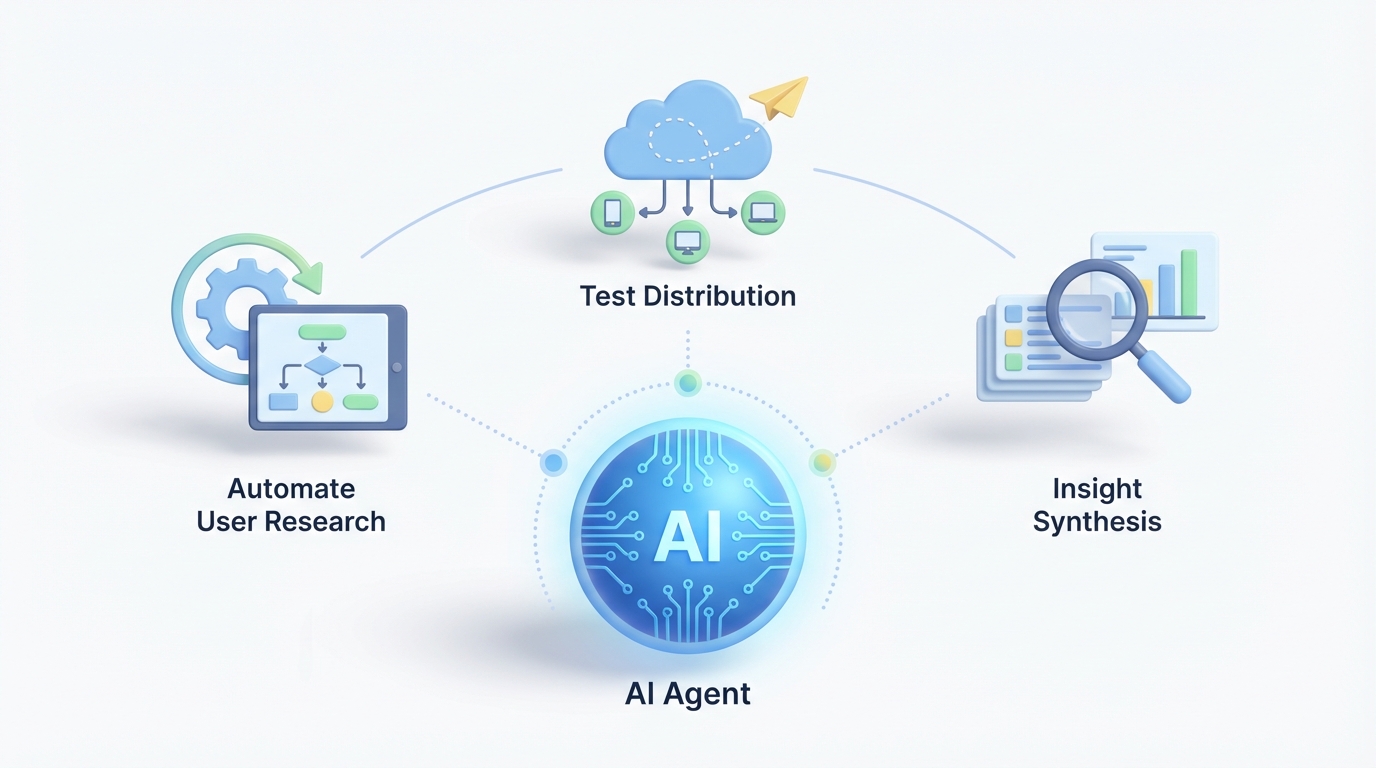
The agent handles three categories of work:
- Automated research operations — test creation, distribution, panel management, scheduling
- Deep insight synthesis — cross-study pattern detection, contextual analysis, research memory
- Proactive monitoring and routing — triggering follow-up tests, alerting the right teams, feeding insights into product workflows
Here's the architecture at a high level:
UserTesting API + Webhooks
        ↓
   OpenClaw Agent Layer
   (orchestration, reasoning, memory)
        ↓
   ┌────────────┬──────────────┬─────────────┐
   │  Jira/     │  Slack/      │  Amplitude/  │
   │  Linear    │  Notion      │  Segment     │
   └────────────┴──────────────┴─────────────┘
OpenClaw handles the agent orchestration, the LLM-powered reasoning, the vector-based research memory, and the integration logic. UserTesting stays as your data collection engine. Everything else — the intelligence, the automation, the cross-platform routing — lives in OpenClaw.
Connecting to UserTesting's API Through OpenClaw
UserTesting exposes a REST API on enterprise plans with OAuth authentication. You can programmatically create tests (via templates or cloning), retrieve sessions and results, pull video URLs and transcripts, manage contributor panels, and receive webhook notifications when tests complete.
Here's what the basic integration flow looks like when you wire it up through OpenClaw:
# OpenClaw agent configuration for UserTesting integration

agent_config = {
    "name": "usertesting-research-agent",
    "platform": "openclaw",
    "connections": {
        "usertesting": {
            "auth": "oauth2",
            "base_url": "https://api.usertesting.com/v2",
            "webhooks": {
                "test_completed": "/hooks/ut-test-complete",
                "session_ready": "/hooks/ut-session-ready"
            },
            "polling_interval": "5m"  # fallback for non-webhook events
        },
        "slack": {
            "workspace": "your-workspace",
            "channels": {
                "ux_research": "#ux-research-feed",
                "product": "#product-insights",
                "pricing_team": "#pricing-ux"
            }
        },
        "jira": {
            "project_key": "PROD",
            "issue_type": "UX Insight"
        }
    },
    "memory": {
        "type": "vector_store",
        "retention": "24_months",
        "index_by": ["study_id", "feature_area", "user_segment", "date"]
    }
}
When a test completes in UserTesting, the webhook fires, OpenClaw ingests the results, and the agent gets to work. No human has to remember to check UserTesting, download transcripts, or start the analysis process.
Workflow 1: Automated Test Distribution and Panel Management
The problem: Your team runs recurring tests on key flows — onboarding, checkout, search, account settings. Every sprint, someone has to manually clone the test template, adjust the tasks for the latest build, configure the audience targeting, and launch it. For teams running 50+ tests a month, this is a part-time job.
What the OpenClaw agent does:
# Trigger: new deployment detected via webhook from CI/CD pipeline

def on_deployment(event):
    changed_features = event["changed_modules"]  # e.g., ["checkout", "onboarding"]

    for feature in changed_features:
        # Look up the recurring test template for this feature area
        template = agent.memory.query(
            f"active test template for {feature}",
            filters={"type": "recurring_template"}
        )

        if template:
            # Clone and customize the test via UserTesting API
            new_test = usertesting.create_test(
                template_id=template.id,
                title=f"{feature} regression test - {event['version']}",
                audience={
                    "demographics": template.default_demographics,
                    "size": template.default_panel_size,
                    "exclude_recent_days": 30  # avoid repeat contributors
                },
                tasks=template.tasks,
                launch=True
            )

            agent.log(f"Launched test {new_test.id} for {feature}")
            agent.notify("slack", "#ux-research-feed",
                f"🧪 Auto-launched {feature} test for v{event['version']}: {new_test.url}")
The agent monitors your deployment pipeline. When checkout code ships, the checkout usability test launches automatically, targeted at the right demographics, excluding contributors who participated recently. Your researcher wakes up to results, not to a to-do list.
This also handles the recruitment quality problem. The agent can track contributor IDs across tests, flag users who've participated too frequently (the "professional tester" problem), and automatically adjust panel criteria if response quality drops below a threshold you set.
Workflow 2: Cross-Study Insight Synthesis
This is where the real value lives, and where UserTesting's native AI falls shortest.
The problem: You've run 47 tests in the last quarter. Each one generated useful individual insights. But nobody has the time to watch all that video, read all those transcripts, and connect the dots across studies. The patterns are there — you just can't see them at scale.
What the OpenClaw agent does:
When each test completes, the agent ingests every session transcript, task success metric, sentiment signal, and any notes from your researchers. It processes them through OpenClaw's LLM layer with context-aware prompting, then indexes everything into the vector-based research memory.
# On test completion: ingest, analyze, index

def on_test_complete(test_id):
    sessions = usertesting.get_sessions(test_id)
    test_meta = usertesting.get_test(test_id)

    for session in sessions:
        transcript = usertesting.get_transcript(session.id)
        metrics = usertesting.get_metrics(session.id)

        # Deep analysis via OpenClaw LLM — goes far beyond sentiment
        analysis = agent.analyze(
            transcript=transcript,
            metrics=metrics,
            context={
                "feature_area": test_meta.tags.get("feature"),
                "user_segment": session.contributor.demographics,
                "test_type": test_meta.type,
                "historical_context": agent.memory.query(
                    f"previous findings for {test_meta.tags.get('feature')}",
                    limit=10
                )
            },
            prompts=[
                "Identify specific usability issues with severity rating",
                "Detect user mental models and expectation mismatches",
                "Flag emotional friction points beyond basic sentiment",
                "Compare to historical findings — is this new or recurring?",
                "Assess session quality — is this contributor engaged and thoughtful?"
            ]
        )

        # Index into research memory
        agent.memory.store(
            content=analysis,
            metadata={
                "test_id": test_id,
                "session_id": session.id,
                "feature_area": test_meta.tags.get("feature"),
                "date": test_meta.completed_at,
                "severity_issues": analysis.issues,
                "quality_score": analysis.session_quality
            }
        )

    # Generate cross-session synthesis for this test
    synthesis = agent.synthesize(
        scope=f"all sessions for test {test_id}",
        format="executive_summary_with_evidence"
    )

    return synthesis
But the real power is the cross-study query. Once you've got months of research indexed, anyone on the team can ask the agent questions:
- "What are the most common complaints about our checkout flow from enterprise users?"
- "Has onboarding satisfaction improved since we redesigned the welcome wizard in Q2?"
- "Show me every instance where users mentioned pricing confusion, across all tests, with video clips."
This is the "research memory" that most teams desperately need and currently approximate with messy Notion docs and tribal knowledge that walks out the door when a researcher leaves.
Workflow 3: Proactive Monitoring and Intelligent Routing
The problem: Insights die in UserTesting. A researcher finds something important, writes it up, maybe posts it in Slack. It gets a few emoji reactions and then disappears. The pricing team never sees the pricing-related findings. The checkout team doesn't know that three separate tests this month all surfaced the same shipping calculator bug.
What the OpenClaw agent does:
# Routing rules — the agent evaluates every finding against these

routing_rules = [
    {
        "condition": "issue mentions pricing, cost, or payment amount confusion",
        "action": "notify",
        "target": "slack:#pricing-team",
        "format": "summary + top 3 video clips + severity",
        "also": "create_jira_issue(project='PRICING', priority=severity)"
    },
    {
        "condition": "task success rate drops below 60% for any core flow",
        "action": "alert",
        "target": "slack:#product + email:vp-product@company.com",
        "format": "comparison to baseline + affected sessions",
        "also": "auto_trigger_followup_test(increased_panel_size=True)"
    },
    {
        "condition": "3+ tests in 30 days surface the same issue",
        "action": "escalate",
        "target": "jira:create_epic",
        "format": "consolidated evidence from all related sessions",
        "priority": "high"
    },
    {
        "condition": "contributor quality score below threshold",
        "action": "flag_session",
        "target": "agent.memory",
        "also": "exclude_contributor_from_future_tests"
    }
]
The agent doesn't just analyze — it acts. When task success on checkout drops below your threshold, it doesn't wait for someone to notice. It alerts the product team, includes the evidence, and can automatically launch a follow-up test with a larger panel to validate the finding. When the same issue keeps showing up across unrelated tests, it consolidates the evidence into a Jira epic so it can't be ignored.
This is the difference between "we have research data" and "research drives product decisions." The routing happens in real-time, to the right people, with the right context, without a researcher manually playing switchboard operator.
Workflow 4: Competitive Benchmarking on Autopilot
The problem: You benchmark against competitors quarterly. It's a massive undertaking each time — designing tests, running them on competitor sites, analyzing results, building the comparison deck. It takes weeks.
What the OpenClaw agent does:
# Quarterly benchmark — runs automatically

def run_competitive_benchmark(schedule="quarterly"):
    competitors = ["competitor-a.com", "competitor-b.com", "competitor-c.com"]
    benchmark_flows = ["signup", "search", "checkout", "support"]

    for competitor in competitors:
        for flow in benchmark_flows:
            # Launch identical test on competitor site
            usertesting.create_test(
                template_id=f"benchmark-{flow}",
                target_url=f"https://{competitor}/{flow}",
                audience={"size": 15, "demographics": standard_benchmark_panel},
                launch=True
            )

    # When all tests complete (tracked via webhooks):
    # Auto-generate comparative analysis
    agent.synthesize(
        scope="all benchmark tests this quarter",
        compare_to="previous quarter benchmarks",
        format="competitive_analysis_report",
        output=["notion_page", "slack_summary", "executive_pdf"]
    )
The entire cycle — from test launch through comparative analysis to stakeholder-ready report — runs without manual intervention. Your researcher reviews the output and adds strategic interpretation. They're not spending three weeks on logistics.
What Makes This Different from UserTesting's Built-in AI
Let me be direct about this. UserTesting's AI features are useful within a single test. They can highlight interesting moments, tag sentiment, and summarize transcripts. They're essentially session-level intelligence.
What OpenClaw enables is program-level intelligence:
| Capability | UserTesting Built-in | OpenClaw Agent |
|---|---|---|
| Session highlights | ✅ Auto-generated | ✅ + contextual scoring |
| Sentiment analysis | ✅ Basic | ✅ Nuanced emotional drivers |
| Cross-study patterns | ❌ Manual only | ✅ Automatic |
| Research memory | ❌ | ✅ Queryable vector store |
| Auto-triggered tests | ❌ | ✅ Based on metrics or events |
| Smart routing | ❌ | ✅ Rule + intent-based |
| Competitive benchmarking automation | ❌ | ✅ End-to-end |
| Quality control | ❌ Basic flagging | ✅ Auto-exclusion + bias detection |
| Integration depth | Basic (Slack, Jira) | ✅ Full bidirectional workflows |
| Predictive insights | ❌ | ✅ Combined with product analytics |
UserTesting gives you the raw material. OpenClaw gives you the factory that turns that raw material into decisions.
A Note on API Limitations
I want to be honest about constraints. UserTesting's API has real limitations:
- Enterprise plans only for full API access. If you're on a lower tier, you may need to upgrade or supplement with webhook-based workarounds.
- Some test configurations are UI-only. Complex branching logic or certain test types (card sorting, tree testing) may need to be set up manually, then cloned via API.
- AI Insights aren't fully exposed. You can pull generated summaries but can't query their LLM directly through the API. OpenClaw handles this by running its own analysis on the raw transcripts and metrics — which, honestly, produces better results since you control the prompting and context.
- Rate limits exist. The agent should implement backoff logic and batch operations where possible. OpenClaw's orchestration layer handles this natively.
- No real-time streaming. You're working with webhooks and polling, not live data feeds. For most research workflows, this is fine — you're not analyzing sessions as they happen.
None of these are dealbreakers. They just mean the agent needs to be designed with these constraints in mind, which is exactly what OpenClaw's integration framework is built to handle.
The Real ROI Calculation
Here's where this gets concrete. A mid-size UX research team running 40 tests/month on UserTesting typically spends:
- ~8 hours/week on test setup and distribution
- ~15 hours/week watching sessions and synthesizing insights
- ~5 hours/week writing up findings and distributing them to stakeholders
- ~10 hours/quarter on competitive benchmarking logistics
That's roughly 30 hours per week of work that's partially or fully automatable. At a loaded cost of $80/hour for a UX researcher, that's $125,000/year in labor spent on operations rather than strategic research.
An OpenClaw agent doesn't eliminate all of that — researchers should still watch key sessions and add strategic interpretation. But it realistically reduces operational overhead by 60-70%, freeing up your researchers to do what they were actually hired to do: think deeply about user behavior and influence product decisions.
Getting Started
If you're running a meaningful volume of tests on UserTesting and feeling the pain of analysis overload, disconnected insights, or manual research operations, here's the path forward:
- Audit your current workflow. Map exactly where time is spent between "test launches" and "insight reaches a decision-maker." That gap is where the agent lives.
- Identify your highest-value automation. For most teams, cross-study synthesis and automated routing deliver the biggest immediate impact. Test distribution automation is a close second.
- Start with one workflow. Don't try to build the entire system at once. Pick the workflow that's costing you the most time or losing you the most insight value.
- Build on OpenClaw. The platform handles the orchestration, memory, LLM reasoning, and integration layers so you're not wiring together six different tools and maintaining custom infrastructure.
If you want help scoping this out or building it, Clawsourcing is Claw Mart's implementation service for exactly this kind of work. They'll help you design the agent architecture, connect it to your UserTesting instance and surrounding tools, and get it running without your team needing to become AI infrastructure engineers.
Your UserTesting subscription is already generating the data. The question is whether that data is actually reaching the people who need it, in a form they can act on, fast enough to matter. For most teams, the honest answer is no. An OpenClaw agent fixes that — not with hype, but with plumbing that actually works.