AI Agent for Unbounce: Automate Landing Page Testing, Conversion Tracking, and Lead Routing
Automate Landing Page Testing, Conversion Tracking, and Lead Routing
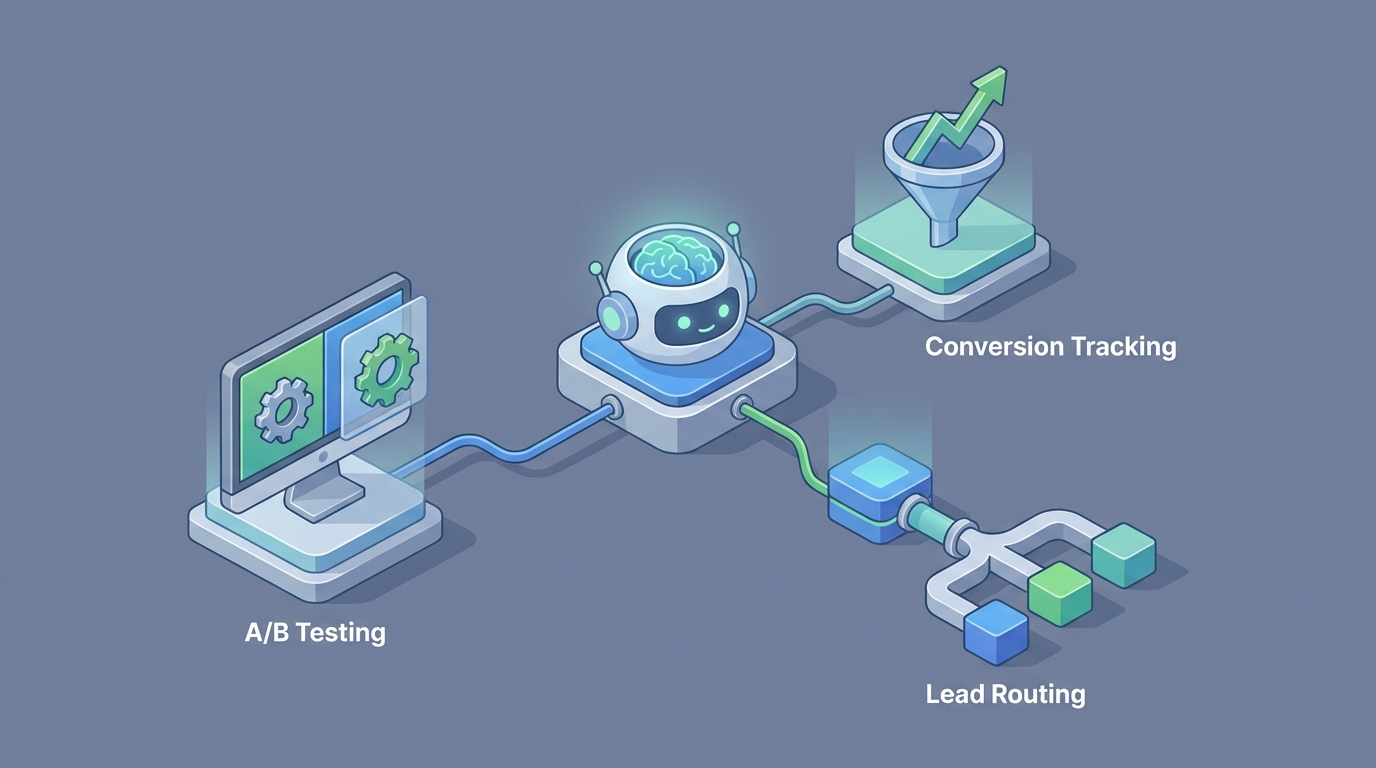
Most teams using Unbounce are stuck in the same loop: build a page, copy it, tweak a headline, run an A/B test, wait three weeks, check the numbers, argue about statistical significance, repeat. Maybe Smart Traffic is doing some of the heavy lifting, but you're still the one deciding what to test, when to test it, and what to do with the results.
That's not optimization. That's manual labor with a feedback delay.
Here's what actually moves the needle: an AI agent that connects directly to Unbounce's API, monitors your landing page performance in real time, generates new variants based on what's actually working, deploys them, and routes leads intelligently — all without you babysitting a dashboard. Not Unbounce's built-in AI features (Smart Copy is fine for drafting headlines, but it doesn't know your funnel). A custom agent built on OpenClaw that treats Unbounce as an execution layer inside a larger autonomous system.
Let me walk through exactly how this works, what it replaces, and how to build it.
Why Unbounce's Native Automation Hits a Ceiling
Let's be honest about what Unbounce does and doesn't do well.
What it does well: Build good-looking, conversion-focused landing pages fast. The drag-and-drop editor is genuinely solid. Smart Traffic is a legitimately interesting feature that routes visitors to the variant most likely to convert them. Dynamic Text Replacement syncs your ad copy to your landing page headlines. For a standalone tool, it's one of the best in class.
Where it stops: Unbounce doesn't think. It doesn't understand why a variant is winning. It can't look at your form submissions, notice that CTOs from Series B SaaS companies respond better to ROI-focused copy while marketing managers respond to ease-of-use messaging, and then go create two new personalized variants targeting those segments. It can't cross-reference your landing page performance with your ad spend data and flag that you're paying $47 per lead on a page that converts at 2.1% when a similar page for a different campaign converts at 6.8% with nearly identical traffic. It can't pull in competitive intelligence, analyze what your competitors changed on their landing pages last week, and suggest counter-positioning.
Smart Traffic needs roughly 1,000+ visits per variant before it starts making decent routing decisions. That's fine if you're spending $50K/month on ads. If you're spending $5K, you'll wait forever.
The built-in form automations amount to "on submit, send data to this webhook." No lead scoring, no conditional routing, no enrichment, no intelligent follow-up timing.
Dynamic Text Replacement only swaps text based on predefined UTM parameters. It's keyword-level personalization, not audience-level intelligence.
These aren't criticisms — Unbounce is a landing page builder, and it's a good one. But the gap between "good landing page builder" and "autonomous conversion optimization system" is enormous. That gap is exactly where an OpenClaw agent lives.
The Architecture: OpenClaw + Unbounce API
Here's the technical picture. Unbounce exposes a REST API that lets you programmatically manage pages, variants, domains, sub-accounts, leads, and performance data. It's not the most comprehensive API in the world — you can't control Smart Traffic settings or access their AI features — but it gives you enough surface area to build something powerful.
An OpenClaw agent sits on top of this API and acts as the brain. It connects to Unbounce for execution (create pages, publish variants, pull performance data, retrieve leads) and to your other tools for context (ad platforms, CRM, analytics, enrichment services).
The data flow looks like this:
[Ad Platforms] ──→ [OpenClaw Agent] ←──→ [Unbounce API]
[CRM/HubSpot]  ──→                  ←──→ [Google Analytics]
[Enrichment]   ──→                  ←──→ [Webhooks/Lead Data]
The agent doesn't replace Unbounce. It makes Unbounce dramatically more useful by adding a decision-making layer that Unbounce intentionally doesn't provide.
Connecting to the Unbounce API via OpenClaw
The Unbounce API uses OAuth 2.0. Once authenticated, you can hit endpoints for pages, page variants, leads, and domains. Here's what the core integration looks like when you're pulling performance data for a specific page:
# OpenClaw agent pulling Unbounce page performance
import requests

UNBOUNCE_API_BASE = "https://api.unbounce.com"
ACCESS_TOKEN = "your_oauth_token"

headers = {
    "Authorization": f"Bearer {ACCESS_TOKEN}",
    "Content-Type": "application/json"
}

# Get all pages for a sub-account
def get_pages(sub_account_id):
    response = requests.get(
        f"{UNBOUNCE_API_BASE}/sub_accounts/{sub_account_id}/pages",
        headers=headers
    )
    return response.json()

# Get leads for a specific page
def get_page_leads(page_id):
    response = requests.get(
        f"{UNBOUNCE_API_BASE}/pages/{page_id}/leads",
        headers=headers
    )
    return response.json()

# Get page variants for A/B testing analysis
def get_variants(page_id):
    response = requests.get(
        f"{UNBOUNCE_API_BASE}/pages/{page_id}/variants",
        headers=headers
    )
    return response.json()
This is the foundation. The OpenClaw agent uses these endpoints as tools — it can call them autonomously based on triggers, schedules, or incoming data. But the real power is in what the agent does with the data once it has it.
Three Workflows That Actually Matter
I could list twenty theoretical use cases. Instead, here are three workflows that solve real problems most Unbounce users deal with every week.
Workflow 1: Autonomous Landing Page Testing
The problem: You know you should be testing more aggressively, but creating variants is time-consuming, deciding what to test requires looking at data you don't have time to analyze, and by the time you've set everything up, your campaign priorities have shifted.
What the OpenClaw agent does:
- Pulls current performance data from Unbounce for all active pages on a daily cadence — conversion rates, bounce rates, traffic volume per variant.
- Analyzes patterns across your entire page portfolio. Not just "this page converts at 3.2%" but "pages with social proof above the fold convert 40% better for this traffic source" and "your question-format headlines outperform statement headlines by 22% on mobile."
- Generates new variant hypotheses based on these patterns plus the specific page's content, traffic source, and audience.
- Creates new variants via the API, cloning the existing page and making targeted changes — a new headline, repositioned CTA, different social proof block, rewritten subheadline.
- Publishes the test and monitors it, calculating statistical significance properly (not just eyeballing a 3-day snapshot).
- Reports results and promotes winners automatically, or flags edge cases for human review.
The key insight: the agent doesn't just test randomly. It builds an internal model of what works across your specific pages, audiences, and campaigns, then applies that model to generate high-probability variants. Over time, it gets better because it has more data about your performance patterns, not generic best practices.
# Simplified: Agent analyzing variant performance and deciding next action
def analyze_and_optimize(page_id):
    variants = get_variants(page_id)
    leads = get_page_leads(page_id)

    # Agent processes performance data
    analysis = openclaw_agent.analyze({
        "variants": variants,
        "leads": leads,
        "context": "Evaluate statistical significance, identify winning patterns, suggest next test"
    })

    if analysis.recommendation == "promote_winner":
        promote_variant(page_id, analysis.winning_variant_id)
    elif analysis.recommendation == "create_new_variant":
        new_variant = openclaw_agent.generate_variant(
            base_page=variants["control"],
            hypothesis=analysis.hypothesis,
            changes=analysis.suggested_changes
        )
        create_variant_via_api(page_id, new_variant)
    elif analysis.recommendation == "extend_test":
        # Not enough data yet, keep running
        log_status(page_id, "test_continuing", analysis.reason)
This replaces what typically takes a CRO specialist 4-6 hours per page per week. The agent runs continuously across every page in your account.
Workflow 2: Intelligent Conversion Tracking and Alerting
The problem: You check your Unbounce dashboard every few days. Maybe you have a Looker Studio report that updates daily. But you're always reacting to problems after they've cost you money — a broken form, a page that suddenly tanked after a traffic source shift, a variant that's been losing for two weeks but hasn't hit significance thresholds so nobody paused it.
What the OpenClaw agent does:
- Monitors all active pages continuously, pulling conversion data at regular intervals.
- Detects anomalies in real time — not just "conversion rate dropped" but contextual anomalies like "conversion rate dropped 35% but only for mobile traffic from Facebook, desktop from Google is unchanged."
- Cross-references with external data. Did your ad platform change bid strategies? Did a competitor launch a similar campaign? Did your form endpoint go down? The agent checks all of these before alerting you.
- Triages issues by severity. A 5% dip on a page getting 50 visits/day is noise. A 5% dip on a page getting 5,000 visits/day is an emergency. The agent knows the difference.
- Takes corrective action when appropriate. If a variant is clearly underperforming and dragging down overall conversion, the agent can pause it via the API without waiting for you to notice.
# Anomaly detection workflow
def monitor_page_performance(page_id, historical_baseline):
    current_data = get_page_stats(page_id, timeframe="last_24h")

    anomaly_check = openclaw_agent.evaluate({
        "current": current_data,
        "baseline": historical_baseline,
        "question": """
            Compare current performance against baseline.
            Segment by device, traffic source, and geo.
            Flag any statistically meaningful deviations.
            Classify severity: critical / warning / informational.
            If critical, recommend immediate action.
        """
    })

    if anomaly_check.severity == "critical":
        # Notify team immediately
        send_alert(anomaly_check.summary, channel="slack", priority="high")

        # Take protective action if confidence is high
        if anomaly_check.auto_action_confidence > 0.9:
            execute_action(anomaly_check.recommended_action)

    elif anomaly_check.severity == "warning":
        send_alert(anomaly_check.summary, channel="slack", priority="normal")
This is genuinely valuable for agencies managing dozens of client accounts. Instead of manually cycling through dashboards, the agent watches everything and only surfaces what needs human attention.
Workflow 3: Smart Lead Routing and Enrichment
The problem: A lead comes in through an Unbounce form. It goes to your CRM. Maybe Zapier enriches it. Then someone on the sales team picks it up whenever they get to it. High-intent leads from your best-converting page get the same treatment as tire-kickers from a generic content page. The time between form submission and meaningful follow-up is measured in hours or days.
What the OpenClaw agent does:
- Catches form submissions in real time via Unbounce webhooks.
- Enriches the lead immediately — company data from Clearbit or Apollo, LinkedIn profile, technographic data, funding stage, company size.
- Scores the lead based on enrichment data plus behavioral context: which page did they convert on, what traffic source, which variant (this tells you what messaging resonated), how long were they on the page, did they visit other pages first.
- Routes intelligently based on the score and context. Hot lead from your enterprise demo page who matches your ICP? Instant Slack notification to the AE who owns that territory, plus a personalized email sequence triggered in HubSpot. Lower-intent lead from a content download? Nurture sequence with content matched to the variant they converted on.
- Generates sales context for the rep. Instead of just passing a name and email, the agent creates a brief: "Sarah Chen, VP Engineering at DataStack (Series B, 85 employees, raised $18M). Converted on your AI Platform page, specifically the variant emphasizing 'reduce infrastructure costs by 40%.' Spent 4 minutes on page. Company currently uses AWS and Snowflake based on technographic data. Recommended opening angle: infrastructure cost reduction."
# Webhook handler for new Unbounce leads
def handle_new_lead(webhook_payload):
    lead_data = parse_unbounce_webhook(webhook_payload)

    # Enrich with external data
    enrichment = enrich_lead(lead_data["email"])

    # Get page context
    page_context = get_page_context(lead_data["page_id"])
    variant_context = get_variant_context(lead_data["variant_id"])

    # Agent scores and routes
    routing_decision = openclaw_agent.process({
        "lead": lead_data,
        "enrichment": enrichment,
        "page_context": page_context,
        "variant_context": variant_context,
        "instruction": """
            Score this lead 1-100 based on ICP fit and intent signals.
            Determine routing: direct-to-sales, nurture-sequence, or disqualify.
            If direct-to-sales, identify the right rep and generate a context brief.
            If nurture, select the appropriate sequence based on conversion context.
        """
    })

    execute_routing(routing_decision)
This workflow alone can compress your lead response time from hours to minutes and dramatically improve the quality of that first interaction. The difference between "Hi, you filled out our form" and "Hi Sarah, I noticed you were looking at how we help engineering teams reduce infrastructure costs — that's actually our sweet spot with Series B SaaS companies" is the difference between a 5% and a 25% meeting book rate.
What This Looks Like in Practice
Let me paint the full picture. You're running a B2B SaaS company. You've got 15 active Unbounce pages across different campaigns — paid search, LinkedIn, retargeting, partner co-marketing.
Without the OpenClaw agent: You or your marketing manager checks Unbounce weekly. You're running A/B tests on maybe 3 pages because that's all you have bandwidth for. Leads go through a basic Zapier flow to HubSpot. Your SDRs work them in order. You spend half a day each month building a performance report.
With the OpenClaw agent: Every page is being monitored and tested continuously. The agent has already identified that your LinkedIn campaign targeting CTOs converts 3x better when the hero section leads with a customer quote from a recognizable brand versus a feature list — and it's already applied that learning to your other CTO-targeting pages. When a lead comes in from your highest-intent page, your AE gets a Slack message within 60 seconds with full context. Your monthly reporting is automated and actually includes insights you'd never have time to generate manually, like "pages with video testimonials have a 12% higher conversion rate but 23% higher bounce rate on mobile — consider showing video only on desktop."
You go from a person operating a landing page tool to a system that operates itself while you focus on strategy.
Getting Started
If you're running Unbounce at any meaningful scale — say, 5+ active pages with real ad spend behind them — there's enough data and enough operational overhead to make this worthwhile.
The starting point is connecting your Unbounce account to OpenClaw and defining your first workflow. I'd recommend starting with Workflow 2 (intelligent monitoring) because it's the fastest to show value and the lowest risk. You're not changing anything about your pages — you're just adding a smart layer that watches everything and tells you what you'd otherwise miss.
From there, layer on lead enrichment and routing (Workflow 3), and once you trust the system's judgment, move into autonomous testing (Workflow 1).
The technical lift is real but manageable. You need Unbounce API access (available on their paid plans), webhook endpoints for lead capture, and connections to whatever CRM and enrichment tools you're already using. OpenClaw handles the orchestration, reasoning, and action execution.
You don't need to rip out anything you've already built. The agent wraps around your existing Unbounce setup and makes it smarter.
The Bigger Picture
Unbounce is a good tool that most teams underutilize because the operational overhead of doing things like continuous testing, real-time monitoring, and intelligent lead routing is too high for humans to maintain consistently. That's precisely the kind of work that AI agents excel at — repetitive, data-intensive, time-sensitive tasks that require pattern recognition across large datasets.
The companies that figure this out first will have a compounding advantage. Every week, their landing pages get marginally better. Every lead gets routed more intelligently. Every dollar of ad spend converts a little more efficiently. Over six months, that compounds into a meaningful edge.
If you want help building this — either the full system or starting with a single workflow — check out Clawsourcing. We work with teams to architect and deploy OpenClaw agents for exactly these kinds of operational automation challenges. No fluff, just agents that do useful work.
Recommended for this post

Adam
Full-Stack Engineer
Your full-stack AI engineer that architects, builds, deploys, and automates entire applications from a single conversation. 23+ Core Capabilities.
 Clarence Maker
Your Linear expert that automates issue tracking, builds workflows, and streamlines project management.
 SpookyJuice.ai
Three-level OODA strategy, five-phase Ralph execution, and a recursive feedback engine. Your agent gets faster — this makes it get better.
 JerryRunsOps