AI Agent for Turso: Automate Edge Database Management, Replication, and Query Monitoring
Automate Edge Database Management, Replication, and Query Monitoring
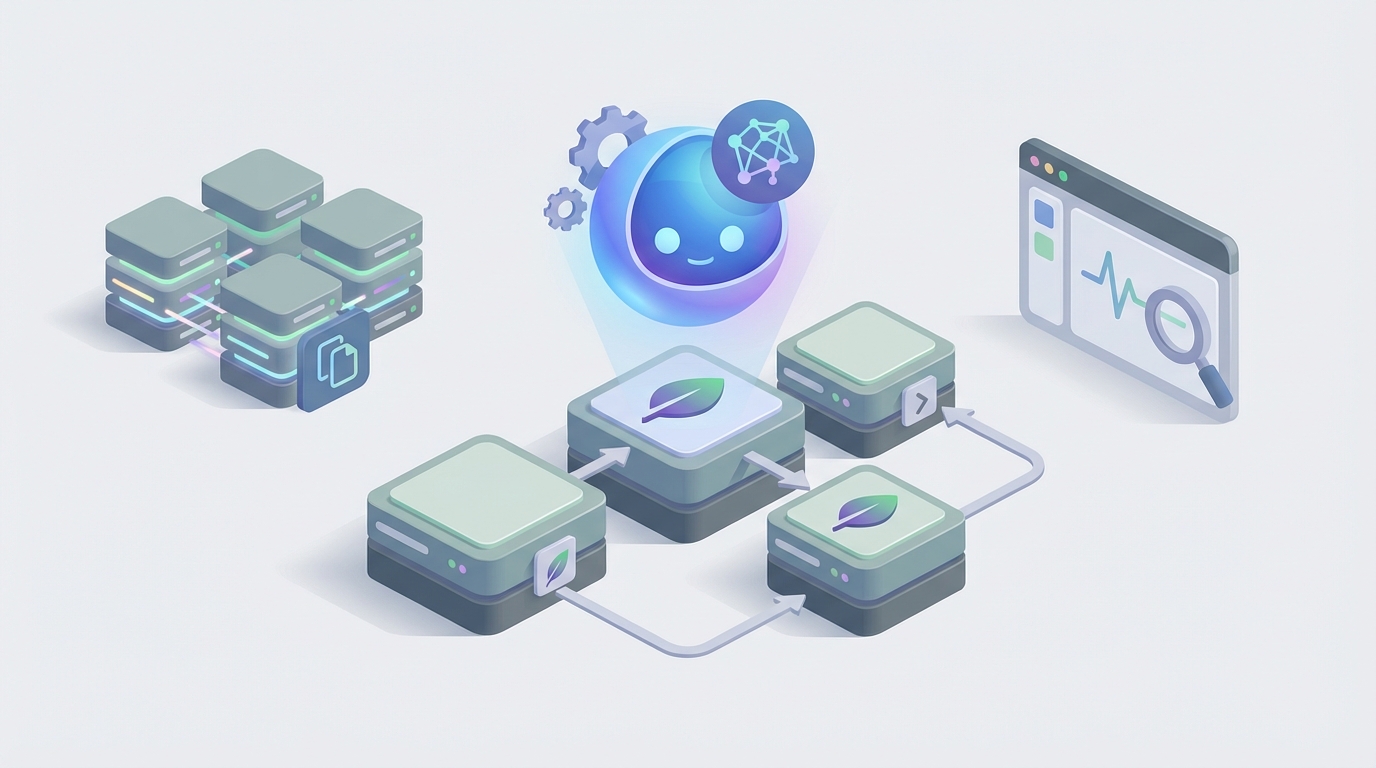
Most teams running Turso are doing the same thing: they set up their edge database, add a few replica locations, wire it into their Next.js or Nuxt app, and then... manage everything manually forever. They SSH in or open the CLI when something feels slow. They eyeball query patterns. They manually create branches before migrations and hope nothing breaks. They forget to add a replica in São Paulo even though 30% of their users are in Brazil now.
It's not that Turso is hard to operate — it's actually one of the simpler database platforms out there. The problem is that "simple to operate manually" still means "someone has to remember to operate it." And that someone is usually you, at 11pm, when your monitoring dashboard lights up.
Here's the better version: an AI agent that sits on top of Turso's Platform API and Database API, watches everything continuously, takes autonomous action when it makes sense, and asks you before doing anything irreversible. Not a chatbot. Not a fancy SQL autocomplete. An actual agent with tools, memory, and judgment.
Let's build one with OpenClaw.
Why Turso Specifically Benefits from an Agent Layer
Turso is a great database. It's also a database with some notable gaps in operational tooling — gaps that practically beg for an intelligent automation layer.
Here's what Turso gives you natively:
- Global replication across 30+ locations (but you pick them manually)
- Database branching (but you trigger it manually)
- A clean Platform API for CRUD on databases, groups, locations, and tokens
- Basic usage metrics
- HTTP/WebSocket query endpoints
Here's what Turso does not give you:
- No event system or triggers. When data changes, nothing fires automatically.
- No query performance insights. You're on your own for identifying slow queries or missing indexes.
- No auto-scaling of replicas. You decide where replicas go; there's no load-based adjustment.
- No workflow orchestration. You can't chain "create branch → run migration → test → merge" into an automated pipeline.
- No anomaly detection. Nobody's watching for unexpected query patterns, sudden write spikes, or degrading vector search performance.
- No intelligent suggestions. No "hey, you should add an index on
user_idin theorderstable" or "your replica in Frankfurt is getting hammered, consider adding one in Warsaw."
This is the gap. Turso handles infrastructure well. It handles intelligence not at all. And that's exactly where a custom agent comes in.
The Architecture: OpenClaw + Turso's APIs
OpenClaw is built for this kind of integration — connecting an AI agent to external APIs with tool use, persistent memory, and autonomous execution loops. Here's how the pieces fit together for a Turso agent.
Turso Exposes Two APIs
Platform API — manages infrastructure:
POST   /v1/organizations/{org}/databases          # Create database
GET    /v1/organizations/{org}/databases           # List databases
POST   /v1/organizations/{org}/databases/{db}/branches  # Create branch
POST   /v1/databases/{db}/locations/{location}     # Add replica
DELETE /v1/databases/{db}/locations/{location}      # Remove replica
GET    /v1/organizations/{org}/usage               # Usage metrics
POST   /v1/organizations/{org}/databases/{db}/auth/tokens  # Generate token
Database API — runs queries:
POST /v3/pipeline # Execute SQL statements (single, batch, or transaction)
Both are straightforward REST APIs with token auth. No WebSocket complexity for the management layer — just clean HTTP calls an agent can make.
The OpenClaw Agent Setup
In OpenClaw, you define your agent with:
- Tools — each mapped to a Turso API endpoint or a composed workflow
- Memory — persistent context about your schema, past decisions, query history, and known issues
- Instructions — the rules governing when the agent should act autonomously vs. ask for approval
- Execution loops — scheduled or event-driven runs where the agent checks state and takes action
The agent isn't a one-shot prompt. It's a persistent entity that accumulates knowledge about your specific Turso setup over time.
Five Workflows Worth Building
Let me walk through the specific workflows that deliver the most value. These aren't hypothetical — they're the things Turso users are doing manually today that an agent handles better.
1. Intelligent Replica Management
This is the highest-ROI automation for any globally distributed Turso deployment.
What the agent does:
- Polls Turso's usage API on a schedule (every 15–30 minutes)
- Tracks read latency and query volume by region (supplemented by your application's latency logs if you pipe them in)
- Maintains a memory of traffic patterns over time — daily cycles, weekly patterns, seasonal spikes
- When it detects sustained high latency or volume from a region without a nearby replica, it proposes adding one
- If you've configured auto-approval thresholds, it adds the replica directly via the Platform API
The tool definition in OpenClaw looks something like:
{
  "name": "add_turso_replica",
  "description": "Adds a read replica to a Turso database in the specified location",
  "parameters": {
    "database_name": { "type": "string" },
    "location": { "type": "string", "enum": ["ams", "bog", "cdg", "dfw", "fra", "gru", "hkg", "iad", "jnb", "lax", "lhr", "mad", "mia", "nrt", "ord", "otp", "qro", "sea", "sin", "sjc", "syd", "waw", "yul", "yyz"] }
  },
  "endpoint": "POST /v1/organizations/{org}/databases/{database_name}/locations/{location}",
  "auth": "turso_api_token",
  "requires_approval": false,
  "conditions": "Only execute when average read latency from the target region exceeds 50ms for more than 2 hours"
}
The agent doesn't just follow rules. It uses its accumulated memory to make judgment calls: "Traffic from São Paulo spiked last month during Carnival too, but it dropped back after a week. I won't add a replica for a transient spike." That's the kind of reasoning you can't get from a static automation rule.
2. Branch-Based Migration Pipeline
Turso's database branching is one of its best features, but most teams underuse it because the full workflow has too many manual steps.
The full pipeline an agent can manage:
- Developer pushes a PR that includes a migration file
- A webhook triggers the agent (or the agent polls your repo)
- Agent creates a Turso branch from production:
POST /v1/organizations/{org}/databases/{db}/brancheswith a name matching the PR - Agent applies the migration SQL to the branch via the Database API
- Agent runs a suite of validation queries — checks for schema consistency, verifies no data loss on existing rows, tests key application queries against the new schema
- Agent reports results back (via Slack, GitHub comment, or your preferred channel)
- On PR merge, agent applies the migration to production and deletes the branch
The critical detail: the agent maintains memory of your schema history. It knows that users.email has a unique constraint, that orders.total is a decimal(10,2), and that the products table has 2.3 million rows. When a migration adds a column or changes a type, the agent can evaluate the impact with real context — not just syntactic SQL analysis.
3. Query Performance Monitoring and Optimization
This is where Turso's observability gaps hurt most, and where an agent adds genuine intelligence.
How it works:
- Your application logs query execution times and sends them to the agent (via webhook, log drain, or periodic batch)
- The agent maintains a memory of baseline query performance for every significant query pattern
- When a query's P95 latency drifts upward, the agent investigates:
- Runs
EXPLAIN QUERY PLANvia the Database API - Checks if the query uses appropriate indexes
- Looks at table sizes and growth rates from its memory
- Proposes index additions, query rewrites, or schema adjustments
- Runs
Example agent reasoning:
Query: SELECT * FROM orders WHERE user_id = ? AND status = 'pending' ORDER BY created_at DESC LIMIT 20

Current P95: 45ms (was 12ms two weeks ago)

Analysis:
- orders table has grown from 800K to 1.4M rows in 14 days
- Existing index: orders(user_id)
- No compound index covering (user_id, status, created_at)

Recommendation: CREATE INDEX idx_orders_user_status_created ON orders(user_id, status, created_at DESC)

Estimated improvement: Should restore P95 to ~10-15ms range based on similar index additions I've performed on this database.

Action: Creating branch 'perf-fix-orders-idx-001', applying index, running validation queries, then requesting approval to apply to production.
This is not a static rule. The agent is connecting current performance to historical trends, schema knowledge, and past optimization outcomes. Each fix makes it smarter for the next one.
4. Multi-Tenant Database Provisioning
Many Turso users run a database-per-tenant model using groups. This is architecturally clean but operationally tedious without automation.
The agent handles:
- New customer signup triggers tenant provisioning
- Agent creates a new database in the appropriate group:
POST /v1/organizations/{org}/databaseswith the group assignment - Agent applies the current schema (which it tracks in memory)
- Agent seeds required reference data
- Agent generates a scoped auth token for the tenant
- Agent stores the token in your secrets manager and updates your application config
- Agent notifies your team via the configured channel
When a tenant churns:
- Agent archives the database (exports via query API)
- Agent deletes the database after a configurable retention period
- Agent cleans up associated tokens and config entries
The whole lifecycle is handled. No runbook. No "did we remember to delete that database?" three months later.
5. Cross-System Orchestration
This is where the agent transcends database management and becomes an operational backbone.
Example workflow — new user onboarding:
- Stripe webhook fires: new subscription created
- Agent receives the event
- Agent creates a tenant database in Turso
- Agent provisions the schema and seeds onboarding data
- Agent calls your internal API to generate an API key for the tenant
- Agent sends a welcome email via Resend with the API key and quickstart docs
- Agent posts to your internal Slack channel: "New tenant provisioned: Acme Corp, database
acme-corp-prod, regioniad, plan: Pro" - Agent logs the entire operation to its memory for audit purposes
No microservice. No queue. No Zapier. One agent with tools for Turso, Stripe, Resend, Slack, and your internal API.
Implementation Specifics
Authentication
Turso uses bearer tokens for both APIs. In OpenClaw, you store the API token as a secure credential and reference it in tool definitions. The agent never sees the raw token — it just knows it has access to "turso_platform" and "turso_queries" tools.
Rate Limits and Safety
Turso's Platform API has rate limits (currently generous but not unlimited). Your OpenClaw agent should:
- Batch read operations where possible
- Cache database listings and group info in memory rather than re-fetching every cycle
- Use approval gates for destructive operations (database deletion, location removal)
- Log every action for audit trails
Memory Architecture
The agent's memory in OpenClaw should include:
- Schema snapshots — current and historical schema for every database
- Performance baselines — P50/P95/P99 for key query patterns
- Traffic patterns — regional distribution over time
- Decision history — what the agent did, why, and what happened afterward
- Known issues — documented problems, workarounds, and things to watch for
This memory is what separates an agent from a script. A script runs the same way every time. An agent that remembers the last time it added a Frankfurt replica and saw no latency improvement because the real bottleneck was write contention at the primary — that agent makes a different recommendation next time.
What You're Actually Getting
Let me be direct about the value proposition here. An AI agent on top of Turso isn't magic. It's three things:
1. Continuous attention. The agent watches things you forget to watch. It notices the slow query drift, the regional traffic shift, the growing table that's about to make your vector searches crawl.
2. Accumulated context. Every database team has institutional knowledge that lives in people's heads. The agent externalizes it. When your senior engineer leaves, the agent still knows that the analytics database needs a vacuum every Sunday and that the events table benefits from a compound index on (tenant_id, event_type, timestamp).
3. Composable automation. Instead of separate scripts, cron jobs, and Zapier flows, you have one agent that orchestrates across Turso and every other system your product touches. One place to update logic. One place to check what happened and why.
Getting Started
If you're running Turso and this resonates, here's the concrete path:
-
Start with monitoring. Build the agent with read-only Turso tools first — list databases, check usage, run
EXPLAIN QUERY PLAN. Let it observe and report before it acts. -
Add branching automation. This is low-risk and high-value. Automate branch creation for PRs and migration testing.
-
Graduate to replica management. Once you trust the agent's judgment on traffic patterns, let it propose and eventually execute replica additions.
-
Layer in cross-system workflows. Connect Stripe, Slack, your internal APIs. This is where the compounding value kicks in.
-
Let it optimize. After a few weeks of query monitoring, the agent will have enough baseline data to start making genuinely useful index and query recommendations.
Next Steps
If you want to build this and need help with the implementation — scoping the tools, designing the memory architecture, setting up the right approval gates — that's exactly what Clawsourcing is for. Our team builds custom OpenClaw agents for specific infrastructure stacks, and Turso is one we've worked with extensively.
Get in touch at https://www.shopclawmart.com/clawsourcing.
We'll scope the agent with you, build the first three workflows, and hand you a system that actually runs your database operations instead of just documenting them.