AI Agent for Todoist: Automate Task Management, Project Tracking, and Productivity Analytics
Automate Task Management, Project Tracking, and Productivity Analytics
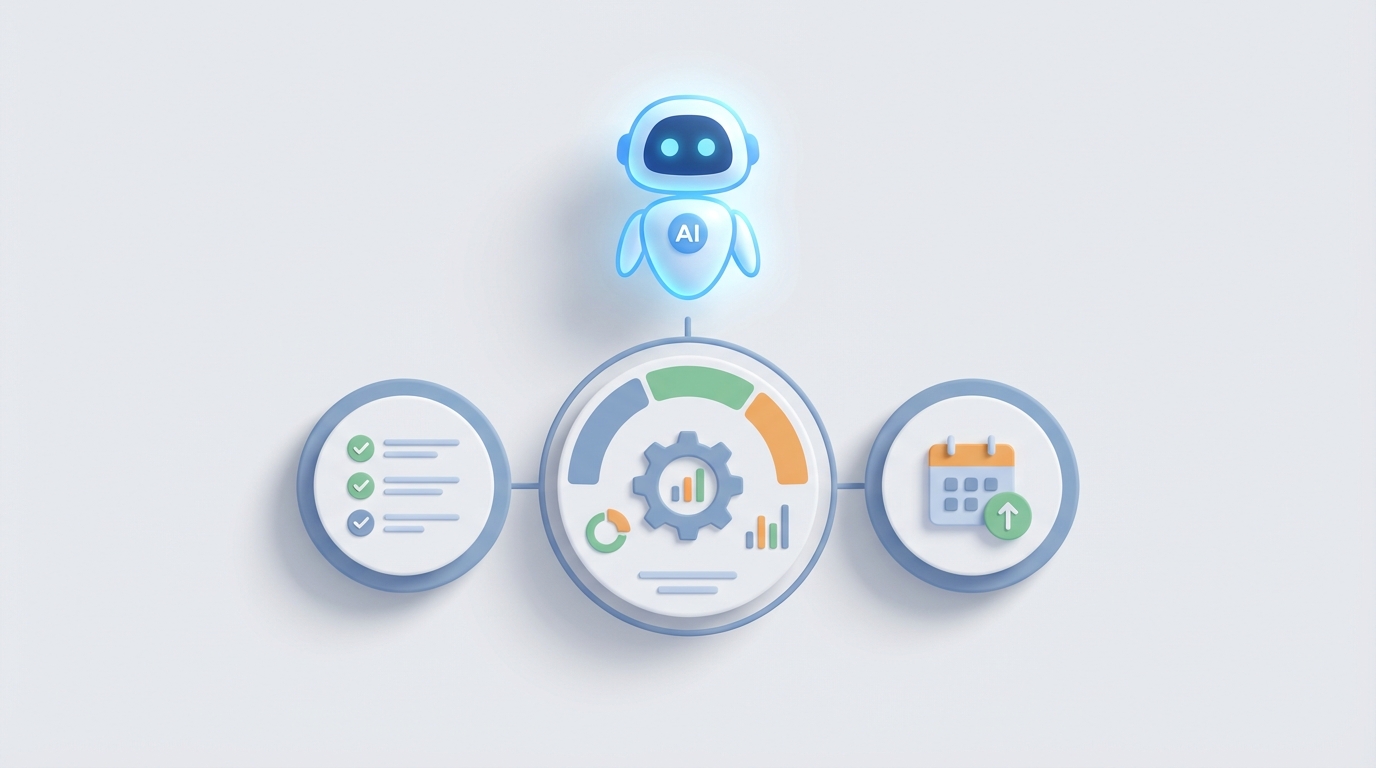
Most people treat Todoist like a fancy grocery list. They dump tasks in, check a few off, let the rest pile up, and wonder why they still feel behind. That's not a Todoist problem — it's an intelligence problem. The tool captures tasks fine. What it doesn't do is think about them.
Todoist's own AI features are a step in the right direction — task suggestions, smart scheduling, that sort of thing. But they're surface-level. They don't watch your projects overnight and flag when a deadline is about to slip. They don't read your Slack messages and turn commitments into properly structured tasks. They don't generate a weekly briefing that tells you which client project is falling behind and why.
That's what a custom AI agent does. And with OpenClaw, you can build one that connects directly to Todoist's API, monitors your workspace in real time, and takes autonomous action — without duct-taping together six Zapier workflows and praying nothing breaks.
Let me walk through exactly how this works and what it looks like in practice.
Why Todoist Needs an External Brain
Todoist is popular with small-to-medium businesses, agencies, consulting firms, and creative teams for good reason. It's fast, it's clean, and it doesn't force you into some rigid project management methodology you'll abandon in two weeks. You can run GTD, Kanban, inbox-zero, or some chaotic hybrid — Todoist doesn't care.
But that flexibility comes with trade-offs. The biggest ones from a business perspective:
No real automation engine. There's no native "when X happens, do Y" logic beyond basic recurring tasks. If you want conditional workflows, you're paying for Zapier or Make.com on top of your Todoist subscription, dealing with latency, and managing yet another tool.
Weak reporting and analytics. You can't see workload distribution across your team. There's no way to ask "which projects are at risk this week?" or "who's overloaded?" You get an activity log and that's about it.
No cross-system intelligence. Todoist doesn't know about your emails, your Slack conversations, your CRM, or your meeting notes. It only knows what you manually put into it — which means it's always working with incomplete information.
No proactive behavior. Todoist waits for you to look at it. It never taps you on the shoulder and says "hey, this task has been sitting in review for nine days and your client deadline is Friday."
These aren't edge cases. These are daily pain points for anyone trying to run a real operation through Todoist. And they're exactly what an AI agent is built to solve.
What an AI Agent for Todoist Actually Does
Let's get specific. An AI agent built with OpenClaw and connected to the Todoist API can handle three broad categories of work:
1. Intelligent Task Ingestion
The biggest productivity leak in most teams isn't doing the work — it's capturing it properly. Commitments get made in Slack threads, email chains, meeting calls, and hallway conversations. Maybe 40% of those actually make it into Todoist. The rest float around in people's heads until they're either forgotten or become emergencies.
An OpenClaw agent can monitor multiple input channels and automatically create structured tasks in Todoist. Not just "dumping text into the inbox" — actually parsing context and creating tasks with the right project, labels, priority level, due date, and assignee.
Here's a concrete example. Someone posts in your team's Slack channel:
"We need to get the Q3 financial report to the board by March 15. Sarah should handle the draft and Mike needs to review."
The agent parses this, hits the Todoist API, and creates:
{
  "content": "Draft Q3 financial report for board",
  "project_id": "{{finance_project_id}}",
  "assignee_id": "{{sarah_user_id}}",
  "due_date": "2026-03-10",
  "priority": 3,
  "labels": ["board-deliverable", "q3-reporting"]
}
{
  "content": "Review Q3 financial report draft",
  "project_id": "{{finance_project_id}}",
  "assignee_id": "{{mike_user_id}}",
  "due_date": "2026-03-13",
  "priority": 3,
  "labels": ["board-deliverable", "q3-reporting", "review"]
}
Notice what happened: the agent set the draft deadline five days before the board deadline to leave buffer time. It set the review deadline two days before that. It applied relevant labels. It assigned the right people. A human would need to think through all of that manually — and often wouldn't bother.
2. Proactive Monitoring and Anomaly Detection
This is where an AI agent becomes genuinely valuable instead of just convenient. Once your OpenClaw agent has access to your Todoist workspace via webhooks and the REST API, it can continuously monitor the state of your projects and flag issues before they become crises.
What the agent watches for:
- Stale tasks — Any task that hasn't been updated in X days relative to its due date. If something is due Friday and nobody's touched it since last week, that's a flag.
- Overloaded team members — By querying all active tasks with assignees, the agent can calculate workload distribution and alert you when someone has significantly more P1/P2 tasks than they can reasonably handle.
- Deadline clustering — When multiple high-priority tasks across different projects converge on the same date, the agent spots the collision before you're living it.
- Orphaned tasks — Tasks with no due date, no project, no assignee that have been sitting in inbox limbo for more than a configurable threshold.
- Completion velocity drops — If your team typically completes 30 tasks per week and suddenly drops to 12, something's wrong. The agent notices.
The Todoist API exposes activity logs and task metadata that make all of this possible. The agent polls the API on a schedule or listens via webhooks for real-time events — task created, task completed, task updated, due date changed — and maintains an internal model of your workspace state.
Here's a simplified example of the kind of webhook event the agent processes:
{
  "event_name": "item:updated",
  "event_data": {
    "id": "7890123456",
    "content": "Finalize client proposal",
    "project_id": "2233445566",
    "due": {
      "date": "2026-07-18",
      "is_recurring": false
    },
    "priority": 4,
    "checked": false,
    "responsible_uid": "1122334455"
  }
}
The agent receives this, checks its context (this task has been rescheduled three times already, the client meeting is next Tuesday), and decides whether to escalate. Not everything requires action — the intelligence is in knowing what matters.
3. Smart Reporting and Synthesis
Ask most Todoist users how their week went and you'll get a vague feeling — "busy" or "productive, I think?" — rather than actual data. Todoist's native reporting is essentially nonexistent for business purposes.
An OpenClaw agent changes this completely. By querying the Todoist API across all projects, tasks, and team members, the agent can generate natural language reports like:
Weekly Summary — July 7–11:
- 47 tasks completed across 8 projects (up 12% from last week)
- Client Alpha project is 3 tasks behind schedule; the blocker appears to be the design review assigned to Jordan, which has been in progress for 6 days
- Marketing has 11 tasks due next week, 4 of which are P1 — highest density this quarter
- Two team members (Sarah, Mike) have >15 active tasks each; consider redistributing
- 8 tasks in the team inbox have no assignee or due date
That's not a dashboard you have to interpret. It's a briefing you can act on immediately. And it's generated automatically — every Monday morning, every Friday afternoon, whenever you configure it.
How to Build This with OpenClaw
OpenClaw is designed specifically for building AI agents that connect to external APIs and take autonomous action. Here's the practical architecture for a Todoist agent:
Step 1: API Authentication
Todoist supports both personal API tokens (for individual use) and OAuth 2.0 (for multi-user or team deployments). For a business agent, OAuth is the right choice since it lets you authenticate against a workspace and access shared projects.
You'll configure the Todoist OAuth credentials in OpenClaw and set the required scopes:
data:read_write
data:delete
project:delete
This gives the agent full access to create, update, complete, and reorganize tasks across the workspace.
Step 2: Define Agent Capabilities
In OpenClaw, you define what the agent can do — its "tools." For a Todoist agent, the core tool set includes:
- Create Task — With full attribute support (project, section, labels, priority, due date, duration, assignee, description)
- Update Task — Modify any attribute, move between projects/sections
- Complete Task — Mark as done
- Query Tasks — Filter by project, label, priority, assignee, due date range
- Get Project Overview — List all tasks in a project with status
- Create/Manage Sections — Organize project structure
- Add Comments — Post updates or context to specific tasks
- Get Activity Log — Pull recent changes for monitoring
Each tool maps to one or more Todoist API endpoints. OpenClaw handles the request construction, authentication headers, error handling, and rate limit management.
Step 3: Configure Triggers
This is where the agent goes from reactive to proactive. You set up triggers that cause the agent to wake up and do something:
- Webhook triggers — Todoist fires an event, OpenClaw catches it, agent evaluates and acts
- Scheduled triggers — Every morning at 8am, generate the daily briefing. Every Friday at 4pm, run the weekly summary. Every hour, check for stale tasks.
- External triggers — A Slack message, an email, a form submission kicks off the agent
Step 4: Build Workflow Logic
Here's where the AI reasoning layer matters. Instead of rigid "if this then that" rules, the OpenClaw agent uses its language model to make contextual decisions.
For example, when a new Slack message is detected:
- Agent reads the message content
- Determines if it contains actionable commitments (not every message is a task)
- If yes, extracts the task details — what needs to be done, who's responsible, when it's due
- Maps those details to existing Todoist projects and team members
- Creates the task(s) via the API
- Optionally confirms in Slack: "Created task 'Finalize Q3 report' assigned to Sarah, due March 10 in Finance project"
The agent handles ambiguity, partial information, and context that would break any rule-based automation. "Can someone handle the client thing before next week?" is nonsense to Zapier. An AI agent can ask clarifying questions or make reasonable inferences based on recent context.
Step 5: Add Memory and Learning
OpenClaw agents maintain memory across interactions. This means:
- The agent learns your project structure and naming conventions
- It remembers which team members typically handle which types of work
- It tracks patterns like "this client always has urgent requests on Thursdays"
- It adjusts its prioritization suggestions based on what you actually act on vs. ignore
Over time, the agent gets better at its job — which is the entire point of using AI instead of static automation.
Real Workflows Worth Building
Let me give you five specific agent workflows that deliver immediate ROI for teams using Todoist:
1. Meeting Action Item Capture Connect the agent to your meeting transcript tool (Fireflies, Otter, etc.). After every meeting, the agent parses the transcript, extracts action items, creates Todoist tasks with correct assignees and deadlines, and posts a summary to the relevant Slack channel. No more "wait, who was supposed to do that?"
2. Client Request Router For agencies: when a client email or message comes in, the agent categorizes the request, assigns it to the right account team member, sets priority based on client tier and request urgency, creates the task in the correct client project, and sets a follow-up reminder if no action is taken within 24 hours.
3. Daily Priority Briefing Every morning, the agent reviews each team member's tasks for the day, cross-references with project deadlines and dependencies, and sends a personalized message: "You have 6 tasks today. I'd suggest starting with the proposal review (due tomorrow, blocks 2 other tasks) and pushing the blog post outline to Wednesday since it's not due until next Friday."
4. Stuck Task Escalation The agent monitors all active tasks and identifies items that are past due, haven't been updated, or are blocking downstream work. It first nudges the assignee. If no response in 24 hours, it notifies the project lead. If it's a P1 task, it escalates immediately. All of this happens without anyone manually checking.
5. Weekly Capacity Planning Every Sunday evening, the agent analyzes the upcoming week's task load for each team member, compares it against historical completion rates, and flags potential overload situations. It can even suggest specific tasks to defer or reassign, with reasoning.
What This Costs vs. the Alternative
Let's be honest about economics. A Zapier-based automation setup for even basic Todoist workflows will run you $50–100/month for a meaningful number of zaps, with no AI reasoning, no memory, and frequent breakage when edge cases appear.
Hiring a virtual assistant or project coordinator to do manual monitoring and task management costs $2,000–5,000/month depending on location and skill level.
An OpenClaw agent that handles intelligent ingestion, proactive monitoring, and automated reporting runs continuously, doesn't take breaks, scales with your workspace, and actually improves over time. The math isn't close.
The Bottom Line
Todoist is a great task management tool that's held back by a lack of intelligence. It captures and organizes — it doesn't think, act, or learn. An OpenClaw agent fills that gap entirely.
You get a system that ingests tasks from any channel, monitors your workspace 24/7, generates actionable reports, and proactively prevents the kind of deadline disasters that come from human oversight gaps. All built on top of Todoist's solid API foundation, without replacing the tool your team already knows.
The teams that win aren't the ones with the fanciest project management software. They're the ones that extract the most value from whatever tool they've chosen. An AI agent is how you do that with Todoist.
Want to build a custom AI agent for your Todoist workspace? Our team at Claw Mart builds production-ready OpenClaw agents tailored to your specific workflows, team structure, and tools. Get started with Clawsourcing →
Recommended for this post
Three-level OODA strategy, five-phase Ralph execution, and a recursive feedback engine. Your agent gets faster — this makes it get better.
 JerryRunsOps
The skill every OpenClaw user needs. Gives your agent persistent memory across sessions — daily logs, long-term recall, and structured knowledge that survives restarts. Less than a coffee.

Your memory engineer that builds persistent context, tiered storage, and retrieval systems -- agents that remember.
 SpookyJuice.ai