AI Agent for Tawk.to: Automate Free Live Chat, Knowledge Base, and Visitor Monitoring
Automate Free Live Chat, Knowledge Base, and Visitor Monitoring
Most businesses using Tawk.to are doing something kind of absurd when you think about it: they've set up a free, unlimited live chat system — one of the best free tools in SaaS — and then they're paying humans to sit there and answer the same fifteen questions over and over again.
"What's your pricing?" "Where's my order?" "Do you offer refunds?" "Can I book a demo?"
Rinse, repeat, eight hours a day.
Tawk.to is genuinely excellent at what it does. Free unlimited agents, free unlimited chats, real-time visitor monitoring, a decent ticketing system, mobile apps for your team, and enough integrations to wire it into most stacks. For an SMB running 1k–50k monthly visitors, it's arguably the smartest live chat choice out there.
But here's the gap: Tawk.to's built-in automation is basically a decision tree. If visitor is on pricing page for 30 seconds, fire message. If visitor says "refund," show option A, B, or C. It's rigid, brittle, and falls apart the second someone phrases something in a way you didn't anticipate. Which is constantly.
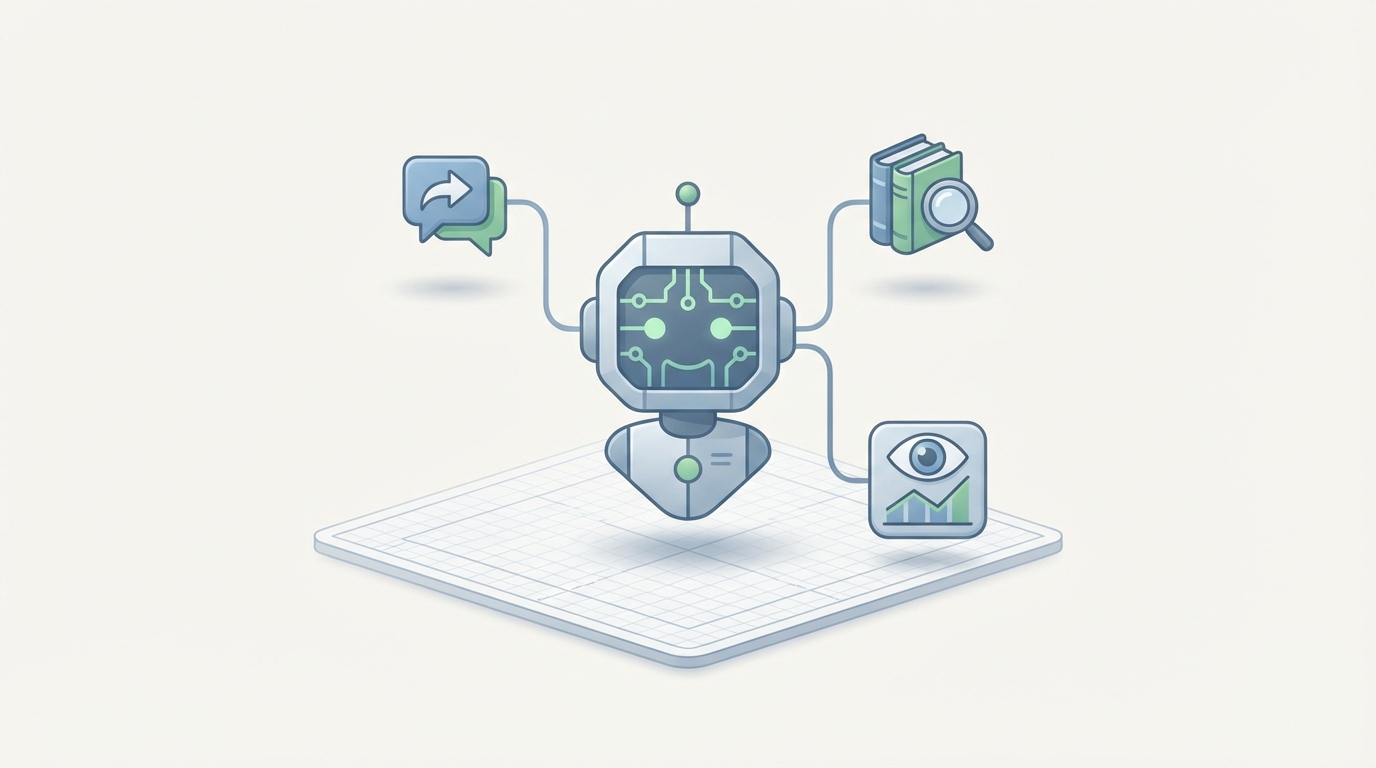
The real move is to keep Tawk.to as your frontend — the widget your visitors already see and trust — and wire an actual AI agent behind it that can understand language, pull real-time data, take actions, and only escalate to a human when it genuinely needs to.
That's what this post is about: building that AI layer with OpenClaw.
Why Not Just Use Tawk.to's Native Bot?
Let's be specific about where the built-in automation breaks down, because understanding this clearly is what makes the AI agent architecture make sense.
Tawk.to's native chatbot can:
- Present decision trees (button-based flows)
- Fire triggers based on page URL, time on site, returning visitor status
- Send canned responses matched to shortcuts
- Convert offline messages to tickets
Tawk.to's native chatbot cannot:
- Understand natural language or intent
- Make external API calls mid-conversation (pull order status from Shopify, check subscription in Stripe, look up a contact in HubSpot)
- Maintain context across multiple messages or visits
- Summarize conversations for agent handoff
- Detect sentiment or urgency
- Execute multi-step workflows (check order → process return → send confirmation email → update CRM)
- Learn from past conversations
- Handle multilingual conversations fluently
- Decide intelligently when to escalate versus when to keep handling
If your support volume is ten chats a day and they're all simple, the native bot is fine. But the moment you're dealing with real volume, real product complexity, or real customer expectations, you hit a wall fast. Users on G2 and Reddit consistently call this out — "trigger hell" is a real phenomenon where your automation rules become an unmaintainable spaghetti of if-then conditions that nobody on your team fully understands anymore.
The Architecture: OpenClaw + Tawk.to
Here's the setup at a high level:
Tawk.to stays as your customer-facing layer. The widget, the mobile apps for your agents, the visitor monitoring dashboard — all of that remains. Your customers never know or care what's running behind the scenes.
OpenClaw becomes the brain. It receives every incoming message via Tawk.to's webhooks, processes it with full natural language understanding, pulls data from your connected systems, decides on a response or action, and sends it back through Tawk.to's REST API. When it can't handle something confidently, it hands off to a human agent with a full context summary.
The data flow looks like this:
Visitor sends message in Tawk.to widget
        ↓
Tawk.to fires webhook (chat.message event)
        ↓
OpenClaw receives the message
        ↓
OpenClaw processes: intent recognition, context lookup,
    knowledge base search, external data pull if needed
        ↓
OpenClaw decides: respond autonomously OR escalate to human
        ↓
If autonomous: sends response via Tawk.to REST API
If escalation: routes to agent with summary + context via API
This is not theoretical. Tawk.to's webhook system supports the events you need: chat.create, chat.message, chat.end, ticket.create, and visitor.isTyping. Their REST API lets you send messages, manage tickets, update visitor properties, and check agent availability. It's not the richest API in the world (it's no Intercom), but it's more than sufficient for this architecture.
Setting Up the Integration
Step 1: Configure Tawk.to Webhooks
In your Tawk.to dashboard, go to Administration → Settings → Webhooks and register your OpenClaw endpoint for the following events:
chat.create— new conversation startedchat.message— any new message in a conversationchat.end— conversation closedticket.create— offline message converted to ticket
Your webhook URL will point to your OpenClaw agent's intake endpoint. The payload from Tawk.to includes the message content, visitor information (name, email, location, current page, device), chat ID, and timestamp — everything you need for context.
Step 2: Build Your OpenClaw Agent's Knowledge Base
This is where most of the actual value comes from, and it's where people usually underinvest. Your OpenClaw agent needs to know your business as well as your best support rep does.
Feed it:
- Your complete FAQ and help documentation
- Product descriptions, pricing tiers, feature comparisons
- Return/refund policies with the specific conditions and exceptions
- Shipping information (carriers, timelines, international rules)
- Common troubleshooting flows
- Sales objection responses and qualification criteria
- Anything your agents currently have pinned in Slack or bookmarked in Notion
OpenClaw lets you structure this as a knowledge base the agent can search contextually — not keyword matching, but actual semantic understanding of what the visitor is asking mapped against what you've documented.
Step 3: Connect Your External Data Sources
This is the part that transforms a chatbot from "slightly useful FAQ search" into something that actually resolves issues. Through OpenClaw, you wire in the systems your agents currently alt-tab between:
Shopify / WooCommerce: Order status, tracking numbers, product availability, customer purchase history.
Stripe / Payment processor: Subscription status, billing history, failed payment details, plan information.
CRM (HubSpot, Pipedrive, etc.): Contact records, deal stage, previous interactions, assigned rep.
Help desk (if separate): Open ticket status, previous resolutions.
Scheduling tools: Available appointment slots for booking demos or calls.
Now when a visitor asks "Where's my order?", the agent doesn't show a decision tree asking for an order number and then telling them to check their email. It asks for identifying info, pulls the order from Shopify in real-time, and says: "Your order #4821 shipped via UPS on Tuesday. Here's your tracking link: [link]. It's currently in transit and estimated to arrive Thursday."
That's the difference between automation that frustrates people and automation that delights them.
Step 4: Define Your Response Logic and Escalation Rules
In OpenClaw, you configure the agent's behavior rules. This is where you get specific about what it handles versus what goes to humans:
Handle autonomously:
- FAQ questions (pricing, features, policies, hours)
- Order status lookups
- Basic troubleshooting (password resets, common error fixes)
- Appointment/demo scheduling
- Lead qualification (asking budget, timeline, company size)
- Simple account changes
Escalate to human with context:
- Complaints with high negative sentiment
- Refund requests above a threshold amount
- Technical issues the agent can't resolve in 2–3 exchanges
- Visitors explicitly asking for a human
- Enterprise or high-value leads (based on company size or deal value signals)
- Any conversation where confidence drops below your set threshold
The escalation is the key part. When OpenClaw hands off to a human agent in Tawk.to, it doesn't just dump them into a cold chat. It passes along a summary: "Visitor is asking about a refund for order #4821 ($340). They received the wrong size. Sentiment is frustrated but not hostile. They've been a customer since 2022 with 7 previous orders." Your human agent walks in fully briefed and can resolve in one or two messages instead of starting from scratch.
Step 5: Implement Proactive Engagement
Tawk.to already has trigger-based proactive messages, but they're static. With OpenClaw processing your visitor monitoring data, you can get much smarter:
// Example: Using Tawk.to's JS API to pass visitor behavior to OpenClaw
Tawk_API.onLoad = function() {
    // Track page visit patterns
    Tawk_API.setAttributes({
        'currentPage': window.location.pathname,
        'visitCount': sessionStorage.getItem('visitCount') || 1,
        'timeOnSite': Math.floor(performance.now() / 1000),
        'referrer': document.referrer
    }, function(error) {});
};

// Listen for visitor behavior signals
Tawk_API.onChatStarted = function() {
    // OpenClaw receives this via webhook and adjusts
    // its response strategy based on accumulated context
};
Instead of "Hey! Need help?" after 30 seconds on every page, your agent can recognize patterns: a visitor who's viewed the pricing page three times in two visits and just landed on the comparison page probably needs a specific nudge about what differentiates your plans. A returning visitor who previously asked about enterprise features and is now on the contact page should get routed toward your sales team immediately.
Five Workflows That Actually Move the Needle
Here are concrete implementations, not hypotheticals:
1. The E-Commerce Support Loop
Visitor asks about an order → OpenClaw identifies intent, asks for order number or email → pulls status from Shopify → delivers tracking info, expected delivery, or flags an issue. If the order is delayed or lost, it automatically creates a ticket in Tawk.to with the full order details attached and notifies the appropriate department.
Impact: This single workflow typically handles 30–40% of all incoming chats for e-commerce businesses.
2. The Lead Qualifier
New visitor starts a chat → OpenClaw engages naturally, asks about their use case, team size, timeline, and budget → scores the lead based on your criteria → if qualified, checks your calendar integration for available demo slots and books directly → pushes the contact and qualification notes to your CRM → notifies your sales rep in Slack with the summary.
Impact: Your sales team only talks to pre-qualified leads. No more spending 15 minutes in chat to discover someone's a student doing research.
3. The After-Hours Agent
Visitor messages at 2am → instead of a generic "We're offline, leave a message" form, OpenClaw handles the conversation fully → resolves if possible, or collects detailed information and creates a rich ticket → when your team starts their day, they see a prioritized queue with full context, not a pile of one-line messages that need follow-up.
Impact: This is the biggest unlock for teams without 24/7 coverage. Many Tawk.to users have agents in different time zones specifically to cover off-hours. An OpenClaw agent handles this gap at a fraction of the cost.
4. The Knowledge Base Deflector
Visitor starts typing a question → OpenClaw recognizes the topic matches an article in your Tawk.to knowledge base → serves a direct, conversational answer synthesized from the article (not just a link dump) → asks if that resolved their question → if yes, closes out. If no, digs deeper or escalates.
Impact: Knowledge base articles are great but nobody reads them proactively. This workflow brings the knowledge base into the conversation contextually.
5. The Post-Chat Automator
Chat ends → OpenClaw automatically generates a summary → tags the conversation by topic, sentiment, and outcome → updates the visitor's CRM record → if action items were promised (someone said "I'll send you the documentation"), creates a task in your project management tool → adds the conversation to your analytics pipeline for topic clustering and trend analysis.
Impact: Eliminates the manual post-chat work that agents either do poorly or skip entirely.
What This Looks Like in Practice
Let me paint the realistic picture. You're an e-commerce brand doing $2M/year with 15,000 monthly visitors and currently handling 800–1,200 chats per month through Tawk.to. You've got two part-time support agents and yourself occasionally jumping in.
Before OpenClaw: Your agents spend 70% of their time on repetitive questions they've answered hundreds of times. Response times during off-hours are terrible. Your Tawk.to triggers are a mess of overlapping rules nobody fully maintains. You've thought about switching to Intercom or Gorgias but can't justify $300+/month.
After OpenClaw: The AI agent handles 600–900 of those monthly chats autonomously. Your agents focus on complex issues, VIP customers, and the conversations that actually require human judgment. Response time drops from minutes to seconds for the majority of queries. Off-hours coverage goes from "leave a message" to full conversational support. And you're still running on Tawk.to's free plan for the widget.
You didn't have to migrate platforms. You didn't have to retrain your team on a new interface. You added intelligence to the system you already had.
The Honest Limitations
A few things to be upfront about:
Tawk.to's API isn't the most sophisticated. Rate limits are reasonable for SMB volume but could become a constraint if you're processing thousands of concurrent chats. The webhook payload is useful but not as detailed as what you'd get from Intercom's API.
The AI agent is only as good as its knowledge base. If you feed it thin documentation, it'll give thin answers. The setup work — building out comprehensive knowledge, connecting your data sources, defining escalation rules — is real work. It's not a "turn it on and forget it" situation.
You still need humans. The goal isn't zero human agents. It's humans handling the 20–30% of conversations where they add genuine value: complex problems, emotional situations, high-stakes negotiations, creative solutions. The AI handles the other 70–80% so your people can do what humans are actually good at.
Getting Started
If you're running Tawk.to and spending more than a few hours a day on repetitive chat support, this is worth exploring. The integration is straightforward, the ROI is typically obvious within the first month, and you don't have to rip out anything you've already built.
The fastest path: Clawsourcing. The team will scope your Tawk.to setup, identify which workflows to automate first, build your OpenClaw agent with the right knowledge base and integrations, and get you live. You keep your existing Tawk.to widget and team workflow. You just stop making humans do robot work.
Start there. See what 80% fewer repetitive chats actually feels like for your team. Then decide how deep you want to go.