AI Agent for Roam Research: Automate Note Organization, Graph Maintenance, and Knowledge Extraction
Automate Note Organization, Graph Maintenance, and Knowledge Extraction
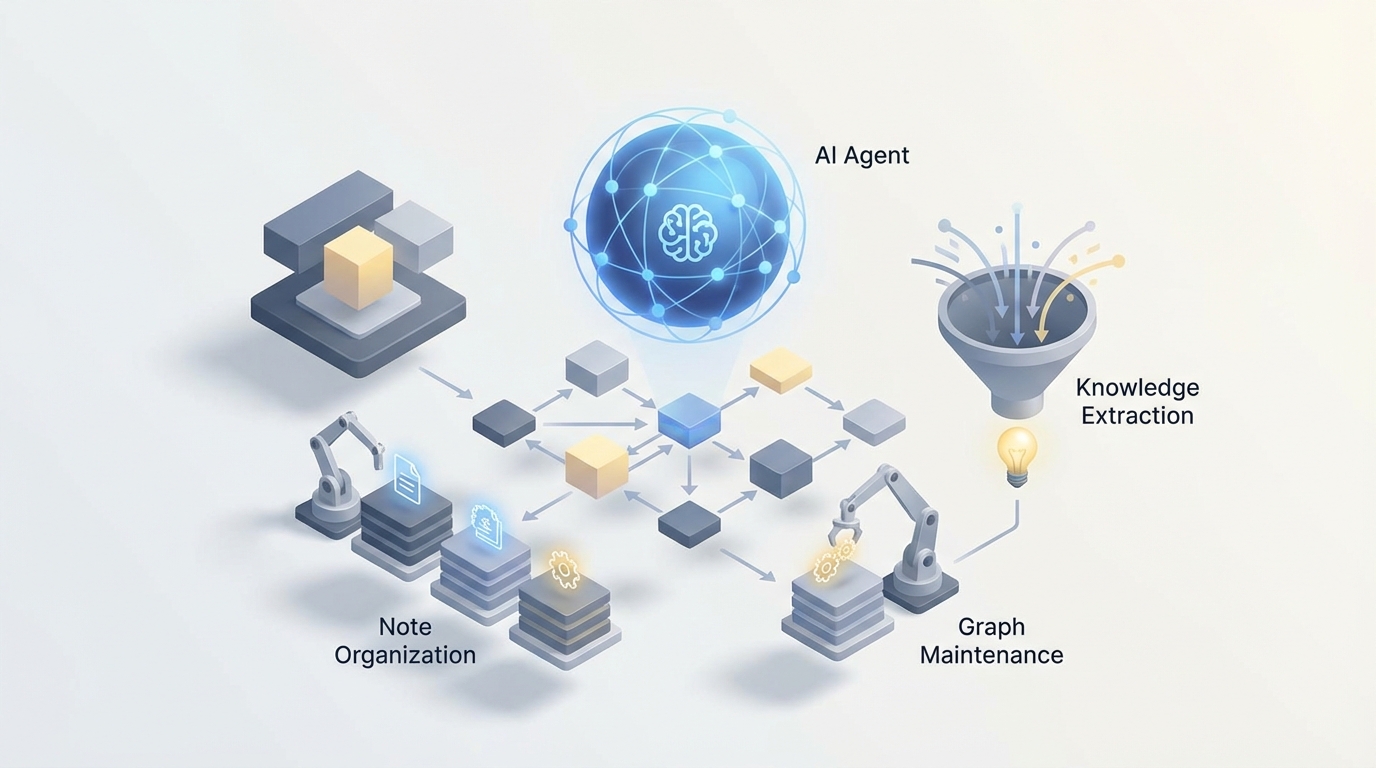
Let's be honest about Roam Research: it's one of the most powerful thinking tools ever built, and it's also one of the most frustrating to maintain at scale.
The bidirectional linking is brilliant. The block-based architecture is genuinely unique. Daily Notes as a universal inbox is the kind of deceptively simple design that changes how you think. But here's the problem every serious Roam user eventually hits: the graph grows, conventions drift, orphaned pages multiply, and suddenly your "second brain" feels more like a cluttered attic than an intelligence engine.
You know exactly what I mean if you've been using Roam for more than six months on a team. Meeting notes pile up without proper backlinks. Tags get inconsistent — is it #blocked or #status/blocked or [[Blocked]]? Someone new joins and has no idea how to navigate the graph. The weekly review you swore you'd do every Friday hasn't happened since March.
Roam's built-in automation capabilities won't save you here. There are no scheduled jobs, no server-side logic, no webhooks. SmartBlocks help with templates but can't think for you. The roam/js ecosystem is impressive but fragile — browser-side scripts that break when you sneeze.
What actually solves this is an AI agent that connects to your Roam graph via API, understands the structure and semantics of your notes, and takes autonomous action to keep everything organized, surfaced, and useful. Not Roam's own features. A custom agent you control, built on OpenClaw, that treats your Roam graph as a living knowledge base it actively maintains.
Let me walk through exactly how this works and what it looks like in practice.
The Architecture: OpenClaw + Roam Graph API
Roam launched its official Graph API in 2022-2023, and while it's not the most robust API in the world, it's enough to build serious automation on top of. You get REST endpoints for reading pages and blocks, creating and updating content, querying with Datalog, and managing hierarchy. Rate limits are strict and there are no webhooks, but for an agent that runs on a schedule — say, every 30 minutes or at the end of each day — it's perfectly workable.
Here's the basic integration pattern with OpenClaw:
- OpenClaw agent connects to your Roam graph via API token
- Agent pulls recent changes (new blocks, modified pages, Daily Notes entries)
- Agent processes content through its reasoning engine — classifying, linking, summarizing, flagging
- Agent writes back to Roam — adding tags, creating backlinks, generating summary blocks, updating dashboards
- Agent can also push data outward — Slack notifications, Linear tickets, email digests
The OpenClaw agent acts as the persistent intelligence layer that Roam itself doesn't provide. It runs server-side, on a schedule you define, with full access to your graph's context.
Here's what a basic connection looks like:
# OpenClaw agent configuration for Roam Research integration

agent_config = {
    "platform": "openclaw",
    "integration": "roam_research",
    "credentials": {
        "graph_name": "your-team-graph",
        "api_token": "roam_api_token_here"
    },
    "schedule": "every_30_minutes",
    "capabilities": [
        "read_pages",
        "read_blocks",
        "write_blocks",
        "create_pages",
        "query_datalog",
        "semantic_analysis"
    ]
}

# Define what the agent monitors
watch_patterns = {
    "new_daily_notes": True,
    "meeting_pages": "[[Meeting]]",
    "unlinked_references": True,
    "orphaned_blocks": True,
    "task_status_changes": ["#TODO", "#DONE", "#blocked"]
}
This isn't theoretical. Let me show you the specific workflows where this setup transforms how a team uses Roam.
Workflow 1: Automatic Semantic Linking and Tagging
This is the single highest-value automation you can build, and it directly addresses Roam's biggest maintenance headache.
Here's the problem: someone on your team writes a meeting note that says "Sarah mentioned they're reconsidering the enterprise pricing model." That note contains critical intelligence, but unless the author manually adds [[Sarah]], [[Enterprise Pricing]], and [[Decision Log]] references, it's effectively invisible. It exists in the graph but contributes nothing to the network.
An OpenClaw agent solves this by processing every new block and identifying entities, topics, and relationships that should be linked.
# OpenClaw agent workflow: auto-linking

def process_new_blocks(agent, blocks):
    for block in blocks:
        # Agent analyzes block content against full graph context
        analysis = agent.analyze(
            content=block.text,
            context="full_graph",
            task="identify_entities_and_topics"
        )

        # Suggested links based on existing pages in the graph
        suggested_links = analysis.match_existing_pages(
            threshold=0.85,  # High confidence only
            exclude_already_linked=True
        )

        # Agent adds links inline or as child blocks
        for link in suggested_links:
            if link.confidence > 0.95:
                # High confidence: auto-apply
                agent.update_block(
                    block_id=block.uid,
                    action="add_inline_reference",
                    reference=link.page_name
                )
            elif link.confidence > 0.85:
                # Medium confidence: add as suggestion
                agent.add_child_block(
                    parent_uid=block.uid,
                    content=f"🤖 Suggested link: [[{link.page_name}]] (relevance: {link.reason})"
                )
The key detail here is that the agent matches against existing pages in your graph, not some generic knowledge base. It knows your team's vocabulary, your project names, your client names, your internal terminology. When someone mentions "the Q3 migration issue," the agent knows that maps to [[Project Helios]] [[Migration]] [[Q3 2026]] because those pages exist and have established context.
After running this for a week, teams typically see their unlinked references drop by 60-70%. The graph starts to actually function as the interconnected knowledge network it was designed to be.
Workflow 2: Intelligent Meeting Note Processing
Meeting notes in Roam are either beautifully structured (rare) or a stream-of-consciousness dump (common). An OpenClaw agent can normalize them automatically.
The workflow:
- Agent detects a new page tagged with
[[Meeting]] - Agent reads the raw content
- Agent generates structured output: summary, action items, decisions made, open questions, people mentioned
- Agent writes this structure back as child blocks with proper tags
- Agent creates or updates linked pages (e.g., adds a reference on the
[[Project X]]page noting that a meeting occurred)
# Meeting note processing pipeline

def process_meeting_note(agent, page):
    raw_content = agent.read_page(page.title)

    processed = agent.process(
        content=raw_content,
        template="meeting_note_extraction",
        output_format={
            "summary": "2-3 sentence executive summary",
            "action_items": "list with [[owner]] and #TODO tag",
            "decisions": "list with rationale, tagged #decision",
            "open_questions": "list tagged #open-question",
            "people_mentioned": "list of [[Person]] references",
            "projects_referenced": "list of [[Project]] references"
        }
    )

    # Write structured content back to the page
    agent.append_blocks(
        page_title=page.title,
        blocks=[
            {"content": "**Summary**", "children": [processed.summary]},
            {"content": "**Action Items**", "children": processed.action_items},
            {"content": "**Decisions**", "children": processed.decisions},
            {"content": "**Open Questions**", "children": processed.open_questions}
        ]
    )

    # Cross-reference: add meeting link to each referenced project page
    for project in processed.projects_referenced:
        agent.append_block(
            page_title=project,
            content=f"📋 Meeting: [[{page.title}]] — {processed.summary[:100]}..."
        )
This is transformative for consulting firms and agencies managing multiple clients. Every meeting automatically enriches the client's page, the project's page, and each person's page with context. When you pull up [[Acme Corp]] six months later, you see every interaction, decision, and open thread without having to manually curate anything.
Workflow 3: Graph Maintenance and Hygiene
Roam graphs rot. It happens to everyone. Pages get created with slightly different names ([[Weekly Review]] vs [[weekly review]] vs [[Weekly Reviews]]). Blocks get orphaned when parent structures change. Tags drift as team conventions evolve.
An OpenClaw agent can run a nightly maintenance cycle:
# Graph hygiene workflow — runs nightly

def nightly_maintenance(agent):
    # 1. Find near-duplicate pages
    duplicates = agent.find_similar_pages(
        similarity_threshold=0.90,
        method="semantic_and_syntactic"
    )
    for dup_group in duplicates:
        agent.create_block(
            page_title="[[Agent: Maintenance Log]]",
            content=f"⚠️ Possible duplicates: {', '.join(['[[' + p + ']]' for p in dup_group])}"
        )

    # 2. Find orphaned pages (no backlinks, no recent edits)
    orphans = agent.query("""
        [:find ?page
         :where
         [?p :node/title ?page]
         (not [?b :block/refs ?p])
         [?p :edit/time ?t]
         [(< ?t :30-days-ago)]]
    """)

    # 3. Enforce naming conventions
    convention_violations = agent.check_conventions(
        rules={
            "people": "First Last format, capitalized",
            "projects": "Project: Name format",
            "tags": "lowercase with hyphens"
        }
    )

    # 4. Generate health report
    agent.create_daily_report(
        page_title=f"[[Graph Health Report]]",
        metrics={
            "total_pages": agent.count_pages(),
            "orphaned_pages": len(orphans),
            "duplicate_candidates": len(duplicates),
            "convention_violations": len(convention_violations),
            "unlinked_references": agent.count_unlinked_refs()
        }
    )
This alone justifies the entire agent setup. Instead of spending two hours every month auditing your graph (which, let's be real, you probably never do), the agent handles it every night and surfaces only the issues that need human judgment.
Workflow 4: Natural Language Querying
Roam's Datalog queries are powerful and absolutely hostile to anyone who hasn't written Clojure. Most team members will never write a query. They'll just scroll through pages hoping to find what they need.
An OpenClaw agent can translate natural language into Roam queries and return formatted results:
# Natural language query interface

def handle_query(agent, question):
    """
    User asks: "What did we decide about pricing for the enterprise tier?"
    Agent translates to Datalog, searches semantic index, returns answer.
    """

    # Step 1: Search the semantic index (vector embeddings of all blocks)
    semantic_results = agent.semantic_search(
        query=question,
        top_k=20,
        filter_tags=["#decision", "pricing", "enterprise"]
    )

    # Step 2: Also run a structural query
    structural_results = agent.query_roam(
        tags=["decision"],
        keywords=["pricing", "enterprise"],
        date_range="last_6_months"
    )

    # Step 3: Synthesize results
    answer = agent.synthesize(
        question=question,
        sources=semantic_results + structural_results,
        format="answer_with_citations"
    )

    return answer
    # Output: "In the March 15 meeting with [[Sarah Chen]], the team decided to
    # move enterprise pricing to usage-based tiers starting Q3. This was confirmed
    # in the [[Q2 Planning]] session. See: ((block-ref-1)), ((block-ref-2))"
Notice the output includes block references. The agent doesn't just answer the question — it links back to the source blocks in your graph so you can verify and explore the context. This is the difference between a generic chatbot and an agent that actually understands your knowledge system.
Workflow 5: Proactive Insight Surfacing
This is where things get genuinely interesting. An agent that has processed your entire graph can detect patterns you'd never see manually.
Contradiction detection: "Note from April says we're targeting SMBs first, but the June strategy doc mentions enterprise-first GTM. These may conflict."
Stale decision flagging: "The decision to use Vendor X for payments was made 8 months ago and referenced a comparison that's now outdated. Three newer blocks mention dissatisfaction with Vendor X."
Connection discovery: "Your notes on customer churn patterns from the research sprint are semantically similar to the retention framework [[Maria]] captured from the conference. These haven't been linked."
Weekly digest generation: Every Monday morning, the agent drops a summary block into your Daily Notes — what changed last week, what decisions were made, what's still open, what connections emerged.
# Weekly digest generation

def generate_weekly_digest(agent):
    week_activity = agent.get_activity(period="last_7_days")

    digest = agent.synthesize(
        data=week_activity,
        template="weekly_digest",
        sections=[
            "key_decisions_made",
            "new_connections_discovered",
            "tasks_completed_vs_created",
            "stale_items_needing_attention",
            "emerging_themes"
        ]
    )

    agent.add_to_daily_notes(
        content=f"## 🤖 Weekly Graph Digest\n{digest}",
        position="top"
    )
This transforms Roam from a passive repository into an active thinking partner. The graph starts working for you instead of the other way around.
Workflow 6: External Integration Hub
One of Roam's biggest weaknesses for teams is its isolation. No native integrations with Slack, Linear, email, calendars, or CRMs. An OpenClaw agent fills this gap completely:
- Calendar → Roam: Before each meeting, the agent pre-creates a meeting note page with attendee links, previous meeting summaries, and open action items
- Roam → Slack: When a block tagged
#announceor#team-updateis created, the agent posts a formatted summary to the appropriate Slack channel - Roam → Linear: Action items tagged
#ticketautomatically become Linear issues with context from the surrounding blocks - Email → Roam: Forwarded emails get parsed and added to the relevant project or client page with extracted action items
- CRM → Roam: Deal stage changes in your CRM trigger updates on the corresponding company page in Roam
This is how you make Roam the actual center of your knowledge workflow instead of yet another tool in the stack.
Why OpenClaw Instead of Hacking It Together
You could theoretically build all of this with a bunch of Python scripts, a vector database, direct OpenAI API calls, and a cron job. People have tried. Here's what happens:
The scripts break when Roam's API changes. The embedding pipeline needs constant maintenance. Rate limiting causes silent failures. There's no monitoring, no error recovery, no way to adjust the agent's behavior without rewriting code. It works for a week and then rots — ironic, given the whole point is to prevent graph rot.
OpenClaw gives you the agent infrastructure so you can focus on the workflows, not the plumbing. Persistent memory across runs. Managed scheduling. Built-in error handling and retry logic. A reasoning engine that can handle complex multi-step tasks like "read this meeting note, extract action items, cross-reference with existing project tasks, identify duplicates, and only create new items for genuinely new work." The kind of nuanced judgment that falls apart when you try to hardcode it with if-else chains.
The other critical piece: OpenClaw agents maintain context over time. They don't just process each block in isolation. They build an evolving understanding of your graph — the relationships between projects, the team's conventions, the patterns in how knowledge flows. A script doesn't do that. An agent does.
Getting Started: The Practical Path
Don't try to build all six workflows at once. Here's the order I'd recommend:
Week 1: Auto-linking and tagging. This is the highest-ROI, lowest-risk starting point. The agent reads new content and suggests or creates links. You review the suggestions for a few days, tune the confidence thresholds, then let it run autonomously.
Week 2: Meeting note processing. Once you trust the linking behavior, add structured extraction for meeting notes. This has immediate visible value for the whole team.
Week 3: Nightly maintenance. Turn on the hygiene workflow. Let it find duplicates, orphans, and convention violations. Review the reports and let the agent start auto-fixing the obvious stuff.
Week 4: Digest and insights. Now that the graph is cleaner and better-linked, the weekly digest and insight surfacing become dramatically more useful. The agent has enough context to find genuinely interesting connections.
After that: External integrations based on your specific stack and needs.
Each step builds on the previous one. The agent gets smarter as the graph gets cleaner, and the graph gets cleaner as the agent runs. Virtuous cycle.
The Bottom Line
Roam Research is a genuinely brilliant tool with a genuinely frustrating gap: it expects you to do all the maintenance, all the linking, all the synthesis manually. That was maybe acceptable when it launched and graphs were small and fresh. It's not acceptable when you're running a team and the graph is the backbone of your institutional knowledge.
An OpenClaw agent turns your Roam graph from a passive note collection into an active knowledge system that organizes itself, surfaces what matters, and integrates with everything else you use. The API support is there. The agent infrastructure is there. The workflows are well-defined.
The only question is whether you keep spending hours on manual graph maintenance or let an agent handle it while you focus on the thinking that actually matters.
Need help building a custom AI agent for your Roam Research workflow? Our Clawsourcing team can design and deploy an OpenClaw agent tailored to your graph structure, team conventions, and integration needs. Whether it's auto-linking, meeting processing, or full knowledge automation — we'll scope it, build it, and get it running. Get started with Clawsourcing →