AI Agent for PhantomBuster: Automate Lead Generation, Social Scraping, and Outreach Workflows
Automate Lead Generation, Social Scraping, and Outreach Workflows
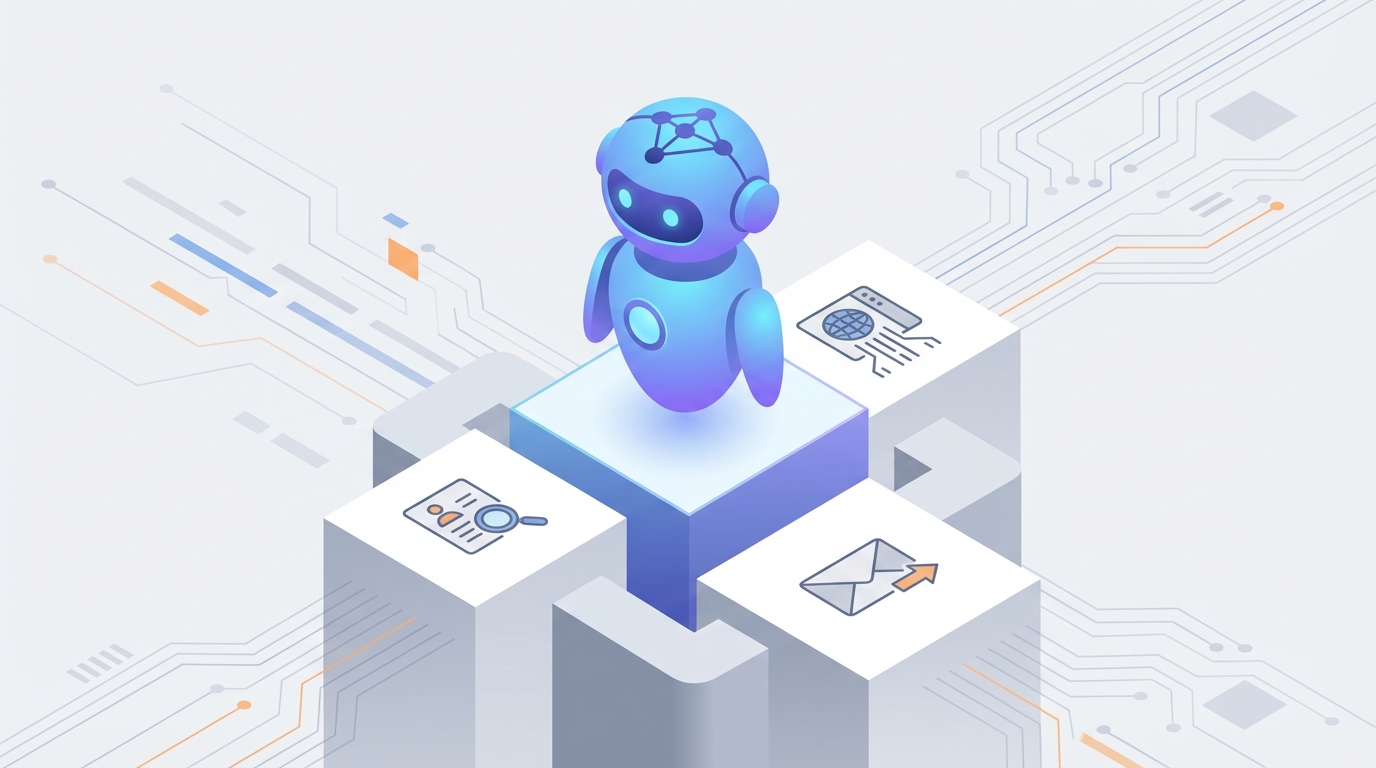
PhantomBuster is one of the best tools on the market for scraping LinkedIn profiles, auto-connecting with prospects, and pulling lead data from half a dozen platforms at once. If you've ever built a sales pipeline from scratch, you've probably touched it. It does the mechanical work—extraction, sequencing, exporting—better than almost anything else out there.
But here's where it falls apart: PhantomBuster doesn't think.
It can scrape 500 LinkedIn profiles for you. It cannot tell you which 30 of those profiles are actually worth reaching out to. It can send a connection request with a personalized {firstName} merge field. It cannot read someone's recent posts, understand their company's situation, and write a message that sounds like a human being who actually cares. It can chain a few phantoms together. It cannot recover gracefully when one breaks, reroute logic, or decide on the fly that a different approach is needed.
This is the gap. And it's exactly what a custom AI agent built on OpenClaw fills.
Not PhantomBuster's built-in AI features (which are minimal). Not some prompt duct-taped onto ChatGPT. A proper AI agent that connects to PhantomBuster's API, adds a layer of intelligence on top, and turns your lead generation from a brute-force operation into something that actually reasons about what it's doing.
Let me walk through exactly how this works.
The Architecture: OpenClaw as the Brain, PhantomBuster as the Hands
Think of it this way: PhantomBuster is phenomenal at executing specific tasks. Scrape this list. Send this message. Extract these emails. It's the hands.
What it lacks is a brain—something that can look at incoming data, make decisions, plan multi-step workflows, handle exceptions, and learn from results.
OpenClaw is that brain. It's the AI agent platform where you build autonomous workflows that can call external APIs, process data with LLM reasoning, maintain memory across runs, and take action based on context rather than rigid rules.
The integration looks like this:
OpenClaw Agent
  ├── Monitors PhantomBuster via API (webhook listeners, polling)
  ├── Triggers phantoms programmatically based on conditions
  ├── Processes results with LLM reasoning (scoring, filtering, analysis)
  ├── Enriches data by cross-referencing multiple sources
  ├── Generates personalized content (messages, emails)
  ├── Routes qualified leads to CRM / notification channels
  └── Handles errors, retries, and adaptive logic
PhantomBuster's REST API gives you everything you need: launch phantoms, check execution status, retrieve results as JSON, manage quotas, and receive webhooks when jobs finish. OpenClaw agents can call all of these endpoints as tool actions within their workflows.
The result is a system that's significantly more capable than either tool alone.
Workflow 1: Intelligent LinkedIn Lead Generation
This is the most common PhantomBuster use case, and it's also the one that benefits most from AI augmentation.
The Typical (Dumb) Way
- Run LinkedIn Sales Navigator search
- Scrape all results with PhantomBuster's Profile Scraper
- Run Email Finder phantom on all profiles
- Dump everything into a Google Sheet
- Send the same templated connection request to everyone
- Hope for the best
This works at scale, but the conversion rates are terrible because there's zero intelligence in the pipeline. You're treating a VP of Engineering at a 50-person startup the same as a junior developer at a Fortune 500. The messages feel generic because they are generic.
The OpenClaw Way
Here's how an OpenClaw agent transforms this workflow:
Step 1: Trigger and Collect
The agent launches PhantomBuster's LinkedIn Search Export phantom via API:
# OpenClaw agent action: Launch phantom
phantom_id = "your-search-export-phantom-id"
response = phantombuster_api.launch(
    phantom_id=phantom_id,
    arguments={
        "searchUrl": sales_navigator_search_url,
        "numberOfProfiles": 200
    }
)
When the phantom finishes, a webhook fires to the OpenClaw agent, which picks up the raw results.
Step 2: AI-Powered Lead Scoring
This is where the magic happens. Instead of dumping raw data into a sheet, the OpenClaw agent processes each profile through an LLM reasoning step:
For each scraped profile, the agent evaluates:
- Does this person's role match our ICP?
- Company size, industry, and growth signals
- Recent job changes (new roles = buying windows)
- Mutual connections and shared groups
- Content activity (do they post? what about?)

Output: Score 1-10 with reasoning, categorized as:
  - HOT (8-10): Immediate outreach
  - WARM (5-7): Nurture sequence
  - COLD (1-4): Skip or archive
The agent doesn't just check "title contains VP"—it reasons about whether this specific person at this specific company is likely a good fit based on everything available. This is something PhantomBuster fundamentally cannot do because it has no reasoning layer.
Step 3: Selective Enrichment
Instead of burning your PhantomBuster credits enriching every single scraped profile, the OpenClaw agent only triggers the Email Finder and Company Scraper phantoms for HOT and WARM leads. This alone can cut your PhantomBuster costs by 40-60%.
# Only enrich qualified leads
if lead.score >= 5:
    phantombuster_api.launch(
        phantom_id=email_finder_phantom,
        arguments={"linkedinUrl": lead.profile_url}
    )
Step 4: Deep Research and Personalization
For HOT leads, the agent goes further. It pulls in the prospect's recent LinkedIn posts (via another phantom), their company's recent news, and any available public information. Then it synthesizes all of this into a personalized outreach message.
Not "Hi {firstName}, I noticed we're both in {industry}" garbage. Actual personalization like:
"Hey Sarah — saw your post about migrating from Segment to a first-party data stack. We just helped a similar-sized e-commerce team cut their data pipeline costs by 60% doing exactly that. Worth a quick chat?"
The OpenClaw agent generates these messages by reasoning over the prospect's actual context. Each one is different. Each one references something real. This is the difference between a 5% reply rate and a 25% reply rate.
Step 5: Orchestrated Outreach
The agent then triggers PhantomBuster's LinkedIn Auto-Connect phantom with the personalized messages, staggered across time to avoid LinkedIn's rate limits. It tracks which connection requests are accepted, which messages get replies, and feeds that data back into its reasoning for future outreach.
# Launch connection request with personalized note
phantombuster_api.launch(
    phantom_id=auto_connect_phantom,
    arguments={
        "linkedinUrl": lead.profile_url,
        "message": agent_generated_message  # Unique per lead
    }
)
The entire pipeline—from search to qualified, personalized outreach—runs autonomously. You set the parameters, the OpenClaw agent handles the rest.
Workflow 2: Self-Healing Scraping Operations
Anyone who's used PhantomBuster for more than a few months knows the pain: phantoms break. LinkedIn changes a CSS class, Google Maps updates their layout, or a site adds a new anti-bot measure, and suddenly your carefully configured automation is spitting out empty results or erroring out entirely.
An OpenClaw agent monitoring your PhantomBuster operations can detect and respond to these failures automatically.
The Detection Layer:
The agent polls phantom execution results via the API on a schedule (or listens for webhooks). When it notices anomalies—empty result sets, dramatically fewer results than expected, error statuses, or data that doesn't match expected schemas—it flags the issue immediately.
# Agent monitors execution results
results = phantombuster_api.get_results(phantom_id)

if len(results) == 0 and expected_results > 50:
    # Phantom likely broken
    agent.trigger_diagnostic_workflow()
elif results_schema_mismatch(results):
    # Output format changed
    agent.trigger_adaptation_workflow()
The Response Layer:
Depending on the failure type, the agent can:
- Retry with different parameters (different search URL, smaller batch size)
- Switch to a backup phantom configured with alternative selectors
- Alert your team via Slack/email with a diagnostic summary
- Pause downstream workflows to prevent bad data from polluting your CRM
- Log the failure pattern so it can anticipate similar issues in the future
This turns PhantomBuster from a tool that requires constant babysitting into a resilient system that handles its own problems. The time savings alone are substantial—most teams spend 3-5 hours per week troubleshooting broken phantoms.
Workflow 3: Multi-Platform Intelligence Gathering
One of PhantomBuster's strengths is that it works across multiple platforms—LinkedIn, Twitter/X, Instagram, Google Maps, and others. But chaining phantoms across platforms is clunky, and PhantomBuster has no ability to synthesize information from different sources into a coherent picture.
An OpenClaw agent can orchestrate a multi-platform research workflow like this:
- LinkedIn: Scrape a target account's company page, key employees, recent updates
- Twitter/X: Pull recent tweets from the company and key decision-makers
- Google Maps: Get company details, reviews, location data
- Company website: Extract key messaging, product pages, recent blog posts (via web scraping tools)
The agent then synthesizes all of this into a prospect intelligence brief:
COMPANY: Acme Corp
DECISION MAKER: Jane Doe, VP of Operations
KEY INSIGHTS:
- Recently posted about scaling challenges (LinkedIn, 3 days ago)
- Company has 2.3 stars on Google Maps (potential pain point: customer experience)
- Twitter shows they just launched a new product line
- Website mentions they're hiring for 3 ops roles (growing team = potential budget)

RECOMMENDED APPROACH: Lead with operational efficiency angle.
Reference their scaling post. Avoid mentioning reviews.
PRIORITY: 8/10
No human assembled this. The OpenClaw agent did, by orchestrating PhantomBuster phantoms across platforms and then reasoning over the combined data. Try getting that from a Zapier chain.
Workflow 4: Compliance-Aware Data Processing
This one matters more than most people realize. GDPR and CCPA apply to the data PhantomBuster scrapes, and most users are doing exactly zero compliance work on their lead data.
An OpenClaw agent can add a compliance layer:
- Filter out EU-based contacts when you don't have a lawful basis for processing their data
- Check for opt-out signals (e.g., "no solicitation" in LinkedIn profiles)
- Apply data minimization — only store the fields you actually need, discard the rest
- Auto-expire stale data — delete enriched contact info after a set period
- Generate processing records for GDPR documentation requirements
This isn't sexy, but it's the difference between running a legitimate sales operation and accumulating legal liability.
Why OpenClaw, Specifically
You might be wondering: why build this on OpenClaw instead of just writing some Python scripts that call the PhantomBuster API and an LLM?
Because the orchestration is the hard part. The individual API calls are trivial. What's difficult is:
- Maintaining state across multi-step workflows that run over hours or days
- Error handling that's intelligent rather than just try/catch blocks
- Memory that persists across runs so the agent learns from past results
- Tool orchestration where the agent decides which PhantomBuster phantoms to use and in what order based on the situation
- Guardrails that prevent the agent from doing something stupid, like burning through your entire PhantomBuster quota in one run
OpenClaw provides the agent infrastructure for all of this. You define the tools (PhantomBuster API endpoints), the reasoning logic, the memory systems, and the guardrails. OpenClaw handles the execution, monitoring, and state management.
You're not building from scratch. You're configuring an agent on a platform purpose-built for exactly this kind of autonomous workflow.
Implementation: Getting Started
Here's a practical starting point if you want to build this:
Phase 1: Monitoring Agent (Week 1)
- Connect OpenClaw to PhantomBuster's API
- Set up webhook listeners for phantom completions
- Build a simple monitoring workflow that alerts you to failures and empty results
- This alone saves hours of manual checking
Phase 2: Intelligence Layer (Week 2-3)
- Add lead scoring to your existing scraping workflows
- Implement selective enrichment (only enrich qualified leads)
- Set up a data quality check that flags incomplete or suspicious results
Phase 3: Personalization Engine (Week 3-4)
- Build the research agent that pulls multi-source data for qualified leads
- Generate personalized outreach messages
- A/B test AI-generated messages against your current templates
Phase 4: Full Autonomy (Week 5+)
- Connect outreach triggers so the agent launches phantoms for approved leads
- Implement response tracking and feedback loops
- Add compliance checks and data lifecycle management
Each phase delivers standalone value. You don't need to build the whole thing to start seeing results.
The Math That Matters
Let's be concrete about ROI:
- Lead quality: AI scoring eliminates 40-60% of unqualified leads before enrichment. That's direct cost savings on PhantomBuster credits and downstream time waste.
- Reply rates: Personalized messages based on actual research consistently hit 20-30% reply rates vs. 5-8% for templated outreach. Same volume, 3-4x the conversations.
- Time savings: Self-healing monitoring and autonomous error handling save 3-5 hours/week of manual phantom management.
- Reduced account risk: Smarter rate limiting and behavior patterns reduce the chance of LinkedIn restrictions, which can cost you weeks of downtime.
The teams getting the most out of PhantomBuster in 2026 aren't the ones running more phantoms. They're the ones running smarter phantoms with an AI layer directing traffic.
Next Steps
If you're already using PhantomBuster and want to layer intelligence on top without rebuilding everything from scratch, this is exactly the kind of integration we build through Clawsourcing.
We'll scope your current PhantomBuster workflows, identify the highest-leverage points for AI augmentation, and build OpenClaw agents tailored to your specific pipeline. No generic templates. No "AI-powered" marketing fluff. Just agents that make your existing tools work harder.
Get started with Clawsourcing →
Your PhantomBuster subscription is already doing the heavy lifting on data collection. The question is whether you're leaving 80% of that data's value on the table because nothing intelligent is sitting between the scrape and the spreadsheet.
Recommended for this post
Three-level OODA strategy, five-phase Ralph execution, and a recursive feedback engine. Your agent gets faster — this makes it get better.
 JerryRunsOps
Aero
Content Marketer
Content strategist that builds your social pipeline, not just your posts. 20+ Core Capabilities.
 Clarence Maker
Aaron
Content Operator
Runs your content pipeline on autopilot. Best for X, IG, FB, LinkedIn. Repurposing engine, content management, & performance digest. 16+ Core Capabilities.
Clarence Maker