AI Agent for Obsidian: Automate Knowledge Management, Note Linking, and Vault Organization
Automate Knowledge Management, Note Linking, and Vault Organization
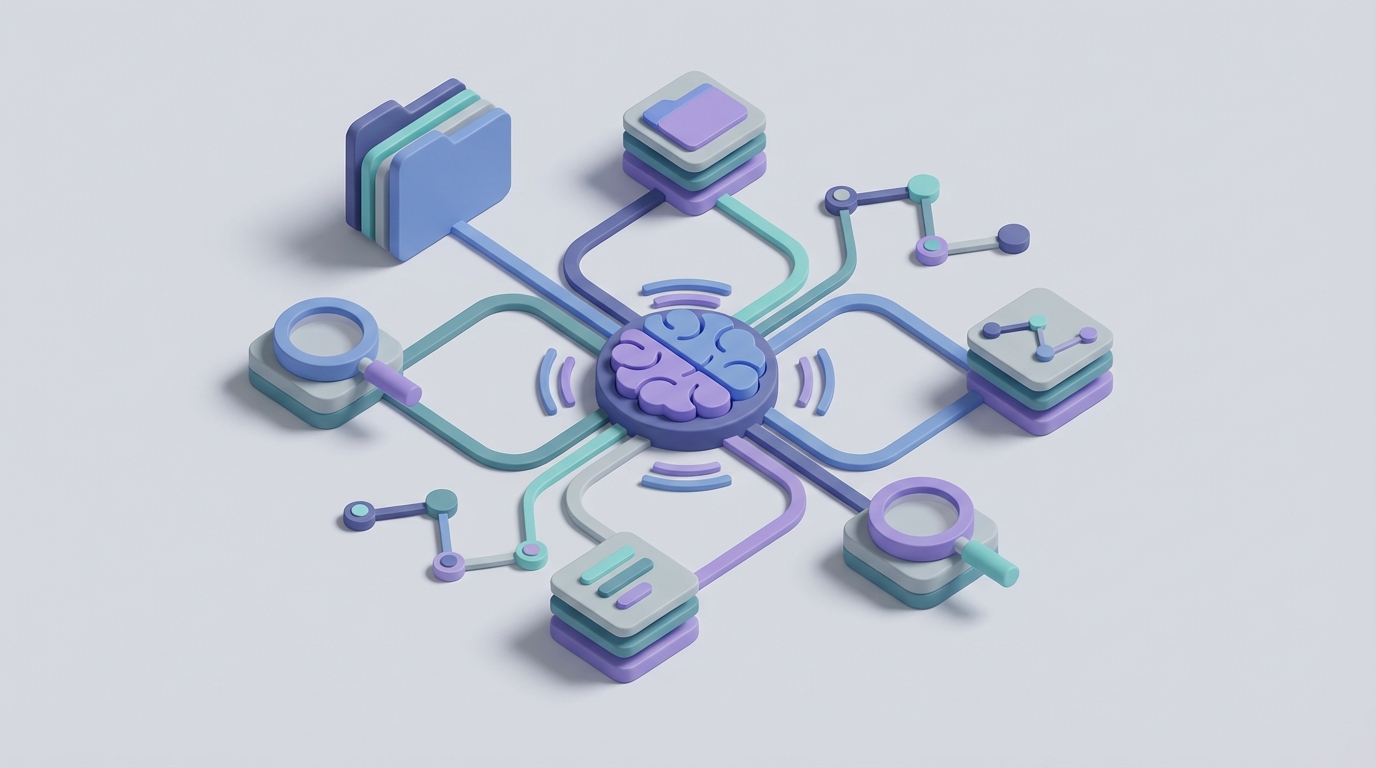
If you've been running your company's knowledge base out of Obsidian, you already know the deal: it's the best tool for building a densely linked, locally owned repository of everything your team knows. Markdown files, bi-directional links, a plugin ecosystem that actually works. No vendor lock-in. No surprise pricing changes that gut your workflow overnight.
But you also know the other side. The part where your vault hits 3,000 notes and nobody can find anything without already knowing where it is. The part where meeting notes pile up with action items that never get extracted. The part where your new hire stares at the graph view like it's abstract art and says, "So... where do I start?"
Obsidian is an incredible knowledge container. It is not, out of the box, a knowledge worker. It stores what you put in. It links what you tell it to link. It surfaces what you already know to search for. Everything else — the synthesis, the pattern recognition, the "hey, did you realize these three projects are all blocked on the same legal review?" — that's on you.
This is the exact gap where a custom AI agent changes everything. Not Obsidian's built-in search. Not a chatbot bolted onto the side. An actual agent with persistent memory, tool-calling capabilities, and read/write access to your vault through the API — built on OpenClaw.
Let me walk through what this looks like in practice, how the integration works, and what you can realistically automate today.
Why Obsidian's Built-in Automation Falls Short
Let's be honest about what Obsidian gives you natively on the automation front: almost nothing.
Core Obsidian has basic templates (no logic), hotkeys, and the command palette. That's it. No conditional logic. No scheduling. No webhooks. No "when this happens, do that" rules. No external integrations without plugins.
Even with the popular plugin stack — Templater, QuickAdd, Dataview, Tasks — you're still writing JavaScript snippets, praying that plugin updates don't break each other, and running without any error handling or logging. There's no reliable way to schedule anything without hacking together cron jobs with the obsidian:// URI protocol. And there's absolutely no native AI capability.
This is the single biggest limitation for any team trying to use Obsidian as a serious business tool. The knowledge is there. The structure is there. But making the vault do work on your behalf requires an external brain.
The Architecture: OpenClaw + Obsidian Plugin API
Here's how the pieces fit together.
Obsidian has a robust TypeScript plugin API running on Electron. Through it, you get access to:
- Vault API (
this.app.vault) — read, create, modify, delete, and rename files and folders - MetadataCache API — access frontmatter, backlinks, embeds, headings, and tags
- Editor API — programmatic text insertion and markdown manipulation
- Workspace API — custom views, panels, and modals
- Commands API — register new commands in the command palette
- Event system — listen for file modifications, active leaf changes, and more
- Dataview API — query the vault programmatically from other plugins
The critical limitation: there's no official external REST API. Plugins run inside Obsidian. So the bridge between your OpenClaw agent and your vault needs a local relay — a lightweight plugin that exposes a local HTTP server or WebSocket connection that the agent can talk to.
The community plugin Obsidian Local REST API does exactly this. It gives you authenticated REST endpoints for reading, creating, updating, and searching notes. Your OpenClaw agent calls these endpoints as tools.
The architecture looks like this:
OpenClaw Agent (cloud)
    ↕ HTTPS
Local Relay / Obsidian Local REST API (runs inside Obsidian)
    ↕ Vault API
Your Obsidian Vault (local markdown files)
For teams using Git-based sync (GitHub, GitLab), there's an even cleaner option: the OpenClaw agent interacts with the Git repository directly, committing changes that sync to everyone's local vaults on pull.
OpenClaw Agent → Git API → Shared Repo → Git Sync → Individual Vaults
This second approach is particularly powerful because it gives you version history, PR-based review for important changes, and doesn't require Obsidian to be running for the agent to work.
Setting Up the OpenClaw Agent
In OpenClaw, you configure an agent with three core components:
- Tools — the specific actions the agent can take (read note, create note, search vault, modify frontmatter, run Dataview query, etc.)
- Memory — persistent context about your vault structure, naming conventions, active projects, team members, and past interactions
- Instructions — the behavioral rules that govern how the agent operates on your vault
Here's what a basic tool definition looks like for reading a note via the Local REST API:
{
  "name": "read_note",
  "description": "Read the full content of a note in the Obsidian vault by its file path.",
  "parameters": {
    "type": "object",
    "properties": {
      "filepath": {
        "type": "string",
        "description": "Path to the note relative to vault root, e.g. 'Projects/ClientX/kickoff-notes.md'"
      }
    },
    "required": ["filepath"]
  },
  "endpoint": "GET https://localhost:27124/vault/{filepath}",
  "headers": {
    "Authorization": "Bearer {{OBSIDIAN_API_KEY}}"
  }
}
And for creating or updating a note:
{
  "name": "upsert_note",
  "description": "Create or overwrite a note in the Obsidian vault.",
  "parameters": {
    "type": "object",
    "properties": {
      "filepath": {
        "type": "string",
        "description": "Target file path relative to vault root."
      },
      "content": {
        "type": "string",
        "description": "Full markdown content for the note, including frontmatter."
      }
    },
    "required": ["filepath", "content"]
  },
  "endpoint": "PUT https://localhost:27124/vault/{filepath}",
  "headers": {
    "Authorization": "Bearer {{OBSIDIAN_API_KEY}}",
    "Content-Type": "text/markdown"
  }
}
You'd also define tools for:
- Searching the vault by content or tags
- Listing files in a directory
- Appending to existing notes (for daily logs, running lists)
- Reading frontmatter metadata across multiple notes
- Running Dataview queries to pull structured data
Each tool maps to an endpoint exposed by the Local REST API plugin or your Git integration layer. The OpenClaw agent decides which tools to call and in what order based on the task at hand.
Five Workflows That Actually Matter
Forget the theoretical use cases. Here are five specific workflows that solve real problems for teams running business vaults.
1. Meeting Note Processing
You finish a client call, dump rough notes into your daily note. The agent picks it up (triggered by a tag like #process-meeting or on a schedule), and:
- Extracts action items and creates individual tasks linked to the relevant project note
- Updates the client's MOC (Map of Content) with a link to the new meeting note
- Identifies any decisions made and appends them to the project's decision log
- Flags follow-ups that need scheduling and appends them to your
+Inbox.md
What used to take 15 minutes of post-meeting admin now happens automatically. The agent doesn't just summarize — it files, links, and routes.
2. Orphan Note Cleanup and Link Suggestions
Large vaults accumulate orphan notes — files with no backlinks pointing to them. The agent periodically scans for orphans, reads their content, and either:
- Suggests specific notes they should be linked from (and makes the edit if you approve)
- Identifies notes that are redundant with existing content and flags them for merging
- Adds missing tags based on content analysis and your vault's existing tag taxonomy
This is the graph maintenance work nobody does manually but everyone wishes was done.
3. Natural Language Vault Queries
Instead of constructing Dataview queries (which require knowing the syntax and your frontmatter schema), you ask the agent:
"What are all the open action items for Acme Corp across every project?"
The agent translates this into the appropriate Dataview query or vault search, runs it, and returns a formatted answer. For teams where half the people can't write Dataview queries, this alone justifies the setup.
4. New Employee Onboarding Navigator
A new hire joins. Instead of handing them a 40-page "start here" document (that's already outdated), they interact with the OpenClaw agent, which:
- Knows the vault structure and can answer "Where do I find the API documentation?" or "What's our process for requesting design reviews?"
- Generates a personalized onboarding checklist based on their role, linking to the actual notes they need to read
- Tracks what they've already reviewed and suggests next steps
The vault becomes navigable for people who didn't build it.
5. Weekly Knowledge Base Digest
Every Friday, the agent generates a summary of what changed in the vault that week:
- New notes created (grouped by project/area)
- Notes with significant edits
- New links and connections formed
- Stale notes that haven't been updated in 90+ days but are linked from active projects
- Tasks that were marked complete vs. tasks that are now overdue
This gets posted as a note in the vault and optionally pushed to Slack or email. It's the "what happened in our knowledge base" briefing that nobody has time to compile manually.
Handling the RAG Layer
For the natural language query workflow (and for the agent to make intelligent linking decisions), you need vector embeddings of your vault content. OpenClaw supports this natively — you configure a knowledge base that indexes your vault's markdown files.
For the Git-based approach, this is straightforward: point OpenClaw's indexer at your repository. It processes the markdown files, chunks them intelligently (respecting heading structure and note boundaries), and builds the vector index.
For the Local REST API approach, you'd set up a periodic sync job that pushes vault content to OpenClaw's knowledge base. The community plugin Smart Connections already does local embedding — but running it through OpenClaw gives you the advantage of the agent being able to act on what it finds, not just surface it.
The combination of RAG (for finding relevant context) and tool calling (for taking action) is what separates a genuine AI agent from a fancy search bar.
What About Permissions and Safety?
Legitimate concern. You're giving an AI agent write access to your entire knowledge base.
A few guardrails worth implementing:
-
Read-only by default, write on approval. Configure the agent to propose changes and wait for confirmation before executing writes. OpenClaw's agent framework supports human-in-the-loop approval flows.
-
Git as your safety net. If you're using Git-based sync, every change the agent makes is a commit. You can review, revert, or roll back anything. Set up the agent to create changes on a branch and open a PR for review.
-
Scoped access. Restrict the agent's tools to specific folders. Maybe it can write freely to
+Inbox/andDaily Notes/but only read fromProjects/andClients/. -
Audit logging. Every tool call the agent makes gets logged in OpenClaw. You have a complete record of what it read, what it changed, and why.
-
Frontmatter tagging. Have the agent add
modified-by: openclaw-agentand a timestamp to the frontmatter of any note it touches. Makes it trivially easy to track agent modifications.
What This Doesn't Solve
Let me be clear about what an AI agent layer doesn't fix about Obsidian for business use:
- Real-time collaboration. Obsidian still doesn't support simultaneous editing. The agent doesn't change this.
- Access control and permissions. Still basically nonexistent. You'll need vault-level separation or Git branch permissions.
- Mobile experience. Still clunky. The agent can help by doing more of the heavy lifting so you do less on mobile, but it doesn't fix the app.
- The decision to use Obsidian in the first place. If your team is non-technical and resists markdown, an AI agent is a band-aid on a tool mismatch. Be honest about that.
What the agent does solve is the gap between Obsidian as a storage system and Obsidian as an active participant in your knowledge work. It turns a passive vault into something that watches, suggests, maintains, and synthesizes. That's a meaningful shift for teams that are already committed to the tool.
Getting Started
The fastest path to a working implementation:
- Install the Obsidian Local REST API plugin in your vault and configure authentication.
- Set up an OpenClaw agent with tools mapped to the REST API endpoints (read, write, search, list).
- Start with one workflow. Meeting note processing is usually the highest ROI starting point — it's frequent, tedious, and the agent's output is immediately verifiable.
- Index your vault as an OpenClaw knowledge base for natural language queries.
- Iterate. Add workflows as you identify repetitive knowledge management tasks.
If you want help designing the agent architecture for your specific vault structure and workflows, the Clawsourcing team at Claw Mart builds these integrations. They'll scope the tools, configure the memory layer, and get the agent running against your vault — whether you're a solo consultant with 500 notes or a 20-person team with a shared Git-synced knowledge base.
The knowledge is already in your vault. It's time to make it work for you.