AI Agent for New Relic: Automate Application Performance Monitoring, Alerts, and Incident Response
Automate Application Performance Monitoring, Alerts, and Incident Response
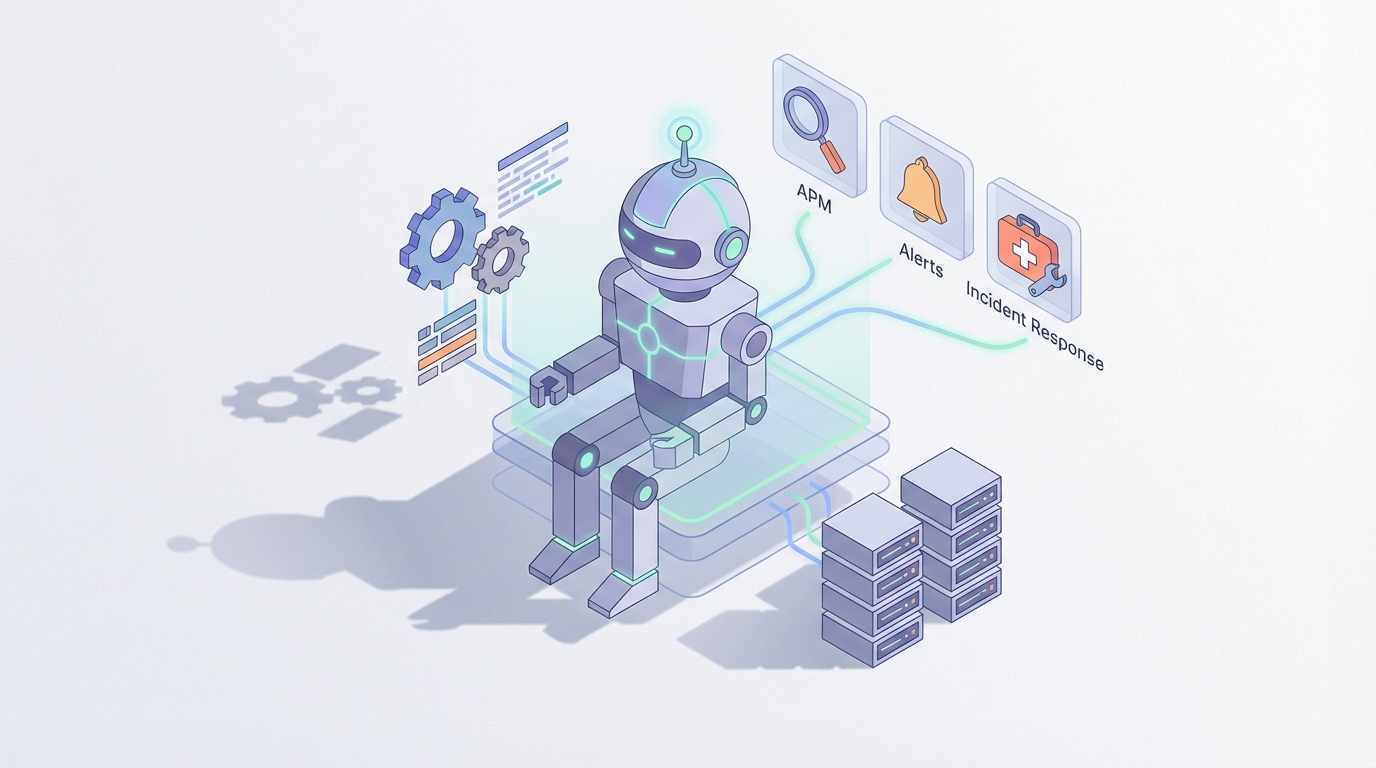
Most teams I talk to have the same relationship with New Relic: they pay for it, they know it's powerful, and they use maybe 30% of what it can do. The dashboards are great. The data is there. NRQL is genuinely impressive once you learn it. But when something actually breaks at 2 AM, the workflow still looks like this: PagerDuty wakes someone up, that person logs into New Relic, clicks around for 20 minutes correlating traces with logs with deployment history, checks Slack to see if anyone deployed something, maybe runs a query or two, and eventually figures out the problem.
The data was always in New Relic. The problem was never collection. The problem is that nobody automated the thinking.
That's where a custom AI agent comes in — not New Relic's built-in AI features (which are fine for summaries and natural language queries), but an actual autonomous agent that connects to New Relic's API, reasons about what it finds, takes action, and learns over time. And OpenClaw is where you build it.
Let me walk through what this looks like in practice.
Why New Relic's Built-in Automation Isn't Enough
Before building anything, it's worth understanding exactly where New Relic's native capabilities run out.
New Relic Workflows (the successor to the older alert notification system) let you enrich alerts with additional context, route them conditionally to Slack or PagerDuty, and fire off webhooks. That covers the basics. But here's what Workflows cannot do:
- Multi-step reasoning. They don't support complex branching logic, loops, or stateful decisions. You can't say "if error rate is high AND the last deployment was less than 10 minutes ago AND the deployer is on the on-call rotation, then roll back automatically, otherwise page the team lead."
- Cross-system correlation. Workflows can't pull data from GitHub, Jira, your CI/CD pipeline, or your cloud provider's API to build a richer picture of what's happening.
- Learning from history. There's no built-in memory. The same incident can happen 15 times and New Relic will treat it like a brand-new mystery each time.
- Autonomous remediation. You can trigger a webhook, sure. But actual remediation — restarting a pod, scaling a service, reverting a deployment, clearing a cache — requires external orchestration with real logic.
- Proactive detection. Workflows are reactive. They fire after an alert threshold is breached. They don't watch trends and say "this is going to become a problem in 45 minutes."
New Relic is exceptional at data collection, correlation, and visualization. It is not an autonomous operations platform. That gap is exactly where an AI agent delivers the most value.
The Architecture: OpenClaw + NerdGraph
Here's the setup. New Relic exposes almost everything through NerdGraph, their GraphQL API. You can execute NRQL queries, pull entity data and relationships, manage alerts and dashboards, read distributed traces and logs, create and update synthetic monitors, and manage tags and configurations — all programmatically.
That means an AI agent with access to NerdGraph can do essentially anything a human engineer can do in the New Relic UI, but faster, 24/7, and without needing coffee.
In OpenClaw, you build this agent by defining tools that wrap NerdGraph calls, giving the agent instructions on when and how to use them, and connecting the whole thing to your operational context — runbooks, escalation policies, deployment history, and whatever else matters in your environment.
Here's what a basic NerdGraph tool definition looks like when you're wiring it up in OpenClaw:
# Tool: Execute an NRQL query against New Relic
import requests

def execute_nrql_query(account_id: int, nrql: str, api_key: str) -> dict:
    """Execute an NRQL query via NerdGraph and return results."""
    query = """
    {
      actor {
        account(id: %d) {
          nrql(query: "%s") {
            results
            metadata {
              timeWindow {
                begin
                end
              }
            }
          }
        }
      }
    }
    """ % (account_id, nrql)

    response = requests.post(
        "https://api.newrelic.com/graphql",
        headers={
            "API-Key": api_key,
            "Content-Type": "application/json"
        },
        json={"query": query}
    )
    return response.json()
# Tool: Get entity details and recent violations
def get_entity_details(entity_guid: str, api_key: str) -> dict:
    """Retrieve entity golden signals and recent alert violations."""
    query = """
    {
      actor {
        entity(guid: "%s") {
          name
          entityType
          alertSeverity
          goldenMetrics {
            metrics {
              name
              title
              unit
            }
          }
          recentAlertViolations(count: 5) {
            alertSeverity
            label
            openedAt
            closedAt
          }
        }
      }
    }
    """ % entity_guid

    response = requests.post(
        "https://api.newrelic.com/graphql",
        headers={
            "API-Key": api_key,
            "Content-Type": "application/json"
        },
        json={"query": query}
    )
    return response.json()
# Tool: Fetch recent deployments (change tracking)
def get_recent_deployments(entity_guid: str, api_key: str) -> dict:
    """Get recent deployments for an entity to correlate with incidents."""
    query = """
    {
      actor {
        entity(guid: "%s") {
          deploymentSearch(
            filter: {timeWindow: {endTime: 0, startTime: 86400000}}
          ) {
            results {
              changelog
              commit
              deploymentId
              deploymentType
              description
              timestamp
              user
            }
          }
        }
      }
    }
    """ % entity_guid

    response = requests.post(
        "https://api.newrelic.com/graphql",
        headers={
            "API-Key": api_key,
            "Content-Type": "application/json"
        },
        json={"query": query}
    )
    return response.json()
These are your building blocks. In OpenClaw, each of these becomes a tool the agent can call autonomously based on what it's trying to figure out. You give the agent a library of these tools, a system prompt describing your infrastructure and operational policies, and then let it reason through problems step by step.
Five Workflows That Actually Matter
Let me get specific about what this agent does that's actually useful, not theoretical.
1. Intelligent Incident Investigation
This is the highest-value workflow because it replaces the most expensive human time.
When an alert fires, instead of paging an engineer immediately, the agent:
- Queries the alert details via NerdGraph
- Pulls the golden signals (error rate, throughput, latency, saturation) for the affected entity
- Checks for recent deployments using change tracking
- Runs correlated NRQL queries against logs for the same time window
- Checks upstream and downstream dependencies using service maps
- Compares current metrics against the baseline from the same time window last week
- Compiles all of this into a structured incident summary
The agent delivers this summary to Slack or PagerDuty before the on-call engineer has finished rubbing their eyes. Instead of starting an investigation from zero, they start with: "Error rate on checkout-service spiked 400% at 2:14 AM, correlating with a deployment by @sarah at 2:11 AM. The deployment changed database connection pooling configuration. Downstream payment-service is showing elevated timeout rates. Similar incident occurred on March 3rd and was resolved by reverting commit abc123."
That's 20 minutes of investigation done in 15 seconds.
2. Proactive Trend Detection
Instead of waiting for alerts to fire, the agent runs scheduled NRQL queries looking for trends that will become problems:
-- Memory creep detection
SELECT average(memoryUsedPercent)
FROM SystemSample
WHERE hostname LIKE 'prod-api-%'
FACET hostname
SINCE 6 hours ago
TIMESERIES 30 minutes
The agent doesn't just run the query — it analyzes the trend. If memory usage on prod-api-07 has been climbing linearly for 4 hours and will hit 95% in approximately 90 minutes based on the current rate, it flags it. If the same host showed the same pattern last Tuesday and was resolved by restarting the application, it notes that too (because OpenClaw agents have memory).
This is the kind of thing that's technically possible with New Relic's anomaly detection alerts, but in practice most teams never configure them well enough because the tuning is tedious. An agent can be more nuanced in its reasoning without requiring precise threshold configuration.
3. Automated Runbook Execution
This is where it gets really powerful. Most SRE teams have runbooks — documented procedures for handling common incidents. They live in Confluence or Notion or a Git repo, and they get followed manually. Maybe 70% of the time.
With OpenClaw, you encode these runbooks as agent instructions. When the agent identifies a known incident pattern, it can execute the corresponding runbook steps automatically:
Example runbook: High error rate on payment service
- Check if error rate is above 5% for more than 3 minutes (NRQL query)
- Identify the most common error type from logs (NRQL log query)
- If the error is a timeout from the payment gateway, check the gateway's status page (HTTP call)
- If the gateway is reporting issues, update the status page and notify #payments-team in Slack (Slack API)
- If the gateway is fine, check for recent deployments (NerdGraph)
- If a deployment occurred in the last 30 minutes, flag for rollback with human approval (Slack interactive message)
Steps 1-4 happen without human involvement. Step 6 keeps a human in the loop for the high-stakes decision. This is the right balance for most organizations — automate the investigation and routine responses, escalate the judgment calls.
4. Cost Monitoring and Optimization
New Relic's consumption-based pricing means your data ingest directly affects your bill. This catches a lot of teams off guard. One misconfigured log pipeline can spike your monthly costs by thousands of dollars overnight.
An agent can monitor your ingest patterns daily:
-- Data ingest by source over the last 24 hours
SELECT rate(sum(GigabytesIngested), 1 day)
FROM NrConsumption
WHERE productLine = 'DataPlatform'
FACET usageMetric
SINCE 1 day ago
When the agent detects a sudden spike in log ingest — say, a new deployment started logging at DEBUG level in production — it can alert the team and recommend specific fixes: "Log ingest from order-service increased 340% starting at 14:22 UTC. The increase is coming from DEBUG-level database query logs. Recommend setting log level to INFO for this service."
Better yet, if you give it the right tools, it can create a Jira ticket, tag the developer who made the change, and include the estimated cost impact.
5. Cross-System Incident Correlation
This is the use case that New Relic fundamentally cannot solve alone because it requires data from outside New Relic.
The agent has access to NerdGraph and your other systems:
- GitHub: Recent PRs, commits, code changes
- CI/CD (GitHub Actions, Jenkins, ArgoCD): Deployment status, test results
- Cloud provider APIs: AWS/GCP/Azure resource health, scaling events, cost changes
- Jira/Linear: Related tickets, ongoing incidents
- Internal databases: Business metrics, feature flags, customer segments
When a performance issue occurs, the agent can correlate across all of these. "Response time for /api/products degraded by 200ms starting at 16:45. At 16:42, a feature flag new-recommendation-engine was enabled for 50% of traffic. The recommendation-engine service is making 3x more database queries per request than the old implementation. Disabling the feature flag would likely resolve the latency issue."
That kind of cross-system reasoning is impossible with New Relic alone and extremely time-consuming for humans. It's the agent's sweet spot.
Implementation: Where to Start
If you're sold on the concept, here's the practical order of operations:
Week 1: Read-only investigation agent Start with an agent that can query NerdGraph and your logs. Give it access to NRQL execution, entity lookup, and deployment history. Point it at your top 5 most critical services. Have it generate incident summaries when alerts fire. Don't let it take any actions yet — just observe and report.
Week 2-3: Add context sources Connect GitHub, your CI/CD system, and Slack. Now the agent can correlate deployments with performance changes and deliver summaries to the right channels. This alone will save your on-call rotation significant time.
Week 4-6: Introduce runbook automation Pick your three most common incident types. Encode the runbooks as agent workflows in OpenClaw. Start with full human-in-the-loop approval for any action, then gradually increase autonomy as you build trust.
Ongoing: Add memory and learning After each incident, have the agent update its knowledge base with what happened, what the root cause was, and how it was resolved. Over time, the agent gets faster and more accurate at diagnosis because it's seen your specific failure modes before.
The key principle: start narrow, go deep, then expand. An agent that's amazing at investigating incidents for five services is more valuable than one that's mediocre across your entire infrastructure.
What You Need
- A New Relic account with API access. You'll need a User API key with permissions to query NerdGraph. Most New Relic plans include API access.
- OpenClaw. This is where you build, test, and deploy the agent. OpenClaw handles the tool orchestration, memory, multi-step reasoning, and deployment infrastructure so you can focus on the New Relic-specific logic.
- Clear operational context. The agent is only as good as the instructions and context you give it. Document your critical services, known failure modes, escalation policies, and runbook procedures. You probably should have done this already anyway.
The Bigger Picture
Here's what I think most teams miss: the value of an AI agent for New Relic isn't just faster incident response. It's that you finally get compounding operational knowledge.
Every incident your team handles today generates learning that lives in someone's head. When that person leaves, the knowledge leaves with them. An agent with memory retains every incident pattern, every root cause, every resolution. Six months in, it's seen more of your failure modes than any individual engineer. A year in, it's your most experienced team member for diagnosis — one that never sleeps, never forgets, and never gets paged at 2 AM in a bad mood.
New Relic gives you the data. OpenClaw gives you the intelligence layer on top.
If you want to build this but don't want to do it alone, check out Clawsourcing. We'll pair you with a builder who's done this before and can get your New Relic agent into production fast. No theoretical architecture diagrams — working agents, deployed and running.