AI Agent for MyCase: Automate Legal Case Management, Client Portals, and Billing
Automate Legal Case Management, Client Portals, and Billing
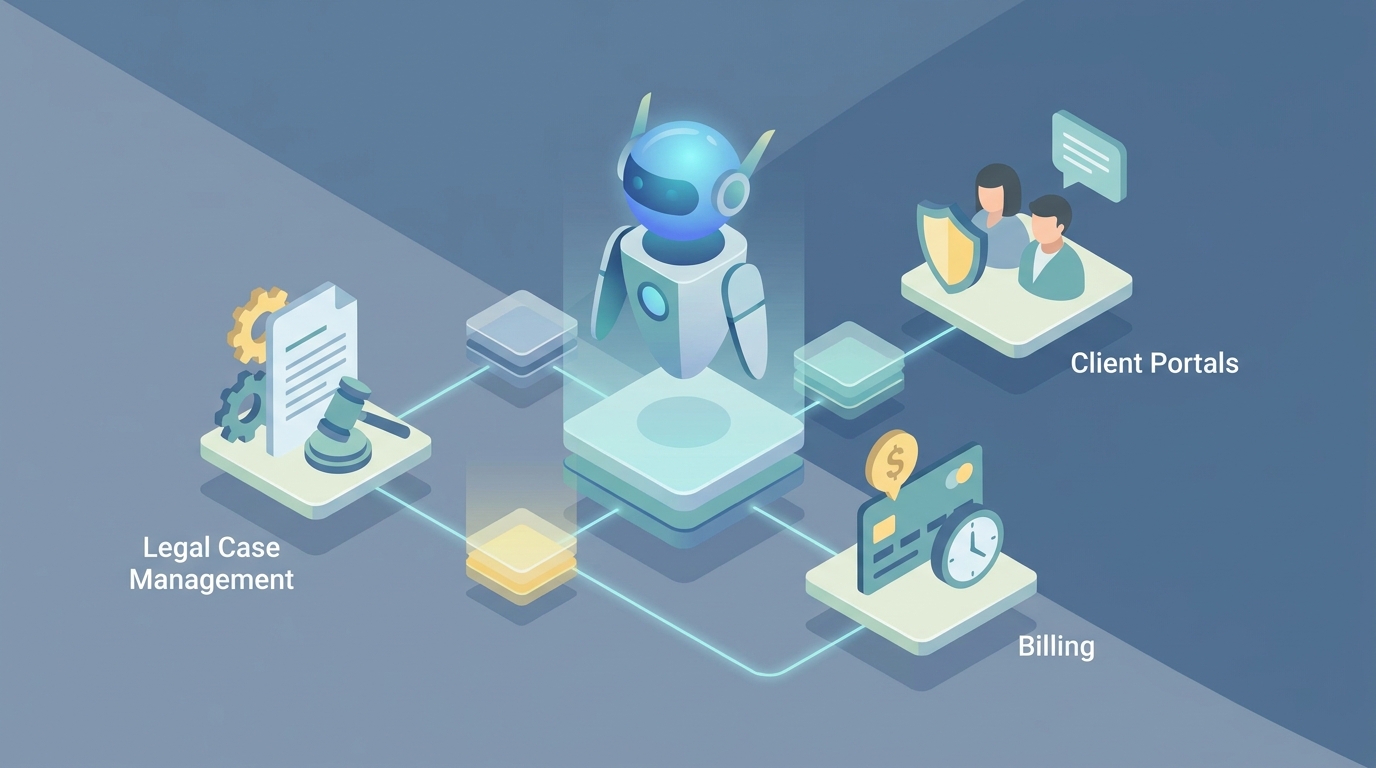
Most law firms using MyCase are running at maybe 40% of what the platform can actually do. They've got this perfectly good API sitting there, webhooks that can fire on nearly every meaningful event, and full CRUD access to matters, contacts, documents, time entries, and invoices. But the built-in automation? It's basically a glorified task template system. Linear. Rigid. Zero awareness of what's actually happening inside your documents or across your caseload.
The gap between what MyCase can connect to and what it does natively is enormous. That gap is exactly where a custom AI agent, built on OpenClaw, changes the economics of running a law firm.
This isn't about MyCase's own product roadmap or whatever "AI features" they might announce at a conference. This is about building something on top of MyCase — a reasoning layer that reads your case data, monitors your matters, talks to your clients through the portal, and takes action through the API without waiting for a paralegal to remember to check a deadline.
Let me walk through how this actually works.
The Architecture: Webhooks In, API Writes Out, OpenClaw in the Middle
The mental model is simple. MyCase fires webhooks when things happen (new matter created, document uploaded, task completed, status changed). OpenClaw receives those events, reasons about them using your firm's logic and context, and then writes back to MyCase via the API — creating tasks, updating matters, sending messages, generating documents, or flagging issues for human review.
Here's the basic flow:
MyCase Webhook Event
    ↓
OpenClaw Agent (receives event payload)
    ↓
Enrichment (pull additional context from MyCase API)
    ↓
Reasoning (LLM processes context against firm rules + case data)
    ↓
Action (API write-back to MyCase: create task, update field, send message, flag attorney)
The MyCase REST API (v1) gives you the building blocks: Contacts, Matters, Tasks, Events, Documents, Time Entries, Invoices, Payments, Users, Notes, Messages, Custom Fields, and Activities. Full CRUD on most of those. The webhooks give you real-time triggers. OpenClaw gives you the brain.
What makes this different from stitching together Zapier zaps is the reasoning layer. Zapier can say "when a document is uploaded, create a task." OpenClaw can say "when a document is uploaded, read the document, determine it's a medical record from Dr. Hansen related to the cervical spine injury, extract the treatment dates and prognosis, compare that against the existing case timeline, identify that we're missing the MRI report from November, create a task for the paralegal to request it, update the matter notes with the extracted medical summary, and flag the attorney if the prognosis contradicts our demand letter."
That's not a hypothetical. That's what a well-built agent does.
Workflow 1: Intelligent Intake Triage
The intake process at most small firms is embarrassingly manual. A lead fills out a web form, someone copies it into MyCase, maybe runs a conflict check, assigns it to an attorney, and kicks off a workflow template. Lots of human steps, lots of delay, lots of leads falling through cracks.
Here's what the OpenClaw agent does instead:
Trigger: New contact or matter created in MyCase (via webhook), or better yet, the agent processes the web intake form directly and creates the matter itself.
Agent actions:
- Parse the intake form data — practice area, incident description, dates, opposing parties
- Run conflict check against all existing contacts and matters in MyCase (API call to search contacts and matters)
- Score the lead based on firm criteria (case type, jurisdiction, estimated damages, liability indicators)
- Route to the correct attorney based on practice area and current caseload
- Auto-populate the matter with the appropriate workflow template
- Send the prospective client a portal invitation with a personalized message
- If conflicts are found or the case doesn't meet firm criteria, flag it for review rather than auto-rejecting
# Simplified OpenClaw agent logic for intake triage
def handle_new_intake(event_payload):
    contact_data = event_payload['contact']
    matter_data = event_payload['matter']

    # Pull all existing contacts for conflict check
    existing_contacts = mycase_api.search_contacts(
        names=[contact_data['opposing_party'], contact_data['related_parties']]
    )

    conflicts = check_conflicts(existing_contacts, matter_data)

    if conflicts:
        # Don't auto-proceed — flag for human review
        mycase_api.create_task(
            matter_id=matter_data['id'],
            title=f"CONFLICT DETECTED: Review {contact_data['name']} intake",
            assignee=firm_config['managing_partner_id'],
            priority='high',
            description=f"Potential conflicts found with: {format_conflicts(conflicts)}"
        )
        return

    # Score and route
    case_score = score_intake(matter_data)
    assigned_attorney = route_by_practice_area(
        matter_data['practice_area'],
        matter_data['jurisdiction']
    )

    # Update matter with routing and score
    mycase_api.update_matter(
        matter_id=matter_data['id'],
        assigned_to=assigned_attorney,
        custom_fields={'intake_score': case_score}
    )

    # Apply workflow template based on case type
    template = select_workflow_template(matter_data['practice_area'], case_score)
    mycase_api.apply_workflow(matter_id=matter_data['id'], template_id=template)

    # Send portal invitation
    mycase_api.send_message(
        contact_id=contact_data['id'],
        subject="Welcome — Next Steps for Your Case",
        body=generate_welcome_message(contact_data, assigned_attorney)
    )
The key thing: the score_intake and route_by_practice_area functions aren't static rules. They're OpenClaw agent reasoning calls that consider the narrative description the client provided, compare it against your firm's historical case data, and make a judgment. "This looks like a moderate-severity PI case with clear liability and soft tissue injuries in a jurisdiction where we've historically settled similar cases in the $40k-$75k range. Routing to Attorney Chen, who handles this case profile."
That's not an if-then rule. That's an agent reading and thinking.
Workflow 2: Document Intelligence on Upload
This is probably the highest-leverage automation for litigation and PI firms. Every uploaded document in MyCase is just a file sitting in a folder. Nobody reads it until a human reads it. That's a massive bottleneck.
Trigger: Document uploaded to a matter (MyCase webhook).
Agent actions:
- Download the document via MyCase API
- Classify it (medical record, police report, insurance correspondence, contract, discovery response, etc.)
- Extract key information based on document type
- Compare extracted data against existing matter information
- Identify gaps or inconsistencies
- Create tasks for follow-up items
- Update matter notes with a structured summary
- Flag the attorney if something is time-sensitive or contradictory
For a PI firm, this means: a medical record gets uploaded, the agent reads it, extracts treatment dates, diagnoses, provider information, and prognosis. It compares those against the matter's existing medical timeline. It notices the record references an MRI that isn't in the file. It creates a task: "Request MRI report from St. Luke's Imaging, referenced in Dr. Hansen's 10/15/2026 treatment notes." It updates the matter notes with a clean summary. The paralegal's job just went from "read this 47-page medical record and figure out what we need" to "review the agent's summary and confirm the task."
For a family law firm, the same logic applies to financial disclosures. The agent reads the disclosure, extracts assets and liabilities, flags undisclosed income indicators, and compares against prior filings.
Workflow 3: Proactive Case Health Monitoring
This is where most firms lose money and don't even know it. Cases go stale. Deadlines creep up. Attorneys don't realize that 14 of their 60 open matters haven't had any activity in 45 days.
Trigger: Scheduled (daily or weekly), not event-based. The OpenClaw agent runs a sweep.
Agent actions:
- Pull all open matters via MyCase API
- For each matter, check: days since last activity, upcoming deadlines, task completion rate, outstanding client requests, unbilled time, approaching statutes of limitations
- Score each matter on a "health" scale
- Generate a prioritized alert report for each attorney
- Create tasks for specific issues (e.g., "Follow up with client — no response to document request in 21 days")
- Send the attorney a digest message via MyCase or email
# Daily case health sweep
def daily_case_health_check():
    open_matters = mycase_api.get_matters(status='open')
    alerts = []

    for matter in open_matters:
        activities = mycase_api.get_activities(matter_id=matter['id'], limit=10)
        tasks = mycase_api.get_tasks(matter_id=matter['id'], status='pending')
        time_entries = mycase_api.get_time_entries(matter_id=matter['id'])

        last_activity_date = activities[0]['date'] if activities else matter['created_at']
        days_inactive = (today - parse_date(last_activity_date)).days

        # Check statute of limitations
        sol_date = matter.get('custom_fields', {}).get('statute_of_limitations')
        days_to_sol = (parse_date(sol_date) - today).days if sol_date else None

        # Unbilled time check
        unbilled_hours = sum(
            e['duration'] for e in time_entries
            if not e['invoiced']
        )

        health_score = calculate_health(
            days_inactive=days_inactive,
            overdue_tasks=len([t for t in tasks if parse_date(t['due_date']) < today]),
            days_to_sol=days_to_sol,
            unbilled_hours=unbilled_hours
        )

        if health_score < threshold:
            alerts.append({
                'matter': matter,
                'score': health_score,
                'issues': identify_specific_issues(matter, activities, tasks, time_entries)
            })

    # Group by attorney and send digests
    for attorney_id, attorney_alerts in group_by_attorney(alerts).items():
        send_health_digest(attorney_id, attorney_alerts)
The identify_specific_issues function is where OpenClaw's reasoning shines. It's not just flagging "inactive for 30 days." It's looking at the matter context and saying "This PI case has been in discovery for 8 months with a trial date in 4 months, and we haven't received the defendant's expert disclosures. This is likely a problem." That's judgment, not a rule.
Workflow 4: Client Communication Agent
The single most time-consuming activity for paralegals at small firms: answering the phone or replying to portal messages that say "What's happening with my case?"
Trigger: New message received in MyCase client portal (webhook).
Agent actions:
- Read the client message
- Pull the matter's current status, recent activities, pending tasks, and upcoming deadlines
- Determine if the question can be answered with factual case information
- If yes: draft a response using the actual case data, send it for paralegal approval (or auto-send for simple status questions, depending on firm comfort level)
- If no (legal advice, settlement discussion, complex issue): route to the assigned attorney with context
The client asks: "Have you heard anything about my discovery requests?" The agent checks the matter, sees that interrogatories were served on 10/1 and responses are due by 11/1 per the scheduling order, and no responses have been filed yet. It drafts: "The discovery requests in your case were served on October 1st, and the opposing party's responses are due by November 1st. We have not yet received their responses, but they still have time within the deadline. We will follow up if we don't receive them by the due date. Please let me know if you have any other questions."
That's a five-minute paralegal task that happens dozens of times per week. Automated.
Workflow 5: Smart Billing and Revenue Recovery
Nobody likes billing. That's why time entries are inconsistent, invoices go out late, and money sits unbilled.
Trigger: Scheduled (weekly or monthly) + event-based (task completion, matter status change).
Agent actions:
- Scan time entries for the billing period
- Identify matters with significant activity but no corresponding time entries (the attorney did work but forgot to log time)
- Draft time entries based on activity logs (document uploads, messages sent, tasks completed) for attorney review
- Generate invoice drafts
- Flag trust account issues (overspent retainers, untouched IOLTA deposits)
- After invoices are sent, monitor payment status and trigger follow-up reminders through the portal
The agent notices that Attorney Martinez had 12 activities on the Johnson matter last week — multiple document reviews, three client messages, and a filed motion — but only logged 1.5 hours. It drafts suggested time entries based on the activities: "Review of medical records from Dr. Patel (0.5 hrs), Review and revision of motion for summary judgment (2.0 hrs), Client communication regarding deposition preparation (0.3 hrs)." Martinez reviews, adjusts, and approves. Revenue captured that would have otherwise been lost.
Why OpenClaw, Not a DIY Stack
You could theoretically wire this together yourself. Hit the MyCase webhooks, run them through some Python scripts, call an LLM API, write back to MyCase. People try this. Here's what happens:
- You spend weeks on auth handling, retry logic, rate limiting, and error recovery
- Your webhook receiver goes down on a Saturday and you miss a statute of limitations alert
- The LLM hallucinates a case detail and nobody catches it because you didn't build a review layer
- You have no observability into what the agent actually did or why
- It works great for the one attorney who built it, then falls apart when someone else touches it
OpenClaw handles the infrastructure. The webhook ingestion, the API connection management, the LLM reasoning pipeline, the human-in-the-loop review steps, the audit logging, the error handling. You focus on the firm-specific logic: what should the agent do when a medical record is uploaded? How should it score an intake? What constitutes a "stale" case for your practice?
The difference between a weekend hack and a production system is about 200 hours of plumbing work. OpenClaw is the plumbing.
What This Looks Like in Practice
A 12-attorney PI firm running this setup typically sees:
- Intake processing time drops from 45 minutes to under 5 minutes of human review time
- "Where's my case?" calls drop by 60-70% because the client communication agent handles routine status questions
- Missed deadlines go to near-zero because the health monitoring agent is checking every matter every single day, not relying on a human to remember
- Billing capture increases 15-25% because the agent identifies unbilled work that attorneys forgot to log
- Paralegal hours on document review drop 30-50% because the agent does the first-pass extraction and summarization
These aren't aspirational numbers. They're what happens when you take a system that already has the data (MyCase does) and add a reasoning layer that actually uses the data proactively instead of waiting for a human to go look at it.
Getting Started
The fastest path from "this sounds useful" to "this is running in my firm" is Clawsourcing. The team at Claw Mart builds and deploys these OpenClaw agents for you, configured for your specific practice areas, workflows, and firm rules.
You don't need to write the Python snippets above. You don't need to figure out MyCase's webhook configuration or API authentication. You tell them: "Here's how our intake works, here's what we need to know from medical records, here's when a case is stale, here's our billing process." They build the agent, connect it to your MyCase instance, and iterate until it's doing the work.
Start here: https://www.shopclawmart.com/clawsourcing
If you're a firm running MyCase and your paralegals are spending more time on administrative coordination than on substantive legal work, the problem isn't your people. It's that your software has all the right data and none of the intelligence to act on it. OpenClaw fixes that.
Recommended for this post

Your agent builder that designs self-healing autonomous systems with perception-action loops -- agents that run themselves.
 SpookyJuice.ai
Your AI agent's guide to creating, editing, and automating PowerPoint presentations
 DMO Geek
Your orchestrator that coordinates agent swarms with task decomposition and consensus protocols -- agents working together.
SpookyJuice.ai