AI Agent for Loops: Automate SaaS Email Marketing, Onboarding Sequences, and User Communication
Automate SaaS Email Marketing, Onboarding Sequences, and User Communication
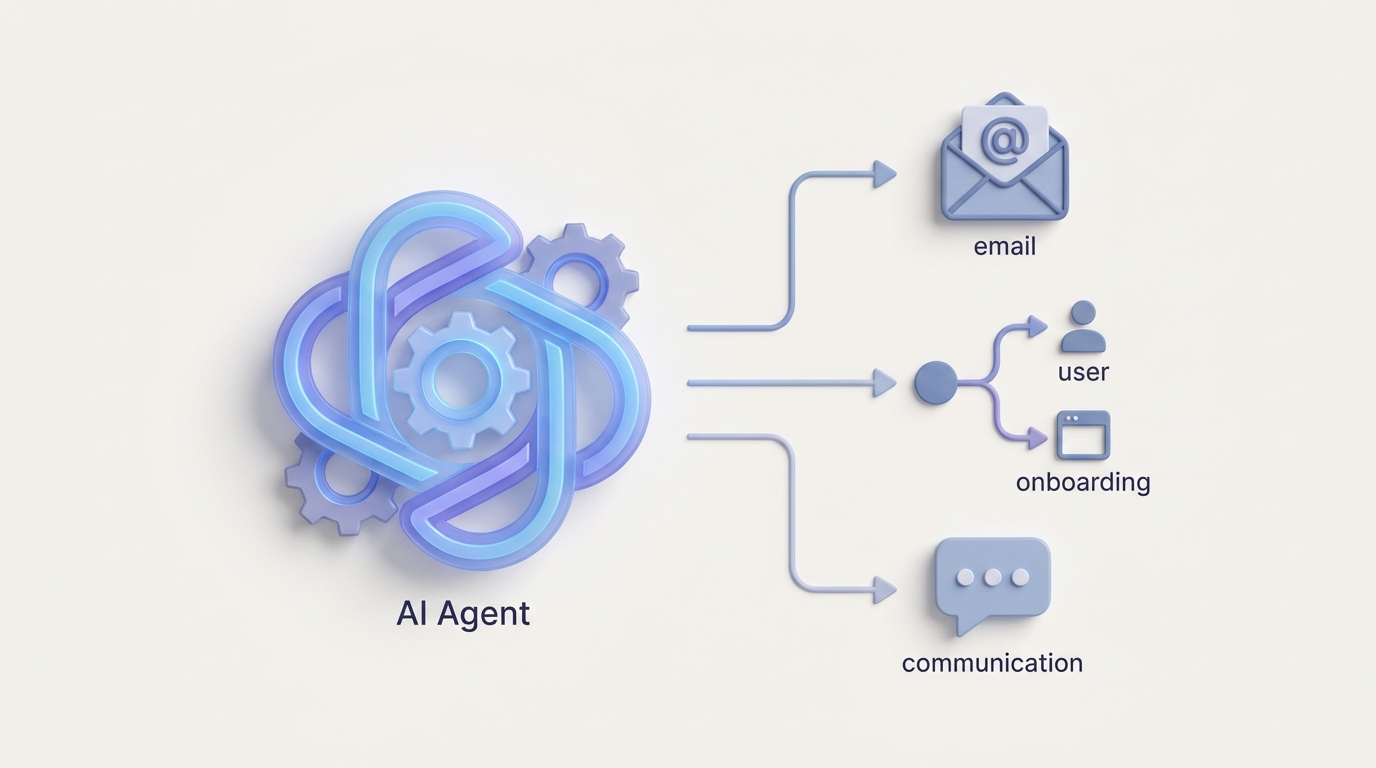
Most SaaS teams running Loops have the same experience. You set it up, build your first welcome sequence, marvel at how clean the editor is compared to the Frankenstein monster you left behind at Mailchimp or Customer.io, and then… you hit the wall.
The wall isn't Loops's fault, exactly. Loops does what it does well: clean API, beautiful templates, solid deliverability, event-driven automations that actually make sense. The problem is that every email platform eventually becomes a maintenance nightmare once you scale past a handful of flows. And Loops, for all its elegance, doesn't have native AI, predictive logic, or any way to make your automations smarter without you manually going in and tweaking things every week.
So you end up with 30+ flows, half of which are underperforming, a few that are probably broken, and nobody on the team who has the time or desire to audit them. Meanwhile, your onboarding sequence sends the same five emails to a first-time free trial user and a power user who's been on the platform for two years and just created a new workspace. Same cadence. Same copy. Same offers.
This is the gap a custom AI agent fills — not replacing Loops, but sitting on top of it via the API and making it dramatically more intelligent. And OpenClaw is how you build that agent without hiring a machine learning team.
What We're Actually Building
Let me be specific, because "AI agent" has become one of those terms that means everything and nothing.
What we're talking about is a system that:
- Monitors your Loops account continuously — campaign performance, contact behavior, deliverability metrics, automation health.
- Decides what actions to take based on rules you define and patterns it learns — which emails to pause, which segments need new flows, which subject lines are dying.
- Acts on those decisions by calling the Loops API — updating contacts, triggering events, modifying templates, managing suppression lists.
- Reports back to you with what it did and why, so you stay in control without being in the weeds.
This isn't a chatbot. It's not a copilot that suggests things and waits for you to click "approve." It's an autonomous agent that handles the operational grunt work of email marketing while you focus on strategy.
The architecture looks like this:
OpenClaw Agent → Loops API → Your Contacts, Events, Templates, Campaigns
OpenClaw handles the intelligence layer: reasoning about what to do, when to do it, and how to sequence actions. Loops handles what it's good at: sending emails reliably and looking good doing it.
Why OpenClaw, Not a Pile of Zapier Automations
You could technically wire up some of this with Zapier or Make. People try. Here's what happens:
- You build 15 Zaps to handle different scenarios
- Three of them break when Loops changes an API response format slightly
- You can't do conditional reasoning across Zaps (Zap A doesn't know what Zap B just did)
- There's no memory, no learning, no ability to say "this approach isn't working, try something different"
- Debugging is a nightmare of checking execution logs across multiple tools
OpenClaw is purpose-built for this. It gives you a framework to build agents that maintain state, reason about complex situations, call multiple APIs in sequence, and improve over time. You define the agent's goals, constraints, and available tools (in this case, the Loops API endpoints), and OpenClaw handles orchestration.
Think of it this way: Zapier is a conveyor belt. OpenClaw is a worker who can think about what goes on the conveyor belt and change the process when something isn't working.
The Loops API: What Your Agent Can Actually Control
Before getting into workflows, let's ground this in what's technically possible. The Loops API is RESTful, well-documented, and covers most of what you need:
Contacts:
POST /api/v1/contacts/create
PUT /api/v1/contacts/update
POST /api/v1/contacts/delete
Events (these trigger automations):
POST /api/v1/events/send
Transactional Email:
POST /api/v1/transactional
Lists & Segments:
GET /api/v1/lists
POST /api/v1/lists/{id}/contacts
Webhooks (incoming data): Loops sends real-time webhooks for deliveries, opens, clicks, bounces, and complaints. Your OpenClaw agent can ingest these to build a real-time picture of what's happening.
Authentication is straightforward — bearer token in the header:
curl -X POST https://app.loops.so/api/v1/events/send \
  -H "Authorization: Bearer YOUR_API_KEY" \
  -H "Content-Type: application/json" \
  -d '{
    "email": "user@example.com",
    "eventName": "agent_triggered_winback",
    "eventProperties": {
      "daysSinceLastLogin": 45,
      "ltv": 520,
      "segment": "high_value_dormant"
    }
  }'
That's a real example of what your OpenClaw agent would do: identify a high-value dormant user, calculate relevant properties, and fire a custom event into Loops that triggers a pre-built win-back automation. The agent handles the intelligence. Loops handles the sending.
Five Workflows That Actually Matter
1. Adaptive Onboarding Sequences
The problem: Your onboarding flow treats every new signup the same. The developer who integrated your API in 20 minutes gets the same "here's how to set up your account" email as the marketing manager who hasn't even logged in yet.
What the agent does:
The OpenClaw agent monitors activation events coming from your product (via Loops webhooks or your data warehouse). Based on what actions a user has or hasn't taken, it fires different events into Loops to route them into the right branch.
# Pseudocode for the OpenClaw agent's onboarding logic

def evaluate_new_user(contact):
    events = loops_api.get_contact_events(contact.email)
    hours_since_signup = calculate_hours(contact.created_at)

    if "api_key_created" in events and hours_since_signup < 2:
        # Developer power user — skip basics, send advanced docs
        loops_api.send_event(contact.email, "onboard_power_user")
    elif hours_since_signup > 24 and not any_activation_event(events):
        # Haven't done anything — send re-engagement nudge
        loops_api.send_event(contact.email, "onboard_nudge_inactive")
    elif "first_project_created" in events and "team_invited" not in events:
        # Made progress but working alone — prompt team invite
        loops_api.send_event(contact.email, "onboard_prompt_team")
This isn't a static drip sequence. It's a living system that checks context and routes users accordingly. You still design the email templates and automations in Loops — the agent just decides which automation each user should enter, and when.
2. Automated Campaign Performance Management
The problem: You launched a campaign last Tuesday. Open rates are 40% below your average. Nobody noticed until Friday because the team was focused on a product launch.
What the agent does:
Your OpenClaw agent ingests Loops webhook data (opens, clicks, bounces, complaints) in real time. It maintains running averages for your key metrics and flags — or acts on — anomalies.
def monitor_campaign_health(campaign_id):
    metrics = loops_api.get_campaign_analytics(campaign_id)
    baseline = get_historical_baseline(campaign_type=metrics.type)

    if metrics.open_rate < baseline.open_rate * 0.6:
        # Open rate is 40%+ below baseline
        if metrics.bounce_rate > baseline.bounce_rate * 2:
            # Likely deliverability issue
            alert_team("Deliverability problem detected", campaign_id)
            loops_api.pause_campaign(campaign_id)
        else:
            # Probably a subject line problem
            alert_team("Low open rate — subject line underperforming", campaign_id)
            # Suggest alternative subject lines based on past top performers
            suggestions = generate_subject_alternatives(metrics.subject_line)
            send_slack_notification(suggestions)

    if metrics.complaint_rate > 0.003:
        # Complaint rate above 0.3% — pause immediately
        loops_api.pause_campaign(campaign_id)
        alert_team("URGENT: High complaint rate", campaign_id)
The agent doesn't just watch dashboards — it takes protective action when things go wrong and notifies you with context about what it did and why.
3. Intelligent Win-Back Flows
The problem: Your win-back automation triggers for everyone who's been inactive for 30 days. But a $50/month customer who churned because of a bug is very different from a free-tier user who just forgot about you.
What the agent does:
The OpenClaw agent queries your data warehouse (or product database) to build context around each churning user, then fires segment-specific events into Loops.
Here's the logic that matters:
- High LTV + recent support ticket → Route to a personalized "we fixed the issue" flow with a direct line to support
- High LTV + no recent activity → Route to a "here's what's new" flow with a time-limited discount
- Low LTV + minimal usage → Route to a lightweight re-engagement or let them go (your deliverability will thank you)
- Any user + billing failure → Route to a dunning flow with payment update instructions
Each of these is a different event fired via POST /api/v1/events/send, triggering a different Loop automation. The intelligence is in the classification, not the email platform.
4. Dynamic Suppression and List Hygiene
The problem: You're sending emails to people who are never going to open them, and it's slowly killing your deliverability. Manually cleaning lists is tedious and nobody does it consistently.
What the agent does:
On a recurring schedule (daily or weekly), the OpenClaw agent analyzes engagement patterns across your contact list and takes action:
def clean_contact_list():
    contacts = loops_api.get_all_contacts()

    for contact in contacts:
        engagement = calculate_engagement_score(contact)

        if engagement.last_open_days > 180 and engagement.total_sends > 20:
            # 6+ months without opening, 20+ emails sent — suppress
            loops_api.suppress_contact(contact.email)
            log_action("suppressed", contact.email, reason="180d_no_engagement")

        elif engagement.last_open_days > 90 and engagement.last_open_days < 180:
            # 3-6 months — move to reduced frequency segment
            loops_api.update_contact(contact.email, {
                "frequency_tier": "low",
                "sunset_candidate": True
            })

        elif engagement.complaint_count > 0:
            # Any complaint — immediate unsubscribe
            loops_api.unsubscribe_contact(contact.email)
This runs automatically. Your list stays clean. Your deliverability stays high. You don't have to think about it.
5. Cross-Channel Send Optimization
The problem: Loops supports email and SMS, but there's no native logic to decide which channel to use for which user, or to prevent over-messaging across channels.
What the agent does:
Before triggering any communication, the OpenClaw agent checks the contact's channel preferences and recent message history:
- If they consistently open emails but never click SMS links → email only
- If they've received 3 emails in the last 48 hours → hold the next one or switch to SMS
- If it's a time-sensitive notification (shipping update, security alert) → SMS first, email as backup
- If they've never engaged with SMS → don't waste an SMS credit
The agent acts as an orchestration layer that sits between your product's "intent to communicate" and the actual send via Loops. It prevents the all-too-common scenario where a user gets an email, an SMS, and a push notification about the same thing within 10 minutes.
Implementation: How to Actually Set This Up
Here's the practical path with OpenClaw:
Step 1: Connect OpenClaw to your Loops API. You'll register the Loops API as a tool available to your agent. This means defining the endpoints, authentication, and expected request/response formats. OpenClaw's tool registration handles this cleanly.
Step 2: Define your agent's goals and constraints. Be explicit. "Monitor all active campaigns. If open rate drops below 60% of baseline for that campaign type, alert the team. If complaint rate exceeds 0.3%, pause the campaign automatically." Goals are what the agent optimizes for. Constraints are what it can never do (e.g., "never delete a contact without human approval").
Step 3: Connect your data sources. The agent needs context beyond what Loops provides. Connect your product database, Stripe billing data, support ticket system — whatever gives the agent enough information to make smart decisions about who to contact and how.
Step 4: Start with monitoring, then add action. Don't go from zero to fully autonomous on day one. Start with an agent that monitors and reports. Let it run for two weeks. Review its recommendations. Then gradually enable it to take actions — suppressing contacts, firing events, pausing campaigns — as you build trust in its judgment.
Step 5: Build feedback loops. The agent should track the outcomes of its decisions. Did the win-back flow it triggered actually re-engage the user? Did the subject line alternatives it suggested perform better? This data feeds back into its reasoning over time.
What This Looks Like at Scale
A SaaS company with 50,000 contacts and 25 active automations in Loops might spend 15-20 hours per week on email operations: monitoring campaigns, cleaning lists, building new flows, debugging broken automations, testing copy.
With an OpenClaw agent managing the operational layer, that drops to maybe 3-5 hours of strategic work: reviewing the agent's reports, approving major changes, designing new campaign concepts. The grunt work — the monitoring, the hygiene, the routing logic, the performance management — runs on autopilot.
And unlike hiring another marketing ops person, the agent doesn't take PTO, doesn't forget to check the dashboard on Friday afternoon, and doesn't accidentally suppress your entire enterprise segment because of a filter mistake (assuming you set up proper constraints, which you should).
Getting Started
If you're running Loops and spending more time managing automations than building your product, this is worth exploring. OpenClaw gives you the framework to build exactly the agent your workflow needs — not a generic AI assistant, but a purpose-built system that understands your Loops setup, your data, and your goals.
For teams that want to go deeper — custom agent architecture, integration with specific data warehouses, or workflows tailored to your exact tech stack — check out Clawsourcing. It's our service for building this stuff out with you, so you get a working system instead of a half-finished prototype.
Loops is a great email platform. It just needs a brain. OpenClaw is how you give it one.