AI Agent for LiveChat: Automate Customer Chat, Ticket Management, and Chat Analytics
Automate Customer Chat, Ticket Management, and Chat Analytics
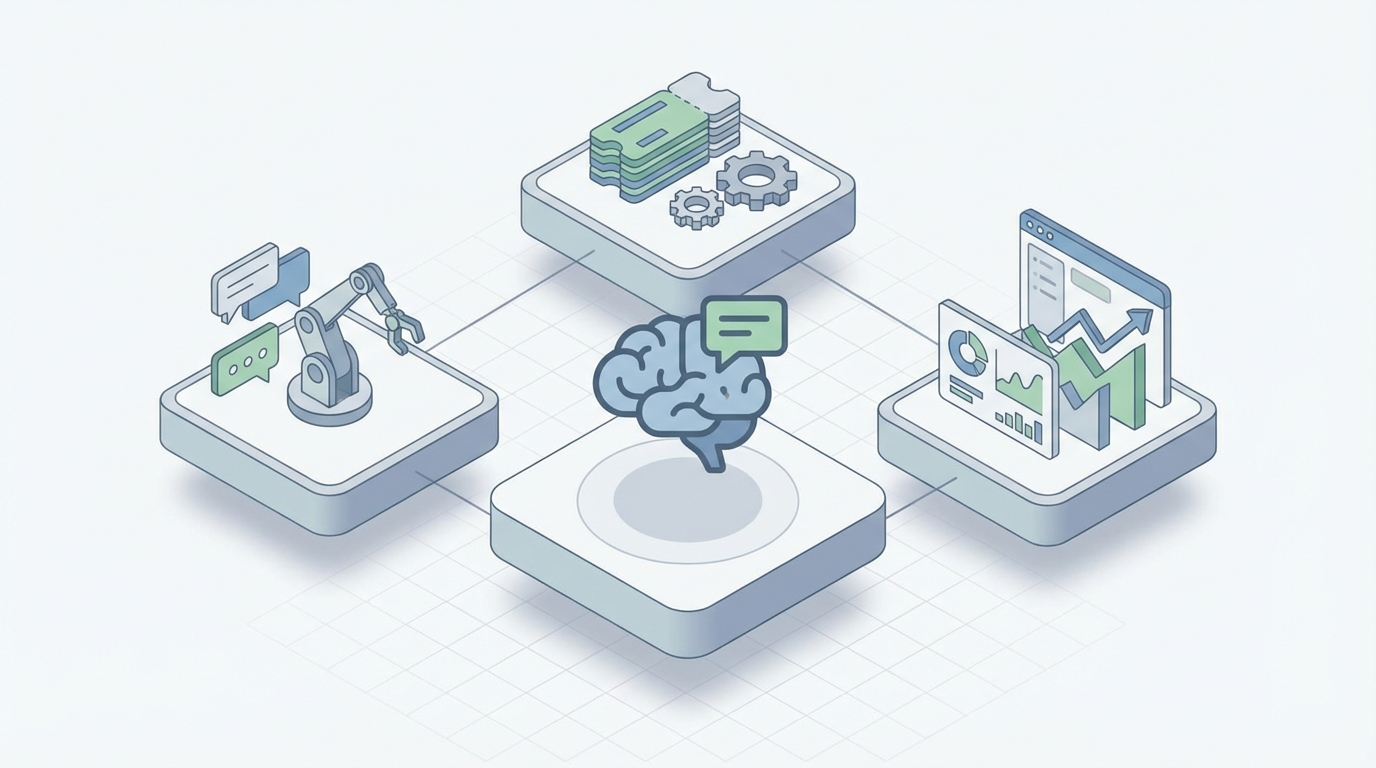
Most LiveChat setups follow the same arc. You install the widget, write some canned responses, build a few bot flows, and feel productive for about a week. Then reality sets in. The bot can't handle anything beyond the three scenarios you hardcoded. Agents are still drowning in repetitive questions. Your "automation" is really just a glorified decision tree that breaks the moment a customer phrases something slightly differently than you anticipated.
LiveChat itself is a solid product. The widget is clean, the agent interface gives you good visitor context, the API is mature and well-documented, and the routing works. The problem isn't LiveChat. The problem is that rule-based automations can't actually think, and bolting increasingly complex if-then logic onto a chat widget doesn't scale. It just creates what anyone who's maintained these systems knows as "bot spaghetti" — a tangled mess of flows that nobody wants to touch because changing one thing breaks three others.
The fix isn't switching platforms. It's layering a real AI agent on top of LiveChat's existing infrastructure using OpenClaw. Keep everything you've already built. Keep your agents, your routing, your analytics. Just add an intelligence layer that can actually understand what customers are asking, pull the right information from your systems, and handle the 60-80% of conversations that don't need a human.
Here's how to do it, specifically and practically.
What You're Actually Building
The architecture is straightforward. LiveChat fires webhooks when events happen — new chat started, message received, visitor navigated to a new page, chat closed. Your OpenClaw agent listens to those webhooks, processes the conversation with full context, decides what to do, and responds back through LiveChat's Agent Chat API or Customer Chat API.
The flow looks like this:
LiveChat Webhook → OpenClaw Agent (reasoning + tools + knowledge) → LiveChat API → Customer sees response
Your OpenClaw agent sits between LiveChat and your business systems. It has access to your knowledge base through RAG, can call your internal APIs (order status, account data, inventory, billing), and makes decisions about when to respond autonomously versus when to escalate to a human agent with a perfect context summary.
The customer never knows they're not talking to a person. The agent interface in LiveChat still works exactly the same for your human agents. They just handle fewer chats now, and the ones they do handle come with full context from the AI's initial triage.
Setting Up the Integration
Step 1: Configure LiveChat Webhooks
LiveChat supports webhooks for every meaningful event. At minimum, you want to register for:
incoming_chat— a new conversation startsincoming_event— a new message arrives in an existing chatchat_deactivated— a conversation endsvisitor_info_updated— visitor context changes
You register these through LiveChat's Configuration API:
curl -X POST https://api.livechatinc.com/v3.5/configuration/action/register_webhook \
  -H "Authorization: Bearer <YOUR_ACCESS_TOKEN>" \
  -H "Content-Type: application/json" \
  -d '{
    "url": "https://your-openclaw-endpoint.com/livechat/webhook",
    "action": "incoming_event",
    "secret_key": "your-webhook-secret",
    "owner_client_id": "your-client-id"
  }'
Repeat for each event type you need. The secret_key lets you verify incoming webhooks are actually from LiveChat, which you should always validate in production.
Step 2: Build Your OpenClaw Agent
This is where the actual intelligence lives. In OpenClaw, you're configuring an agent that has:
A system prompt that defines its role, tone, boundaries, and escalation criteria. This isn't a generic "you are a helpful assistant" prompt. It's specific to your business:
You are a customer support agent for [Company]. You handle questions about
orders, returns, product specifications, and account issues.

Rules:
- Always check the customer's order history before answering order-related questions
- For refund requests over $200, collect the reason and escalate to a human agent
- Never make up product specifications. If you don't find it in the knowledge base, say so
- If a customer mentions canceling their subscription, acknowledge their frustration
  and attempt to understand the root cause before offering solutions
- Match the customer's communication style. If they're brief, be brief. If they're
  detailed, be thorough.
Tools that your agent can call. These are the connections to your actual business systems:
get_order_status(order_id)— hits your OMS APIcheck_return_eligibility(order_id)— checks your return policy logicsearch_knowledge_base(query)— RAG over your help docs, product catalog, past ticketsget_customer_profile(email)— pulls account data, purchase history, loyalty statuscheck_inventory(product_id)— real-time stock lookupescalate_to_human(reason, context_summary)— transfers the chat with full context
Each tool is defined with clear input/output schemas so the agent knows when and how to use them. OpenClaw handles the orchestration — deciding which tools to call based on what the customer is actually asking, chaining multiple tool calls when needed, and synthesizing the results into a natural response.
A knowledge base loaded with your actual documentation. Not a static FAQ list, but your full help center, product docs, policy documents, and optionally past chat transcripts that demonstrated good resolutions. OpenClaw's RAG pipeline retrieves the relevant chunks at query time, so the agent always has current, accurate information without you rebuilding bot flows every time something changes.
Step 3: Handle the Webhook → Response Loop
When a webhook fires, your endpoint receives the event payload from LiveChat, which includes the chat ID, the message text, visitor information (current page, location, device, navigation history, custom properties), and the full conversation history for that session.
Your handler:
- Parses the webhook payload and extracts the message, visitor context, and chat metadata
- Enriches the context with any additional data (pull customer profile from your CRM if you have their email)
- Sends everything to your OpenClaw agent
- Receives the agent's response (which may have involved multiple tool calls behind the scenes)
- Posts the response back to LiveChat via the Agent Chat API
@app.post("/livechat/webhook")
async def handle_livechat_webhook(request: Request):
    payload = await request.json()

    # Verify webhook signature
    if not verify_livechat_signature(request, WEBHOOK_SECRET):
        return Response(status_code=401)

    chat_id = payload["payload"]["chat_id"]
    message = payload["payload"]["event"]["text"]
    visitor = payload["payload"]["chat"]["users"][0]  # visitor info

    # Enrich with customer data if available
    customer_context = {}
    if visitor.get("email"):
        customer_context = fetch_customer_profile(visitor["email"])

    # Send to OpenClaw agent
    agent_response = openclaw_agent.run(
        message=message,
        chat_id=chat_id,
        visitor_context=visitor,
        customer_context=customer_context,
        conversation_history=get_chat_history(chat_id)
    )

    # Check if agent decided to escalate
    if agent_response.should_escalate:
        transfer_to_human(chat_id, agent_response.escalation_summary)
    else:
        send_livechat_message(chat_id, agent_response.text)

    return Response(status_code=200)
def send_livechat_message(chat_id: str, text: str):
    requests.post(
        "https://api.livechatinc.com/v3.5/agent/action/send_event",
        headers={"Authorization": f"Bearer {ACCESS_TOKEN}"},
        json={
            "chat_id": chat_id,
            "event": {
                "type": "message",
                "text": text
            }
        }
    )
That's the core loop. Everything else is refinement.
Workflows That Actually Matter
Intelligent First Response
Instead of a dumb "Hi! How can I help you?" greeting, your OpenClaw agent sees where the visitor is on your site and what they've been doing. LiveChat gives you the visitor's current page URL, navigation history, and time on page.
Customer on your pricing page for 3+ minutes? The agent can proactively open with something specific: "I see you're looking at our pricing. Want me to walk you through which plan makes sense for your use case?"
Customer on a product page who previously visited the returns page? "Looks like you're checking out the [Product Name]. If you have any questions about fit or our return policy, I'm right here."
This isn't a static trigger with a fixed message. The OpenClaw agent dynamically generates the right opening based on the full behavioral context. It adapts. A returning customer gets a different greeting than a first-time visitor. Someone who's been browsing for twenty minutes gets a different tone than someone who just landed.
Deep Order Support Without Humans
Customer says: "Where's my order? I ordered like a week ago and nothing's showing up."
Your OpenClaw agent:
- Identifies this as an order status inquiry
- Looks up the customer's email in your system (from LiveChat's visitor data or by asking)
- Calls
get_order_statusand finds the order shipped 3 days ago with a tracking number - Checks the carrier API and sees it's currently in transit, estimated delivery tomorrow
- Responds: "I found your order #4521. It shipped on Tuesday and is currently in transit with FedEx. Tracking number is XXXX. Estimated delivery is tomorrow by end of day. Want me to send you the tracking link?"
That entire interaction — which would have taken a human agent 2-3 minutes of tab-switching and copy-pasting — happens in seconds. And it happens at 2 AM on a Saturday when no one's on shift.
Smart Escalation (Not Dumb Handoffs)
The worst part of most bot-to-human handoffs is the customer having to repeat everything. Your OpenClaw agent eliminates this entirely.
When the agent determines escalation is needed — the customer is asking for an exception to policy, the issue is emotionally charged, or the problem requires authority the AI doesn't have — it transfers the chat to a human agent with a structured summary:
Escalation Summary:
- Customer: Jane Smith (Premium plan, 2-year customer)
- Issue: Requesting refund for $340 annual renewal charged yesterday.
  Says she emailed cancellation request last week but it wasn't processed.
- Verified: Renewal charge confirmed. No cancellation request found in system.
- Sentiment: Frustrated but polite. Mentioned considering competitor.
- Suggested approach: Verify if cancellation email exists, process refund
  if confirmed. High-value customer — retention risk.
The human agent picks up with full context. The customer doesn't repeat anything. Resolution time drops dramatically. Agent satisfaction goes up because they're solving interesting problems instead of asking "can I get your order number?" for the 50th time that day.
After-Hours Coverage That Doesn't Suck
Most after-hours setups are either "leave a message" forms (which feel like shouting into a void) or basic bots that frustrate more than they help. An OpenClaw agent provides genuine 24/7 support that actually resolves issues.
The agent handles everything it can — order lookups, product questions, account changes, troubleshooting — and only creates tickets for things that genuinely need human review. Those tickets come with full conversation context, so the morning team can resolve them in minutes instead of starting from scratch.
Cart Abandonment With Real Conversation
LiveChat can detect when a customer has items in their cart. Your OpenClaw agent can engage intelligently based on what's actually in the cart, the customer's browsing history, and your current inventory and promotions.
Not "Hey, you left something in your cart!" but "I noticed you were looking at the [specific product]. If you're deciding between the two sizes, our customers typically recommend sizing up for a more relaxed fit. Happy to help if you have any questions."
If the customer engages, the agent can answer product questions, check if their size is in stock, mention relevant promotions, or address shipping concerns — all dynamically, all based on real data from your systems.
Chat Analytics and Continuous Improvement
One thing that gets overlooked: your OpenClaw agent generates structured data from every conversation. Not just a transcript, but parsed intents, resolution paths, escalation reasons, product mentions, sentiment signals, and feature requests.
You can pipe this data into your analytics to answer questions that LiveChat's built-in reporting can't:
- What are the top 10 questions we're getting this week that we don't have good knowledge base articles for?
- Which products generate the most pre-purchase questions, and what specifically are people asking?
- When customers mention a competitor, which competitor and in what context?
- What percentage of billing-related chats result in churn signals?
- Which agent escalations could the AI have handled with better tool access or knowledge?
This turns your chat from a cost center into an intelligence source. Every conversation teaches you something about your customers, your product, and your gaps.
What You Don't Have to Rebuild
This is the important part. You're not replacing LiveChat. You're not migrating to a new platform. You're not retraining your agents on a new interface.
Your LiveChat widget stays. Your agent dashboard stays. Your existing routing rules stay. Your reporting stays (and gets better). Your integrations stay.
You're adding a layer of intelligence on top of infrastructure that already works. Your human agents still handle complex cases through the same interface they know. They just handle fewer cases overall, and the ones they do handle come with better context.
If your OpenClaw agent encounters something it can't handle, the fallback is exactly what you already have: a human agent in LiveChat. The failure mode is your current system, not silence.
Getting Started
If you're running LiveChat and your team is spending more than half their time on questions that follow predictable patterns — order status, return policies, product specs, account issues, onboarding steps — you have a clear case for this.
The implementation path:
-
Audit your chat transcripts. Look at the last 500 conversations. Categorize them. You'll find that 60-80% fall into a handful of categories that are entirely automatable with the right tools and knowledge.
-
Identify the tools your agent needs. Which internal systems does it need to query? Order management, CRM, inventory, billing? Map out the API calls.
-
Load your knowledge. Help center articles, product docs, policy documents, troubleshooting guides. This becomes your agent's RAG corpus.
-
Start narrow. Don't try to automate everything on day one. Pick the highest-volume, most repetitive category — usually order status or basic product questions — and nail that first.
-
Expand based on data. Your OpenClaw agent will show you exactly where it's succeeding and where it's falling short. Use that to iteratively add tools, knowledge, and capabilities.
If you want help scoping this out or building it, that's exactly what Clawsourcing is for. We'll look at your LiveChat setup, your conversation data, and your business systems, and build the OpenClaw agent that actually fits your operation. Not a demo. Not a proof of concept. A production system that handles real customer conversations.
The gap between what LiveChat's built-in automation can do and what a real AI agent can do is enormous. Most teams are leaving 60-80% of their automation potential on the table because rule-based bots hit a ceiling fast. OpenClaw removes that ceiling. Your chat infrastructure stays the same. Your customer experience gets dramatically better. Your team focuses on the work that actually requires a human.
That's the whole play. No magic, no hype — just a better layer on top of what you're already running.
Recommended for this post

Adam
Full-Stack Engineer
Your full-stack AI engineer that architects, builds, deploys, and automates entire applications from a single conversation. 23+ Core Capabilities.
 Clarence Maker
Your Linear expert that automates issue tracking, builds workflows, and streamlines project management.
 SpookyJuice.ai
Your data pipeline engineer that builds ETL workflows, manages streaming data, and optimizes throughput -- data that flows.
SpookyJuice.ai