AI Agent for Leadpages: Automate Landing Page Publishing, Lead Capture, and Conversion Optimization
Automate Landing Page Publishing, Lead Capture, and Conversion Optimization
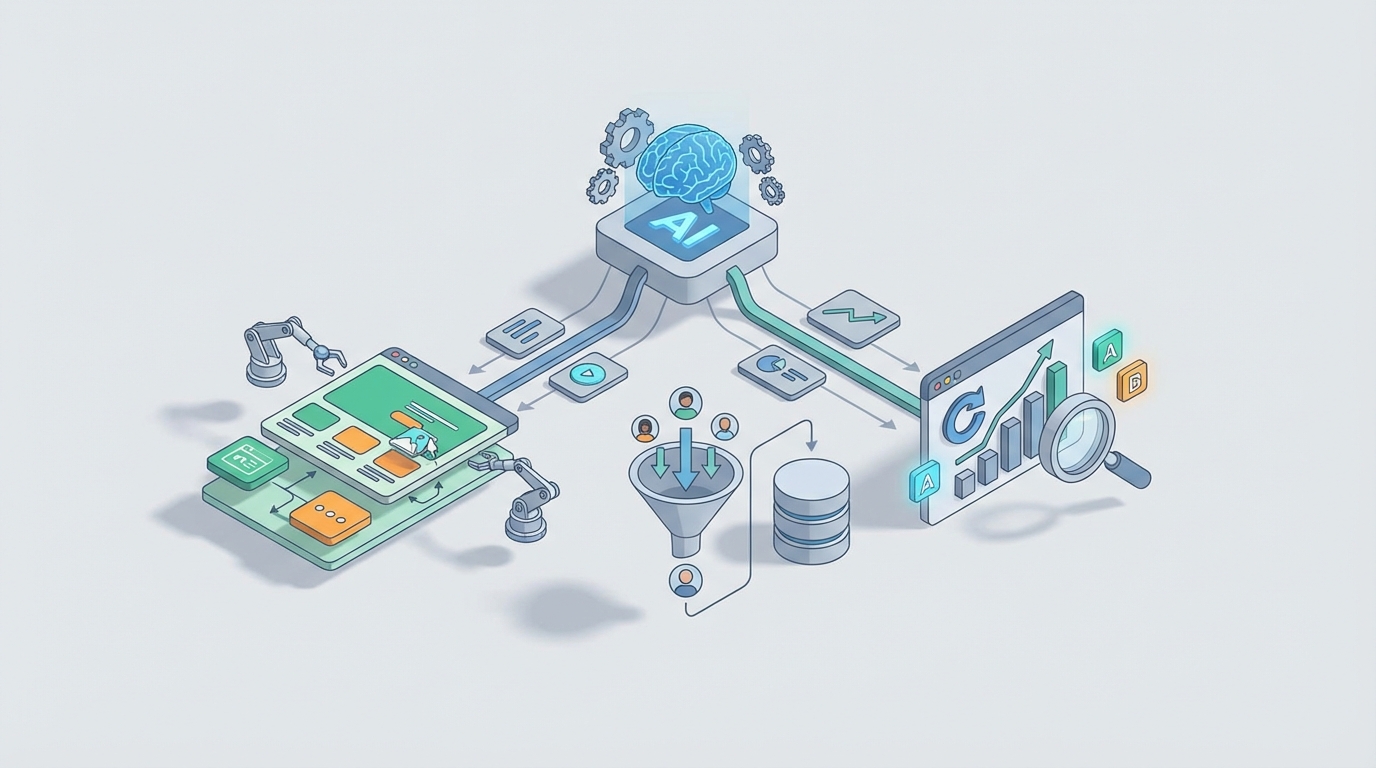
Most people using Leadpages are stuck in the same loop: pick a template, tweak the headline, connect Mailchimp, publish, run ads, hope for the best. Maybe you set up an A/B test. Maybe you glance at your conversion rate once a week. Maybe you have a Zapier zap that sends new leads to a Slack channel where they get ignored.
This is not optimization. This is ritual.
The actual work — qualifying leads, personalizing pages for different audiences, figuring out which headline is killing your conversion rate, following up with the right message at the right time — that stuff either doesn't happen or it happens manually, slowly, and inconsistently.
Leadpages is a solid publishing tool. It does what it says: you make pages, you capture leads. But it has no brain. Its automations are basically if-this-then-that triggers with zero contextual awareness. Its analytics are surface-level. Its API is constrained enough that most people just use Zapier and call it a day.
What if you dropped an intelligent agent on top of all of it? Not Leadpages' built-in "Smart Traffic" (which is really just multivariate routing). An actual AI agent that monitors your pages, qualifies your leads, optimizes your copy, orchestrates follow-ups across channels, and does it all autonomously based on real performance data.
That's what you can build with OpenClaw. Here's how.
Why Leadpages Needs an External Brain
Let's be honest about what Leadpages can't do:
- No lead scoring. Every form submission is treated identically. A CEO with a $500k budget and a college student doing research both land in the same email sequence.
- No conditional logic across pages. If someone visited your pricing page, bounced, then came back through a retargeting ad, Leadpages has no idea. It shows them the same generic page.
- No content intelligence. You wrote that headline based on gut feel. Was it good? Leadpages will tell you the conversion rate eventually, but it won't tell you why it's underperforming or what to try next.
- No cross-platform memory. Leadpages doesn't know what happened in your email tool, your CRM, your ad platform, or your Stripe account. It's an island.
- Automations are laughably basic. You can trigger a "add to list" action on form submission. That's about it. No branching, no delays, no behavioral triggers, no multi-step sequences.
These aren't minor inconveniences. They're the gap between "I have a landing page" and "I have a conversion machine." An OpenClaw agent fills that gap.
The Architecture: Leadpages as a Dumb Publishing Layer
The key mental model shift: stop thinking of Leadpages as your funnel platform. Think of it as a rendering engine. It publishes pages and collects form data. That's its job, and it does it fine.
Everything else — the intelligence, the personalization, the optimization, the multi-channel orchestration — lives in your OpenClaw agent.
Here's the high-level architecture:
[Traffic Sources] → [Leadpages (publishing + forms)] → [Webhooks]
                                                            ↓
                                                    [OpenClaw Agent]
                                                     ↙    ↓    ↘
                                              [Email]  [CRM]  [Analytics]
                                                ↕        ↕        ↕
                                          [Follow-up] [Scoring] [Optimization]
                                                     ↘    ↓    ↙
                                              [Back to Leadpages API]
                                           (update pages, swap content,
                                            adjust forms, trigger tests)
The OpenClaw agent sits at the center, receiving events from Leadpages via webhooks, pulling data from the API, cross-referencing with your other tools, making decisions, and taking action — either back into Leadpages or out through email, SMS, Slack, or whatever channels you use.
Five Workflows Worth Building
1. Intelligent Lead Qualification and Routing
The problem: Every lead that fills out your Leadpages form gets the same treatment. Your sales team wastes time on unqualified leads. Hot prospects get the same generic drip sequence as tire-kickers.
The OpenClaw workflow:
When a new form submission hits your Leadpages webhook, the OpenClaw agent:
- Enriches the lead — Pulls company data, LinkedIn info, and any previous interaction history from your CRM.
- Scores the lead — Using an LLM with context about your ideal customer profile, the agent assigns a qualification score. This isn't a dumb point system. The agent can reason about signals: "This person used a corporate email, their company has 50+ employees, and they downloaded the enterprise pricing guide last week. High intent."
- Routes accordingly:
- High score → Immediate Slack alert to sales + personalized email from a rep + calendar booking link
- Medium score → Nurture sequence with case studies relevant to their industry
- Low score → Standard drip sequence
- Spam/junk → Flagged and excluded
# OpenClaw agent webhook handler for Leadpages form submissions

@agent.on_webhook("leadpages_form_submit")
async def handle_new_lead(payload):
    lead_email = payload["email"]
    lead_name = payload["name"]
    lead_company = payload.get("company", "")

    # Step 1: Enrich
    enrichment = await agent.tools.clearbit_lookup(email=lead_email)
    crm_history = await agent.tools.hubspot_search(email=lead_email)

    # Step 2: Score with LLM reasoning
    score = await agent.reason(
        prompt=f"""Score this lead from 1-100 based on our ICP:
        Name: {lead_name}
        Company: {enrichment.get('company_name')}
        Size: {enrichment.get('employee_count')}
        Industry: {enrichment.get('industry')}
        Previous interactions: {crm_history}

        Our ICP: B2B SaaS, 20-500 employees, marketing teams.
        Return JSON with score and reasoning."""
    )

    # Step 3: Route
    if score["score"] >= 75:
        await agent.tools.slack_notify(
            channel="#hot-leads",
            message=f"🔥 High-intent lead: {lead_name} ({lead_company}) - Score: {score['score']}\nReasoning: {score['reasoning']}"
        )
        await agent.tools.send_email(
            to=lead_email,
            template="high_intent_personal",
            variables={"name": lead_name, "company": lead_company}
        )
    elif score["score"] >= 40:
        await agent.tools.activecampaign_add_to_automation(
            email=lead_email,
            automation_id="nurture_mid_intent"
        )
    else:
        await agent.tools.activecampaign_add_to_list(
            email=lead_email,
            list_id="general_newsletter"
        )
This alone is worth more than half the "marketing automation" most Leadpages users have set up.
2. Autonomous Conversion Optimization
The problem: You published a landing page three months ago. You ran one A/B test on the headline, picked the winner, and haven't touched it since. Meanwhile, your conversion rate has slowly decayed and you haven't noticed.
The OpenClaw workflow:
The agent runs a scheduled analysis loop:
- Pulls performance data from Leadpages (conversion rates, traffic volume) and Google Analytics (bounce rate, time on page, scroll depth, traffic source breakdown).
- Analyzes trends — Is conversion rate declining? Is there a traffic source that converts significantly worse? Is mobile underperforming desktop?
- Generates hypotheses — "Conversion rate dropped 15% over the last two weeks. Mobile traffic increased by 30% during the same period, and mobile conversion is 40% lower than desktop. The likely issue is mobile experience, not copy."
- Proposes or implements changes — Depending on your configuration, the agent can either send you a recommendation ("Consider simplifying the mobile form to single-step") or directly update the page via the Leadpages API and custom code injection.
- Monitors results — After changes are deployed, the agent watches for statistical significance before declaring a winner.
@agent.on_schedule("every_monday_9am")
async def weekly_page_audit():
    pages = await agent.tools.leadpages_list_pages()

    for page in pages:
        # Pull last 14 days of data
        lp_stats = await agent.tools.leadpages_get_stats(
            page_id=page["id"],
            days=14
        )
        ga_stats = await agent.tools.ga4_get_page_data(
            url=page["url"],
            days=14
        )
        previous_stats = await agent.tools.leadpages_get_stats(
            page_id=page["id"],
            days=14,
            offset=14  # Previous 14-day period
        )

        analysis = await agent.reason(
            prompt=f"""Analyze this landing page performance:

            Current period: {lp_stats}
            Previous period: {previous_stats}
            GA4 data: {ga_stats}

            Identify:
            1. Any significant conversion rate changes
            2. Device-specific issues
            3. Traffic source quality shifts
            4. Specific recommendations with expected impact

            Be specific and data-driven. No generic advice."""
        )

        if analysis["urgency"] == "high":
            await agent.tools.slack_notify(
                channel="#marketing",
                message=f"⚠️ Page '{page['name']}' needs attention:\n{analysis['summary']}"
            )

            # Log recommendations with full reasoning
            await agent.memory.store(
                key=f"page_audit_{page['id']}",
                data=analysis
            )
The key here is the agent's memory. Over weeks and months, it builds up a history of what's been tried, what worked, and what didn't. This context makes each subsequent recommendation smarter. Leadpages has no concept of this.
3. Dynamic Page Personalization
The problem: You're running Facebook ads and Google ads to the same Leadpages landing page. The Facebook audience is cold — they've never heard of you. The Google audience is warm — they searched for your exact product category. Showing them the same headline, social proof, and CTA is leaving money on the table.
The OpenClaw workflow:
This one requires a small JavaScript snippet on your Leadpages page that calls your OpenClaw agent at page load:
// Embed in Leadpages custom code section
<script>
(async function() {
    const params = new URLSearchParams(window.location.search);
    const source = params.get('utm_source') || 'direct';
    const medium = params.get('utm_medium') || 'none';
    const campaign = params.get('utm_campaign') || '';
    const visitorId = localStorage.getItem('oc_visitor') || crypto.randomUUID();
    localStorage.setItem('oc_visitor', visitorId);

    const response = await fetch('https://your-openclaw-agent.api/personalize', {
        method: 'POST',
        headers: { 'Content-Type': 'application/json' },
        body: JSON.stringify({
            visitor_id: visitorId,
            source, medium, campaign,
            page_url: window.location.pathname,
            referrer: document.referrer
        })
    });

    const personalization = await response.json();

    if (personalization.headline) {
        document.querySelector('h1').textContent = personalization.headline;
    }
    if (personalization.subheadline) {
        document.querySelector('.sub-headline').textContent = personalization.subheadline;
    }
    if (personalization.cta_text) {
        document.querySelector('.cta-button').textContent = personalization.cta_text;
    }
    if (personalization.social_proof) {
        document.querySelector('.testimonial').innerHTML = personalization.social_proof;
    }
})();
</script>
On the OpenClaw side, the agent decides what to show based on traffic source, visitor history, and performance data:
@agent.on_api_call("/personalize")
async def personalize_page(request):
    visitor = request["visitor_id"]
    source = request["source"]

    # Check visitor history
    history = await agent.memory.retrieve(f"visitor_{visitor}")
    visit_count = history.get("visit_count", 0) + 1 if history else 1

    await agent.memory.store(f"visitor_{visitor}", {
        "visit_count": visit_count,
        "last_source": source,
        "last_visit": datetime.now().isoformat()
    })

    # Personalization logic
    if source == "facebook" and visit_count == 1:
        return {
            "headline": "See Why 2,000+ Marketers Switched This Quarter",
            "subheadline": "No commitment. Free 14-day trial. See results in 48 hours.",
            "cta_text": "Try It Free",
            "social_proof": render_testimonial("cold_audience")
        }
    elif source == "google" and visit_count == 1:
        return {
            "headline": "The Landing Page Builder That Actually Converts",
            "subheadline": "You've been searching for a better solution. This is it.",
            "cta_text": "Start Building Now",
            "social_proof": render_testimonial("comparison_shopper")
        }
    elif visit_count >= 3:
        return {
            "headline": "Still Thinking It Over? Here's What Changed Their Mind",
            "cta_text": "See the Case Studies",
            "social_proof": render_testimonial("objection_handling")
        }

    return {}  # Default: no changes, show original page
Leadpages has nothing even close to this. Smart Traffic routes to different page variants, but it can't dynamically personalize content for individual visitors based on their history and context. This is an entirely different level.
4. Multi-Channel Follow-Up with Memory
The problem: Someone downloads your lead magnet via Leadpages. They get your email sequence. They don't respond. Three weeks later they come back and fill out a different form. Your system has no idea they're the same person, so they get another "Welcome!" email. They unsubscribe.
The OpenClaw workflow:
The agent maintains a unified profile for each contact across every touchpoint:
@agent.on_webhook("leadpages_form_submit")
async def unified_lead_handler(payload):
    email = payload["email"]
    form_id = payload["form_id"]
    page_url = payload["page_url"]

    # Retrieve unified profile
    profile = await agent.memory.retrieve(f"contact_{email}")

    if profile:
        # Returning contact — update, don't duplicate
        profile["interactions"].append({
            "type": "form_submission",
            "form_id": form_id,
            "page": page_url,
            "timestamp": datetime.now().isoformat()
        })

        # Determine next best action based on full history
        next_action = await agent.reason(
            prompt=f"""This contact has interacted with us before:
            {json.dumps(profile, indent=2)}

            They just submitted form '{form_id}' on page '{page_url}'.

            What's the best next action? Consider:
            - What content they've already received
            - How far along the funnel they are
            - What signals suggest intent level
            - Whether sales should be looped in

            Return a specific action, not generic advice."""
        )

        await execute_action(next_action, profile)

    else:
        # New contact — create profile
        profile = {
            "email": email,
            "first_seen": datetime.now().isoformat(),
            "interactions": [{
                "type": "form_submission",
                "form_id": form_id,
                "page": page_url,
                "timestamp": datetime.now().isoformat()
            }],
            "status": "new",
            "score": 0
        }

        await agent.memory.store(f"contact_{email}", profile)
        await begin_initial_sequence(profile)
The agent remembers everything. It knows that this person downloaded your SEO checklist six weeks ago, clicked two emails, visited your pricing page twice, and is now signing up for your webinar. The follow-up email won't say "Hey, nice to meet you!" — it'll say something contextually appropriate, because the agent has full history.
5. Automated Lead Magnet and Offer Generation
The problem: You've been offering the same PDF guide for 18 months. Your conversion rate has plateaued because your audience has seen it everywhere. You know you should create new lead magnets, but it's always at the bottom of the priority list.
The OpenClaw workflow:
@agent.on_schedule("first_of_month")
async def lead_magnet_refresh():
    # Analyze current performance
    current_offers = await agent.memory.retrieve("active_lead_magnets")
    performance = {}

    for offer in current_offers:
        stats = await agent.tools.leadpages_get_stats(
            page_id=offer["page_id"],
            days=30
        )
        performance[offer["name"]] = stats

    # Identify underperformers
    analysis = await agent.reason(
        prompt=f"""Review these lead magnet performance stats:
        {json.dumps(performance, indent=2)}

        Industry benchmarks: landing page CVR 3-5% for cold traffic, 15-25% for warm.

        Which offers need replacement? For each underperformer, suggest:
        1. A new lead magnet concept based on current industry trends
        2. A working title
        3. A 5-bullet outline
        4. Target audience segment

        Base suggestions on what's performing well (topics, formats)
        and what's declining."""
    )

    await agent.tools.slack_notify(
        channel="#content",
        message=f"📊 Monthly lead magnet review:\n{analysis['summary']}\n\nRecommended new offers:\n{analysis['recommendations']}"
    )

    # Optionally: auto-generate the content draft
    for rec in analysis["new_magnets"]:
        draft = await agent.reason(
            prompt=f"Write a complete {rec['format']} on: {rec['title']}\nOutline: {rec['outline']}\nTarget: {rec['audience']}\nTone: practical, no fluff, actionable."
        )
        await agent.tools.google_docs_create(
            title=f"[DRAFT] {rec['title']}",
            content=draft,
            folder="Lead Magnets"
        )
The agent identifies what's stale, proposes replacements based on what's actually working, and even drafts the content. You review and approve — the agent handles the analysis and heavy lifting.
Getting This Connected: Technical Details
Leadpages' API is limited, so here's what you're actually working with:
What you can do via the Leadpages API:
- List pages and get page metadata
- Retrieve lead/form submission data
- Create and update leads programmatically
- Set up webhooks for form submissions
What you need workarounds for:
- Page content updates: Use the custom code injection feature in Leadpages (Head/Body tracking code) to embed JavaScript that calls your OpenClaw agent. This is how you get dynamic personalization without needing Leadpages to support it natively.
- A/B testing beyond Smart Traffic: Run your own tests by having the OpenClaw agent serve different content via the personalization endpoint, then track results in your own analytics.
- Complex form logic: Use Leadpages' standard forms for initial capture, then have the OpenClaw agent send follow-up conversational forms via email or embedded chat.
OpenClaw handles the integration layer, so you're not writing raw API calls and managing auth tokens yourself. You define the tools your agent can use, the triggers it responds to, and the logic it follows. OpenClaw manages execution, memory, scheduling, and error handling.
What This Actually Costs You (In Time and Money)
Let's be real: you could duct-tape some of this together with Zapier, Google Sheets, a ChatGPT API key, and a lot of patience. People do. It works until it doesn't — which is usually when you're asleep and a webhook fails silently, or when your Google Sheet hits 50,000 rows and everything slows to a crawl, or when you realize you've spent more time maintaining your automations than the automations have saved you.
OpenClaw gives you a purpose-built platform for this. The agent has persistent memory, tool orchestration, scheduling, error recovery, and the ability to reason about complex situations. You're not gluing together five different services and praying they stay in sync.
The real cost is the setup time to define your workflows and connect your tools. After that, the agent runs. It monitors, it acts, it learns from results. You review the weekly digest, approve or override its recommendations, and move on with your day.
The Honest Limitations
A few things to know before you dive in:
- Leadpages' API is the bottleneck. You can't programmatically create entire pages from scratch. The agent is best at optimizing existing pages, personalizing content, and managing leads — not replacing the Leadpages builder.
- JavaScript personalization adds latency. If your OpenClaw agent's personalization endpoint takes 800ms to respond, visitors will see a flash of original content before the personalized version loads. Optimize for speed, and consider showing a loading state for above-the-fold elements.
- LLM reasoning isn't instant. For real-time personalization, pre-compute decisions where possible. Use the agent's memory to cache personalization rules rather than running a full LLM inference on every page load.
- You still need good traffic. An AI agent can optimize the hell out of your landing page, but it can't fix bad targeting or a product nobody wants.
What To Do Next
If you're using Leadpages and your "automation" consists of a form connected to Mailchimp and a prayer, here's the path:
- Start with lead qualification. It's the highest-ROI workflow and the simplest to implement. One webhook, one enrichment step, one scoring prompt, one routing decision. You'll see results within a week.
- Add the weekly audit. Scheduled analysis of your page performance costs you nothing in real-time latency and gives you insights you're currently blind to.
- Layer in personalization once you have enough traffic to justify it. Start with traffic-source-based personalization (the simplest form) and expand to behavior-based as your agent builds up visitor profiles.
- Expand to multi-channel follow-up as your lead volume grows and you need more sophisticated nurturing than a linear email sequence.
You can build all of this on OpenClaw. If you want help designing your specific agent architecture — which workflows to prioritize, how to connect your existing stack, what to automate versus keep manual — reach out through Clawsourcing. We'll map out the whole thing with you and figure out what actually moves the needle for your specific setup.
Leadpages is a fine tool for what it does. But what it does is publish pages and collect form data. Everything intelligent that happens after that — the qualification, the personalization, the optimization, the follow-up — that's where the actual conversion happens. And that's where your OpenClaw agent lives.
Recommended for this post

Adam
Full-Stack Engineer
Your full-stack AI engineer that architects, builds, deploys, and automates entire applications from a single conversation. 23+ Core Capabilities.
 Clarence Maker
Your Linear expert that automates issue tracking, builds workflows, and streamlines project management.
 SpookyJuice.ai
Three-level OODA strategy, five-phase Ralph execution, and a recursive feedback engine. Your agent gets faster — this makes it get better.
 JerryRunsOps