AI Agent for Kubernetes: Automate Cluster Management, Scaling, and Health Monitoring
Automate Cluster Management, Scaling, and Health Monitoring
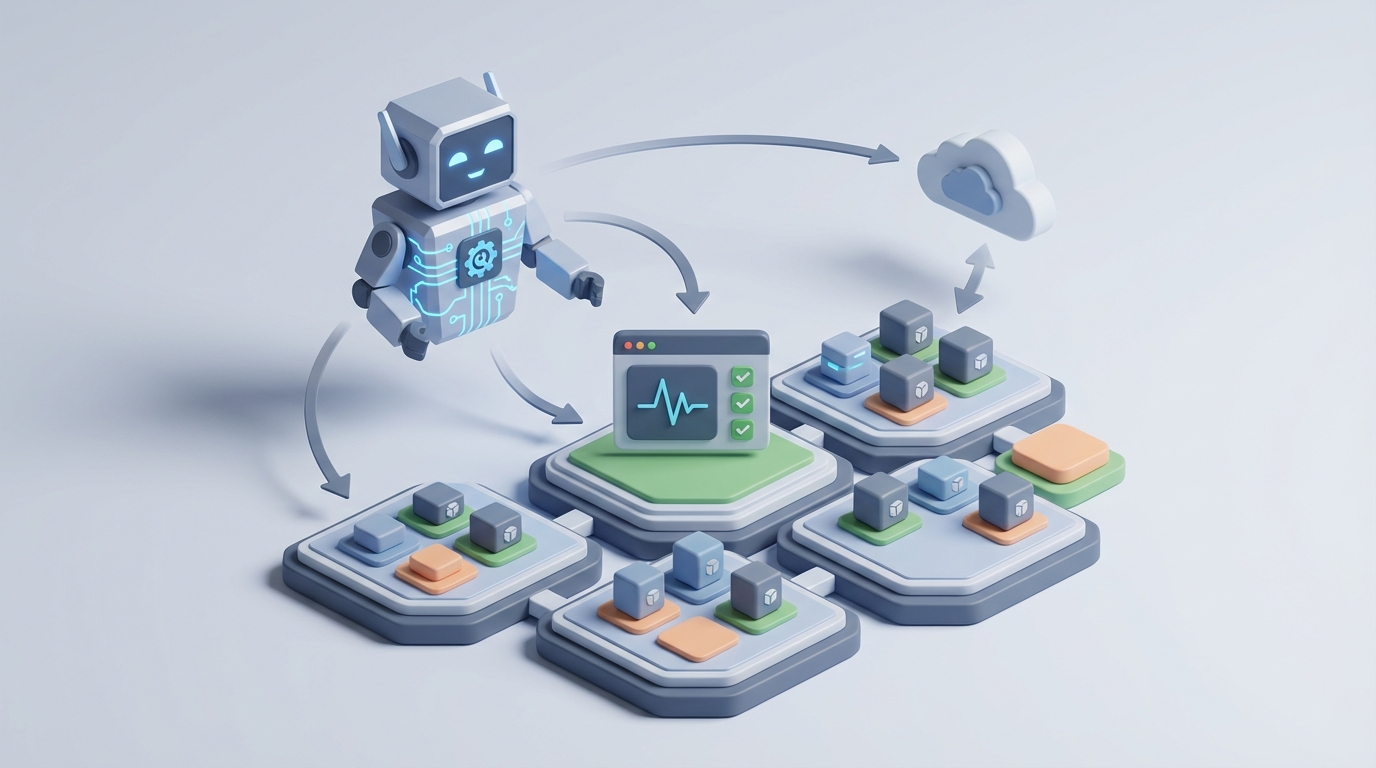
Kubernetes is an extraordinary execution engine and a terrible operator.
It will faithfully restart your crashed pod at 3 AM. It will not tell you why it crashed, whether it's going to crash again in 20 minutes, or that the real problem is a memory leak in the service two hops upstream. It will scale your replicas from 3 to 15 when CPU hits 80%. It will not anticipate that your marketing team just sent a push notification to 2 million users and you needed those replicas five minutes ago.
The gap between what Kubernetes can do and what your operations actually need is where most of the pain lives. And it's exactly the gap that a purpose-built AI agent can fill.
This post is about building that agent — not with some general-purpose chatbot, but with OpenClaw, wired directly into the Kubernetes API, your observability stack, and your organizational knowledge. The goal: an agent that reasons about your cluster, takes action when appropriate, and keeps a human in the loop for the decisions that matter.
Let's get into it.
The Intelligence Gap in Kubernetes
Before building anything, it's worth being precise about what's missing. Kubernetes has automations — HPA, VPA, Cluster Autoscaler, self-healing restarts, rolling updates. These are all reactive and rule-based. They execute policies you've defined against thresholds you've guessed at.
Here's what they don't do:
No root cause analysis. A pod is in CrashLoopBackOff. Kubernetes restarts it. Again. And again. It has no concept of "this pod is crashing because the database connection pool is exhausted because another deployment scaled up and consumed all available connections." It just sees a failed health check and does its one thing.
No predictive scaling. HPA responds to current metrics. It doesn't know that every Tuesday at 9 AM your traffic spikes 4x because of a weekly email campaign. It doesn't know that Black Friday is next week. It reacts after the load arrives, which means your users eat latency while new pods spin up.
No cost intelligence. Developers set resource requests and limits once, usually by guessing, and never touch them again. The result is chronic over-provisioning — clusters running at 15-25% actual utilization while you pay for 100%. Kubernetes doesn't care. It bin-packs what you told it to bin-pack.
No semantic understanding. Kubernetes doesn't know that your payment service is more important than your internal analytics dashboard. It doesn't know that scaling down a Kafka consumer mid-batch will cause data duplication. It treats every workload as an identical box to schedule.
No cross-system reasoning. The interesting operational problems span Kubernetes, your cloud provider, your CI/CD pipeline, your APM tools, your incident management system, and your team's runbooks. Kubernetes only knows about Kubernetes.
These aren't criticisms. Kubernetes was designed as an execution layer, and it's excellent at that job. But someone — or something — needs to provide the intelligence layer on top.
Why OpenClaw for This
You could try to cobble together scripts, custom controllers, and a bunch of if-then rules. People do. The result is usually a brittle mess that handles the three scenarios you anticipated and falls over on the fourth.
What you actually need is an agent that can reason about novel situations, use multiple tools in sequence, maintain context across interactions, and learn from your specific environment. That's what OpenClaw is built for.
OpenClaw gives you the scaffolding to build AI agents that connect to external APIs, execute multi-step workflows, maintain persistent memory, and operate with configurable autonomy levels. Instead of writing a thousand custom controllers, you build one agent that understands your cluster, your tools, and your intent.
The key capabilities that matter for Kubernetes integration:
- Tool use: The agent can call the Kubernetes API, query Prometheus, read logs from Loki, check cloud billing APIs, and trigger CI/CD pipelines — all within a single reasoning chain.
- Persistent memory: The agent remembers past incidents, knows your cluster topology, and learns your team's patterns.
- Configurable guardrails: You define what the agent can do autonomously versus what requires human approval. Read-only queries? Always allowed. Deleting a namespace? That goes through a human every time.
- Multi-step planning: The agent doesn't just respond to a single metric. It can investigate, correlate, form a hypothesis, validate it, and then act — or recommend action.
Let's look at how this works in practice.
Architecture: How the Agent Connects
The integration architecture is straightforward. Your OpenClaw agent sits outside the Kubernetes cluster (or inside it — your call on topology) and interacts with the cluster through well-defined interfaces:
┌─────────────────────────────────────────────────┐
│                  OpenClaw Agent                  │
│                                                  │
│  ┌──────────┐  ┌──────────┐  ┌───────────────┐  │
│  │ Reasoning │  │  Memory  │  │   Guardrails  │  │
│  │  Engine   │  │  Store   │  │   & Policies  │  │
│  └────┬─────┘  └────┬─────┘  └───────┬───────┘  │
│       └──────────────┼────────────────┘          │
│                      │                           │
│              ┌───────┴────────┐                  │
│              │  Tool Registry │                  │
│              └───────┬────────┘                  │
└──────────────────────┼───────────────────────────┘
                       │
         ┌─────────────┼─────────────────┐
         │             │                 │
    ┌────▼────┐  ┌─────▼──────┐  ┌──────▼──────┐
    │  K8s    │  │ Prometheus │  │  Cloud API  │
    │  API    │  │ /Grafana   │  │  (AWS/GCP)  │
    └─────────┘  └────────────┘  └─────────────┘
The Kubernetes API is the primary integration point. It's a RESTful API that supports CRUD operations, watches (real-time change notifications), and subresources (logs, exec, port-forward). Everything you can do with kubectl, you can do through this API programmatically.
For the OpenClaw agent, you define tools that wrap these API calls. Here's what a basic tool definition looks like for fetching pod status:
tools:
  - name: get_pods
    description: "List pods in a namespace with their status, resource usage, and recent events"
    parameters:
      namespace:
        type: string
        description: "Kubernetes namespace to query"
      label_selector:
        type: string
        description: "Label selector to filter pods (e.g., app=payment-service)"
    auth:
      type: service_account
      token_path: /var/run/secrets/kubernetes.io/serviceaccount/token

  - name: get_pod_logs
    description: "Retrieve logs from a specific pod and container"
    parameters:
      pod_name:
        type: string
      namespace:
        type: string
      container:
        type: string
      tail_lines:
        type: integer
        default: 200

  - name: describe_events
    description: "Get Kubernetes events for a resource, useful for diagnosing scheduling failures, OOMKills, etc."
    parameters:
      namespace:
        type: string
      resource_type:
        type: string
      resource_name:
        type: string
You'd build similar tool definitions for Prometheus queries (PromQL), log aggregation (Loki/Elasticsearch), and cloud provider APIs. The agent then has a full toolkit to investigate and act.
Critical detail on auth and RBAC: Create a dedicated ServiceAccount for the agent with the minimum permissions it needs. Start read-only. Expand to write permissions for specific resources only as you build confidence. Use Kubernetes RBAC to enforce this at the API server level — the agent's guardrails should be defense-in-depth, not just application-layer.
apiVersion: rbac.authorization.k8s.io/v1
kind: ClusterRole
metadata:
  name: openclaw-agent-readonly
rules:
  - apiGroups: [""]
    resources: ["pods", "pods/log", "services", "events", "nodes", "configmaps", "namespaces"]
    verbs: ["get", "list", "watch"]
  - apiGroups: ["apps"]
    resources: ["deployments", "replicasets", "statefulsets", "daemonsets"]
    verbs: ["get", "list", "watch"]
  - apiGroups: ["autoscaling"]
    resources: ["horizontalpodautoscalers"]
    verbs: ["get", "list", "watch"]
  - apiGroups: ["metrics.k8s.io"]
    resources: ["pods", "nodes"]
    verbs: ["get", "list"]
Workflow 1: Intelligent Incident Investigation
This is the highest-value, lowest-risk starting point. The agent investigates; humans decide.
Trigger: An alert fires — say, elevated error rates on your checkout service.
What the agent does:
- Queries Prometheus for the error rate metrics, identifies which pods are affected, when the error rate started climbing, and whether it correlates with any deployment.
- Checks recent Kubernetes events for the affected deployment — any OOMKills? Failed scheduling? Image pull errors?
- Pulls pod logs from the erroring containers, looking for exception patterns, connection timeouts, or resource exhaustion signals.
- Checks upstream dependencies — queries the service mesh or network policies to identify what the checkout service talks to, then checks those services for anomalies.
- Correlates with recent changes — queries the deployment history (or your GitOps tool's API) to see if anything was deployed in the window before errors started.
- Synthesizes a report with a root cause hypothesis, supporting evidence, and recommended next steps.
This entire investigation — which would take an experienced engineer 15-30 minutes — happens in seconds. The agent doesn't fix anything. It hands the engineer a structured analysis so they can make an informed decision immediately.
Here's how you'd configure this workflow in OpenClaw:
workflow:
  name: incident_investigation
  trigger:
    type: webhook
    source: alertmanager
    filter:
      severity: ["critical", "warning"]

  steps:
    - name: gather_context
      tools: [get_pods, query_prometheus, describe_events]
      instruction: >
        Identify all pods related to the alerting service.
        Pull error rate metrics for the last 30 minutes.
        Check for Kubernetes events indicating resource issues.

    - name: analyze_logs
      tools: [get_pod_logs]
      instruction: >
        Pull recent logs from erroring pods.
        Identify error patterns, stack traces, or connection failures.

    - name: check_dependencies
      tools: [query_prometheus, get_pods]
      instruction: >
        Identify upstream and downstream services.
        Check their health metrics and error rates.

    - name: correlate_changes
      tools: [get_deployment_history, query_gitops]
      instruction: >
        List all deployments in the affected namespace in the last 2 hours.
        Check if any config changes were applied.

    - name: synthesize
      output: slack_channel
      instruction: >
        Provide a structured incident summary:
        what's broken, likely root cause, supporting evidence,
        recommended actions ranked by confidence.

  guardrails:
    max_actions: read_only
    escalation: always_human
Workflow 2: Predictive Scaling
This is where the agent moves from investigation to action — with appropriate guardrails.
The problem: HPA reacts to current CPU/memory utilization. By the time metrics spike, your users are already experiencing degradation. For workloads with predictable patterns, you want to scale before the load arrives.
What the agent does:
- Analyzes historical metrics — queries Prometheus for the last 30-90 days of traffic patterns for a given service. Identifies daily cycles, weekly patterns, and trends.
- Integrates external signals — checks a shared calendar or marketing API for upcoming campaigns, scheduled batch jobs, or known events.
- Generates a scaling plan — "Based on the last 8 Tuesdays, the payment-service needs 12 replicas by 8:45 AM ET. Current replica count is 4. Recommend scaling to 12 at 8:30 AM."
- Executes or proposes — depending on your guardrail configuration, the agent either applies the scaling change directly or creates a PR/Slack message for approval.
# Example: OpenClaw agent tool for adjusting HPA
def adjust_hpa(namespace: str, deployment: str, min_replicas: int, max_replicas: int):
    """
    Patch the HorizontalPodAutoscaler for a deployment.
    Requires write permissions on autoscaling/v2 resources.
    """
    from kubernetes import client, config

    config.load_incluster_config()
    autoscaling_v2 = client.AutoscalingV2Api()

    body = {
        "spec": {
            "minReplicas": min_replicas,
            "maxReplicas": max_replicas
        }
    }

    autoscaling_v2.patch_namespaced_horizontal_pod_autoscaler(
        name=f"{deployment}-hpa",
        namespace=namespace,
        body=body
    )

    return {
        "status": "success",
        "deployment": deployment,
        "new_min_replicas": min_replicas,
        "new_max_replicas": max_replicas
    }
The key design decision here is the approval threshold. You might configure the agent so that:
- Scaling up within 2x of current replicas → auto-approved
- Scaling up beyond 2x → requires human approval
- Scaling down → always requires human approval (scaling down is where you break things)
- Any change to production namespaces → requires approval; staging is autonomous
Workflow 3: Continuous Resource Right-Sizing
This is the money workflow — literally. Most Kubernetes clusters are massively over-provisioned because developers set resource requests conservatively and never revisit them.
What the agent does:
- Continuously monitors actual resource usage vs. requested resources across all workloads.
- Identifies over-provisioned workloads — "The user-profile-service requests 2 CPU and 4Gi memory but has never exceeded 0.3 CPU and 800Mi in the last 30 days."
- Calculates recommended values — using P95 or P99 utilization with a configurable safety margin (e.g., 20% headroom above P99).
- Generates right-sizing proposals — either as direct patches, PRs to your GitOps repo, or a weekly summary report.
- Tracks the impact — after changes are applied, monitors for any performance degradation and automatically rolls back if detected.
workflow:
  name: resource_rightsizing
  schedule: "0 9 * * MON"  # Weekly analysis every Monday at 9 AM

  steps:
    - name: analyze_utilization
      tools: [query_prometheus]
      instruction: >
        For every deployment across all namespaces, query:
        - P50, P95, P99 CPU usage over last 14 days
        - P50, P95, P99 memory usage over last 14 days
        - Current CPU/memory requests and limits
        Compare actual usage to requests. Flag any workload where
        P99 usage is less than 50% of requested resources.

    - name: generate_recommendations
      instruction: >
        For each flagged workload, calculate recommended requests:
        - CPU request = P99 CPU usage * 1.2 (20% headroom)
        - Memory request = P99 memory usage * 1.25 (25% headroom)
        - Memory limit = recommended memory request * 1.5
        Calculate estimated cost savings based on node instance pricing.

    - name: create_proposals
      tools: [create_gitops_pr, send_slack_summary]
      instruction: >
        Group recommendations by namespace/team.
        Create a PR for each team's GitOps repo with updated resource values.
        Send a Slack summary with total estimated monthly savings.

  guardrails:
    excluded_namespaces: ["kube-system", "istio-system"]
    min_observation_days: 14
    never_reduce_below:
      cpu: "50m"
      memory: "64Mi"
This workflow alone, done well, can reduce Kubernetes compute costs by 30-60%. That's not a guess — it's what organizations consistently find when they move from "developer estimates" to data-driven resource allocation.
Workflow 4: Security and Compliance Scanning
Your agent can continuously audit cluster state against your security policies:
- Scan running images against vulnerability databases and flag workloads running images with critical CVEs.
- Audit RBAC configurations for overly permissive roles (e.g., cluster-admin bound to service accounts that don't need it).
- Check network policies for namespaces that allow unrestricted ingress/egress.
- Verify pod security standards — flag containers running as root, with privilege escalation, or without read-only root filesystems.
- Detect secrets sprawl — identify secrets that haven't been rotated, or sensitive data in ConfigMaps instead of Secrets.
The agent doesn't just run a scan and dump a 10,000-line report. It prioritizes findings by blast radius, correlates them with actual exposure (is this over-permissioned service account actually used? Is that vulnerable image in a production namespace or a test sandbox?), and generates actionable remediation steps ranked by impact.
The Guardrails You Need
I want to be direct about this: an AI agent with write access to your Kubernetes clusters is powerful and potentially dangerous. The guardrails aren't optional — they're the core of the design.
Tiered autonomy model:
| Action Type | Example | Autonomy Level |
|---|---|---|
| Read/Observe | Query metrics, read logs, list resources | Fully autonomous |
| Low-risk write | Scale up replicas within defined bounds | Auto-approved with logging |
| Medium-risk write | Modify resource requests, update HPA config | Requires async approval (PR/Slack) |
| High-risk write | Delete resources, modify RBAC, change network policies | Requires synchronous human approval |
| Forbidden | Delete namespaces, modify kube-system, touch secrets | Blocked at RBAC level |
Audit trail: Every action the agent takes — including read operations — should be logged with full context: what it observed, what it reasoned, what it decided, and why. This isn't just for compliance; it's how you build trust and debug the agent's behavior.
Dry-run by default: For any write operation, the agent should first execute a dry-run (kubectl apply --dry-run=server) and validate the result before applying. This catches a surprising number of issues.
Blast radius limits: The agent should never be able to modify more than N resources in a single action without explicit approval. A bug in the agent's reasoning that tries to scale down every deployment in the cluster should hit a circuit breaker long before it causes damage.
Getting Started: A Practical Sequence
Don't try to build all of this at once. Here's the sequence that makes sense:
Week 1-2: Read-only investigation agent. Connect your OpenClaw agent to the Kubernetes API (read-only) and Prometheus. Give it one job: when an alert fires, investigate and post a summary to Slack. This builds trust, gives you immediate value, and lets you tune the agent's reasoning without any risk.
Week 3-4: Add cost analysis. Extend the agent with the resource right-sizing workflow. Still read-only — it generates reports and recommendations, but humans apply the changes. Track how accurate its recommendations are.
Week 5-6: Enable low-risk writes. Give the agent permission to adjust HPA configurations and replica counts within bounds you define. Monitor closely. Review audit logs daily.
Week 7+: Expand based on what hurts. By now you'll know where the agent provides the most value in your environment. Maybe it's predictive scaling. Maybe it's security scanning. Maybe it's automating your runbooks for common failure modes. Let the pain guide you.
What This Actually Looks Like in Practice
When this is working well, your team's experience changes meaningfully:
-
An alert fires at 2 AM. Instead of paging an engineer, the agent investigates, identifies that a new deployment introduced a regression (connection timeout to an external API), and posts a complete analysis to your incident channel. The on-call engineer wakes up, reads a clear summary, and rolls back the deployment in 2 minutes instead of spending 45 minutes investigating.
-
Your monthly Kubernetes bill drops 35% because the agent identified and right-sized 80+ over-provisioned workloads that nobody had time to audit manually.
-
Traffic surges from a marketing campaign are handled cleanly because the agent pre-scaled the affected services 15 minutes before the emails went out.
-
A junior developer accidentally deploys a container running as root with no resource limits. The agent catches it within seconds, flags the violation, and creates a PR with the corrected pod security context.
None of this is science fiction. The Kubernetes API gives you everything you need to observe and act. Prometheus gives you the metrics. Your logs give you the context. OpenClaw gives you the reasoning layer that connects all of it.
Build or Buy?
You could try to build this from scratch — custom controllers, a bunch of Python scripts, maybe some ML models for prediction. Some organizations do. But you'll spend months on the scaffolding (tool orchestration, memory management, guardrail enforcement, approval workflows) before you get to the interesting part, which is the actual intelligence.
OpenClaw gives you the platform so you can focus on the domain-specific logic: your scaling policies, your incident runbooks, your cost optimization strategies, your security requirements.
If your team is spending more than a few hours a week on Kubernetes operational toil — investigating alerts, right-sizing resources, auditing security posture, managing scaling — there's a concrete, practical agent you can build that gives that time back.
Ready to build? If you want help designing and implementing a Kubernetes AI agent for your environment, check out Clawsourcing. We'll work with your team to scope the integration, set up the guardrails, and get the agent running in your clusters — starting with read-only investigation and expanding from there. No hype, no science projects. Just an agent that makes your operations better.