AI Agent for Ko-fi: Automate Creator Payments, Membership Management, and Supporter Engagement
Automate Creator Payments, Membership Management, and Supporter Engagement
Most creators on Ko-fi are running what amounts to a real business — $3k to $20k+ per month in donations, memberships, commissions, and digital product sales — on a platform that gives them a donation button and a prayer.
Ko-fi is great at what it does: low friction, no platform fees on donations, simple storefront. But the moment you try to actually manage the business side — tracking who your best supporters are, following up on commissions, retaining members who are about to churn, delivering files intelligently, keeping your books clean — you're doing everything manually. Copy-pasting into spreadsheets. Sending the same generic thank-you to someone who gave you $5 and someone who's been subscribed at $25/month for a year. Losing commission requests in your inbox.
Ko-fi's built-in automations are essentially "event happened → do one thing." No conditional logic, no personalization, no awareness of customer history. And their API? It's not really an API. It's a webhook system that fires JSON payloads when something happens: donation received, subscription started, shop order placed. You can't query anything. You can't update anything. You can't manage products, retrieve historical data, or interact with the platform programmatically in any meaningful way.
It's an event notification system wearing an API's clothes.
Here's the thing though — that webhook system is enough if you put something intelligent on the receiving end. And that's exactly what you can build with OpenClaw.
What We're Actually Building
The architecture is straightforward:
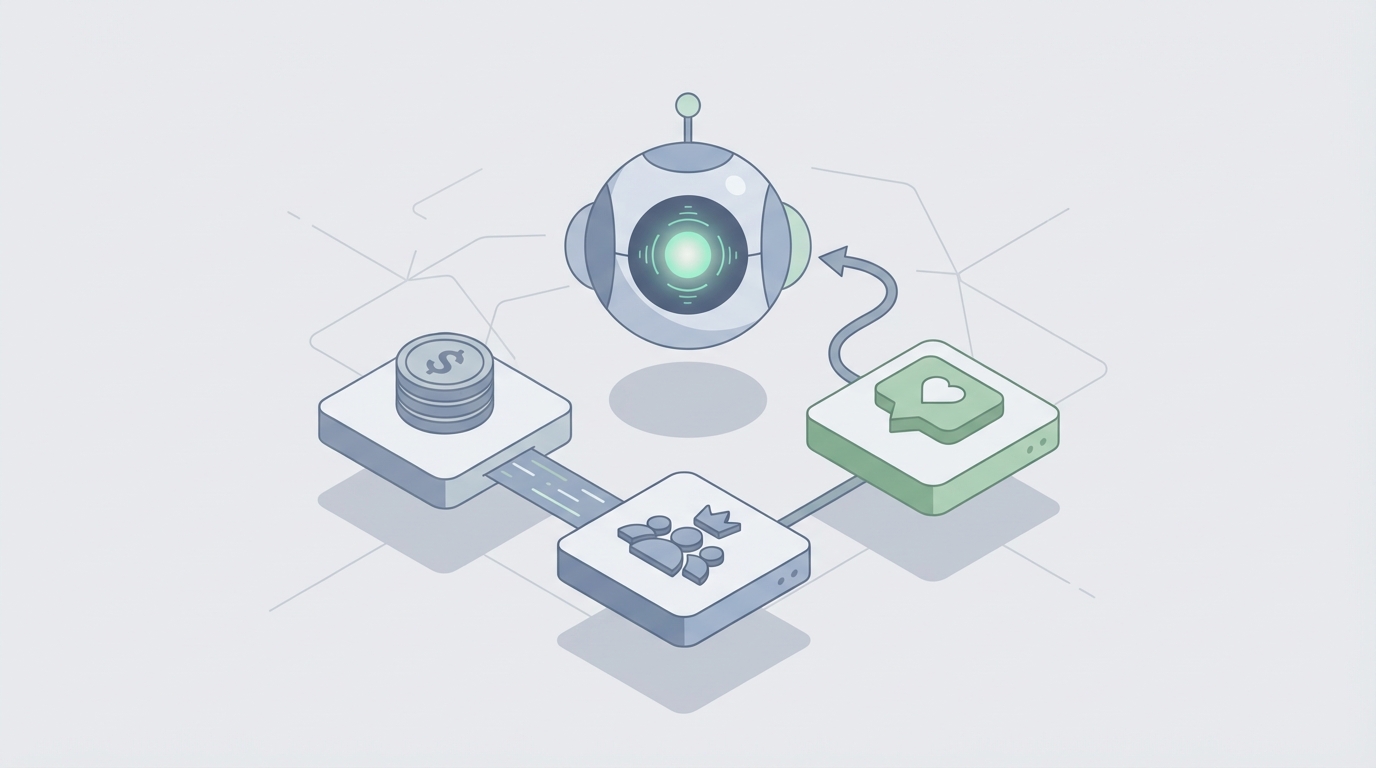
Ko-fi Webhooks → OpenClaw AI Agent → Your Business Tools
Ko-fi fires events. OpenClaw catches them, stores the data, reasons about what to do, and takes action across every tool you actually use — Discord, Notion, email, Google Sheets, your accounting system, whatever.
The AI agent isn't just routing data. It's making decisions. It knows that a $100 one-time donation from a first-time supporter should trigger a different response than a $5 recurring payment from someone who's been with you for eight months. It knows that when someone's commission request comes in with vague requirements, it should ask clarifying questions before you even see it. It knows that a member who downgraded tiers last month and hasn't engaged with your content is about to cancel.
This is what turns Ko-fi from a donation button into an actual business backend.
Setting Up the Webhook Receiver
First, the plumbing. Ko-fi lets you configure a webhook URL in your account settings under "API" (Settings → Advanced → Webhooks). You'll point this at your OpenClaw agent's endpoint.
Ko-fi sends a POST request with a data field containing JSON. Here's what a donation payload looks like:
{
  "verification_token": "your-verification-token",
  "message_id": "abc123",
  "timestamp": "2026-01-15T10:30:00Z",
  "type": "Donation",
  "is_public": true,
  "from_name": "Alex",
  "message": "Love your work, keep it up!",
  "amount": "25.00",
  "url": "https://ko-fi.com/Home/CoffeeShop?txid=abc123",
  "email": "alex@example.com",
  "currency": "USD",
  "is_subscription_payment": false,
  "is_first_subscription_payment": false,
  "kofi_transaction_id": "abc123-def456"
}
For subscriptions, you also get tier_name and whether it's a first payment, renewal, or cancellation. For shop orders, you get item details and shipping info if applicable.
One critical note: Ko-fi's webhook retries are unreliable. Users consistently report missed events. Your OpenClaw agent needs to account for this — implement idempotency checks using kofi_transaction_id and, where possible, do periodic reconciliation against your stored data. More on that in a minute.
Within OpenClaw, your agent ingests these payloads, validates the verification_token, and begins its decision process.
The Data Layer: Building What Ko-fi Won't Give You
Since Ko-fi has no queryable API, every webhook event your agent receives becomes a record in your own database. Over time, this becomes the CRM that Ko-fi should have built but didn't.
Your OpenClaw agent maintains:
- Supporter profiles: Name, email, first interaction date, total lifetime value, current membership tier, purchase history, commission history, messages sent.
- Transaction log: Every donation, subscription payment, shop order, and commission — timestamped and categorized.
- Engagement scoring: A computed metric based on recency, frequency, and monetary value (classic RFM segmentation, but automated).
- Status flags: VIP, at-risk, new supporter, high-spender, commissioned client, churned.
You can store this in Supabase, Airtable, Postgres — whatever fits your setup. The point is that OpenClaw now has context that Ko-fi will never surface on its own. Every decision the agent makes is informed by the full history of a supporter's relationship with you, not just the single event that just fired.
This is the foundation everything else builds on.
Workflow 1: Intelligent Thank-You Messages
This sounds trivial. It's not. Generic thank-yous are a missed opportunity, and personalized ones at scale are impossible manually.
Here's what the OpenClaw agent does when a donation comes in:
- Look up the supporter in your database. Are they new or returning? What's their history?
- Analyze the message they sent with their donation. Sentiment, specific mentions of your work, questions they asked.
- Generate a response that's actually personal. Not "Thanks for the coffee!" — but something that acknowledges their specific message, references their history ("You've been supporting since March — that means a lot"), and, if appropriate, nudges them toward a membership or product they'd likely enjoy based on their pattern.
A first-time $5 donor gets a warm welcome and a pointer to your best free content. A returning supporter who just gave $50 gets a genuine, detailed thank-you that references their previous support and offers early access to something you're working on. A subscriber who's been around for six months gets acknowledged for their loyalty specifically.
The agent drafts these and either sends them automatically (if you've built that confidence) or queues them for your quick review. Either way, what used to take 30 minutes of daily copy-paste now takes zero — and the output is better than what most people write manually.
Workflow 2: Commission Management That Doesn't Make You Want to Quit
Commissions are where Ko-fi creators lose the most time and sanity. The built-in commission system gives you a form, a status tracker, and not much else.
Here's what an OpenClaw agent does with the commission workflow:
Intake & Qualification: When a commission request comes in (via Ko-fi webhook or, for more complex setups, a Typeform/Google Form that feeds into OpenClaw), the agent:
- Parses the request details against your commission menu and current availability.
- Identifies vague or incomplete requests and automatically sends a clarification message with specific questions. ("You mentioned you want a character illustration — could you share reference images and confirm whether you'd like a full body or bust? Also, did you want the commercial-use license?")
- Estimates pricing based on complexity markers in the request matched against your historical pricing.
- Checks your current commission queue and provides an estimated delivery timeline.
Project Management: Once accepted, the agent creates a task in Notion (or Trello, or wherever you work) with all the parsed details, deadline, and client contact info. It schedules status update reminders and sends the client automated progress notifications at intervals you define.
Delivery & Follow-Up: When you mark a commission complete, the agent sends the delivery with smart file links (expiring URLs if you want to prevent redistribution), requests feedback, and — here's where the data layer matters — logs this client's preferences and history so next time they commission you, the intake process is even smoother.
This alone saves most commission-heavy creators 5-10 hours per week.
Workflow 3: Proactive Churn Prevention
This is where the AI layer earns its keep. Ko-fi tells you when someone cancels. By then it's too late.
Your OpenClaw agent watches for leading indicators:
- Tier downgrade: Someone moved from your $15 tier to your $5 tier. The agent flags this and sends a personal check-in. Not a desperate "please stay" — a genuine "Hey, noticed you switched tiers. Totally fine — just wanted to make sure you're still getting value. Anything I could do differently?"
- Payment failure patterns: If a subscription payment fails and Ko-fi fires a cancellation event, the agent can send a gentle "heads up, your payment didn't go through" message before they even realize.
- Engagement decay: If you're feeding any engagement data into your system (Discord activity, content views, email opens), the agent can detect when a previously active member goes quiet and trigger re-engagement content — a personal message, a sneak peek at upcoming work, an exclusive poll asking what they'd like to see.
- At-risk scoring: Based on the RFM model the agent maintains, supporters trending toward churn get flagged in a weekly digest for your review, along with suggested actions.
Retaining a $15/month member for an extra three months is $45 you didn't have to hustle for. Across your whole membership base, this compounds fast.
Workflow 4: Multi-Channel Orchestration
When a single Ko-fi event should trigger actions in five different places, doing it manually is how things get dropped. Zapier can handle this but breaks constantly once you have more than a couple of branches.
OpenClaw handles the orchestration natively. One shop order triggers:
- Discord: Assign buyer role, post in your supporters channel.
- Email: Send purchase confirmation with download links and related product suggestions.
- Notion: Log the sale in your product database, update revenue tracking.
- Google Sheets: Add row to your accounting spreadsheet with amount, date, product, and tax jurisdiction.
- Mailchimp/ConvertKit: Tag the buyer for future product launch sequences.
All from one webhook event, with the AI layer deciding which actions to take based on what was purchased and who the buyer is. A returning customer who bought a brush pack doesn't need the same email sequence as a first-time buyer who grabbed your flagship course.
Workflow 5: Analytics and Insights That Actually Help
Ko-fi shows you revenue. That's about it.
Your OpenClaw agent generates actual business intelligence:
- Product performance: "Your Procreate brush pack drove 43% of shop revenue this month, but your Notion templates have a higher conversion-to-membership rate — buyers of templates are 3x more likely to subscribe within 30 days."
- Supporter segmentation: "You have 12 VIP supporters (top 5% by lifetime value) who account for 31% of your total revenue. Here's what they have in common."
- Revenue forecasting: Based on subscription trends, churn rates, and seasonal patterns in your data: "Projected revenue next month is $4,200-$4,800, assuming current churn rate holds."
- Content ROI: If you tag which external content (tweets, YouTube videos, newsletter issues) drove traffic, the agent can correlate: "Your tutorial threads drive 4x more Ko-fi conversions than your portfolio posts."
This gets delivered as a weekly or monthly digest — plain language, actionable, no dashboard you'll never check.
Handling Ko-fi's API Limitations
Let's be honest about the constraints. Ko-fi's webhook-only system means:
- You can't pull historical data. Your agent only knows about events that happened after you set it up (unless you do a one-time CSV export and import to seed the database).
- You can't write back to Ko-fi. The agent can't update product listings, modify tiers, or manage subscriptions on the platform itself. Actions happen in your other tools.
- Missed webhooks are a real risk. Build idempotency into every handler (deduplicate on
kofi_transaction_id), and consider a weekly manual reconciliation check — export your Ko-fi data and diff it against your database.
These are real limitations. But they don't prevent you from building something genuinely useful. The agent works around Ko-fi, building a parallel system that's smarter than the platform itself.
The Compounding Effect
Here's what makes this worth doing: each of these workflows feeds data back into the system. Every commission you complete adds to your pricing intelligence. Every churn event you prevent (or don't) refines your at-risk model. Every product sale sharpens your understanding of what your audience actually wants.
After three months, your OpenClaw agent knows your business better than you do. After six months, it's making recommendations you wouldn't have thought of because it's seeing patterns across hundreds of transactions that no human would catch.
This is the difference between using Ko-fi as a tip jar and using it as the front door to an actual creator business.
Getting Started
You don't have to build all five workflows at once. Start with the one that hurts most:
- If you're drowning in commission management, start there.
- If you're losing members and don't know why, start with churn prevention.
- If you're spending 30 minutes a day on thank-you messages, automate that first.
- If you have no idea what's actually working in your business, start with analytics.
Get one workflow running, see the impact, then expand. The data layer compounds regardless — every event captured now makes every future workflow smarter.
If building this sounds like exactly what you need but you'd rather not architect the whole thing yourself, that's what Clawsourcing is for. We'll scope your Ko-fi integration, build the OpenClaw agent, connect your tools, and hand you a system that actually runs your business instead of just collecting payments. You focus on the creative work. The agent handles the rest.
Recommended for this post

Adam
Full-Stack Engineer
Your full-stack AI engineer that architects, builds, deploys, and automates entire applications from a single conversation. 23+ Core Capabilities.
 Clarence Maker
Your Linear expert that automates issue tracking, builds workflows, and streamlines project management.
 SpookyJuice.ai
Your data pipeline engineer that builds ETL workflows, manages streaming data, and optimizes throughput -- data that flows.
SpookyJuice.ai