AI Agent for Jane App: Automate Health Practice Scheduling, Charting, and Billing
Automate Health Practice Scheduling, Charting, and Billing
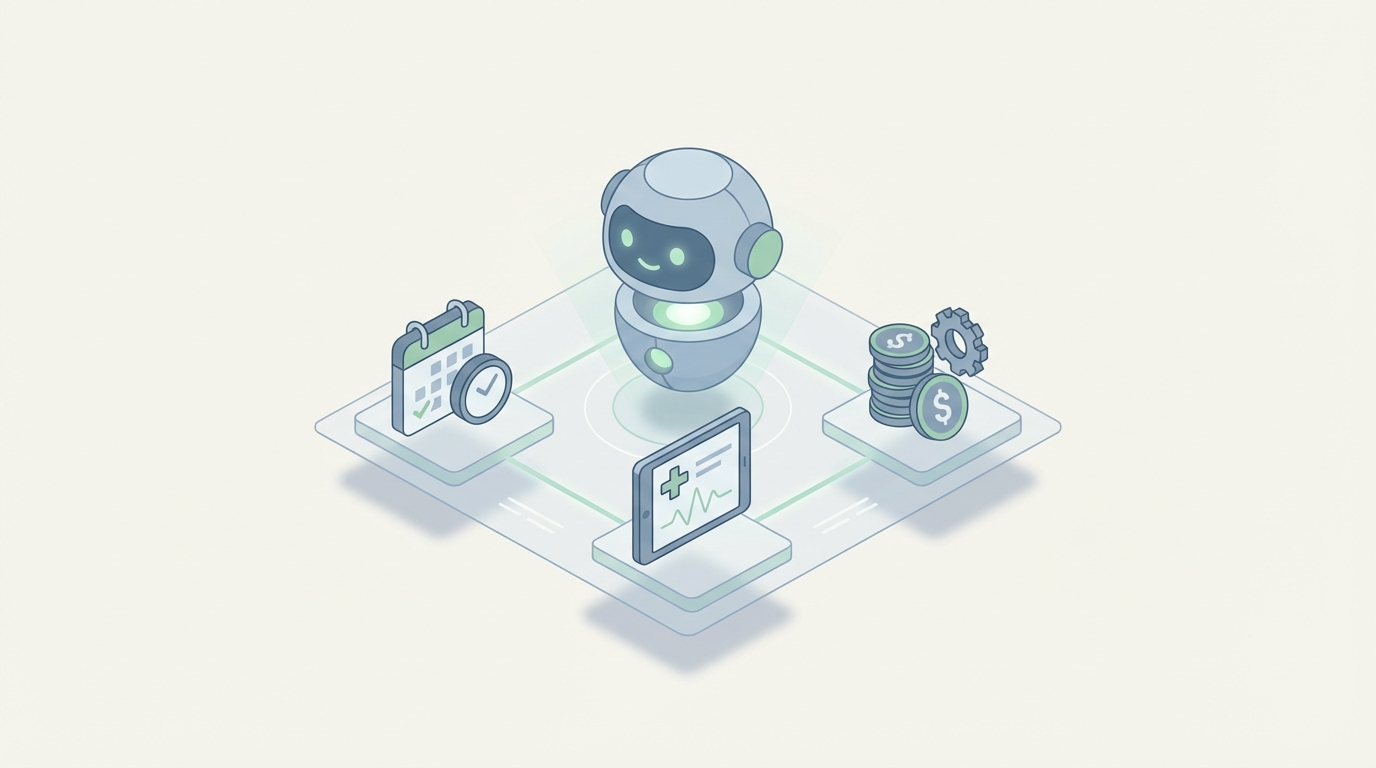
If you run a health practice on Jane App, you already know the drill. Jane handles your scheduling, charting, billing, and patient records well enough that switching would be painful. But you've also hit the ceiling. The built-in automations are rigid. The reporting is surface-level. Your front desk still spends half their day on tasks that feel like they should be automated but aren't.
The solution isn't replacing Jane. It's building an AI agent layer on top of it.
Not Jane's own AI features — those are limited to what Jane decides to ship. I'm talking about a custom AI agent that connects to Jane's API, listens for real-time events via webhooks, and takes intelligent action autonomously. Scheduling optimization, smart charting, predictive no-show management, insurance billing cleanup, patient communication that actually sounds human — all orchestrated through OpenClaw.
Let me walk through exactly how this works, what you can build, and why it matters for clinics that have outgrown Jane's native automation.
Why Jane's Built-in Automations Hit a Wall
Jane's automation system is rule-based and simple. That's not a criticism — it's a design choice. Jane prioritizes stability and compliance, which means their automation layer is intentionally conservative.
Here's what that looks like in practice:
- Limited triggers: Mostly time-based or status-based. Appointment booked, no-show flagged, birthday reached.
- Flat conditional logic: Basic "if this, then that" with almost no branching.
- No external data awareness: Jane's automations can't consider data from your accounting software, your marketing platform, or even patterns in your own patient history.
- No intelligence: There's no ability to predict, recommend, or adapt. Every automation runs the same way for every patient, every time.
- Template personalization is shallow: You can merge a first name into an email. That's about it.
Most clinics outgrow these automations within 12–18 months. After that, you're either hiring more admin staff, duct-taping things together with Zapier, or just accepting that certain things won't get done.
An AI agent built on OpenClaw eliminates that ceiling entirely.
The Architecture: Jane API + Webhooks + OpenClaw
Jane offers a REST-based API and webhook system. You need formal approval and an API key (it's not fully self-service), but once you're in, you get access to the data and events that matter:
API Access:
- Patients (create, read, update, delete — demographics, insurance info)
- Appointments (create, read, update, cancel, reschedule)
- Treatments and services
- Invoices, payments, financial records
- Practitioners and locations
Webhooks (real-time event triggers):
- Appointment created, updated, completed, cancelled
- Patient checked in
- Payment received
- New patient registered
What OpenClaw does with this:
OpenClaw sits between Jane's data layer and your desired outcomes. It receives webhook events, queries the Jane API for context, reasons about what should happen next, and takes action — either back through the Jane API, through external systems, or by alerting your team.
Think of it as the brain that Jane doesn't have.
Here's a simplified architecture:
Jane App Webhook → OpenClaw Agent (receives event)
    ↓
OpenClaw queries Jane API for context (patient history, schedule, billing)
    ↓
OpenClaw reasons about the right action (LLM + business rules + patient data)
    ↓
OpenClaw acts:
    → Updates Jane via API (reschedule, add note, flag chart)
    → Sends communication (SMS, email via integrated channels)
    → Updates external systems (accounting, marketing, inventory)
    → Alerts staff via Slack/dashboard when human judgment needed
This is not theoretical. This is how production clinic AI agents work today.
Six Workflows Worth Building First
Not everything needs AI. Here are the six workflows where an OpenClaw agent delivers the most value for Jane App clinics, ranked by impact.
1. Predictive No-Show Management
The problem: Jane flags no-shows after they happen. You can send reminders, but they're the same generic reminder for every patient regardless of risk.
What OpenClaw does:
The agent analyzes patient history — previous no-shows, appointment timing patterns, gap between booking and appointment, weather data, even day-of-week trends — and generates a no-show risk score for every upcoming appointment.
High-risk appointments get different treatment:
- Extra confirmation touchpoints (personalized SMS, not template)
- Overbooking suggestions for high-risk time slots
- Waitlist patients get pre-notified that a slot might open up
- Front desk gets a morning briefing: "These 3 appointments have a >40% no-show probability"
# Example: OpenClaw agent handling appointment.created webhook
def handle_appointment_created(event):
    patient_id = event["patient_id"]
    appointment_time = event["appointment_time"]

    # Pull patient history from Jane API
    patient = jane_api.get_patient(patient_id)
    past_appointments = jane_api.get_appointments(
        patient_id=patient_id,
        status="all",
        limit=50
    )

    # Calculate no-show risk via OpenClaw reasoning
    risk_assessment = openclaw.evaluate(
        agent="no_show_predictor",
        context={
            "patient": patient,
            "history": past_appointments,
            "appointment": event,
            "day_of_week": appointment_time.weekday(),
            "lead_time_days": (appointment_time - datetime.now()).days
        }
    )

    if risk_assessment.score > 0.4:
        # Trigger enhanced confirmation sequence
        openclaw.execute_workflow(
            "high_risk_confirmation",
            patient_id=patient_id,
            appointment_id=event["appointment_id"],
            risk_score=risk_assessment.score
        )

        # Alert front desk
        openclaw.notify(
            channel="slack",
            message=f"⚠️ High no-show risk ({risk_assessment.score:.0%}) for "
                    f"{patient['first_name']} {patient['last_name']} "
                    f"on {appointment_time.strftime('%B %d at %I:%M %p')}. "
                    f"Reason: {risk_assessment.reasoning}"
        )
Clinics running this typically reduce no-shows by 20–35%. For a busy practice, that's thousands of dollars in recovered revenue per month.
2. Intelligent Scheduling Optimization
The problem: Jane's scheduling is calendar-based. It knows availability but doesn't understand optimization. It doesn't know that Dr. Kim prefers complex cases in the morning, that your massage therapist needs buffer time after deep tissue sessions, or that booking a new patient assessment right before lunch creates a cascade of afternoon delays.
What OpenClaw does:
When patients book online or the front desk schedules an appointment, the OpenClaw agent evaluates the proposed slot against multiple optimization criteria:
- Practitioner energy and preference patterns
- Treatment type sequencing (don't stack five new patient assessments back-to-back)
- Room utilization and equipment conflicts
- Travel time for mobile practitioners
- Revenue optimization (suggesting higher-value slots for quick fills, protecting premium slots for complex cases)
The agent can either auto-optimize the calendar during low-traffic booking windows or suggest alternatives to patients during online booking: "Dr. Martinez has better availability for this type of appointment on Thursday morning — would that work?"
3. Smart Charting Assistant
The problem: Charting is the bane of every practitioner's existence. Jane's templates help, but practitioners still spend 5–15 minutes per patient on SOAP notes, often after hours. Voice dictation exists but isn't contextually aware.
What OpenClaw does:
After an appointment is marked complete (via webhook), the OpenClaw agent:
- Pulls the patient's previous chart notes via the Jane API
- Takes the practitioner's voice note or shorthand input
- Generates a complete SOAP note that's consistent with the patient's history, uses the clinic's preferred terminology, and follows the documentation standards for the treatment type
- Pushes the draft note back to Jane for practitioner review and approval
The key differentiator: context-awareness. The agent knows this is a follow-up for a lumbar disc issue first seen three weeks ago. It knows the patient was prescribed home exercises last visit. It structures the note accordingly, flags if the patient reported no improvement (suggesting a treatment plan modification), and auto-populates relevant body chart markers.
This cuts charting time by 60–70% for most practitioners. That's 1–2 hours saved per day. For a clinic with five practitioners, that's the equivalent of recovering a full workday, every single day.
4. Automated Insurance Billing Intelligence
The problem: Insurance billing in Jane works well for straightforward Canadian claims. For US payers, complex benefit structures, or clinics that deal with auto accident or workers' comp cases, the billing workflow requires significant manual oversight. Claims get rejected, codes get mismatched, and reconciliation is a weekly headache.
What OpenClaw does:
The agent monitors every invoice and payment event via webhooks. It builds an intelligence layer on top of billing data:
- Pre-submission review: Before a claim goes out, the agent checks the billing code against the treatment type, the patient's insurance plan, and historical rejection patterns. "This payer rejected code 97140 for this diagnosis 3 of the last 5 times. Consider using 97530 instead."
- Rejection pattern detection: When claims are rejected, the agent identifies systemic issues. "Blue Cross has rejected 12 claims this month for insufficient documentation. Here's the common thread."
- Payment reconciliation: Automatically matches incoming payments to outstanding invoices, flags discrepancies, and surfaces aging receivables that need attention.
- Revenue leakage alerts: "You performed 47 units of acupuncture this month but only billed for 41. Here are the 6 appointments with missing charges."
For a mid-size clinic, fixing billing leakage alone can recover $2,000–$5,000 per month. That's not a guess — it's what clinics consistently find when they actually audit their billing data with intelligent tools.
5. Context-Aware Patient Communication
The problem: Jane's patient communications are template-based. Every recall email looks the same. Every reminder sounds the same. There's no ability to adjust messaging based on patient history, engagement patterns, or communication preferences.
What OpenClaw does:
The agent manages all patient communication with full context:
- Recall campaigns that adapt: A patient who's been coming weekly for 8 weeks and just finished their treatment plan gets a different recall message than a patient who ghosted after two visits. The agent adjusts tone, timing, urgency, and offer accordingly.
- Intelligent re-engagement: For patients who haven't been seen in 90+ days, the agent crafts personalized outreach referencing their specific treatment history. "Hi Sarah — it's been a few months since your last session for the shoulder impingement. How's the range of motion feeling? Dr. Chen has Tuesday afternoon availability if you'd like a check-in."
- Two-way SMS handling: Patient texts "Can I move my Thursday appointment to next week?" → the OpenClaw agent understands the request, checks Jane's calendar for availability, and either confirms the reschedule or offers alternatives. No human intervention needed for straightforward requests.
This isn't chatbot-level interaction. Because the agent has access to the patient's full history through the Jane API, it communicates with the same context your front desk would — it just handles the volume that your front desk can't.
6. Operational Intelligence Dashboard
The problem: Jane's built-in reporting covers the basics — revenue, appointment counts, no-show rates. But it can't answer questions like "Which treatment types have the highest rebooking rate?" or "What's our patient lifetime value segmented by referral source?" or "Which practitioner's patients are most likely to churn after the third visit?"
What OpenClaw does:
The agent continuously syncs data from Jane's API into a structured analytics layer and generates insights that Jane's reporting can't:
- Practitioner performance benchmarking (utilization, rebooking rate, revenue per hour, patient satisfaction correlation)
- Patient cohort analysis (retention curves by treatment type, referral source, insurance status)
- Demand forecasting (predict next month's appointment volume by day and treatment type)
- Revenue forecasting and capacity planning
- Automated weekly/monthly business review summaries delivered to clinic owners
These aren't vanity metrics. They're operational levers. Knowing that your Tuesday 2 PM slots have 90% utilization but Wednesday 2 PM slots have 40% utilization tells you exactly where to focus your marketing or adjust your scheduling rules.
Implementation: Getting Started Without Losing Your Mind
You don't need to build all six workflows at once. Here's the practical path:
Week 1–2: Foundation
- Get Jane API access approved (apply through Jane's developer program)
- Set up your OpenClaw environment and connect to Jane's webhook endpoints
- Build the data sync layer: patients, appointments, invoices flowing into OpenClaw
Week 3–4: First Agent
- Start with predictive no-show management — it has the most immediate, measurable ROI
- Configure the risk scoring model with your clinic's historical data
- Set up notification channels (Slack, email, or dashboard alerts)
- Run in "shadow mode" for one week: agent predicts, you validate, but it doesn't take action yet
Week 5–6: Go Live + Expand
- Activate the no-show agent for real interventions
- Begin building your second workflow (usually charting assistant or patient communication, depending on your biggest pain point)
- Measure: compare no-show rates, staff time spent on admin tasks, and revenue recovery
Month 2–3: Full Orchestration
- Layer in billing intelligence and scheduling optimization
- Connect external systems (accounting software, marketing platforms)
- Build the analytics dashboard
The key principle: each agent should be independently valuable. Don't build a monolithic system. Build discrete agents that each solve one problem well, then orchestrate them together through OpenClaw as your confidence grows.
What This Looks Like in Practice
A 6-practitioner physiotherapy clinic in Ontario was spending roughly 15 hours per week on admin tasks that felt automatable but weren't automated within Jane. Front desk handling scheduling changes via phone and text. Practitioners charting after hours. Billing coordinator chasing rejected claims. Owner manually pulling reports into spreadsheets for business decisions.
After implementing OpenClaw agents on top of their Jane App instance:
- Scheduling changes handled autonomously via SMS: ~4 hours/week saved
- Charting time reduced by 60%: ~6 hours/week saved across practitioners
- No-show rate dropped from 14% to 9%: ~$3,200/month in recovered revenue
- Billing rejection rate cut in half: ~$1,800/month in faster collections
The total cost of running the AI agent layer was significantly less than what they'd been spending on the admin problems it solved. And unlike hiring another staff member, the agents work 24/7 and improve over time.
The Bottom Line
Jane App is a solid practice management platform. It's not going anywhere, and for most allied health clinics, it remains the right core system. But it was built as a practice management tool, not an intelligence platform. The gap between what Jane does and what your clinic actually needs is where an AI agent layer creates enormous value.
OpenClaw gives you the infrastructure to build that layer without starting from scratch — agents that listen to Jane's events, reason about your clinic's data, and take action that's actually intelligent.
You don't need to rip and replace anything. You need to make what you already have smarter.
Ready to build an AI agent for your Jane App practice? Our Clawsourcing team builds custom OpenClaw agents for health practices — starting with your highest-impact workflow and expanding from there. No generic chatbot nonsense. Just AI that understands your clinic's data and does useful work with it.