AI Agent for Instantly: Automate Cold Email at Scale, Deliverability Monitoring, and Lead Management
Automate Cold Email at Scale, Deliverability Monitoring, and Lead Management
Most cold email advice is stuck in 2022. "Just buy 50 domains, warm them up, write a good hook, and send 10,000 emails a month." That worked. Past tense.
Here's what actually happens now: You set up Instantly, connect your accounts, run warmup for three weeks, launch a campaign, get decent open rates for about 45 days, and then everything craters. Google and Microsoft changed the rules. Warmup pools are less effective. Inbox placement is a moving target. And even when your emails land, the replies pile up in a unified inbox that nobody has time to manage properly.
Instantly is genuinely excellent infrastructure. Unlimited accounts, solid deliverability tools, good campaign builder, reliable sending. But it's a sender, not a thinker. The built-in AI writer produces passable first drafts that sound like every other cold email. The sequence logic tops out at "if reply, stop sending." The analytics tell you what happened but not what to do about it.
The actual competitive advantage in outbound right now isn't better sending infrastructure — everyone has that. It's intelligence layered on top of the infrastructure. An AI agent that monitors deliverability and rotates accounts before they burn. That reads replies and understands what they mean. That researches prospects and writes emails a human would actually respond to. That manages campaigns autonomously toward a goal, not just a schedule.
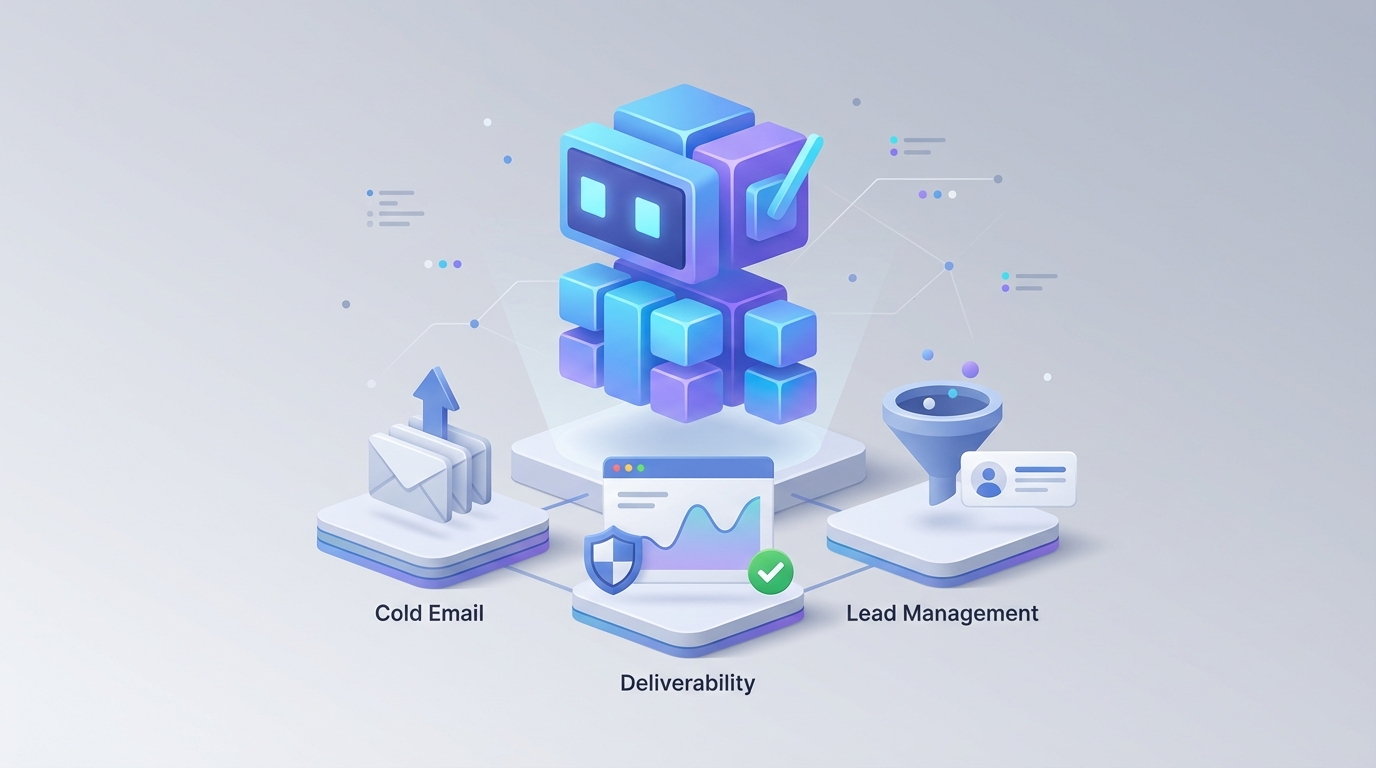
This is what you can build with OpenClaw connected to Instantly's API. Not a chatbot. Not a prompt wrapper. A genuine autonomous agent that turns Instantly from a high-volume email cannon into an intelligent outbound sales system.
Let me walk through exactly how this works.
What Instantly's API Actually Gives You to Work With
Before talking about what to build, you need to understand what's available. Instantly's REST API is more capable than most people realize. Here's what you can programmatically control:
Campaign Management: Create, update, pause, resume, and delete campaigns entirely via API. You can push new email copy, change sequence steps, and modify send schedules without touching the UI.
Prospect Management: Add and remove prospects from campaigns, including custom variables. You can push enriched data (company size, funding stage, tech stack, recent news) as custom fields that get merged into email templates.
Activity & Analytics: Pull open rates, click rates, reply rates, and bounce rates per campaign, per account, per prospect. You can retrieve granular prospect-level activity timelines.
Unified Inbox Access: Read and write replies programmatically. This is the big one — it means an AI agent can read incoming replies, understand them, and draft or send responses.
Webhooks: Get real-time notifications for new replies, opens, clicks, bounces, unsubscribes, and interest signals. These are your triggers for agent actions.
Account Health: Check the health status of connected email accounts, including warmup progress and sending reputation.
What you can't do via API: Create new email accounts (UI only), access Instantly's built-in AI writer (irrelevant since you'll use OpenClaw), or build complex conditional branching within Instantly itself. The branching logic lives in your agent, not in Instantly.
This is a solid foundation. The API gives you enough control to essentially operate Instantly as a headless email-sending and tracking engine while your AI agent handles all the decision-making.
The Architecture: OpenClaw + Instantly
Here's the system design that actually works in production:
OpenClaw serves as the brain — the AI agent platform where you build, deploy, and manage the autonomous agent. It handles reasoning, tool use, memory, knowledge retrieval, and decision-making. It connects to Instantly's API as one of its tools, alongside your CRM, enrichment sources, and any other data systems.
The basic flow:
Instantly Webhook → OpenClaw Agent → [Reason + Retrieve + Decide] → Instantly API Action
                                   → CRM Update
                                   → Slack Notification
                                   → Next Action Scheduling
Your OpenClaw agent has access to:
- Instantly API tools — send emails, manage campaigns, pull analytics, read/write inbox
- Knowledge base — your product docs, pricing, case studies, objection responses, ICP definitions, loaded into OpenClaw's vector storage
- Enrichment tools — company data, LinkedIn profiles, tech stack detection, recent news
- CRM tools — read/write to HubSpot, Salesforce, Pipedrive, or whatever you use
- Notification tools — Slack, email alerts for human-in-the-loop moments
The agent doesn't just react to events. It runs on schedules, monitors trends, and takes proactive action. That's the difference between an automation and an agent.
Workflow 1: Intelligent Reply Classification and Response
This is the highest-impact workflow and where most teams should start. Here's the problem it solves:
When you're sending 5,000–20,000 emails per month, you might get 200–800 replies. Maybe 15% are genuinely interested. Another 30% are soft objections that could convert with the right follow-up. The rest are out-of-office, unsubscribe requests, wrong person, or "not interested." Manually reading and categorizing all of these is a full-time job. Most teams do it badly, miss hot leads, or respond too slowly.
Here's how the OpenClaw agent handles this:
Step 1: Webhook fires when a new reply hits Instantly.
{
  "event": "reply",
  "campaign_id": "abc123",
  "prospect_email": "vp.marketing@example.com",
  "prospect_name": "Sarah Chen",
  "reply_text": "Thanks for reaching out. We're actually evaluating solutions in this space right now. Can you send over some case studies for companies our size?",
  "timestamp": "2026-01-15T14:32:00Z"
}
Step 2: OpenClaw agent receives the webhook and begins reasoning.
The agent pulls the full conversation history from Instantly's API (not just this reply, but every previous email in the sequence). It retrieves the prospect's custom variables — company size, industry, funding stage, whatever you enriched during list building.
Step 3: Classification with context.
The agent classifies the reply into categories with confidence scores:
- Hot lead (meeting request, asking for pricing, evaluating solutions) → High priority
- Warm lead (interested but objection, asking questions, requesting info) → Medium priority
- Neutral (out of office, forwarded to colleague, vague response) → Low priority
- Negative (not interested, unsubscribe, hostile) → Remove from sequence
- Irrelevant (auto-reply, spam filter bounce-back) → Ignore
This isn't keyword matching. The agent understands that "We're actually evaluating solutions in this space right now" is a hot signal even though it doesn't contain words like "yes" or "meeting."
Step 4: Action based on classification.
For the example above, the agent would:
- Tag the prospect as "Hot — Evaluating" in Instantly
- Pull relevant case studies from the knowledge base (filtered by company size and industry)
- Draft a personalized response referencing the case studies, the prospect's specific situation, and a soft CTA for a call
- Either send automatically (if you've enabled that for hot leads) or push to a human review queue in Slack with the draft ready to approve
- Create or update the contact in your CRM with the interaction summary
- Schedule a follow-up check — if no response in 3 days, the agent sends a gentle nudge
For negative replies, the agent automatically removes the prospect from the campaign and updates the suppression list. For out-of-office replies, it parses the return date and reschedules outreach.
The configuration in OpenClaw involves setting up the tool connections (Instantly API, CRM, Slack), loading your knowledge base, and defining the classification criteria and action rules. You're not writing code for every scenario — you're defining the agent's goals and constraints, and it reasons through novel situations.
Workflow 2: Proactive Deliverability Monitoring and Account Management
This is the workflow that saves campaigns before they fail. Most Instantly users find out about deliverability problems after the damage is done — reply rates drop, bounce rates spike, and by the time you notice, you've already burned through a chunk of your list.
The OpenClaw agent runs on a schedule (every 6 hours is a good cadence) and pulls account health data and campaign analytics from Instantly's API.
Here's what it monitors and acts on:
Bounce rate by account: If any sending account exceeds a 3% bounce rate over a 48-hour window, the agent automatically pauses that account's campaigns and alerts you. It then checks if the issue is the account itself (reputation) or the list (bad data) by cross-referencing bounce rates across accounts sending to similar lists.
Open rate trends: A sudden drop in open rates (say, from 45% to 20% over 3 days) on a specific account usually means inbox placement has tanked. The agent pauses the account, increases warmup volume, and redistributes that account's pending sends across healthy accounts.
Reply rate by campaign variant: The agent compares A/B test variants and automatically scales up winners. If variant A is getting 4% replies and variant B is getting 1.2%, the agent shifts send volume to variant A and pauses variant B. It can also generate new test variants based on what's working.
Account rotation: The agent tracks cumulative send volume per account and enforces daily/weekly caps that are more conservative than Instantly's defaults. When an account approaches its safe threshold, sends are rerouted. When accounts have been resting for a set period, they're gradually brought back online.
Domain reputation checks: The agent can trigger external deliverability tests (inbox placement tests, blacklist checks) and correlate results with Instantly's internal metrics to build a more complete picture.
Here's a simplified version of the monitoring logic:
# Pseudocode for the agent's deliverability monitoring routine

for account in get_all_sending_accounts():
    stats = instantly_api.get_account_stats(account.id, period="48h")

    if stats.bounce_rate > 0.03:
        instantly_api.pause_account_campaigns(account.id)
        notify_slack(f"⚠️ {account.email} paused: {stats.bounce_rate:.1%} bounce rate")
        redistribute_sends(account.id, get_healthy_accounts())

    if stats.open_rate < stats.rolling_avg_open_rate * 0.5:
        instantly_api.pause_account_campaigns(account.id)
        instantly_api.increase_warmup(account.id, volume=40)
        notify_slack(f"📉 {account.email} paused: open rate dropped to {stats.open_rate:.1%}")

    if stats.daily_sends > account.safe_daily_limit * 0.85:
        instantly_api.throttle_account(account.id, reduce_by=0.3)
This runs autonomously. You wake up to a Slack summary: "2 accounts paused overnight due to deliverability signals, sends redistributed, no campaign interruption." Instead of losing a week of sends while you manually diagnose the problem.
Workflow 3: Hyper-Personalized Email Generation
Instantly's built-in AI writer knows nothing about your prospects beyond what's in the CSV. That's why the output is generic. An OpenClaw agent can do genuine research and write emails that reference specific, relevant details.
The process:
- You upload a prospect list to the agent (or it pulls from your CRM/Apollo)
- For each prospect, the agent uses browsing and enrichment tools to gather: recent LinkedIn posts, company blog articles, funding announcements, job postings (which reveal priorities), tech stack, mutual connections, and industry news
- The agent accesses your knowledge base to identify the most relevant value proposition, case study, and social proof for this specific prospect
- It generates a complete email sequence (typically 4–6 steps) written in your brand voice, referencing the research naturally — not in a "I saw you posted about X" way that screams automation, but woven into the value proposition
- The sequence is pushed to Instantly via API with all custom variables populated
The difference in output quality is stark. Generic Instantly AI email:
"Hi {first_name}, I noticed {company} is growing fast. We help companies like yours streamline their outbound. Would you be open to a quick chat?"
OpenClaw agent email:
"Hi Sarah — saw that Acme just opened a second SDR team in Austin (congrats on the growth). At that stage, most teams hit a wall where adding headcount doesn't linearly increase pipeline because the tooling and process can't keep up. We helped Buildworks solve this exact problem when they went from 4 to 12 SDRs last year — they actually increased meetings per rep by 40% while onboarding 8 new people. Happy to share what they did differently if it's useful."
That second email took the agent about 15 seconds to research and write. It's specific, relevant, and doesn't sound like a template. At scale, this is the difference between a 2% reply rate and an 8% reply rate.
Workflow 4: Autonomous Campaign Optimization
This is where the agent moves from reactive to proactive. Instead of you reviewing dashboards and making adjustments, the agent continuously optimizes campaigns toward your defined goals.
You set a goal: "Book 30 qualified meetings this month with VP Marketing or CMOs at Series B+ SaaS companies, 50–500 employees."
The agent then:
- Manages list building: Identifies prospects matching your ICP, enriches them, deduplicates against your CRM and suppression lists, and stages them for outreach
- Creates and launches campaigns: Writes sequences, sets up A/B tests, assigns sending accounts, and configures send schedules
- Monitors and optimizes daily: Analyzes which messages, subject lines, send times, and prospect segments are performing. Scales what works, kills what doesn't
- Tracks toward the goal: If meeting bookings are behind pace, the agent increases send volume, tests more aggressive CTAs, or expands targeting criteria slightly. If ahead of pace, it can tighten targeting to improve lead quality
- Reports weekly: Sends you a summary with metrics, decisions made, and recommended strategy adjustments that require your approval
You're still in control — the agent has guardrails. It won't exceed send limits you set, won't target companies on your exclusion list, and won't send emails that haven't passed a quality check. But within those bounds, it operates independently.
Implementation: Getting Started
Here's the practical path:
Week 1: Connect and Monitor
- Set up OpenClaw and connect Instantly's API (API key + webhook configuration)
- Load your knowledge base (product docs, case studies, objection handling, ICP definition, brand voice examples)
- Deploy the deliverability monitoring agent on a 6-hour schedule
- Deploy the reply classification agent on webhook triggers, with all responses going to human review (no auto-send yet)
Week 2: Trust and Tune
- Review the agent's reply classifications and drafted responses. Correct where needed — this feedback improves performance
- Adjust deliverability thresholds based on your specific account behavior
- Start using the agent for email generation on a single campaign
Week 3: Expand
- Enable auto-send for low-risk actions (removing negative replies, out-of-office rescheduling)
- Roll out personalized email generation across all new campaigns
- Begin A/B testing agent-written copy against your manual copy
Week 4+: Autonomy
- Gradually increase the agent's autonomy based on performance
- Enable auto-response for specific reply categories (information requests, meeting scheduling)
- Deploy the campaign optimization workflow with clear goals and guardrails
The key principle: start with monitoring and recommendations, then graduate to autonomous action as you build trust in the agent's judgment.
Why This Matters Right Now
Cold email isn't dying, but dumb cold email is. The platforms that made high-volume outbound accessible (Instantly included) created an arms race that commoditized the sending. Everyone can send 10,000 emails a month. The differentiator is now intelligence — better targeting, better personalization, faster and smarter follow-up, proactive deliverability management.
Building this on OpenClaw means you're not stitching together 14 Zapier automations and praying they don't break. You have a single agent platform that reasons about your outbound operation holistically, maintains context across interactions, and improves over time.
Instantly handles the plumbing. OpenClaw handles the thinking. Together, they give you an outbound system that actually scales without proportionally scaling headcount.
Next Steps
If you want to build an AI agent for Instantly (or any other part of your sales stack), the fastest path is through Clawsourcing. The Claw Mart team will scope your specific workflows, build the OpenClaw agent, connect it to your Instantly account and CRM, and hand you a working system — not a pitch deck.
Whether you need the reply management workflow, deliverability monitoring, personalized email generation, or the full autonomous campaign system, Clawsourcing gets you from "this sounds cool" to "this is running and booking meetings" in weeks, not months.
Stop manually triaging your Instantly inbox at 7 AM. Let an agent do it.
Recommended for this post

Adam
Full-Stack Engineer
Your full-stack AI engineer that architects, builds, deploys, and automates entire applications from a single conversation. 23+ Core Capabilities.
 Clarence Maker
Your Linear expert that automates issue tracking, builds workflows, and streamlines project management.
 SpookyJuice.ai
Three-level OODA strategy, five-phase Ralph execution, and a recursive feedback engine. Your agent gets faster — this makes it get better.
 JerryRunsOps