AI Agent for inFlow: Automate Inventory Management, Purchase Orders, and Sales Tracking
Automate Inventory Management, Purchase Orders, and Sales Tracking
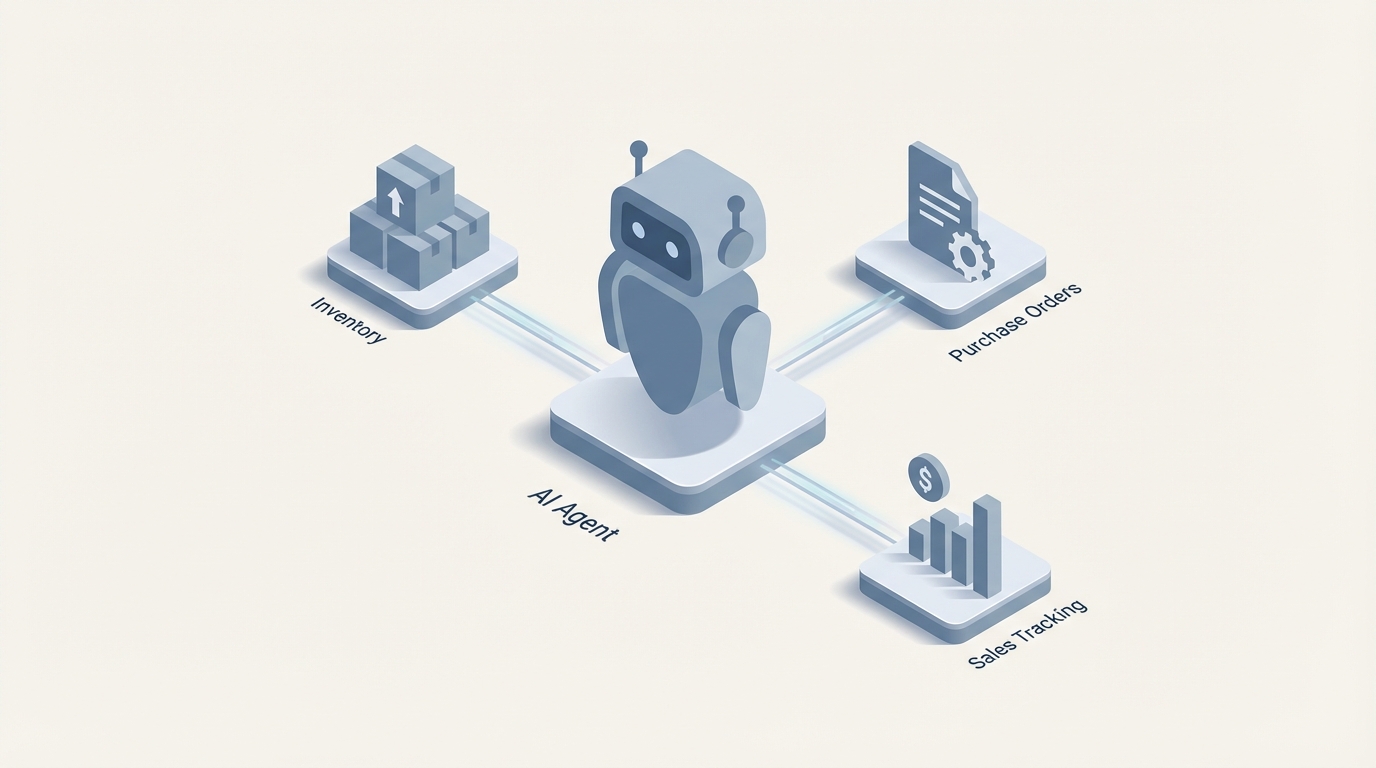
inFlow is a solid inventory system. It handles stock tracking, purchase orders, sales fulfillment, barcode scanning, and accounting integrations better than most tools in its class. For small-to-medium businesses doing $1M–$20M in revenue, it hits a sweet spot between spreadsheets and bloated ERPs like NetSuite.
But here's the thing: inFlow is a system of record. It stores data and moves it through workflows. It doesn't think. It doesn't proactively tell you that your best-selling SKU is trending 40% above forecast and your primary supplier's lead time has been creeping up for three months. It doesn't read a supplier's email, extract pricing, compare it against your last five POs, and flag that they quietly raised prices 8%. It doesn't look at 90 days of sales velocity data and tell you which items to stop reordering because they're dead weight eating up warehouse space.
inFlow's built-in automation is a glorified if-then engine with roughly ten trigger types, no conditional branching, no ability to call external systems, and no intelligence whatsoever. If stock drops below X, email someone. That's about it.
The gap between what inFlow stores and what you actually need to do with that data — that's where an AI agent comes in. Not inFlow's AI features (which are minimal). A custom AI agent, built on OpenClaw, that connects to inFlow's REST API, layers reasoning on top of your operational data, and takes action autonomously or with human approval.
Let me walk through exactly how this works, what it solves, and how to build it.
What inFlow's API Actually Gives You
Before building anything, you need to know what's possible programmatically. inFlow Cloud exposes a REST API (documented at developers.inflowinventory.com) with API key authentication. Here's what you can work with:
Well-supported endpoints:
- Products (CRUD, inventory levels, pricing)
- Inventory adjustments and stock transfers
- Sales Orders (create, update, status changes, line items)
- Purchase Orders (create, update, receiving)
- Customers and Vendors
- Shipments and Invoices
- Transaction history and basic reporting
What's limited or missing:
- No bulk upsert on most endpoints (you'll loop through items one by one)
- Advanced costing and some reporting fields aren't fully exposed
- Rate limits exist but aren't well documented — plan for throttling
- Webhooks are limited to order status changes and inventory updates
- No complex query support — you pull data, then filter client-side
This means your AI agent needs to handle the heavy lifting: pulling data, building context, reasoning about what to do, and writing back to inFlow through the API. The API is the plumbing. OpenClaw is the brain.
The Architecture: OpenClaw + inFlow
Here's how the pieces fit together when you build an AI agent on OpenClaw that integrates with inFlow:
OpenClaw serves as the orchestration and reasoning layer. You define agent workflows that:
- Connect to inFlow's API to read inventory levels, order history, vendor data, and product catalogs
- Store and index operational knowledge in OpenClaw's vector database — product descriptions, vendor performance history, past decisions, standard operating procedures
- Use LLM reasoning to analyze data, detect patterns, make decisions, and generate recommendations
- Take action by writing back to inFlow (creating POs, adjusting inventory, updating orders) or routing decisions to humans when confidence is low
- Monitor continuously via scheduled runs and webhook listeners
This isn't a chatbot bolted onto your inventory system. It's an operational co-pilot that runs in the background, handles routine decisions, and surfaces the important stuff to you.
Five Specific Workflows Worth Building
Let me get concrete. These are the highest-ROI agent workflows for inFlow users, based on the pain points that show up repeatedly on G2, Capterra, Reddit, and forums.
1. Intelligent Replenishment (Replace Min/Max with Actual Forecasting)
inFlow's reorder system is threshold-based. Set a reorder point, get a suggestion. No seasonality. No trend analysis. No consideration of supplier lead times changing over time. No awareness that you have a promotion coming up next month.
What the OpenClaw agent does:
- Pulls 6–12 months of sales order history from inFlow's API on a nightly schedule
- Calculates rolling velocity, trend direction, and seasonal patterns per SKU
- Pulls current lead times from vendor records and compares against actual receiving history (are deliveries getting slower?)
- Cross-references current stock levels against forecasted demand over the lead time window
- Generates purchase order recommendations with specific quantities and timing
- For high-confidence, routine reorders: auto-creates the PO in inFlow and notifies you
- For edge cases (new products, volatile SKUs, high-dollar items): sends a recommendation to Slack or email for human approval
Here's a simplified example of how the data pull and analysis might work within an OpenClaw agent workflow:
# Pull sales history from inFlow API
sales_data = inflow_api.get_sales_orders(
    date_from="2026-01-01",
    date_to="2026-01-01",
    status="fulfilled"
)

# Pull current inventory levels
inventory = inflow_api.get_inventory_levels(location="all")

# Pull vendor lead time data
vendors = inflow_api.get_vendors(include_performance=True)

# OpenClaw agent reasoning step
agent_prompt = """
Analyze the following sales velocity data, current stock levels,
and vendor lead times. For each SKU, determine:
1. Forecasted demand for the next 30, 60, and 90 days
2. Whether current stock will cover demand through the lead time window
3. Recommended order quantity using EOQ principles
4. Priority level (critical, standard, optional)
5. Whether to auto-order or escalate for human review

Flag any anomalies: unusual demand spikes, declining items still
being reordered, or vendors with deteriorating lead times.

Sales Data: {sales_data}
Inventory: {inventory}
Vendor Performance: {vendors}
"""
The agent doesn't just calculate — it reasons. It might say: "SKU WDG-4420 has been declining 12% month-over-month for four months. Current reorder point would trigger a PO for 500 units, but at current velocity you'd be sitting on 180 days of supply. Recommend reducing order to 200 units or skipping this cycle entirely."
That's the kind of insight inFlow will never give you natively.
2. Email and Document Intelligence for Procurement
Here's a workflow that saves hours of manual data entry every week:
Supplier sends an email with a PDF quote or order confirmation. The OpenClaw agent:
- Monitors your procurement inbox (or a dedicated alias)
- Extracts the PDF attachment and parses it — line items, quantities, pricing, delivery dates
- Matches extracted items against your inFlow product catalog using vector similarity (handles slight naming differences between your SKUs and supplier part numbers)
- Compares pricing against your last 3–5 POs for the same items
- Flags any price increases above a threshold (e.g., >5%)
- Creates a draft PO in inFlow with all line items pre-populated
- Sends you a summary: "Supplier X quoted 12 items. 10 match previous pricing. 2 items show 8% and 12% increases respectively. Draft PO #4892 created in inFlow. Approve or modify?"
The vector database in OpenClaw is critical here. Suppliers don't use your SKU numbers. They say "Widget Assembly, Blue, 4-inch" and you call it "WDG-BLU-4IN." The agent learns these mappings over time and gets better at matching.
3. Anomaly Detection and Shrinkage Alerts
inFlow tracks inventory adjustments with reason codes, but it doesn't analyze them. The OpenClaw agent monitors for patterns:
- Pulls daily adjustment transactions and cycle count variances
- Flags locations, product categories, or time windows with abnormally high shrinkage
- Correlates shrinkage with other data — staffing schedules, receiving dates, specific vendors
- Alerts you with context: "Warehouse B has had 340% higher shrinkage in electronics category over the past 3 weeks compared to the prior 90-day average. 78% of adjustments occurred during the Tuesday/Thursday evening shift."
You're not going to catch that pattern by staring at inFlow reports. The agent runs this analysis continuously in the background.
4. Natural Language Reporting
inFlow's report builder is powerful but painful. Users consistently say it takes days to build the exact report they need. With an OpenClaw agent, you skip the report builder entirely:
- "What are my top 20 items by margin percentage this quarter, excluding anything with less than 10 units sold?"
- "Show me all SKUs with more than 90 days of supply on hand where the gross margin is below 15%."
- "Compare my purchasing costs from Supplier A vs. Supplier B for overlapping items over the last 6 months."
- "What percentage of my sales orders shipped within 24 hours last month, broken down by warehouse?"
The agent queries inFlow's API, pulls the relevant data, performs the analysis, and returns a clear answer — often with a formatted table or summary. No dragging and dropping report fields. No waiting for the query to run. Just ask the question.
5. Smart Order Routing and Fulfillment Prioritization
When you have multiple warehouses and varying stock levels, deciding where to fulfill from isn't always straightforward. The OpenClaw agent can:
- Evaluate incoming sales orders against inventory at each location
- Factor in shipping cost/time to the customer's address
- Consider current workload at each warehouse (orders already in the pick queue)
- Check if splitting the order across locations makes sense or if it's better to wait for a transfer
- Auto-assign the fulfillment location in inFlow and generate the pick list
- Escalate edge cases: "Order #7821 has 3 items available at Warehouse A and 1 item only available at Warehouse B. Splitting would cost $14 in extra shipping. The item at B is expected to arrive at A via transfer in 2 days. Recommend: hold and ship complete from A on Thursday. Customer SLA allows up to 5 business days."
Implementation: Getting Started with OpenClaw
Here's the practical path to building your first inFlow agent on OpenClaw:
Step 1: API Connection Set up your inFlow API credentials and configure the connection in OpenClaw. Test basic read operations — pull your product catalog, recent sales orders, current inventory levels. Make sure the data flows cleanly.
Step 2: Load Your Operational Context Feed your product catalog, vendor information, SOPs, and any institutional knowledge into OpenClaw's vector store. This is what allows the agent to reason about your specific business, not generic inventory management.
Step 3: Start with Read-Only Agents Build your first agent as a monitoring and reporting tool. Daily inventory health check. Weekly dead stock report. Anomaly detection on adjustments. Get comfortable with the quality of the agent's analysis before you let it write data back to inFlow.
Step 4: Add Write Operations with Guard Rails Once you trust the agent's judgment on read-only tasks, enable write operations — but with approval workflows. The agent drafts a PO, you approve it. The agent recommends an inventory adjustment, you confirm it. Over time, you'll identify which decisions are safe to fully automate.
Step 5: Expand and Chain Workflows Connect multiple agents or build multi-step workflows. The replenishment agent triggers the procurement email agent, which triggers the PO creation agent, which notifies the receiving team. Now you have an autonomous procurement loop with human oversight only where it matters.
What This Actually Looks Like Day-to-Day
Once the agent is running, your morning changes. Instead of logging into inFlow and running reports, checking emails for supplier confirmations, and manually entering POs, you get:
- A morning briefing in Slack or email: stock alerts, orders needing attention, anomalies detected overnight, POs auto-created or awaiting approval
- The ability to ask questions in natural language and get answers in seconds
- Supplier emails processed and POs drafted before you've finished your coffee
- Confidence that reorder quantities are based on actual demand patterns, not static thresholds you set six months ago and forgot about
inFlow stays your system of record. It's still where the data lives, where the warehouse team scans barcodes, where orders flow through. OpenClaw just makes it dramatically smarter.
The ROI Math
For a business doing $5M in revenue with 5,000 SKUs:
- Reducing dead stock by 15% through better forecasting: easily $50K–$150K freed up in working capital
- Catching price creep from suppliers: 2–5% savings on procurement spend
- Eliminating 10+ hours/week of manual reporting and data entry: that's a part-time salary
- Preventing stockouts on top sellers: revenue protection that's hard to quantify but very real
- Catching shrinkage earlier: depends on your situation, but even small improvements matter
The agent pays for itself within the first quarter for most businesses at this scale.
Next Steps
If you're running inFlow and feeling the friction — the manual data entry, the naive reorder suggestions, the reports that take forever to build, the supplier emails that pile up — an OpenClaw agent is the most direct path to fixing all of it without ripping out your existing system.
You keep inFlow. You add intelligence on top.
Want help scoping this out for your specific operation? The team at Claw Mart offers Clawsourcing — they'll assess your current inFlow setup, identify the highest-ROI agent workflows for your business, and build the OpenClaw integration for you. No generic templates. Custom agents built around your products, your vendors, your warehouses, and your workflows.
Reach out through Clawsourcing and tell them what's eating up your time in inFlow. They'll tell you exactly what's automatable and what it'll take to build.
Recommended for this post
Three-level OODA strategy, five-phase Ralph execution, and a recursive feedback engine. Your agent gets faster — this makes it get better.
 JerryRunsOps
Your Linear expert that automates issue tracking, builds workflows, and streamlines project management.
 SpookyJuice.ai
Adam
Full-Stack Engineer
Your full-stack AI engineer that architects, builds, deploys, and automates entire applications from a single conversation. 23+ Core Capabilities.
 Clarence Maker