AI Agent for Hive: Automate Project Management, Resource Planning, and Team Analytics
Automate Project Management, Resource Planning, and Team Analytics
Most project management tools promise to make your team more productive. What they actually do is give you a more organized way to be overwhelmed.
Hive is no exception. It's genuinely good — better than most, honestly. The Kanban views are clean, the proofing tools save real time for creative teams, and the native time tracking means one fewer subscription bleeding your bank account. But if you're running an agency or managing a creative team of any real size, you already know: Hive handles the structure of work well. What it doesn't handle is the thinking about work.
The built-in automations are fine for "when status changes to X, assign to Y." They fall apart the moment you need actual logic — branching conditions, contextual decisions, anything that requires understanding what a task is about rather than just where it sits in a pipeline.
That's where a custom AI agent comes in. Not Hive's own AI features (which are mostly summarization and search). I'm talking about an external agent that connects to Hive's API, watches what's happening in your workspace, and takes intelligent action on its own.
Here's how to build one with OpenClaw, and why it matters more than you probably think.
The Real Problem with Hive at Scale
Let me be specific about what breaks down, because "project management is hard" isn't a useful observation.
Problem 1: Project setup is a massive time sink. Every time a new client project lands, someone spends 30–90 minutes creating the project from a template, adjusting dates, assigning tasks based on who's actually available (not who was available when the template was made), and filling in custom fields. Multiply that by the number of projects you spin up per month. For a mid-size agency doing 15–20 new projects monthly, that's easily 20+ hours of pure admin.
Problem 2: The automations hit a wall fast. Hive's automation builder gives you simple if-then rules. No branching logic. No loops. No ability to call external APIs. No custom code steps. You can't say "if this comment mentions a deadline change AND the project is for a Tier 1 client, escalate to the account director AND adjust downstream dependencies." You just... can't. People end up duct-taping things together with Zapier, and even that has limits.
Problem 3: Resource management is reactive. The Workload view shows you who's overloaded. It doesn't tell you who's about to be overloaded next Tuesday because three projects are converging. It doesn't suggest redistributions. It doesn't flag that your senior designer has been at 120% utilization for three weeks straight and is probably about to quit.
Problem 4: Reporting requires archaeology. Getting a meaningful answer to "how are we doing on the Acme account across all active projects" requires opening multiple views, cross-referencing time entries, reading through comment threads, and assembling the picture manually. The dashboards help, but they're static — they show you numbers, not narratives.
What an OpenClaw Agent Actually Does Here
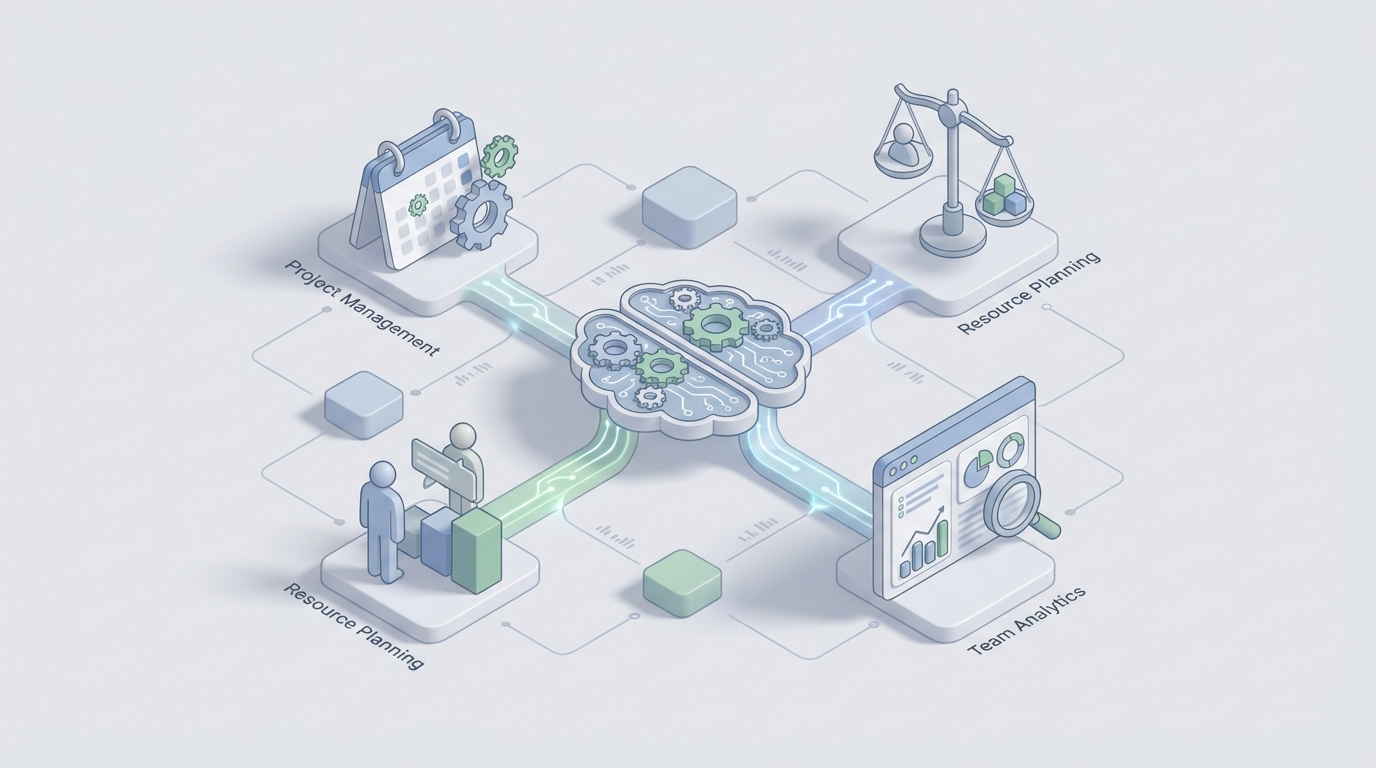
OpenClaw lets you build AI agents that connect directly to Hive's REST API and webhooks, then layer reasoning and autonomous action on top. Think of it as the brain that Hive's automation builder was supposed to be but isn't.
Here's the architecture in plain terms:
Data in: Hive webhooks fire events to your OpenClaw agent whenever tasks are created, statuses change, comments are added, time is logged, etc. The agent also polls the API on a schedule for things webhooks don't cover (resource utilization data, project-level metrics).
Intelligence layer: OpenClaw processes these events with LLM-powered reasoning. Not rigid rules — actual understanding of context. It maintains a vector database of your historical projects, comments, and outcomes so it can reference past patterns.
Action out: The agent writes back to Hive via API — creating tasks, updating statuses, posting comments, logging time entries, reassigning work. It can also push notifications to Slack, send emails, or trigger actions in other tools.
The key difference from any Zapier-style automation: the agent reasons about what to do rather than following a predetermined script.
Five Workflows Worth Building First
I'm going to be specific here because vague "AI can help with project management" content is useless. These are the workflows that deliver the most value with the least complexity.
1. Intelligent Project Scaffolding
The trigger: A client submits a project brief through a Hive form, or someone creates a new project and tags it with a client and project type.
What the agent does:
- Reads the brief content (not just the form fields — the actual text of what the client is asking for)
- Selects the most appropriate project template based on the brief, not a manual dropdown
- Creates the project with adjusted task structure — if the brief mentions video deliverables, the video production tasks get included; if it's print-only, they don't
- Checks current team availability via the Hive API's user workload data and assigns tasks to people who actually have capacity during the relevant timeframes
- Sets deadlines based on historical velocity for similar projects (how long did the last 10 projects of this type actually take, not how long the template optimistically assumes)
- Posts a summary comment on the project: "Created 23 tasks across 5 phases. Assigned to: [names]. Estimated completion: [date] based on similar projects averaging [X] days. Flagged risk: Designer capacity is tight in weeks 3–4."
What this replaces: 30–90 minutes of manual setup per project. For an agency doing 15 projects a month, that's potentially 15–20 hours recovered.
The OpenClaw implementation uses Hive's project template endpoints, the Actions (tasks) CRUD API, and user/team endpoints for availability checking. The intelligence layer is what makes it more than a template — it's interpreting the brief and making judgment calls about scope and assignments.
2. Proactive Resource Conflict Detection
The trigger: Runs on a schedule (daily or twice daily) and also fires whenever tasks are reassigned or deadlines change.
What the agent does:
- Pulls all active tasks with assignments and due dates via Hive's API
- Calculates forward-looking utilization for each team member over the next 2–4 weeks
- Identifies conflicts: overlapping deadlines, individuals over 85% capacity, skill gaps (e.g., two projects need a motion designer in the same week but you only have one)
- Generates specific redistribution recommendations: "Move the Acme social assets review from Jordan to Casey. Casey has 12 hours of availability next week and has done 6 similar reviews this quarter with a 97% on-time rate."
- Posts these recommendations as comments on the relevant projects or in a dedicated Slack channel
- If configured for autonomous mode, makes the reassignments directly and notifies affected team members
Why this matters: The Workload view in Hive shows you current state. This agent shows you future state and suggests solutions. The difference between a dashboard and an advisor.
3. Context-Aware Comment Monitoring and Escalation
The trigger: Hive webhook fires on every new comment across all projects.
What the agent does:
- Reads the comment content with LLM reasoning
- Classifies it: is this a blocker? A scope change request? A deadline concern? A client escalation? Just a normal status update?
- Based on classification, takes appropriate action:
- Blocker detected: Creates a subtask tagged as a blocker, assigns it to the project lead, sets priority to urgent, posts in the team's Slack channel
- Scope change: Flags the comment, calculates potential impact on timeline and resources based on similar past changes, notifies the account manager with a brief impact assessment
- Deadline risk: Compares the mentioned date against current task dependencies and flags if downstream deliverables are at risk
- Client frustration detected: Escalates to the account director with a summary of the project's recent history and current status
What this replaces: The project manager manually reading every comment thread across every project and making judgment calls about what needs attention. In a busy workspace, comments are where critical information goes to die. This agent makes sure nothing important gets buried.
Here's a simplified example of the classification logic within OpenClaw:
Agent receives webhook payload → extracts comment text and project context
→ LLM classifies intent and urgency
→ If blocker: POST /actions (create subtask) with blocker label,
  PATCH /actions/{parent_id} to link dependency,
  POST to Slack webhook
→ If scope_change: GET /actions?project_id={id} to pull current timeline,
  calculate delta, POST /comments with impact summary
→ Log classification and action taken for review
The agent improves over time because it stores past classifications and outcomes. If a "blocker" it flagged turned out to be nothing, that feedback tunes future classifications.
4. Automated Time-Based Project Health Reporting
The trigger: Scheduled — weekly for active projects, daily for projects in final phases.
What the agent does:
- Pulls all time entries, task completion rates, and status distributions for each active project via Hive's API
- Compares actual progress against planned progress (are we 60% through the timeline but only 40% through the tasks?)
- Calculates burn rate vs. budget for retainer clients
- Generates a natural language health report for each project:
"Acme Q3 Campaign — Week 4 of 8 Overall: On track with minor risks. 47 of 82 tasks complete (57%). Expected at this point: 50%. Time logged: 94 hours of 160 budget (59%). Tracking slightly over — if current pace continues, we'll hit budget at week 6.5. Blockers: 2 open — awaiting client approval on hero imagery (5 days outstanding), copy review delayed by legal. Team: Sarah at 108% utilization this week. Recommend redistributing 3 production tasks to Mike. Action items: Follow up on client approval (auto-reminder sent). Review budget pacing with account lead."
- Posts this as a comment on the project, sends to the project lead via Slack, and aggregates all project summaries into a weekly portfolio digest for leadership
What this replaces: The Friday afternoon scramble where PMs manually compile status updates. Or worse, the status meetings that exist only because there's no other way to get this information.
5. Meeting-to-Task Pipeline
The trigger: A meeting transcript lands (from Zoom, Google Meet, or manually uploaded) and gets attached to a Hive project.
What the agent does:
- Processes the transcript through OpenClaw's reasoning layer
- Extracts action items with assigned owners, deadlines (explicit or inferred), and context
- Cross-references against existing project tasks to avoid duplicates
- Creates new tasks in Hive with proper assignments, deadlines, and a comment linking back to the transcript with the relevant excerpt
- Posts a meeting summary as a project comment with key decisions, open questions, and the extracted action items
Why this is high-value: The gap between "we discussed it in a meeting" and "it's actually captured as work in our system" is where most dropped balls live. This closes that gap automatically.
Why OpenClaw and Not a DIY Stack
You could technically build all of this yourself. Stitch together some webhooks, write a Python service, connect an LLM API, host it somewhere, build error handling, add logging, manage state, handle rate limits, build a retry queue for when the Hive API hiccups...
Or you could use OpenClaw, which gives you the agent framework, the LLM reasoning layer, the webhook management, the state persistence, and the integration scaffolding out of the box. You focus on the logic — "what should the agent do when it detects a blocker" — not the plumbing.
The practical advantage: you go from idea to working agent in days, not months. And when Hive updates their API (which they do, sometimes without great documentation), you're not maintaining a custom integration layer solo.
Implementation: Where to Start
Don't try to build all five workflows at once. Here's the order I'd recommend:
Week 1–2: Start with the comment monitoring agent (Workflow 3). It's the simplest to implement — one webhook trigger, classification logic, and a few write-back actions. It also delivers immediate visible value because people will notice when blockers get flagged automatically.
Week 3–4: Add the project health reporting (Workflow 4). This is mostly read operations — pulling data and generating summaries. Low risk, high visibility with leadership.
Week 5–6: Build the intelligent project scaffolding (Workflow 1). This is the highest-value workflow but also the most complex because it involves multiple write operations and judgment calls about assignments and timelines.
Ongoing: Layer in resource conflict detection and the meeting pipeline as your agent matures and you've built confidence in its decision-making.
What This Looks Like in Practice
An agency I've seen implement a similar setup reduced their project setup time by about 70%. Their PMs went from spending roughly 40% of their time on admin (creating tasks, chasing updates, compiling reports) to spending about 15% on admin and the rest on actual client strategy and team support.
The more interesting result: project delivery timelines tightened by about 15%. Not because people worked faster, but because blockers got caught 2–3 days earlier on average and resource conflicts were resolved before they caused delays instead of after.
That's the real value proposition. It's not "AI does your job." It's "AI handles the operational overhead so you can do the part of your job that actually requires a human brain."
Next Steps
If you're running a team on Hive and spending more time managing the tool than managing the work, this is worth exploring.
Clawsourcing is where we help teams scope, build, and deploy custom OpenClaw agents for their specific workflows. Not a generic chatbot. Not a demo that looks cool but doesn't handle your edge cases. An agent built for how your team actually works — your templates, your clients, your capacity constraints.
Book a Clawsourcing session and bring your ugliest workflow. The one that eats three hours every Monday morning or the one that requires someone to manually check six different views to answer a simple question. That's where we start.