AI Agent for Google Calendar: Automate Scheduling, Event Prep, and Calendar Analytics
Automate Scheduling, Event Prep, and Calendar Analytics
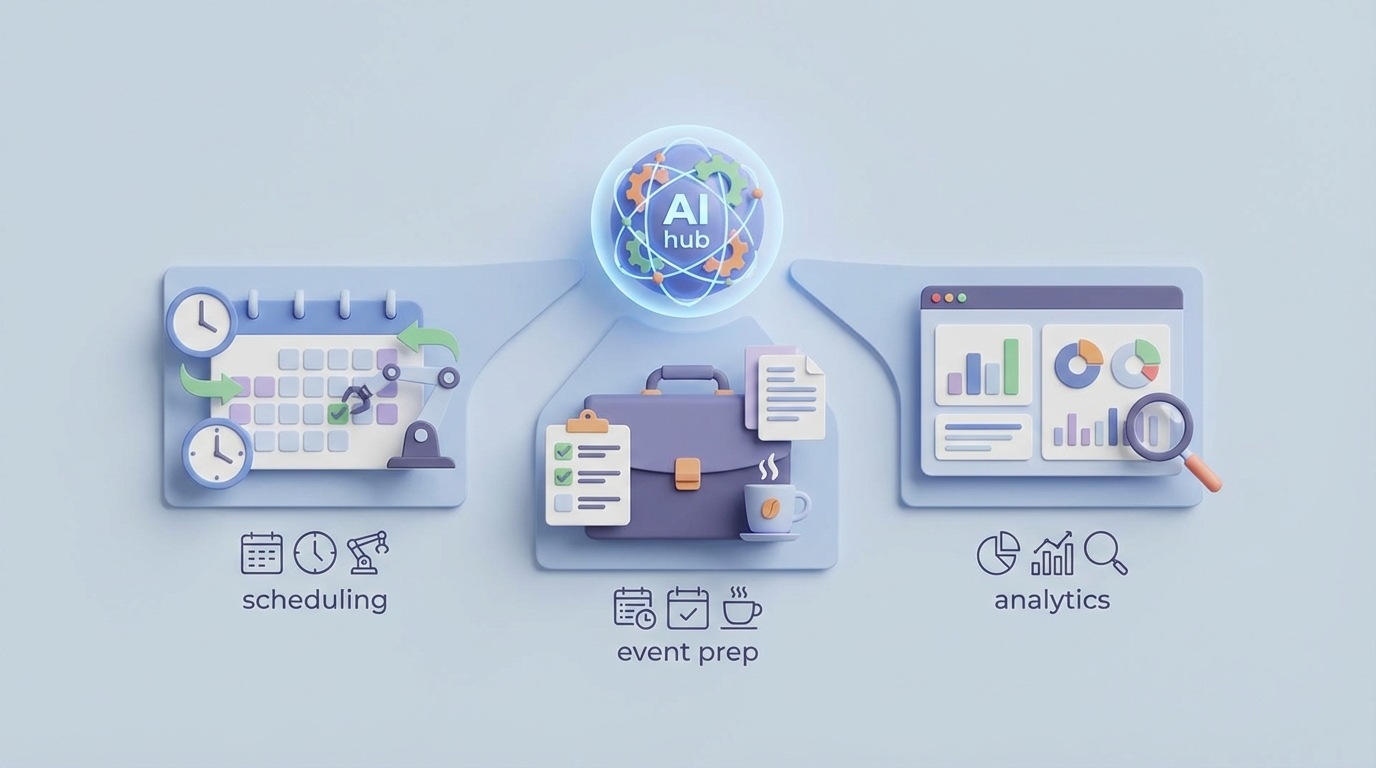
Most teams don't have a scheduling problem. They have a calendar intelligence problem.
Google Calendar does exactly what it's designed to do: store events, send reminders, and let you share availability. It's a database with a nice UI. The problem is that everyone treats it like it should be smart — like it should know that your "Quick Sync" with the VP of Sales is more important than the recurring standup nobody actually needs, or that you shouldn't have seven meetings on a Thursday when you have a board deck due Friday.
It doesn't know any of that. It's a grid. You put colored blocks on it. That's the deal.
The real unlock isn't a better calendar app. It's an AI agent that sits on top of Google Calendar's API, understands your actual priorities, reads the context around your meetings, and takes autonomous action — rescheduling, prepping, protecting your time, surfacing analytics — so you stop being a full-time meeting manager who occasionally does real work.
That's what you can build with OpenClaw. Let me show you how.
Why Google Calendar's Native Automation Isn't Enough
Before we get into the build, let's be honest about what Google Calendar actually offers on the automation front. It's thin:
- Gmail-to-Calendar event creation: One-directional. It catches flights and restaurant reservations. It doesn't understand "Let's find time next week" in an email thread.
- Suggested times: Basic free/busy lookup across attendees. No awareness of meeting priority, energy levels, or focus time preferences.
- Recurring events: Rigid. You set them and they repeat until the heat death of the universe or until someone manually edits each instance.
- Goals: A consumer feature that never really worked well and has been largely abandoned.
There's no proactive intelligence. No "You have nine meetings tomorrow and only two have agendas — want me to cancel the ones that could be async?" No priority scoring. No learning from your behavior. No cross-system awareness.
Google's automation surface is reactive and shallow. That's not a criticism — it's a calendar application, not an AI platform. But it means the intelligence layer has to come from somewhere else.
What the Google Calendar API Actually Gives You
The Google Calendar API v3 is surprisingly capable as a foundation. Here's what matters for agent building:
Core operations:
- Full CRUD for events and calendars
- Free/busy queries across multiple users (critical for scheduling)
- ACL management (controlling who can see and edit what)
- Push notifications via webhooks (real-time change detection)
- Recurring event manipulation with RRULE support
- Conference data creation (auto-generate Google Meet links)
- Extended properties (store custom metadata on events — this is huge for agents)
What's useful but underrated:
privateExtendedProperties: You can tag events with agent-specific data (priority scores, prep status, category labels) without the user ever seeing it. This lets your agent build a rich metadata layer on top of vanilla calendar events.transparencyfield: Mark events as "transparent" (available) vs. "opaque" (busy). An agent can use this to distinguish between hard blocks and soft holds.- Webhooks: Instead of polling, you get notified when something changes. This is what makes real-time, event-driven agents possible.
What's limited:
- Quota limits exist (though generous for most use cases — around 1,000,000 queries/day per project)
- Appointment Slots have minimal API support
- No natural language understanding (obviously — that's what the AI layer adds)
- OAuth complexity for delegated/domain-wide access requires careful setup
- No built-in conflict resolution logic
The API gives you the plumbing. OpenClaw gives you the brain.
The Architecture: OpenClaw + Google Calendar API
Here's the stack that actually works:
Google Calendar API (read/write events, free/busy, webhooks)
        +
Gmail API (email context, thread analysis, auto-send)
        +
Google Meet API (optional: meeting transcripts, attendance)
        +
Company knowledge base / CRM / project tools
        ↓
   OpenClaw Agent Layer
   (reasoning, planning, autonomous action)
        ↓
   Calendar API writes + Slack/email notifications back to user
OpenClaw acts as the orchestration and reasoning layer. It connects to the Calendar API as a tool, processes incoming signals (new events, schedule changes, user requests, webhook triggers), reasons about what to do, and takes action — either autonomously or with user confirmation, depending on the sensitivity of the action.
The key differentiator from a simple script or Zapier flow: OpenClaw agents maintain state, reason across multiple data sources, learn from patterns, and handle ambiguity. A Zap can create an event when a form is submitted. An OpenClaw agent can look at a scheduling request, check three people's availability across time zones, factor in that one of them has a packed afternoon and another has a flight at 4pm, draft an agenda based on a linked doc, and propose two options via Slack — then book whichever one gets approved.
Different universes.
Five Workflows Worth Building
Let me get specific. These are the workflows where a Google Calendar AI agent delivers real, measurable value.
1. Intelligent Scheduling Coordination
The problem: Someone says "Let's find 30 minutes next week." What follows is a 14-email thread, two Doodle polls, and a meeting that gets booked three weeks later.
The agent workflow:
Trigger: Natural language request via Slack, email, or direct command
  → Agent queries free/busy for all participants
  → Filters by each person's preferences (no early mornings for Person A,
     no Fridays for Person B)
  → Checks for travel time between in-person events
  → Scores available slots by priority (prefers to protect focus blocks,
     avoids fragmenting large open blocks)
  → Proposes top 2-3 options to the requester
  → On approval, creates event with Meet link, agenda template,
     and relevant document links
  → Sends calendar invites + Slack confirmation
The intelligence here isn't just free/busy lookup — it's preference-aware, context-aware scheduling. The agent knows that a 30-minute slot sandwiched between two other meetings at 2:30pm on a packed Tuesday is technically "available" but practically terrible. Google Calendar's "Suggested times" would happily offer it. Your OpenClaw agent won't.
2. Automated Meeting Prep
The problem: You walk into meetings cold. The agenda is stale or nonexistent. You spend the first five minutes figuring out why you're there.
The agent workflow:
Trigger: 24 hours before any meeting (via cron or webhook)
  → Agent reads event description, attendee list, and linked documents
  → Pulls recent email threads with attendees from Gmail API
  → Checks CRM for latest account status (if external meeting)
  → Checks project tool for relevant open items (if internal meeting)
  → Generates a prep brief:
      - Meeting purpose and context
      - Key topics likely to come up
      - Open action items from last meeting
      - Relevant data points or metrics
  → Attaches prep brief to calendar event as a Google Doc link
  → Sends notification: "Your meeting with [name] is tomorrow.
     Prep brief attached."
This is where extended properties become valuable. The agent can tag each event with a prepStatus property (pending, prepped, skipped) so it tracks its own work across events without creating noise in the calendar UI.
3. Focus Time Protection and Schedule Optimization
The problem: Your calendar looks like a game of Tetris played by a sadist. Back-to-back meetings, no buffers, focus time blocks that get overwritten the moment someone sends an invite.
The agent workflow:
Trigger: New event created or modified (via webhook)
  → Agent evaluates the new event against existing schedule
  → Checks if it overlaps with or fragments a focus block
  → Scores the new event's priority vs. the focus block's priority
  → If low-priority meeting encroaches on protected time:
      - Proposes alternative times to the organizer
      - Or auto-declines with a message: "[Name] has a focus block
        at that time. Here are three alternatives that work."
  → If high-priority meeting (VP+, client, deadline-related):
      - Accepts but reschedules displaced focus time
        to next available slot
  → Ensures minimum 10-minute buffer between all meetings
This is the kind of thing Clockwise and Reclaim.ai do at a product level. But with OpenClaw, you control the logic entirely. Your priority scoring can factor in your company's actual hierarchy, your OKRs, your project deadlines — not some generic algorithm's guess.
4. Meeting Load Analytics and Coaching
The problem: You feel like you're in too many meetings but you don't have data. Your manager asks "How are you spending your time?" and you shrug.
The agent workflow:
Trigger: Weekly (e.g., Sunday evening or Monday morning)
  → Agent pulls all events from the past week
  → Categorizes by type: 1:1, team sync, external, focus time,
     ad hoc, recurring
  → Calculates:
      - Total meeting hours vs. available hours
      - Meeting time by category
      - Recurring meetings as % of total
      - Meetings with no agenda or description
      - Average meeting length and actual utilization
      - Comparison to previous 4-week average
  → Generates a weekly brief:
      "Last week: 23.5 hours in meetings (58% of your week).
       4 meetings had no agenda. 6 recurring meetings haven't been
       reviewed in 90+ days. You had 2 hours of uninterrupted
       focus time. Recommendation: Cancel or make async
       [specific meetings]."
  → Sends via email or Slack
This becomes genuinely powerful when aggregated across a team. Engineering managers can see that their team is spending 60% of the week in meetings and make structural changes. No more guessing.
5. Recruiting Interview Loop Coordination
The problem: Scheduling a 4-person interview loop across different time zones with a candidate who has limited availability is a nightmare that recruiting coordinators live through 20 times a week.
The agent workflow:
Trigger: New interview request from ATS (via webhook or integration)
  → Agent receives: candidate name, role, interview panel (4 people),
     candidate's available windows
  → Queries free/busy for all 4 interviewers
  → Cross-references against candidate availability
  → Factors in:
      - Interviewer load (don't stack 5 interviews on one person)
      - Required sequence (hiring manager goes last)
      - Room availability (if on-site)
      - Time zone differences
  → Proposes optimal schedule
  → On coordinator approval:
      - Creates all calendar events
      - Attaches interview scorecards and candidate resume
      - Sends interviewer prep packets
      - Sends candidate confirmation email with logistics
This single workflow can save a recruiting coordinator 5-10 hours per week. Multiply by headcount and it's a serious operational improvement.
Implementation Details That Matter
A few technical specifics that'll save you headaches:
Authentication: For individual users, standard OAuth 2.0 with the https://www.googleapis.com/auth/calendar scope works. For domain-wide access (building for a team), you'll need a Google Workspace admin to set up domain-wide delegation with a service account. This lets your OpenClaw agent act on behalf of any user in the organization — critical for cross-calendar scheduling.
Webhook reliability: Google Calendar push notifications are mostly reliable, but they can lag or occasionally miss events. Build in a periodic reconciliation job (every 15-30 minutes) that does a full sync to catch anything webhooks missed. OpenClaw's agent scheduling makes this straightforward — set up a recurring check alongside your event-driven triggers.
Rate limiting: The Calendar API allows about 500 queries per 100 seconds per user. For scheduling operations that query multiple users' free/busy data, batch your requests. The free/busy endpoint accepts multiple calendars in a single call — use it.
Extended properties for agent state:
{
  "extendedProperties": {
    "private": {
      "agentPriorityScore": "8.5",
      "agentCategory": "client-external",
      "agentPrepStatus": "completed",
      "agentLastAnalyzed": "2026-01-15T10:30:00Z"
    }
  }
}
This is how your agent maintains awareness across events without a separate database. Every event becomes a data-rich object your agent can reason about.
Conflict resolution logic: When two events conflict and the agent needs to decide which one moves, you need a clear priority framework. A simple version:
Priority tiers:
  1. External (client/customer) meetings
  2. Cross-functional meetings with VP+ attendees
  3. Direct manager 1:1s
  4. Team recurring meetings
  5. Optional/informational meetings
  6. Self-scheduled focus time (protected but movable)

Within tiers, break ties by:
  - Number of attendees (harder to reschedule = higher priority)
  - Lead time (booked further in advance = higher priority)
  - User-specified override tags
Encode this in your OpenClaw agent's reasoning instructions. The LLM layer handles edge cases and ambiguity that rigid rules can't cover.
What This Actually Saves
Let's do rough math for a 50-person company:
- Scheduling coordination: 2 hours/week/person saved → 100 hours/week
- Meeting prep: 30 min/day/person saved → 125 hours/week
- Focus time gained: 3 hours/week/person → 150 hours/week
- Recruiting coordination (for a team hiring actively): 10-20 hours/week
Even being conservative, you're looking at hundreds of hours per week reclaimed. That's not a productivity hack — it's a structural improvement in how the company operates.
The companies already doing this with tools like Reclaim.ai or Clockwise report 20-40% reductions in meeting time. With a custom OpenClaw agent, you get that plus the ability to integrate with your specific tools, enforce your specific priorities, and build workflows that off-the-shelf products will never support.
Getting Started
You don't need to build all five workflows at once. Start with the one that hurts the most.
For most teams, that's either intelligent scheduling (Workflow 1) or meeting load analytics (Workflow 4). Scheduling has the highest immediate impact. Analytics has the lowest implementation complexity and builds organizational awareness that drives further adoption.
Here's the path:
- Set up Google Calendar API access with appropriate OAuth scopes
- Connect the API as a tool in OpenClaw — read events, write events, query free/busy
- Build your first agent workflow with clear triggers, reasoning logic, and actions
- Test with a small group (5-10 power users who are drowning in meetings)
- Iterate based on feedback, then expand
If you want help designing and building this — the API integration, the agent logic, the priority frameworks, all of it — that's exactly what our Clawsourcing team does. We'll scope it, build it, and get it running in your environment. No twelve-month implementation timeline. No bloated SOW. Just a working agent that makes your calendar suck less.
Your calendar shouldn't be a source of dread. It should be a system that works for you. The API is there. The intelligence layer is there. The only question is whether you keep playing Tetris by hand or let the agent handle it.