AI Agent for Follow Up Boss: Automate Real Estate Lead Follow-Up, Drip Campaigns, and Agent Assignment
Automate Real Estate Lead Follow-Up, Drip Campaigns, and Agent Assignment
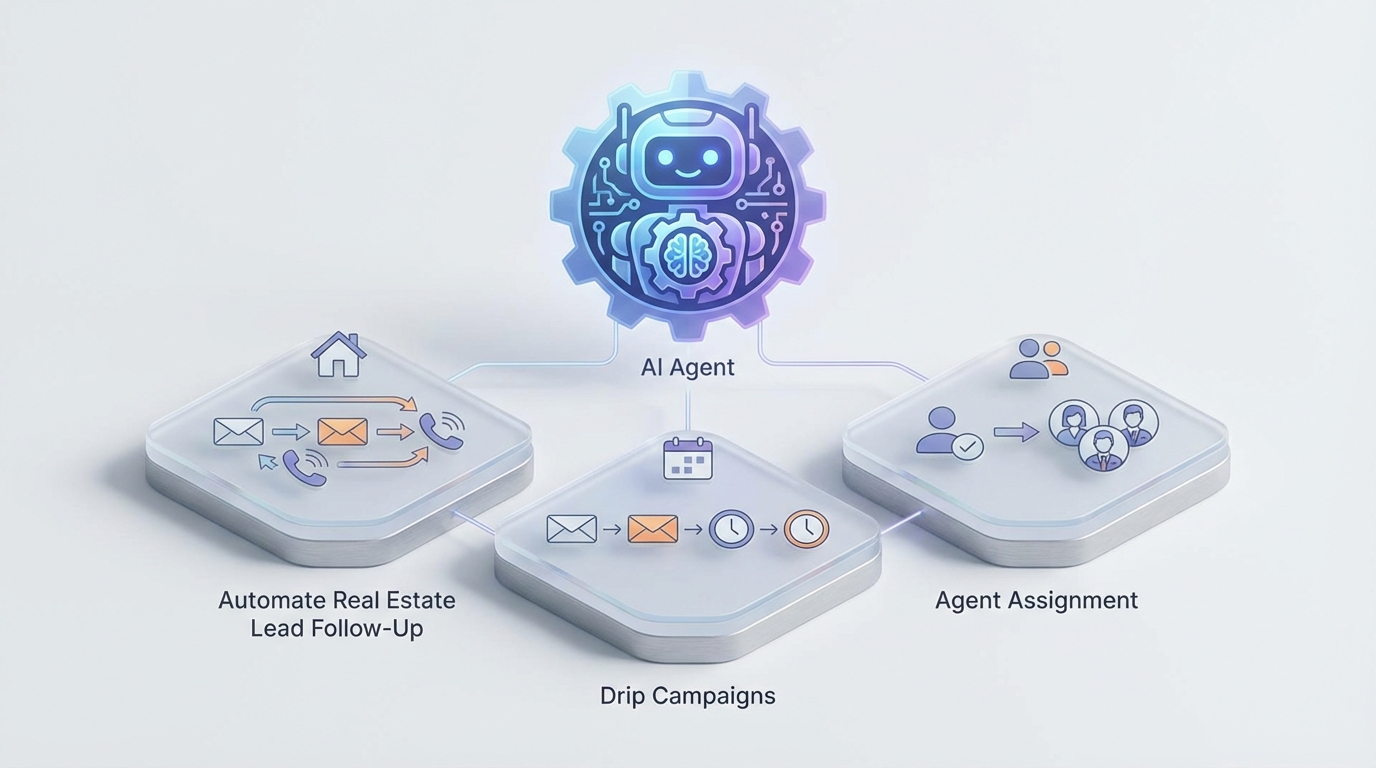
If you're running a real estate team on Follow Up Boss, you already know the drill: leads pour in from Zillow, Realtor.com, Facebook ads, your IDX site, and a dozen other sources. Follow Up Boss catches them, assigns them, and kicks off a Smart Plan. That part works.
The part that doesn't work — the part that's silently bleeding you money — is everything that happens after the first few automated touches. Because FUB's automations are fundamentally linear, fundamentally rigid, and fundamentally dumb. Not dumb as an insult. Dumb as in: they cannot read a reply, understand what a lead actually wants, or make a judgment call about what to do next.
That's the gap. And that's exactly where a custom AI agent — built on OpenClaw and connected to Follow Up Boss's API — changes the math on your business.
Let me walk through what this actually looks like, how it works technically, and the specific workflows that make it worth doing.
The Real Problem with Follow Up Boss Automations
Follow Up Boss's Smart Plans are the core automation engine. They're action sequences: send this email on Day 0, this text on Day 1, create a call task on Day 3, send another email on Day 7. You can trigger them when a lead enters, when a stage changes, when a tag is applied.
For a traditional CRM, this is genuinely good. FUB is one of the better platforms for real estate teams precisely because Smart Plans exist.
But here's what Smart Plans cannot do:
- Read a lead's reply and understand what they said. If someone responds to your Day 1 text with "I'm actually looking to sell, not buy," the Smart Plan doesn't care. It sends the Day 3 buyer-focused email anyway.
- Branch based on conversation context. There's no "if they mention a timeline under 60 days, escalate to a senior agent" logic.
- Generate personalized responses. Every message is a template with merge fields.
{FirstName},{City}, maybe{PropertyAddress}. That's the ceiling. - Score leads dynamically based on what they're actually saying. FUB can track opens and clicks, but it can't tell you that a lead who wrote "we need to move before school starts in August" is significantly hotter than one who wrote "just browsing."
- Decide the best next action autonomously. Should this lead get a call, a text, a market report, or a referral to a lender? Smart Plans can't reason about this. They just march forward in sequence.
The result is predictable: leads who needed a human three days ago are still getting drip emails. Leads who are cold and tire-kicking are getting aggressive call tasks that waste your ISA's time. And every message feels like it came from a robot — because it did.
What an OpenClaw Agent Actually Does
OpenClaw is a platform for building AI agents that connect to external systems, reason about data, and take actions autonomously. When you point an OpenClaw agent at Follow Up Boss, you're essentially giving your CRM a brain.
Here's the architecture in plain terms:
Follow Up Boss Webhooks → OpenClaw Agent → Reasoning + Decision → Actions back into FUB (via API)
FUB fires webhooks when things happen: a new lead is created, a stage changes, an email is opened, a reply comes in, a call ends. OpenClaw listens for these events, processes them through an AI reasoning layer, and then takes action — updating contacts, sending messages, reassigning leads, triggering Smart Plans, creating tasks, changing stages, adding notes.
The critical difference from a Zapier integration or a simple webhook handler is that OpenClaw agents can think. They can read the full conversation history for a lead, understand intent and sentiment, consider the lead's source and behavior patterns, and then decide what to do. Not based on a flowchart you pre-built. Based on reasoning.
Let's get into the specific workflows.
Workflow 1: Intelligent Lead Qualification on Intake
The current reality: A lead comes in from Zillow. FUB creates the contact, assigns it round-robin to an agent, and fires a Smart Plan that sends a generic "Thanks for your inquiry!" email and text. A call task gets created for Day 1. The agent picks it up whenever they pick it up.
With an OpenClaw agent:
- FUB webhook fires on
leadCreated. - OpenClaw receives the event payload — lead source, property of interest, any form data, phone number, email.
- The agent pulls additional context: What property were they looking at? What's the price range? Is this a duplicate? (FUB's duplicate detection is still spotty — the agent can cross-check against existing contacts with fuzzy matching on name, email, and phone.)
- The agent reasons about qualification signals. A lead from Zillow who inquired on a $850K listing in a specific neighborhood, with a phone number that reverse-lookups to the same metro area, is likely more serious than a lead who filled out a generic "get more info" form with a Gmail address and no phone number.
- Based on this assessment, the agent takes different actions:
- High-intent lead: Assigns to a top-performing agent (not round-robin), triggers an aggressive Smart Plan, sends a personalized first text referencing the specific property and neighborhood, creates an urgent call task with a note explaining why this lead is hot.
- Medium-intent lead: Round-robin assignment, standard Smart Plan, but the initial message is still personalized to the property and includes a relevant CMA or market stat for that area.
- Low-intent / likely tire-kicker: Assigns to the nurture pool, triggers a long-term drip, no immediate call task. Saves your agents 15 minutes of chasing a ghost.
Here's a simplified example of what the OpenClaw agent configuration looks like when handling the webhook:
trigger:
  type: webhook
  source: followupboss
  event: leadCreated

steps:
  - id: enrich_lead
    action: fub_api.get_person
    params:
      person_id: "{{event.personId}}"

  - id: check_duplicates
    action: fub_api.search_people
    params:
      email: "{{event.email}}"
      phone: "{{event.phone}}"

  - id: qualify
    action: reason
    context:
      lead_data: "{{enrich_lead.result}}"
      duplicates: "{{check_duplicates.result}}"
      property_interest: "{{event.propertyAddress}}"
      lead_source: "{{event.source}}"
    prompt: |
      Assess this lead's purchase intent and urgency on a 1-10 scale.
      Consider: source quality, property price point, location match,
      form completeness, and any duplicate history.
      Return: score, reasoning, recommended assignment strategy,
      and recommended first message.

  - id: route_and_act
    action: conditional
    branches:
      - condition: "{{qualify.result.score}} >= 7"
        actions:
          - fub_api.assign_lead:
              person_id: "{{event.personId}}"
              agent: "top_performer_pool"
          - fub_api.send_text:
              person_id: "{{event.personId}}"
              message: "{{qualify.result.first_message}}"
          - fub_api.create_task:
              person_id: "{{event.personId}}"
              type: "call"
              priority: "urgent"
              note: "{{qualify.result.reasoning}}"
      - condition: "{{qualify.result.score}} < 4"
        actions:
          - fub_api.add_tag:
              person_id: "{{event.personId}}"
              tag: "long-term-nurture"
          - fub_api.trigger_smart_plan:
              person_id: "{{event.personId}}"
              plan: "nurture_drip_6mo"
That's not pseudocode. That's close to the actual configuration structure in OpenClaw. The reason step is where the AI actually thinks — it has access to all the context you pipe in, and it returns structured output that downstream steps can act on.
Workflow 2: Conversational Reply Handling
This is the big one. This is where most real estate teams are hemorrhaging opportunity.
A lead replies to your automated text. Maybe they say: "We're interested but not ready to move until our lease is up in March."
In Follow Up Boss, this reply lands in the inbox. If your agent is busy (they're always busy), it sits there. The Smart Plan doesn't know or care that the lead replied. It might send another generic follow-up two days later that completely ignores what the lead just said.
With OpenClaw:
- FUB webhook fires on
emailReceivedorsmsReceived. - OpenClaw agent pulls the full conversation thread for this contact — all previous emails, texts, notes, and the current message.
- The agent analyzes: What did the lead say? What's their intent? What's their timeline? Are they raising an objection? Asking a question? Expressing urgency? Expressing frustration?
- The agent decides:
- "Lease up in March" → timeline identified. Update custom field
estimated_move_dateto March. Adjust follow-up cadence. Send a reply acknowledging their timeline: "That makes total sense — March will be here before you know it. I'll send you some market updates for [neighborhood] over the next couple months so you're dialed in when you're ready." - Objection detected ("we're working with another agent") → Tag as
has_agent, pause aggressive outreach, shift to a value-add nurture drip that doesn't pitch but stays top-of-mind. - Hot signal ("we just got pre-approved and need to find something by next month") → Immediately escalate. Notify assigned agent via Slack or priority task. Move stage to "Qualified." If it's after business hours, the agent auto-replies with available showing times from the agent's Calendly.
- Question about a specific property → The agent pulls listing data from MLS (via a connected data source), crafts an informed response with property details, comparable sales, and neighborhood info, and sends it. No human needed for this interaction.
- "Lease up in March" → timeline identified. Update custom field
The lead gets a relevant, timely response. The agent gets a pre-qualified, pre-contextualized lead in their queue with notes on exactly what to say when they call. Everyone wins.
Workflow 3: Dynamic Drip Campaign Personalization
Traditional drip campaigns in FUB are static sequences. You write them once, maybe update them quarterly, and every lead gets the same content in the same order.
An OpenClaw agent transforms drip campaigns from static sequences into dynamic conversations:
- Content selection based on lead profile. A first-time buyer gets educational content about the mortgage process. A downsizing empty-nester gets content about low-maintenance neighborhoods and equity strategies. The agent selects from a content library (or generates content) based on what it knows about the lead.
- Timing optimization. Instead of rigidly sending on Day 3, Day 7, Day 14, the agent adjusts timing based on engagement. Lead opened the last two emails within an hour? They're paying attention — send the next one sooner. Lead hasn't opened anything in three weeks? Back off. Try a different channel.
- Re-engagement based on market events. If a property in the lead's preferred neighborhood drops in price, or a new listing matches their criteria, the agent sends a personalized heads-up. This isn't a generic "new listings" email — it's "Hey Sarah, that 4-bed in Lakewood you asked about in February? A comparable one just listed at $15K under what that one sold for. Want me to set up a showing?"
Workflow 4: Agent Performance Monitoring and Smart Reassignment
This one is for team leaders and brokerage owners.
FUB gives you activity reports — calls made, emails sent, response times. But it doesn't connect those activities to outcomes intelligently, and it definitely doesn't take action based on what it finds.
An OpenClaw agent can:
- Monitor response times per agent. If Agent A consistently takes 4+ hours to respond to new leads, the agent flags it, notifies the team lead, and optionally reassigns the lead's hot prospects to someone faster.
- Track conversion rates by agent + lead source combination. Maybe Agent B crushes Zillow leads but underperforms with Facebook leads. The agent adjusts routing accordingly.
- Detect when an agent is overloaded (too many active leads in "Attempting Contact" stage with no progression) and redistribute.
- Identify stale leads — contacts stuck in a stage for too long with no activity — and either re-engage automatically or reassign.
You configure the thresholds and rules. The agent enforces them continuously, not just when someone remembers to pull a report.
The Technical Integration Layer
For the technically inclined, here's what the FUB integration looks like under the hood:
Authentication: FUB uses API key authentication. You generate a key in your FUB account settings and pass it as a Basic Auth header (with the API key as the username and no password). Simple, but it means you need to treat that key carefully.
Webhooks: You configure webhooks in FUB's admin panel to POST to your OpenClaw agent's endpoint. Key events to listen for:
peopleCreated— new leadpeopleUpdated— stage change, tag change, field updateincomingEmail— lead sent an emailincomingSms— lead sent a textcallCompleted— a call ended (includes duration, recording URL)taskCreated/taskCompleted— task lifecycle
API Calls from OpenClaw → FUB:
POST /v1/events— log an activity (email, text, note, call)PUT /v1/people/{id}— update contact fields, stage, assigned agentPOST /v1/people/{id}/tags— add tagsPOST /v1/people/{id}/smartPlans— trigger a Smart PlanPOST /v1/tasks— create a taskGET /v1/people— search/filter contacts
Rate Limits: FUB's API has strict rate limits, particularly on write operations. OpenClaw handles this with built-in request queuing and retry logic, so you don't have to build your own rate limiter.
A Note on Message Sending: FUB doesn't have a bulk messaging API endpoint. You send messages one at a time via the Events API. This is actually fine for an AI agent because you want each message to be individualized anyway. But it means if you're running a re-engagement campaign across 500 contacts, the agent needs to process them sequentially with appropriate delays. OpenClaw's task scheduling handles this natively.
What This Doesn't Replace
Let me be clear about what an AI agent on top of FUB is not:
- It's not a replacement for your agents. It's a force multiplier. The AI handles the volume work — initial qualification, routine follow-up, data hygiene, scheduling — so your human agents can spend their time on the high-value activities: showing homes, negotiating offers, building relationships face-to-face.
- It's not a replacement for Follow Up Boss itself. FUB remains your system of record, your team's daily workspace, your reporting hub. The AI agent operates through FUB, not instead of it.
- It's not magic. You still need good lead sources, competitive listings, and agents who know how to close. AI follow-up on garbage leads produces well-nurtured garbage leads.
Getting Started
If you're running a real estate team of 5+ agents and spending more than $2K/month on lead generation, you're almost certainly leaving money on the table with manual or semi-automated follow-up. The math is straightforward: even a 10% improvement in lead-to-appointment conversion rate on a pipeline of a few hundred leads per month pays for this many times over.
The fastest path to getting a custom OpenClaw agent built and integrated with your Follow Up Boss account is through Clawsourcing. That's Claw Mart's done-for-you service where the team scopes your workflows, builds the agent, connects the APIs, tests it against your actual lead flow, and hands you a working system.
You bring your FUB account and your workflows. They build the brain.
No prompt engineering certification required. No AI hype. Just a system that reads your leads' replies, makes smart decisions, and takes action while your competitors are still sending "Just checking in!" emails on Day 14 of a linear Smart Plan that nobody's reading.
Recommended for this post

Adam
Full-Stack Engineer
Your full-stack AI engineer that architects, builds, deploys, and automates entire applications from a single conversation. 23+ Core Capabilities.
 Clarence Maker
Your Linear expert that automates issue tracking, builds workflows, and streamlines project management.
 SpookyJuice.ai
Three-level OODA strategy, five-phase Ralph execution, and a recursive feedback engine. Your agent gets faster — this makes it get better.
 JerryRunsOps