AI Agent for Evernote: Automate Note Organization, Clipping Workflows, and Search Optimization
Automate Note Organization, Clipping Workflows, and Search Optimization
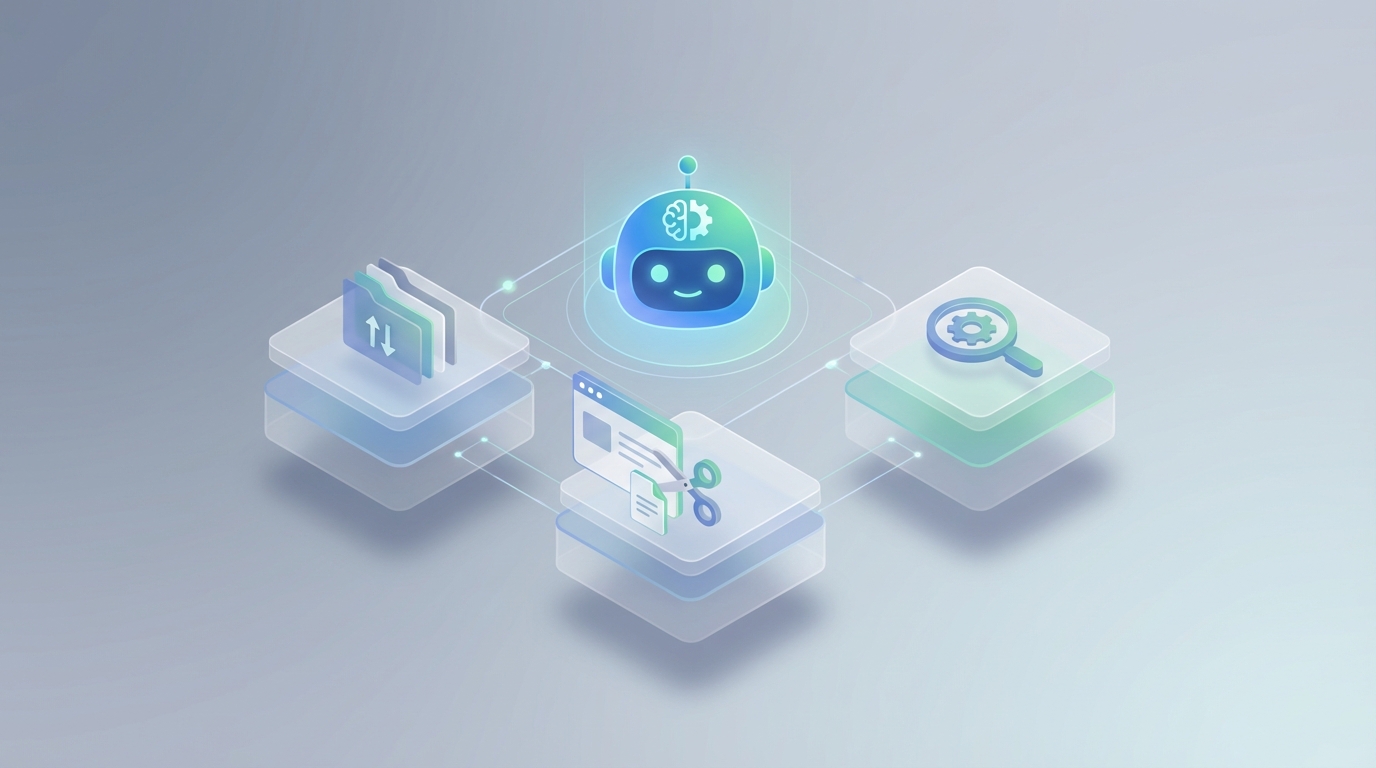
Evernote is one of those tools that's almost perfect. The web clipper is genuinely best-in-class. Search — when it works — is powerful. The notebook-and-tag system is flexible enough to build a real knowledge base without needing a PhD in database theory.
But if you've been using it seriously for more than a year, you already know the cracks.
Your tagging system devolves into chaos because there's no enforcement. You clip 200 articles on a topic and then can't find the one that matters because search is keyword-based, not meaning-based. Meeting notes pile up with action items buried in paragraph three that nobody ever extracts. And the automation situation? Essentially nonexistent. Evernote has no conditional logic, no triggered workflows, no way to say "when X happens, do Y" inside the app.
This is the gap. Not Evernote's AI summarization feature (which is fine but limited to single-note queries). I'm talking about a custom AI agent that connects to Evernote's API and turns your passive note archive into a system that actually does things — organizes itself, surfaces knowledge when you need it, routes information to other tools, and runs multi-step workflows autonomously.
Here's how to build that with OpenClaw.
Why Evernote Needs an External AI Agent
Let me be specific about what Evernote can't do on its own, because this frames exactly what the agent needs to handle:
No semantic search. Evernote's search is syntactic. It matches keywords. If you wrote about "customer churn" in one note and "client retention problems" in another, those are invisible to each other. You have to remember the exact words you used.
No auto-organization. Every note you create or clip sits exactly where you put it, tagged exactly how you tagged it — or not at all if you were in a rush. There's no intelligence applying your organizational schema for you.
No cross-tool orchestration. You can't tell Evernote "when I tag a note as 'meeting-notes' and include a client name, extract the action items and create tasks in ClickUp." That workflow requires a human doing five manual steps across three apps.
No proactive surfacing. Evernote doesn't know that the research note you clipped six months ago is directly relevant to the proposal you're drafting right now. It just sits there.
Evernote's built-in AI features are assistive — summarize this note, answer a question about this note. An AI agent is automative. It watches, reasons, acts, and orchestrates across your entire knowledge base and connected tools. That's a fundamentally different thing.
The Architecture: How OpenClaw Connects to Evernote
OpenClaw is purpose-built for this kind of integration. It lets you create AI agents that connect to APIs like Evernote's EDAM API, maintain persistent memory via vector embeddings, and execute multi-step workflows with real reasoning — not just keyword matching.
Here's the high-level architecture:
┌─────────────────┐     ┌──────────────────┐     ┌─────────────────┐
│   Evernote API   │◄───►│   OpenClaw Agent  │◄───►│  Vector Store    │
│   (EDAM/Thrift)  │     │   (LLM + Logic)   │     │  (Semantic Memory)│
└─────────────────┘     └──────┬───────────┘     └─────────────────┘
                               │
                    ┌──────────┼──────────┐
                    ▼          ▼          ▼
              ┌──────────┐ ┌────────┐ ┌────────┐
              │ ClickUp  │ │ Slack  │ │ Email  │
              └──────────┘ └────────┘ └────────┘
Layer 1: Evernote API Sync. The agent uses Evernote's EDAM API to read, create, update, and search notes. It authenticates via OAuth 1.0a and syncs note content, metadata, tags, and resources (attachments, clipped pages, PDFs).
Layer 2: Semantic Memory. Note content gets chunked and embedded into a vector database. This is what enables meaning-based search instead of keyword matching. When you ask "what did we discuss about the pricing restructure?" the agent finds relevant notes even if they never use the phrase "pricing restructure."
Layer 3: LLM Reasoning. OpenClaw's agent processes queries and triggers with real language understanding. It doesn't just pattern-match — it reasons about what you need, what notes are relevant, and what actions to take.
Layer 4: External Tool Orchestration. The agent can push extracted data to ClickUp, Slack, email, CRMs, or any tool with an API. This is where Evernote stops being an island.
Five Workflows Worth Building
These aren't theoretical. These are the workflows that Evernote power users and business teams actually need, based on the most common pain points.
1. Intelligent Auto-Tagging and Organization
The problem: You clip an article, jot meeting notes on your phone, or forward an email into Evernote. You're busy. You don't tag it, or you use an inconsistent tag. Six months later, it's effectively lost.
The agent workflow:
When a new note is created or updated (detected via API polling or webhooks), the OpenClaw agent:
- Reads the full note content (text, clipped HTML, OCR'd text from images/PDFs)
- Classifies it against your existing tag taxonomy and notebook structure
- Applies appropriate tags and moves it to the correct notebook
- If the note doesn't fit existing categories, flags it for review and suggests a new tag
Here's how the agent logic works in OpenClaw:
# OpenClaw agent workflow: Auto-tag new Evernote notes

def auto_organize_note(note):
    # Extract content from ENML format
    content = parse_enml(note.content)

    # Get existing taxonomy from Evernote
    existing_tags = evernote_client.list_tags()
    existing_notebooks = evernote_client.list_notebooks()

    # OpenClaw agent reasons about classification
    classification = openclaw_agent.analyze(
        prompt=f"""Classify this note based on the existing organization system.

        Note title: {note.title}
        Note content: {content[:3000]}

        Available tags: {[t.name for t in existing_tags]}
        Available notebooks: {[n.name for n in existing_notebooks]}

        Return: suggested tags (max 5), target notebook, and confidence score.
        If no existing tags fit well, suggest new ones with prefix 'NEW:'""",
        context="evernote_organization"
    )

    # Apply tags and move note
    if classification.confidence > 0.8:
        evernote_client.update_note(
            guid=note.guid,
            tags=classification.tags,
            notebook=classification.notebook
        )
    else:
        # Flag for human review via Slack
        slack_client.send_message(
            channel="#evernote-review",
            text=f"Unsure about: '{note.title}' — suggested: {classification.tags}"
        )
This alone solves the tag chaos problem that plagues every Evernote account with more than a few hundred notes.
2. Semantic Search Across Your Entire Knowledge Base
The problem: You remember reading something about a topic but can't find it because you don't remember the exact words. Evernote's search syntax (tag:X intitle:Y) is powerful but requires you to think like a database query, not a human.
The agent workflow:
The OpenClaw agent maintains a vector index of all your Evernote content. When you query it (via Slack, a chat interface, or even email), it:
- Converts your natural language question into a semantic search
- Retrieves the top relevant note chunks from the vector store
- Cross-references with Evernote metadata (dates, tags, notebooks) for additional filtering
- Returns synthesized answers with direct links to source notes
Example query: "What were the key objections from the Meridian account during our last few conversations?"
The agent finds notes tagged with the Meridian client, but also finds a clipped email thread, a meeting summary that mentions them by a project codename, and a research note about their industry that you clipped months ago. It synthesizes all of this into a coherent answer with citations.
This is the difference between syntactic search (Evernote native: tag:meridian intitle:meeting) and semantic search (OpenClaw: understands meaning across notes that don't share keywords).
3. Meeting Notes to Action Items Pipeline
The problem: Meeting notes are where action items go to die. Someone takes notes, they get filed, and the actual "we need to do X by Friday" buried in paragraph four never becomes a real task.
The agent workflow:
# Trigger: New note created with tag "meeting-notes"

def process_meeting_note(note):
    content = parse_enml(note.content)

    # Extract structured data using OpenClaw agent
    extraction = openclaw_agent.extract(
        content=content,
        schema={
            "attendees": "list of people mentioned",
            "decisions": "list of decisions made",
            "action_items": [{
                "description": "what needs to be done",
                "owner": "who is responsible",
                "deadline": "when, if mentioned",
                "priority": "high/medium/low based on context"
            }],
            "follow_up_date": "next meeting or check-in date",
            "client_name": "if this is a client meeting"
        }
    )

    # Create tasks in ClickUp
    for item in extraction.action_items:
        clickup_client.create_task(
            list_id=get_project_list(extraction.client_name),
            name=item.description,
            assignee=resolve_user(item.owner),
            due_date=item.deadline,
            priority=item.priority
        )

    # Post summary to Slack
    slack_client.send_message(
        channel=get_client_channel(extraction.client_name),
        text=format_meeting_summary(extraction)
    )

    # Update the original Evernote note with structured summary
    append_to_note(note.guid, format_structured_addendum(extraction))
Now every meeting note automatically generates tasks, Slack updates, and a clean structured summary appended back to the original note. The loop closes itself.
4. Research Intelligence and Proactive Surfacing
The problem: You've clipped 300 articles, saved 50 research notes, and filed away competitor analyses. None of it surfaces when you actually need it — like when you're writing a proposal or answering a question in Slack.
The agent workflow:
The OpenClaw agent monitors your active context (what you're working on, what's being discussed in Slack channels) and proactively surfaces relevant Evernote content.
- When a topic comes up in a Slack channel that the agent recognizes from your Evernote research, it offers relevant notes
- When you start drafting a new note in Evernote, the agent suggests related existing notes (like a "you might also want to reference..." sidebar)
- Weekly digest: the agent reviews recently created notes against older content and surfaces connections you might have missed
This turns Evernote from a write-only archive into an active participant in your knowledge work.
5. Client 360 Knowledge Activation
The problem: For agencies, consultancies, and professional services firms, everything about a client is scattered: meeting notes in Evernote, emails in Gmail, tasks in ClickUp, proposals in Google Drive. No single view exists.
The agent workflow:
The OpenClaw agent builds and maintains a semantic index across Evernote content tagged or related to each client. When queried, it can:
- Summarize all recent activity for a client before a meeting
- Pull the history of decisions made and why
- Find the original proposal terms, even if they're buried in a clipped PDF
- Cross-reference with CRM data to identify notes related to deals in specific pipeline stages
Query: "Prepare me for my call with Acme Corp tomorrow."
Response: A briefing document synthesized from the last five meeting notes, the outstanding action items, the original SOW terms, and a clipped article about their recent product launch — all pulled from Evernote, assembled by the agent.
Dealing with Evernote's API Quirks
Let me be straight about the technical realities, because Evernote's API is... not modern.
ENML format. Evernote doesn't store notes in Markdown or HTML. It uses ENML (Evernote Note Markup Language), which is an XML-based format with strict rules. Your agent needs to parse and generate valid ENML. There are libraries for this (evernote-sdk-python handles the basics), but you'll want robust parsing for extracting clean text from clipped web content.
Thrift protocol. The API uses Apache Thrift, not REST. It works, but it's less ergonomic than modern REST/GraphQL APIs. OpenClaw handles the abstraction so you're not wrestling with Thrift directly.
Rate limits. Evernote's API has restrictive rate limits, especially for note content retrieval. You'll want to sync incrementally (track updateCount and lastSyncTime) rather than pulling everything on every run.
OAuth 1.0a. Yes, OAuth 1.0a, not 2.0. It works, but the initial setup requires more careful handling of tokens and signatures.
Search grammar. Evernote's search API accepts the same query syntax as the app. You can use tag:X notebook:Y intitle:Z created:day-30 and similar. The OpenClaw agent can construct these programmatically for precise filtering before applying semantic search on top.
# Incremental sync to avoid rate limits
def incremental_sync(last_sync_count):
    sync_state = note_store.getSyncState()

    if sync_state.updateCount > last_sync_count:
        # Only fetch changed notes
        sync_chunk = note_store.getFilteredSyncChunk(
            afterUSN=last_sync_count,
            maxEntries=100,
            filter=SyncChunkFilter(
                includeNotes=True,
                includeNotebooks=True,
                includeTags=True
            )
        )

        for note in sync_chunk.notes:
            # Fetch full content only for changed notes
            full_note = note_store.getNote(
                note.guid, True, True, False, False
            )
            # Update vector store
            openclaw_agent.update_memory(
                id=note.guid,
                content=parse_enml(full_note.content),
                metadata={
                    "title": note.title,
                    "tags": get_tag_names(note.tagGuids),
                    "notebook": get_notebook_name(note.notebookGuid),
                    "updated": note.updated
                }
            )

        return sync_state.updateCount

    return last_sync_count
What This Actually Changes
Without the agent, Evernote is a filing cabinet. A good one, but still passive. You put things in, you go find things when you remember they exist.
With an OpenClaw agent:
- Notes organize themselves based on your established system, consistently, every time
- Search works the way your brain works — by meaning, not by keyword recall
- Action items escape the note and become real tasks in real project management tools
- Knowledge surfaces when it's relevant, not just when you go looking for it
- Multi-step workflows run automatically — meeting note → summary → tasks → Slack update → calendar follow-up
- Your 10,000-note archive becomes useful again instead of being a graveyard of good intentions
For teams on Evernote Business, multiply all of this across every employee's notes plus the shared workspace. The agent becomes an organizational memory that no single person has to maintain.
Getting Started
You don't need to build all five workflows at once. Here's the sequence I'd recommend:
Week 1: Get the Evernote API connection working through OpenClaw. Set up incremental sync and vector indexing of your existing notes. This is the foundation everything else builds on.
Week 2: Build semantic search. This has the highest immediate ROI — you'll start finding notes you forgot existed.
Week 3: Add auto-tagging for new notes. This stops the bleeding on organizational debt.
Week 4: Build the meeting notes pipeline. This is where the time savings become obvious to the whole team.
Week 5+: Layer on proactive surfacing, client 360, and cross-tool orchestration based on what your team actually needs.
Each workflow compounds on the previous ones. The semantic index you build in week one makes everything else possible.
Next Steps
If you're running a team that relies on Evernote and you're feeling the ceiling of what it can do on its own, this is worth exploring seriously. The gap between what Evernote stores and what your team actually gets from it is massive, and an AI agent closes that gap without requiring you to migrate to a different platform.
For a structured approach to implementation — scoping, prioritization, and actually getting the agent built — check out Clawsourcing. It's designed exactly for this: taking the "this would be great if it existed" and turning it into a running system that your team uses every day.
Your notes are already in Evernote. It's time they started working for you.