AI Agent for Cronitor: Automate Cron Job Monitoring, Heartbeat Checks, and Failure Alerts
Automate Cron Job Monitoring, Heartbeat Checks, and Failure Alerts
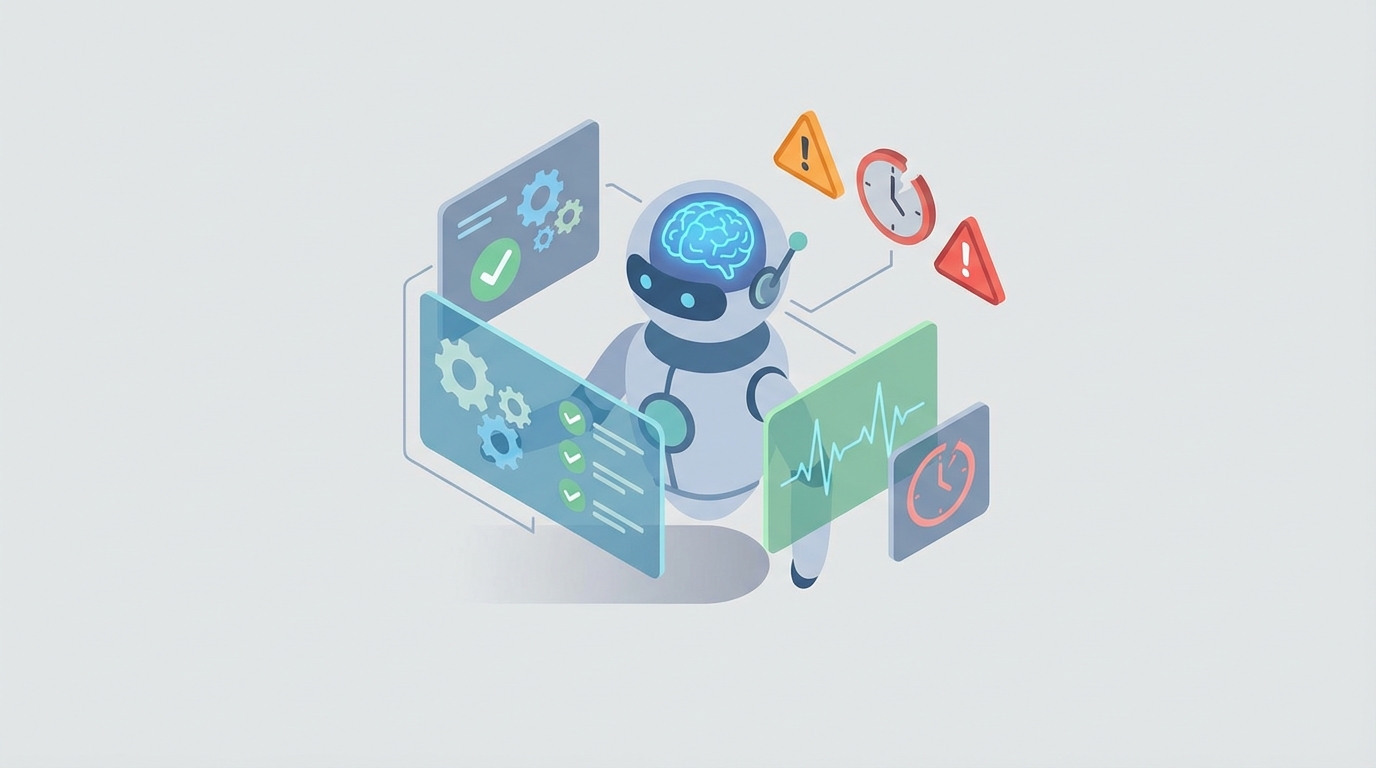
Here's the thing about Cronitor: it's excellent at telling you something broke. It is absolutely terrible at doing anything about it.
You set up your cron job monitoring. You get the Slack notification at 3 AM that your nightly data sync failed. Great. Now what? You wake up, SSH into a server, read logs, figure out the problem, manually restart the job, and go back to sleep — only to have it happen again two nights later because you didn't actually fix the root cause.
Cronitor is the eyes. What you're missing is the brain and the hands.
That's where an AI agent comes in — not Cronitor's built-in automations (which are basically just notification rules with a fancy name), but an actual autonomous agent that can think, decide, and act. Built on OpenClaw, connected to Cronitor's API, and capable of doing what you'd otherwise have to do yourself at 3 AM.
Let me walk through exactly how to build this.
Why Cronitor's Built-in Automations Fall Short
Let's be honest about what Cronitor's "automations" actually are: notification rules and webhooks. That's it.
Here's what you cannot do natively in Cronitor:
- No conditional logic. You can't say "if this job fails and the error message contains 'connection refused,' retry it, but if it contains 'out of memory,' scale the container first, then retry."
- No stateful workflows. You can't chain actions like "if the job fails three times in a row, page the on-call engineer, create a Jira ticket, and pause all dependent jobs."
- No remediation. Cronitor can't SSH into anything, can't run kubectl, can't restart a service, can't touch your infrastructure at all.
- No root cause analysis. You get "Job failed" and maybe some stderr output. Correlating that with recent deployments, resource metrics, or upstream service changes? That's on you.
- No intelligence in alerting. Every failure gets the same treatment. A flaky test that fails once a week gets the same urgency as your payment processing pipeline going down.
Cronitor's webhooks are fire-and-forget. They don't retry reliably. They have no execution guarantees. They certainly can't make decisions.
This isn't a criticism — Cronitor is a monitoring tool, and it does monitoring well. But the gap between "detection" and "resolution" is where all the pain lives.
The Architecture: OpenClaw + Cronitor
The setup is straightforward. OpenClaw acts as an intelligent middleware layer between Cronitor's alerts and your infrastructure.
Here's the flow:
- Cronitor detects an issue (failed job, missed heartbeat, duration anomaly)
- Cronitor sends a webhook to your OpenClaw agent endpoint
- OpenClaw receives the event, parses it, and runs your agent logic
- The agent decides what to do — query logs, check related systems, attempt remediation, escalate appropriately
- The agent acts — runs commands, calls APIs, sends context-rich notifications, creates tickets, or resolves the issue autonomously
Cronitor stays in its lane as the monitoring layer. OpenClaw handles everything after the alert fires.
Setting Up the Webhook Bridge
First, configure Cronitor to send failure events to your OpenClaw agent. In Cronitor, go to your notification settings and add a webhook integration pointing to your OpenClaw agent's endpoint.
The payload Cronitor sends looks something like this:
{
  "monitor": {
    "key": "nightly-data-sync",
    "name": "Nightly Data Sync",
    "tags": ["data-team", "critical", "production"]
  },
  "alert": {
    "type": "failure",
    "message": "Job exited with status code 1",
    "created_at": "2026-01-15T03:14:22Z"
  },
  "event": {
    "stamp": "run",
    "env": "production",
    "duration": 342.5,
    "message": "ConnectionRefusedError: [Errno 111] Connection refused"
  }
}
On the OpenClaw side, your agent receives this and gets to work.
Building the Agent Logic in OpenClaw
This is where it gets interesting. Instead of a dumb webhook that just reformats the notification and forwards it, you're building an agent that actually reasons about what happened and what to do about it.
Workflow 1: Intelligent Failure Triage
The most immediately valuable workflow. When a job fails, the agent doesn't just forward the alert — it investigates first.
# OpenClaw Agent: Cronitor Failure Triage

def handle_cronitor_alert(event):
    monitor = event["monitor"]
    alert = event["alert"]
    error_msg = event["event"].get("message", "")

    # Step 1: Classify the failure
    classification = classify_error(error_msg, monitor["tags"])

    # Step 2: Gather context
    context = {
        "recent_deployments": check_deploy_log(monitor["tags"]),
        "resource_metrics": query_infrastructure_metrics(monitor["key"]),
        "failure_history": get_cronitor_history(monitor["key"], days=7),
        "related_monitors": check_dependent_jobs(monitor["key"])
    }

    # Step 3: Decide action based on classification
    if classification == "transient_network":
        retry_with_backoff(monitor["key"], max_retries=3)
    elif classification == "resource_exhaustion":
        scale_and_retry(monitor["key"], context["resource_metrics"])
    elif classification == "code_error":
        escalate_to_engineer(monitor, context, error_msg)
    elif classification == "dependency_failure":
        pause_downstream_jobs(monitor["key"])
        alert_upstream_team(context)
The classify_error function is where OpenClaw's AI capabilities shine. Instead of writing a massive switch statement trying to pattern-match every possible error message, you let the agent reason about it:
def classify_error(error_message, tags):
    # OpenClaw's AI reasoning analyzes the error context
    # and classifies it into actionable categories
    prompt = f"""
    Classify this cron job failure into exactly one category:
    - transient_network: temporary connectivity issues
    - resource_exhaustion: memory, disk, or CPU limits
    - code_error: application bug requiring human fix
    - dependency_failure: upstream service or database down
    - configuration: environment variables, permissions, paths

    Error message: {error_message}
    Job tags: {tags}

    Respond with only the category name.
    """
    return openclaw.reason(prompt)
This alone eliminates a huge percentage of 3 AM wake-ups. Transient network errors get retried automatically. Resource issues get addressed by scaling. Only actual code bugs wake up a human — and when they do, they come with full context already gathered.
Workflow 2: Automated Retry with Intelligence
Dumb retries are dangerous. If your job failed because it corrupted data, retrying immediately makes things worse. If it failed because of a network blip, an immediate retry usually works.
def retry_with_backoff(monitor_key, max_retries=3):
    history = get_cronitor_history(monitor_key, hours=1)

    # Don't retry if we've already retried recently
    recent_retries = count_recent_retries(history)
    if recent_retries >= max_retries:
        escalate_with_context(
            monitor_key,
            f"Job has failed {recent_retries} times in the last hour. "
            f"Automated retries exhausted. Manual intervention required."
        )
        return

    # Check if the job is safe to retry (idempotent)
    job_config = get_job_config(monitor_key)
    if not job_config.get("idempotent", False):
        escalate_with_context(
            monitor_key,
            "Job is not marked as idempotent. Skipping automatic retry."
        )
        return

    # Execute retry with exponential backoff
    delay = 2 ** recent_retries * 30  # 30s, 60s, 120s
    schedule_job_execution(monitor_key, delay_seconds=delay)

    # Notify, but don't page
    notify_slack(
        channel=job_config["slack_channel"],
        message=f"⟳ Auto-retrying {monitor_key} in {delay}s "
                f"(attempt {recent_retries + 1}/{max_retries})"
    )
The key detail here: the agent checks whether the job is idempotent before retrying. This is the kind of contextual decision-making that a webhook simply cannot do.
Workflow 3: Cross-System Dependency Management
This is where things get genuinely powerful. Most production environments have jobs that depend on other jobs. Cronitor can monitor each one individually, but it has no concept of dependencies between them.
def handle_pipeline_failure(monitor_key, error_context):
    # Load dependency graph
    deps = get_dependency_graph(monitor_key)

    # Pause all downstream jobs via Cronitor API
    for downstream_job in deps["downstream"]:
        pause_cronitor_monitor(downstream_job)
        notify_slack(
            channel="data-pipeline-alerts",
            message=f"⏸ Paused {downstream_job} due to "
                    f"upstream failure in {monitor_key}"
        )

    # Check upstream jobs for related failures
    upstream_failures = []
    for upstream_job in deps["upstream"]:
        status = get_cronitor_status(upstream_job)
        if status != "ok":
            upstream_failures.append(upstream_job)

    if upstream_failures:
        # Root cause is likely upstream
        notify_slack(
            channel="data-pipeline-alerts",
            message=f"🔍 {monitor_key} failure likely caused by "
                    f"upstream failures: {', '.join(upstream_failures)}"
        )
Using the Cronitor API to programmatically pause monitors is straightforward:
import requests

def pause_cronitor_monitor(monitor_key, hours=2):
    response = requests.put(
        f"https://cronitor.io/api/monitors/{monitor_key}",
        auth=("YOUR_API_KEY", ""),
        json={"paused": True, "paused_until": hours_from_now(hours)}
    )
    return response.status_code == 200
Workflow 4: Predictive Duration Monitoring
Cronitor lets you set static duration thresholds. If a job usually takes 5 minutes and you set an alert at 15 minutes, you'll catch it when it hangs. But what about the slow creep? The job that takes 5 minutes today, 5.5 minutes next week, 6 minutes the week after — gradually degrading until it eventually times out.
def analyze_duration_trends(monitor_key):
    # Pull 30 days of execution history from Cronitor
    history = get_cronitor_history(monitor_key, days=30)
    durations = [event["duration"] for event in history if event["duration"]]

    if len(durations) < 10:
        return  # Not enough data

    # Calculate trend
    recent_avg = mean(durations[-5:])
    historical_avg = mean(durations[:-5])
    percent_increase = ((recent_avg - historical_avg) / historical_avg) * 100

    if percent_increase > 20:
        # Duration is trending up significantly
        analysis = openclaw.reason(f"""
        A cron job '{monitor_key}' has seen its average execution time
        increase by {percent_increase:.1f}% over the last 30 days.

        Recent average: {recent_avg:.1f}s
        Historical average: {historical_avg:.1f}s

        Recent durations: {durations[-10:]}

        What are the most likely causes of gradual performance
        degradation in a scheduled job? List the top 3.
        """)

        create_proactive_ticket(
            title=f"Performance degradation: {monitor_key}",
            body=f"Duration trending up {percent_increase:.1f}%.\n\n"
                 f"AI Analysis:\n{analysis}"
        )
This runs on a schedule — say, daily — using the Cronitor API to pull history for all your monitors and flag the ones that are slowly getting worse. You fix performance issues before they become outages.
Workflow 5: Smart Alert Routing
Not every failure deserves the same response. Your payment processing job failing at 2 AM is a "wake someone up" situation. Your weekly analytics summary failing? That can wait until morning.
def route_alert(event):
    monitor = event["monitor"]
    tags = monitor.get("tags", [])

    # Determine severity based on tags, time, and failure pattern
    severity = openclaw.reason(f"""
    Given this job failure, determine the appropriate severity level
    (critical, high, medium, low):

    Job: {monitor['name']}
    Tags: {tags}
    Time: {event['alert']['created_at']}
    Error: {event['event'].get('message', 'No message')}
    Recent failure count (24h): {get_recent_failure_count(monitor['key'])}

    Rules:
    - Jobs tagged 'revenue' or 'payments' are always critical
    - Jobs tagged 'analytics' or 'reporting' are medium unless
      they've failed 3+ times consecutively
    - Between 9am-6pm local time, high can be downgraded to medium
    - First failure of a previously stable job is more concerning
      than a flaky job failing again

    Return only: critical, high, medium, or low
    """)

    if severity == "critical":
        page_oncall(monitor, event)
        create_incident(monitor, event, priority="P1")
    elif severity == "high":
        send_sms(get_oncall_engineer(), format_alert(event))
        create_ticket(monitor, event, priority="P2")
    elif severity == "medium":
        notify_slack(channel="engineering-alerts", message=format_alert(event))
    else:
        log_for_review(monitor, event)
This is the difference between an engineer who gets paged 15 times a week (and starts ignoring alerts) and one who gets paged only when it actually matters.
Dynamic Monitor Management
Here's a workflow most teams don't think about but absolutely should: automatically creating and configuring Cronitor monitors as part of your CI/CD pipeline.
When a new cron job gets deployed, the OpenClaw agent detects it (via a deployment webhook or by scanning your crontab/Kubernetes CronJob definitions) and creates the appropriate monitor:
def sync_monitors_from_deployment(deployment_event):
    cron_jobs = extract_cron_jobs(deployment_event)

    for job in cron_jobs:
        existing = get_cronitor_monitor(job["name"])

        if not existing:
            # Create new monitor with sensible defaults
            create_cronitor_monitor({
                "key": job["name"],
                "schedule": job["schedule"],
                "tags": job.get("tags", []) + ["auto-created"],
                "assertions": [
                    f"metric.duration < {estimate_timeout(job)}",
                ],
                "notify": determine_notification_list(job["tags"]),
                "grace_seconds": calculate_grace_period(job["schedule"])
            })

            notify_slack(
                channel="devops",
                message=f"📊 Auto-created Cronitor monitor for "
                        f"new job: {job['name']}"
            )
No more forgetting to add monitoring for new jobs. No more production cron jobs running unmonitored for months because someone forgot a setup step.
Pulling It All Together
The complete setup looks like this:
- Cronitor monitors all your jobs — cron, Kubernetes CronJobs, Airflow DAGs, Celery tasks, whatever. It's good at this. Let it do its job.
- Cronitor sends webhooks to OpenClaw on any state change — failures, duration anomalies, missed heartbeats.
- OpenClaw agents triage, investigate, and act — classifying failures, gathering cross-system context, retrying safe jobs, pausing dependent pipelines, and escalating intelligently.
- A scheduled OpenClaw agent polls the Cronitor API daily for trend analysis, finding slow degradation before it becomes an incident.
- Your CI/CD pipeline notifies OpenClaw of deployments, which automatically syncs Cronitor monitors.
The result: you go from "Cronitor told me something broke, now I need to figure out what happened and fix it" to "Cronitor detected the issue, the agent diagnosed it, retried it successfully, and left me a summary in Slack when I woke up."
What You Actually Need to Get Started
You don't have to build all five workflows on day one. Start with the one that hurts the most:
If you're drowning in alert noise: Start with smart alert routing (Workflow 5). Immediate reduction in pages.
If you spend time investigating failures that turn out to be transient: Start with intelligent retry (Workflow 2). Handles the easy cases automatically.
If you have complex job dependencies: Start with dependency management (Workflow 3). Prevents cascade failures from multiplying your alerts.
If you're tired of jobs slowly degrading: Start with duration trend analysis (Workflow 4). Catches problems weeks before they become incidents.
Next Steps
If you're running Cronitor and want to stop being the human glue between "alert fired" and "problem resolved," building an OpenClaw agent on top of it is the highest-leverage move you can make.
The Cronitor API gives you everything you need to read state and manage monitors programmatically. OpenClaw gives you the intelligence layer to decide what to do and the execution layer to actually do it.
Your cron jobs will still fail. They always will. The question is whether that requires a human to wake up and fix it, or whether your agent handles it while you sleep.
If you want help designing and building a Cronitor AI agent tailored to your specific infrastructure and workflows, check out Clawsourcing. We'll scope it, build it, and get it running — so your on-call rotation can finally be boring.