AI Agent for Cloudbeds: Automate Hotel Operations, Revenue Management, and Guest Experience
Automate Hotel Operations, Revenue Management, and Guest Experience
Most hotel teams running Cloudbeds spend their days in three places: the calendar, the inbox, and the housekeeping view. Everything else — pricing adjustments, guest follow-ups, report generation, OTA reconciliation — gets squeezed into whatever time is left, which is never enough.
Cloudbeds is genuinely good at what it does. It centralizes reservations, syncs inventory across 400+ OTAs, handles folios, and gives you a unified inbox. But here's the thing: its built-in automations are strictly rule-based. "If booking created, send welcome email." "If checkout complete, send receipt." That's about the ceiling.
The gap between what Cloudbeds automates and what your operations actually require is where your staff lives — handling exceptions, answering repetitive guest questions at 2 AM, manually adjusting rates because the rule engine can't factor in booking pace and competitor pricing and weather and that music festival next weekend.
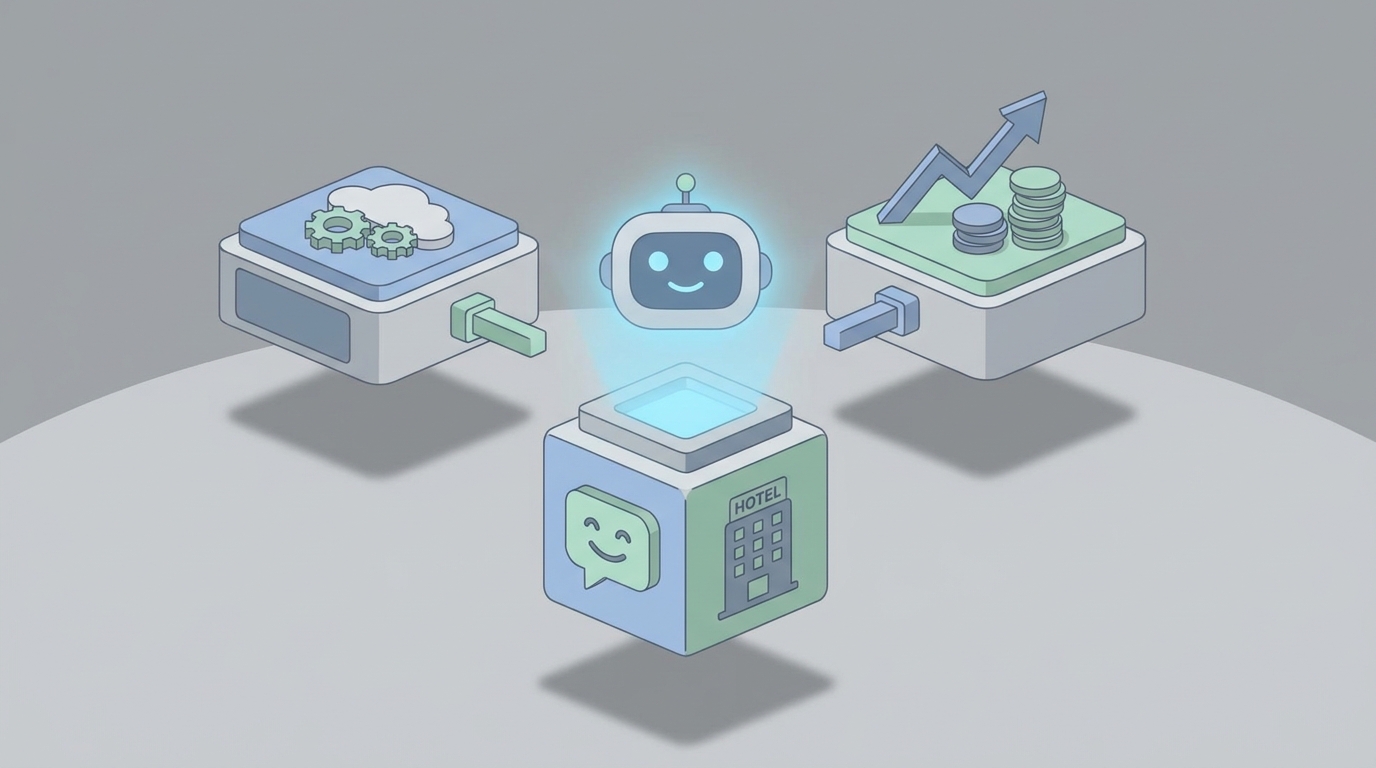
This post is about closing that gap with a custom AI agent built on OpenClaw, connected to the Cloudbeds API, that turns your PMS from a reactive record-keeping system into something that actually thinks.
What Cloudbeds Can't Do (And Why It Matters)
Let's be specific about the limitations, because understanding them is the whole point.
The rules engine is linear. You get "if X then Y" logic. No branching, no memory across interactions, no conditional sequences beyond basic AND statements. Real hospitality operations are full of "it depends" — and the rules engine doesn't do "it depends."
Messaging is template-driven. Merge tags like {guest_name} and {check_in_date} don't constitute personalization. When a guest writes "My flight got delayed, can I check in late?", the system doesn't understand that. A human has to read it, interpret it, check availability, update the reservation, and reply. Multiply that by 30 guests a day.
No learning. Rules don't improve. They don't notice that guests from a particular OTA cancel at 3x the rate, or that your ocean-view rooms sell out every Thursday, or that European guests consistently ask about airport transfers. Every insight requires a human to notice it, then manually create a new rule.
Reporting is surface-level. Occupancy, RevPAR, ADR — the basics are there. But try asking "Which channel drives the highest lifetime-value guests?" or "What's our cancellation rate for bookings made less than 48 hours before arrival?" and you're exporting CSVs to Google Sheets.
No multi-system orchestration. Cloudbeds talks to its own modules fine. But coordinating Cloudbeds + PriceLabs + QuickBooks + WhatsApp Business + your keyless entry system in a single intelligent workflow? That's glue code you're writing yourself, or more likely, manual work your front desk is doing.
The result: properties with 20-100 rooms still need 2-3 full-time staff members doing work that is fundamentally pattern-matching and decision-making on structured data. That's exactly what AI agents are good at.
The Architecture: OpenClaw + Cloudbeds API
Here's how this actually works, technically.
Cloudbeds provides the data layer and action layer. Their REST API supports CRUD operations on reservations, guest profiles, inventory, rates, housekeeping tasks, folios, payments, and messaging. Their webhook system fires real-time events for booking created/updated/cancelled, check-in/out, messages received, and housekeeping status changes.
OpenClaw provides the intelligence and orchestration layer. You build an AI agent on OpenClaw that subscribes to Cloudbeds webhooks, maintains context about your property and guests, reasons about what to do, and executes actions back through the Cloudbeds API.
The basic architecture looks like this:
Cloudbeds Webhooks → OpenClaw Agent (reasoning + memory + tools) → Cloudbeds API Actions
                                    ↕
                          External APIs (pricing, weather, reviews, accounting)
OpenClaw agents have three things that make this work:
- Persistent memory — the agent remembers past interactions, guest preferences, operational patterns, and outcomes across sessions.
- Tool use — you define API actions as "tools" the agent can call. Update a rate. Send a message. Create a housekeeping task. The agent decides when and how to use them.
- Reasoning — the agent doesn't just pattern-match. It evaluates context, weighs options, and handles ambiguity, which is exactly what rule engines can't do.
Setting Up the Webhook Listener
First, you configure Cloudbeds to send webhooks to your OpenClaw agent's endpoint. The key events you want:
{
  "events": [
    "reservation.created",
    "reservation.updated",
    "reservation.cancelled",
    "guest.checked_in",
    "guest.checked_out",
    "message.received",
    "housekeeping.status_changed",
    "payment.received"
  ],
  "endpoint": "https://your-openclaw-agent.openclaw.app/webhooks/cloudbeds"
}
Defining Agent Tools
In OpenClaw, you define the actions your agent can take. Each tool maps to a Cloudbeds API endpoint:
tools = [
    {
        "name": "update_reservation",
        "description": "Modify an existing reservation (dates, room type, special requests, notes)",
        "api": "PUT /reservations/{reservation_id}",
        "parameters": ["reservation_id", "check_in", "check_out", "room_type_id", "notes"]
    },
    {
        "name": "send_guest_message",
        "description": "Send a message to a guest via their preferred channel (email, SMS, WhatsApp)",
        "api": "POST /messages",
        "parameters": ["guest_id", "channel", "message_body"]
    },
    {
        "name": "update_room_rate",
        "description": "Change the rate for a specific room type on specific dates",
        "api": "PUT /rates/{room_type_id}",
        "parameters": ["room_type_id", "date_start", "date_end", "rate"]
    },
    {
        "name": "create_housekeeping_task",
        "description": "Assign a housekeeping or maintenance task to staff",
        "api": "POST /housekeeping/tasks",
        "parameters": ["room_id", "task_type", "priority", "assigned_to", "notes"]
    },
    {
        "name": "get_guest_history",
        "description": "Retrieve a guest's full profile, past stays, preferences, and spending",
        "api": "GET /guests/{guest_id}/history",
        "parameters": ["guest_id"]
    },
    {
        "name": "pull_occupancy_report",
        "description": "Get occupancy and revenue data for a date range",
        "api": "GET /reports/occupancy",
        "parameters": ["date_start", "date_end"]
    },
    {
        "name": "escalate_to_human",
        "description": "Flag a situation for human review with full context",
        "parameters": ["issue_summary", "priority", "relevant_reservation_id"]
    }
]
The escalate_to_human tool is critical. You want the agent to know its own limits. Refund over $500? Escalate. Guest threatening a lawsuit? Escalate. Ambiguous situation with a VIP? Escalate. The agent handles the 80% so your team can focus on the 20% that actually needs human judgment.
Five Workflows That Actually Matter
Let me walk through specific, real workflows rather than abstract possibilities.
1. Intelligent Guest Communication (The Inbox Killer)
Trigger: message.received webhook fires.
What happens: The OpenClaw agent reads the incoming message, pulls the guest's reservation details and history from Cloudbeds, and determines intent. Not with keyword matching — with actual language understanding.
Guest writes: "Hey, we're coming for our anniversary. Is there any way to get a room with a view? Also do you have late checkout? Our flight isn't until 9pm."
The agent:
- Identifies three requests: room upgrade, late checkout, anniversary occasion
- Checks availability for view rooms on those dates
- Checks the property's late checkout policy and next-day booking status for that room
- Looks up guest history (first stay? returning guest? how much have they spent?)
- Composes a response that addresses all three points with specifics
- If the view room is available and the guest is high-value, offers a complimentary upgrade. If it requires an upsell, quotes the price difference
- Tags the reservation with "anniversary" for housekeeping (maybe a card or amenity)
- Creates a housekeeping task: "Prepare anniversary amenity for Room 412, check-in Oct 15"
All of that happens in seconds. Your front desk person would have needed 5-10 minutes and four different screens.
The key difference from Cloudbeds's built-in messaging: The native system would send whatever template is configured. It cannot parse multiple requests in one message, check live availability, make judgment calls about upgrades, or coordinate across housekeeping. The OpenClaw agent does all of it.
2. Dynamic Revenue Management
Trigger: Scheduled (runs every 6 hours) + reservation.created / reservation.cancelled webhooks.
What happens: The agent pulls current occupancy, booking pace (how fast rooms are filling compared to the same period historically), and upcoming demand signals. It then adjusts rates within guardrails you define.
pricing_guardrails = {
    "min_rate": 89,
    "max_rate": 349,
    "max_daily_change_percent": 15,
    "blackout_dates": ["2026-12-24", "2026-12-25"],  # Manual control
    "require_approval_above": 299  # Escalate to human
}
The agent considers:
- Current occupancy vs. target (e.g., "We're at 40% for next Tuesday, normally 65% by this point")
- Booking velocity (accelerating or decelerating?)
- Day of week patterns
- Competitor rate data if you feed it (via a scraping tool or API)
- Local events (concert, conference, holiday — fed from an events API or manually tagged)
- Channel mix (if most bookings are coming from high-commission OTAs, the agent might push direct booking incentives)
This isn't replacing a dedicated revenue management system for a 500-room resort. But for a 40-room boutique hotel that's currently adjusting rates manually twice a week? This is transformative.
3. Proactive Pre-Arrival Sequencing
Trigger: Scheduled daily scan of upcoming arrivals.
What happens: Instead of the same three template emails every guest gets, the agent builds a personalized pre-arrival sequence based on who the guest actually is.
For a returning guest:
- References their last stay
- Offers their previously preferred room or amenities
- Skips the "here's how to find us" information they already know
For a first-time guest from an OTA:
- Sends a warm welcome with practical info (parking, check-in process, local tips)
- Includes a subtle pitch for booking direct next time with a loyalty incentive
- Asks about special needs or preferences (and actually processes the response)
For a guest who booked a premium room type:
- Offers add-ons that make sense (airport transfer, dinner reservation, spa booking)
- Positions upsells based on the guest's profile, not just generic promotions
The agent uses send_guest_message with channel preferences — WhatsApp if available (higher open rates), SMS for time-sensitive info, email for detailed itineraries.
4. Smart Housekeeping Orchestration
Trigger: guest.checked_out + guest.checked_in webhooks + daily morning schedule generation.
What happens: The agent looks at the day's checkout list, incoming arrivals (with expected times if provided), and current housekeeping staff availability. It then optimizes room cleaning priority.
Logic:
- Rooms with early arrivals get cleaned first
- VIP rooms get extra time allocated and quality checks
- Stayover rooms are grouped by floor for efficiency
- If a guest mentioned late checkout (detected from message history), the agent adjusts the schedule and notifies the assigned cleaner
- If a checkout hasn't happened by the expected time, the agent can send a gentle reminder to the guest
This replaces the morning huddle where the front desk manager prints a list and manually assigns rooms, then spends the rest of the morning fielding "is room 205 ready yet?" questions.
5. Natural Language Reporting for Managers
Trigger: On-demand, via a chat interface or scheduled daily/weekly digest.
What happens: Instead of clicking through Cloudbeds's report builder or exporting to Excel, the property manager asks:
"How did we do last week compared to the same week last year?"
The agent pulls occupancy, ADR, RevPAR, total revenue, channel breakdown, and cancellation rates for both periods, then presents a concise summary with the notable changes highlighted.
Or: "Which room types have the lowest guest satisfaction based on recent messages?"
The agent analyzes recent guest communication sentiment by room type and identifies patterns — maybe the street-facing rooms consistently get noise complaints, and the agent recommends a pricing adjustment or a note in the listing.
This turns your data from something you look at once a month in a spreadsheet into something you actually use daily.
Implementation: How to Actually Build This
Here's the honest version of what it takes.
Step 1: Cloudbeds API Access. Apply for API credentials through the Cloudbeds Marketplace partner program. You'll get OAuth2 credentials. Set up webhook subscriptions for the events listed above.
Step 2: Build Your OpenClaw Agent. Define your agent's persona (pragmatic hotel operations assistant, not a chatbot with personality), its tools (the API actions above), and its guardrails (what it can do autonomously vs. what requires human approval).
Step 3: Start with One Workflow. Don't try to build all five at once. Guest messaging is usually the highest-impact starting point because it's the most time-consuming manual task and the easiest to measure (response time, resolution rate, guest satisfaction).
Step 4: Build the Memory Layer. As the agent handles interactions, it builds a richer picture of each guest and of your property's patterns. This is where OpenClaw's persistent memory becomes the differentiator — the agent gets better over time, which rules engines fundamentally cannot do.
Step 5: Expand Gradually. Add revenue management logic once you trust the messaging. Add housekeeping orchestration. Add reporting. Each new workflow compounds the value because the agent has more context.
Rate Limiting Note: Cloudbeds enforces strict rate limits during peak traffic. Your OpenClaw agent should implement request queuing, exponential backoff, and caching. Don't hit the reservations endpoint every time you need guest data — cache profiles with a reasonable TTL and refresh on webhook events.
Webhook Reliability: Cloudbeds webhooks can occasionally be delayed or duplicated. Build idempotency into your agent's event processing. Use reservation IDs and timestamps to deduplicate. Store a processed events log.
What This Means in Practice
A 50-room boutique hotel running Cloudbeds with an OpenClaw agent can realistically expect:
- 60-70% reduction in guest message response time (from minutes/hours to seconds for most queries)
- 15-25% more upsell revenue from personalized, contextual offers instead of generic email blasts
- 1-2 hours saved daily per front desk staff member on routine tasks
- Better reviews because guests feel heard and things don't fall through the cracks
- Smarter pricing that reacts to demand signals faster than a human checking rates twice a week
This isn't about replacing your front desk team. It's about letting them stop doing data entry and copy-paste messaging so they can actually be hospitable — which is supposedly the whole point of this industry.
The Honest Caveats
Some things to be realistic about:
The Cloudbeds API doesn't expose everything. Some complex rate strategy changes and certain accounting entries still require the UI. Your agent will occasionally need to tell a human "I can't do this one, here's what needs to happen manually."
You need clean data. If your Cloudbeds instance is full of duplicate guest profiles, inconsistent room type naming, and abandoned test reservations, the agent will inherit that mess. Garbage in, garbage out still applies.
Human oversight matters, especially early on. Run the agent in "suggest mode" before "autonomous mode" for high-stakes actions like rate changes or guest compensation. Review its decisions for the first few weeks. OpenClaw makes it easy to set up approval workflows for specific action types.
This is a meaningful project, not a weekend hack. Getting the messaging workflow solid takes a few weeks. Getting all five workflows running smoothly takes a couple of months. But the ROI starts from week one.
Next Steps
If you're running a property on Cloudbeds and spending too much time on tasks that a smart system should handle, this is exactly the kind of project we build through Clawsourcing.
We'll scope your specific Cloudbeds setup, identify the highest-impact workflows for your property, and build a production OpenClaw agent that actually works with your operations — not a demo, not a proof of concept, but a system that handles real guests and real revenue decisions.
Get started with Clawsourcing →
The properties that figure out AI-augmented operations in the next 12-18 months are going to have a structural advantage over those that don't. Independent hotels already compete against chains with massive tech budgets. This is how you close that gap without a massive tech budget of your own.