AI Agent for Close: Automate Outreach Sequences, Call Logging, and Pipeline Management
Automate Outreach Sequences, Call Logging, and Pipeline Management
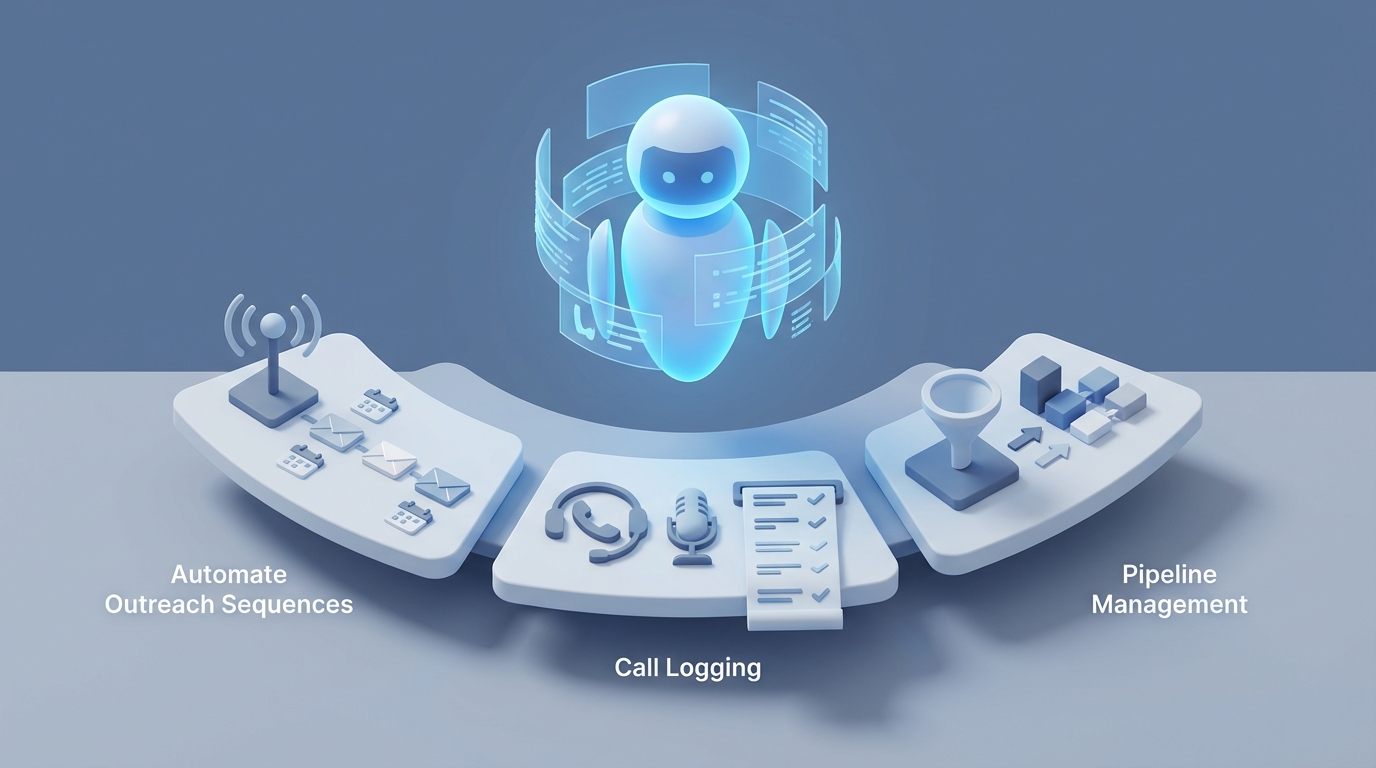
Most sales teams using Close are stuck in a weird middle ground. The CRM itself is excellent — fast, clean, built for inside sales. The built-in Power Dialer is genuinely great. Email sequences work. SMS is native. But the moment you need anything smarter than "send email B three days after email A unless they replied," you hit a wall.
Close's automation is intentionally simple. That's a feature until it's not.
Here's what I mean: your SDR runs a 200-call dialer session. They log some notes, maybe update a custom field or two, then move on. Nobody goes back to analyze those calls systematically. Nobody's dynamically adjusting the follow-up sequence based on what the prospect actually said. Nobody's enriching the lead record with fresh data before the next touch. There's no system deciding whether the next action should be a call, an email, or an SMS based on that specific prospect's behavior patterns.
Your reps are doing all of that thinking manually. And they're not doing most of it at all, because there aren't enough hours in the day.
This is the exact gap a custom AI agent fills — not Close's built-in features, but an external agent that connects to Close's API, watches everything happening in real time, makes decisions, and takes action autonomously.
And Close happens to have one of the best CRM APIs available to build on. So let's talk about how to actually do this with OpenClaw.
Why Close Is Uniquely Good for AI Agent Integration
Before getting into the build, it's worth understanding why Close is a better foundation for this than most CRMs.
Close's API is genuinely excellent. Full CRUD on leads, contacts, opportunities, tasks, notes, and custom fields. You can send emails and SMS directly via the API. You can start calls, get recording URLs, add or remove leads from sequences, and query Smart Views programmatically. Most importantly, Close offers real-time webhooks for nearly every event — email opened, email replied, call ended, lead status changed, note added, bounce detected. This is the backbone of any AI agent architecture.
Compare that to CRMs where you're polling an API every five minutes and praying you don't miss something. Close gives you event-driven hooks that let your agent react in seconds.
The data model is also clean. Leads contain contacts. Activities (calls, emails, SMS) are logged against leads. Opportunities track pipeline. Custom fields let you store whatever your agent needs. There's no convoluted object hierarchy to navigate.
This means an AI agent built on OpenClaw can treat Close as both its source of truth and its action layer — reading context from the CRM and writing actions back to it without intermediary tools.
The Architecture: OpenClaw + Close
Here's the high-level pattern for building an AI sales agent that layers intelligence on top of Close:
Close Webhooks → OpenClaw Agent → Decision Logic (LLM) → Close API Actions
                                       ↓
                              External Enrichment
                              (LinkedIn, company data, news)
Step 1: Webhook Listener. Close fires a webhook when something happens — a prospect replies to an email, a call ends, a lead moves to a new status, an email gets opened for the third time. Your OpenClaw agent receives these events in real time.
Step 2: Context Gathering. The agent pulls the full lead record from Close's API — all prior activities, custom field values, opportunity stage, contact details, notes from previous calls. It may also hit external sources for enrichment.
Step 3: LLM Reasoning. OpenClaw's agent processes the context and decides what to do next. This isn't a simple if/then rule. It's an LLM evaluating the full picture: "This prospect replied with a pricing objection after the third email, they're a 50-person SaaS company, the last call note mentioned they're evaluating two competitors, and they've opened our case study PDF twice. The best next action is X."
Step 4: Execution. The agent calls Close's API to take action — send a personalized email, create a follow-up task for the rep, update a custom field, move the lead to a new status, add them to a different sequence, or send an SMS.
All of this happens without a rep lifting a finger. The rep gets brought in when human judgment is genuinely needed.
Five Workflows That Actually Matter
Let me get specific. These are the workflows that produce real ROI, not theoretical "AI could do anything" hand-waving.
1. Intelligent Post-Call Processing
This is the single highest-impact workflow for teams doing heavy outbound calling.
Trigger: Close webhook fires when a call ends.
What the agent does:
- Pulls the call recording URL from Close's API
- Transcribes the recording (or uses Close's transcription if available on your plan)
- Analyzes the conversation to extract: key objections raised, competitor mentions, buying timeline, decision-maker identification, budget signals, next steps discussed
- Updates custom fields in Close automatically (e.g.,
objection_type: pricing,competitor_mentioned: HubSpot,timeline: Q3,decision_maker: confirmed) - Generates a structured call summary and adds it as a Note on the lead
- Creates a follow-up task with specific context ("Send ROI calculator — prospect mentioned needing to justify cost to CFO")
- If buying signals are strong, drafts a follow-up email personalized to what was discussed and queues it for rep review or sends it automatically
Why this matters: Right now, your reps are spending 5-10 minutes after every call logging notes (badly) and creating follow-up tasks (inconsistently). Multiply that by 100 calls a day across a team and you're burning hours on data entry that an agent handles in seconds — with better accuracy.
Here's a simplified example of how the post-call webhook handler works in an OpenClaw agent:
# OpenClaw agent: Post-call processor for Close CRM

async def handle_call_ended(webhook_payload):
    call_id = webhook_payload["data"]["id"]
    lead_id = webhook_payload["data"]["lead_id"]

    # Pull full context from Close API
    lead = close_api.get_lead(lead_id)
    call = close_api.get_activity(call_id)
    recording_url = call.get("recording_url")

    # Transcribe and analyze
    transcript = transcription_service.transcribe(recording_url)

    analysis = openclaw_agent.analyze(
        prompt="""Analyze this sales call transcript. Extract:
        1. Key objections raised
        2. Competitors mentioned
        3. Buying timeline signals
        4. Budget information
        5. Decision maker status
        6. Agreed next steps
        7. Overall sentiment and likelihood to buy (1-10)

        Lead context: {lead_context}
        Transcript: {transcript}""",
        lead_context=format_lead_context(lead),
        transcript=transcript
    )

    # Update Close custom fields
    close_api.update_lead(lead_id, {
        "custom.cf_objection_type": analysis.objections,
        "custom.cf_competitor_mentioned": analysis.competitors,
        "custom.cf_buying_timeline": analysis.timeline,
        "custom.cf_lead_score": analysis.score,
    })

    # Add structured note
    close_api.create_note(lead_id, note=analysis.summary)

    # Create contextual follow-up task
    close_api.create_task(
        lead_id=lead_id,
        text=analysis.recommended_next_step,
        due_date=analysis.suggested_follow_up_date,
        assigned_to=call["user_id"]
    )
That's the skeleton. OpenClaw handles the orchestration, the LLM reasoning, and the tool-calling loop that makes this work reliably.
2. Dynamic Sequence Orchestration
Close's built-in sequences are linear. Step 1, wait, Step 2, wait, Step 3. Maybe a branch if someone replies. That's it.
An OpenClaw agent turns this into actual decision-tree logic:
Trigger: Various — email opened, link clicked, no response after X days, lead enrichment data updated.
What the agent does:
- Evaluates the full engagement history: "Prospect opened Email 1 three times but didn't reply. They're a 200-person company in SaaS. Their LinkedIn shows they just posted about scaling their sales team."
- Decides the optimal next channel: maybe SMS gets better response rates for this segment, or maybe a call is warranted given the high engagement signals
- Generates personalized content for that channel using lead data, enrichment info, and prior interaction context
- Executes via Close's API: sends the SMS, queues the email, or creates a prioritized call task
- Removes the lead from the generic sequence and puts them on a custom path
The result: Instead of every lead getting the same seven-email sequence, each prospect gets a dynamically personalized multi-channel journey. The rep doing 200 dials a day now has an intelligent priority queue — the agent has flagged which 30 leads are showing buying signals and what to say to each one.
3. Smart Reply Classification and Handling
This one saves an absurd amount of time.
Trigger: Close webhook fires when an email reply is received.
What the agent does:
- Reads the reply content
- Classifies intent: interested, objection, not now, unsubscribe request, out of office, wrong person, meeting request, question about pricing, referral to colleague
- Based on classification:
- Meeting request → Checks calendar availability, sends booking link or proposes times, updates opportunity stage
- Simple question → Drafts and sends a response (or queues for rep approval depending on your comfort level)
- Objection → Updates custom fields, drafts a tailored rebuttal email, flags for rep review
- Not now / timing → Pauses the sequence, sets a re-engagement date, creates a future task
- Unsubscribe → Removes from all sequences, updates lead status
- Wrong person → Asks for referral, updates contact info
- Out of office → Parses return date, reschedules sequence accordingly
Most teams I've seen report that 60-70% of inbound replies fall into categories that an agent can handle autonomously or semi-autonomously. That's a massive time savings for your SDRs.
4. Continuous Lead Enrichment and Scoring
Close has no native enrichment. Most teams do a one-time import from Apollo or Clearbit and never update the data again.
Trigger: New lead created, or periodic sweep of existing leads.
What the agent does:
- Pulls the lead's domain, email, and any existing data from Close
- Hits enrichment sources: company size, industry, tech stack, recent funding, hiring signals, LinkedIn activity
- Updates Close custom fields with fresh data
- Runs a scoring model that combines firmographic fit + behavioral engagement (email opens, call outcomes, website visits if tracked)
- Automatically adjusts lead status or priority based on the score
- If a lead suddenly scores high (e.g., they just raised a Series B and started hiring SDRs, and your product is sales software), the agent creates an urgent task and drafts a hyper-relevant outreach message
This turns your Close instance from a static database into a living, continuously updated intelligence system.
5. Pipeline Management and Deal Intelligence
For teams tracking opportunities in Close:
Trigger: Opportunity stage change, deal age threshold, or periodic pipeline review.
What the agent does:
- Monitors all open opportunities for stale deals (no activity in X days)
- Analyzes the full activity history on each deal to assess health
- Generates a pipeline risk report: "Deal with Acme Corp has been in 'Proposal Sent' for 18 days with no response. Last call ended with CFO requesting ROI data that was never sent. Recommended action: send ROI case study + schedule check-in call."
- Creates tasks or sends nudge emails automatically for at-risk deals
- Updates deal forecasting fields based on engagement patterns rather than gut feel
What Makes OpenClaw the Right Platform for This
You might be thinking: "I could cobble this together with Zapier and ChatGPT and some duct tape." You could. It would break constantly, you'd hit Zapier's webhook timeout limits, there's no memory or state management, and debugging would be a nightmare.
OpenClaw is purpose-built for exactly this type of agentic workflow. Here's what matters:
Persistent agent memory. Your agent remembers the full history of interactions with each lead. It doesn't re-analyze from scratch every time — it builds cumulative understanding.
Reliable tool calling. When the agent decides to update a Close custom field, send an SMS, and create a task, those API calls need to execute reliably with proper error handling and retry logic. OpenClaw handles the orchestration layer so you're not writing retry logic from scratch.
Multi-step reasoning. The post-call processing workflow above isn't one LLM call. It's a chain: transcribe → analyze → decide on field updates → decide on follow-up action → generate personalized content → execute. OpenClaw manages that chain with proper state passing between steps.
Webhook processing at scale. When 15 reps are making 200 calls a day and sending hundreds of emails, you need an agent infrastructure that handles concurrent webhook processing without dropping events.
Observability. You need to see what your agent is doing, why it made each decision, and where things go wrong. Black-box automation in a sales context is a recipe for disaster — one bad auto-reply can torch a deal. OpenClaw gives you the visibility to monitor and tune.
Implementation: Getting Started
Here's the practical path to getting this running:
Week 1: Foundation
- Set up Close API key and webhook endpoints
- Configure OpenClaw agent with Close API tools (read leads, update fields, send emails, create tasks)
- Start with the simplest high-value workflow: post-call note generation. It's low-risk (just adding notes) and immediately saves rep time.
Week 2: Expand
- Add reply classification. Start in "suggest mode" where the agent classifies replies and suggests actions but doesn't auto-send anything. Let reps approve/reject to train your prompts.
- Set up lead enrichment on new lead creation.
Week 3: Automate
- Once reply classification accuracy is high (track it!), enable auto-responses for safe categories (out of office, meeting booking, unsubscribe).
- Turn on dynamic sequence logic for your highest-volume outreach campaign.
Week 4: Optimize
- Add pipeline monitoring and deal health scoring.
- Build a weekly agent performance report: how many actions taken, rep time saved, response rates on AI-generated vs. template emails.
The teams seeing the best results treat this as a continuous improvement loop. Your agent gets better as you refine prompts, add edge case handling, and expand the set of autonomous actions.
The Numbers
Based on what teams running this kind of setup report:
- 40-70% reduction in time spent on manual email and SMS writing
- 2-3x more touches per lead without adding headcount
- Call logging accuracy goes from "sporadic and inconsistent" to "comprehensive and structured on every single call"
- Reply response time drops from hours (whenever the rep checks) to minutes
- SDRs shift from message senders to people who get on calls and close — because the agent handles everything else
For a 10-rep team doing heavy outbound, that's roughly equivalent to adding 4-5 virtual SDRs who never sleep, never forget to follow up, and never skip the data entry.
Next Steps
If you're running a sales team on Close and feeling the automation ceiling, this is the move. Close gives you the clean data model and excellent API. OpenClaw gives you the intelligence layer.
The fastest way to get this built and deployed is through Clawsourcing. The team will architect an OpenClaw agent tailored to your specific Close setup — your sequences, your custom fields, your call workflows, your pipeline stages. No generic templates. An agent built around how your team actually sells.
Stop making your $80K/year SDRs do $15/hour data entry work. Automate the repetitive stuff so they can do what humans are actually good at: building relationships and closing deals.
Recommended for this post

Adam
Full-Stack Engineer
Your full-stack AI engineer that architects, builds, deploys, and automates entire applications from a single conversation. 23+ Core Capabilities.
 Clarence Maker
Your Linear expert that automates issue tracking, builds workflows, and streamlines project management.
 SpookyJuice.ai