AI Agent for ClickFunnels: Automate Sales Funnel Management, Order Tracking, and Follow-Up Sequences
Automate Sales Funnel Management, Order Tracking, and Follow-Up Sequences
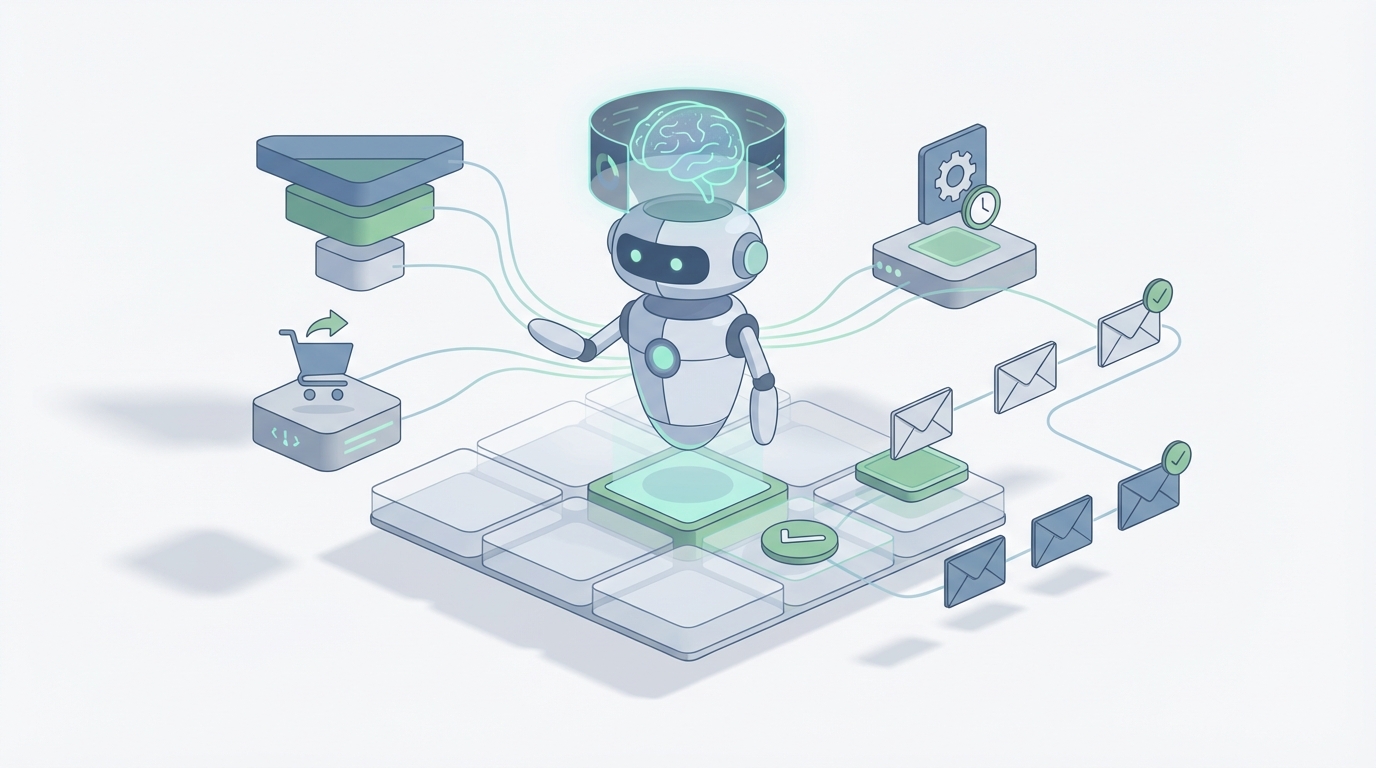
Most ClickFunnels users are paying $297 to $497 a month for a platform that still can't tell them why their funnel is underperforming, which leads are actually worth pursuing, or when an order falls through the cracks. The built-in Workflows feature is better than nothing, but "better than nothing" is a low bar when you're spending thousands on ad traffic and watching your conversion data sit in a dashboard nobody checks.
The real problem isn't ClickFunnels itself. It's that ClickFunnels is a page builder with some automation bolted on — and what you actually need is an intelligent layer sitting on top of it that can monitor, decide, and act without you babysitting every step.
That's exactly what you can build with OpenClaw.
Not a chatbot. Not a prompt wrapper. A persistent AI agent that connects to ClickFunnels via API and webhooks, maintains context about your customers and funnels, and takes autonomous action — qualifying leads, recovering abandoned orders, optimizing follow-up sequences, and flagging problems before they cost you money.
Let me walk through exactly how this works.
What ClickFunnels Actually Gives You to Work With
Before building anything, you need to understand the boundaries of what ClickFunnels exposes programmatically. Their API (v2) supports:
- Contact management: Create, update, tag, search contacts
- Order and purchase data: Retrieve transactions, subscription status, refunds
- Webhooks: Fire on key events — purchase completed, subscription started, subscription cancelled, refund issued, contact created, form submitted
- Funnel statistics: Basic conversion data per step
- Membership access: Grant or revoke access programmatically
- Affiliate data: Commission tracking, referral attribution
What it does not support well: programmatically editing funnels or pages, complex querying or segmentation, bulk operations, real-time personalization, or anything resembling intelligence.
This is important because it defines the architecture. Your AI agent doesn't live inside ClickFunnels. It lives in OpenClaw, consuming ClickFunnels data through webhooks and API calls, maintaining its own enriched view of your customers, and pushing actions back through the API or through connected tools like your email platform, SMS provider, or CRM.
The Architecture: OpenClaw as the Brain, ClickFunnels as the Body
Here's how the pieces fit together:
ClickFunnels Webhooks → OpenClaw Agent → Decision Engine → Actions
                                              ↓
                                    [Enriched Customer DB]
                                              ↓
                              ClickFunnels API / Email / SMS / Slack
OpenClaw acts as the persistent intelligence layer. It receives every event from ClickFunnels — new contact, form submission, purchase, refund, page visit — and processes it against the context it's been building about that customer. Then it decides what to do and executes.
The key difference between this and a Zapier automation is context. A Zap fires the same action every time the same trigger occurs. An OpenClaw agent considers the full history: What funnel did this person enter through? What have they purchased before? How many emails have they opened? Did they start a checkout and abandon it? What's their predicted lifetime value based on similar customers?
That context is what turns a dumb automation into an intelligent agent.
Workflow 1: Intelligent Lead Qualification and Routing
This is the highest-impact workflow for anyone running application funnels or high-ticket offers.
The problem: Someone fills out your application form on ClickFunnels. Right now, either every application gets the same treatment (wasting your sales team's time on unqualified leads) or you set up rigid if/then rules that miss nuance.
The OpenClaw solution:
- ClickFunnels fires a webhook when the application form is submitted
- OpenClaw receives the form data along with any existing contact history
- The agent analyzes the application against your qualification criteria — not just "did they check the right boxes" but contextual analysis of their responses, business size indicators, urgency signals, and how they compare to your historical closed deals
- The agent assigns a lead score and routes accordingly:
- High score: Immediately tags the contact in ClickFunnels, triggers your priority booking sequence, and notifies your closer via Slack with a brief on the lead
- Medium score: Enters a nurture sequence designed to elevate them, with the agent monitoring engagement to re-score
- Low score: Receives a polite redirect to a lower-ticket offer or self-serve resource
# OpenClaw agent configuration for lead qualification
agent_config = {
    "trigger": "webhook.clickfunnels.form_submission",
    "filter": {"funnel_step": "application-page"},
    "actions": [
        {
            "type": "analyze",
            "prompt": """Score this application 1-100 based on:
                - Revenue indicator (from form field 'current_revenue')
                - Urgency signals in their 'biggest_challenge' response
                - Team size and decision-making authority
                - Similarity to our last 50 closed deals
                Return score, reasoning, and recommended route.""",
            "context_sources": [
                "contact_history",
                "historical_conversion_data"
            ]
        },
        {
            "type": "conditional_action",
            "conditions": {
                "score >= 75": [
                    "tag_contact('hot-lead')",
                    "trigger_sequence('priority-booking')",
                    "notify_slack('#sales', lead_brief)"
                ],
                "score >= 40": [
                    "tag_contact('nurture')",
                    "trigger_sequence('mid-funnel-education')"
                ],
                "score < 40": [
                    "tag_contact('low-ticket-redirect')",
                    "trigger_sequence('self-serve-offer')"
                ]
            }
        }
    ]
}
This isn't hypothetical. Businesses running high-ticket funnels that implement intelligent lead scoring typically see their sales team's close rate increase by 30-60% — not because more leads convert, but because the sales team stops wasting calls on people who were never going to buy.
Workflow 2: Abandoned Order Recovery That Actually Adapts
Everyone knows about abandoned cart emails. The problem is that most recovery sequences are completely static — the same three emails sent to everyone who didn't complete checkout, regardless of context.
With OpenClaw, your recovery agent has context:
- How far did they get in the checkout? (Just viewed the order page vs. entered payment info and failed)
- Have they purchased from you before?
- What traffic source brought them in? (Someone from a YouTube video has different intent than a cold Facebook ad click)
- What time did they abandon? (Late night browsing vs. mid-day considered purchase)
- Have they opened previous emails from you?
The agent constructs a recovery approach based on all of this:
recovery_logic = {
    "trigger": "webhook.clickfunnels.checkout_abandoned",
    "delay": "15_minutes",
    "agent_instructions": """
        Analyze this abandoned checkout. Consider:
        1. Customer history: {contact.purchase_history}
        2. Checkout depth: {event.last_step_completed}
        3. Traffic source: {contact.utm_source}
        4. Time of abandonment: {event.timestamp}

        Determine:
        - Primary objection likelihood (price, trust, timing, confusion)
        - Best recovery channel (email, SMS, or both)
        - Whether to offer an incentive and what kind
        - Optimal send timing

        Generate the recovery message(s) and schedule them.
    """
}
For a returning customer who abandoned after entering payment info, the agent might determine the most likely issue was a payment processing error and send an SMS within 15 minutes with a direct link to retry. For a first-time visitor from a cold ad who bounced at the order page, it might send an email sequence that leads with social proof and a risk-reversal guarantee, spaced over 48 hours.
The difference in recovery rates between static sequences and context-aware recovery is typically 2-3x.
Workflow 3: Proactive Funnel Health Monitoring
This is the one nobody does manually but everyone needs.
Your ClickFunnels analytics dashboard shows you conversion rates per step. But nobody sits there watching those numbers in real-time. So when your checkout page conversion rate drops from 8% to 3% because of a payment integration hiccup, or your opt-in rate tanks because a new ad audience doesn't match the landing page messaging — you don't find out until you've burned through a few thousand dollars of ad spend.
OpenClaw agent setup for funnel monitoring:
The agent pulls funnel statistics on a regular cadence (hourly or every few hours depending on your traffic volume), maintains a baseline of normal performance, and alerts you when something deviates significantly.
monitoring_agent = {
    "schedule": "every_2_hours",
    "data_source": "clickfunnels_api.funnel_stats",
    "agent_instructions": """
        Compare current funnel performance against 7-day rolling averages:

        For each funnel step, check:
        - Conversion rate deviation > 20% from baseline
        - Absolute visitor count drops > 30% (traffic issue)
        - Order value anomalies
        - Refund rate spikes

        If anomaly detected:
        1. Classify severity (critical / warning / info)
        2. Hypothesize likely cause based on pattern
        3. Recommend immediate action
        4. Alert appropriate channel

        Critical = Slack DM to founder + pause ad recommendation
        Warning = Slack #funnel-alerts channel
        Info = Daily digest
    """
}
This agent pays for itself the first time it catches a broken checkout page at 2 AM instead of letting it bleed money until someone manually checks the dashboard the next morning.
Workflow 4: Dynamic Follow-Up Sequence Optimization
Most ClickFunnels users set up their email follow-up sequences once and never touch them again. Maybe they A/B test subject lines occasionally. But the content, timing, and offer sequencing stays static.
An OpenClaw agent can continuously optimize your follow-up sequences by:
- Monitoring engagement data across your email sequences (open rates, click rates, reply rates, and — most importantly — downstream purchase rates)
- Identifying dropoff points where engagement craters
- Generating and testing variations of underperforming emails
- Adjusting send timing based on individual recipient behavior patterns
- Recommending sequence restructuring when data shows a different offer order would perform better
The agent doesn't just report this. It drafts new email variations, explains its reasoning, queues them for your approval (or auto-deploys if you've enabled that), and tracks the results to feed back into its next optimization cycle.
This is the compounding advantage. Every week, your sequences get slightly better because the agent is learning from real engagement and purchase data — something that would take a human copywriter hours of analysis to replicate each time.
Workflow 5: Customer Lifecycle Intelligence
ClickFunnels knows about transactions. It doesn't really know about customers.
An OpenClaw agent maintains an enriched customer profile that stitches together:
- Every funnel they've touched and how far they got
- Complete purchase history with order values and timing
- Email and SMS engagement patterns
- Support interactions (if you connect your helpdesk)
- Refund and chargeback history
- Predicted lifetime value based on cohort analysis
With this enriched profile, the agent can trigger lifecycle actions that ClickFunnels' native Workflows simply cannot:
- Churn prediction: Flag subscription customers showing disengagement patterns before they cancel, and trigger a retention sequence or personal outreach
- Upsell timing: Identify when a customer is most likely receptive to the next offer based on their engagement patterns and similar customers' behavior
- VIP detection: Automatically identify and tag high-value customers for white-glove treatment
- Win-back campaigns: For lapsed customers, generate personalized re-engagement offers based on what they originally purchased and what's changed since
Setting This Up: The Practical Steps
Here's the actual implementation path:
Step 1: Configure ClickFunnels Webhooks
In your ClickFunnels workspace, set up webhooks for every event you want your agent to process. At minimum:
- Contact created
- Form submitted
- Purchase completed
- Subscription started / cancelled
- Refund issued
Point all webhooks at your OpenClaw agent's endpoint.
Step 2: Set Up API Access
Generate your ClickFunnels API key and configure it in OpenClaw as a connected service. This gives your agent the ability to read data and push actions back (tagging contacts, updating fields, etc.).
Step 3: Connect Your Communication Channels
Since ClickFunnels' native email and SMS capabilities are limited, you'll likely want your agent to trigger communications through a dedicated tool — whether that's GoHighLevel, Klaviyo, ActiveCampaign, or even a custom SMTP setup. Configure these as action endpoints in OpenClaw.
Step 4: Build Your Agent Workflows in OpenClaw
Start with the highest-impact workflow for your business. For most ClickFunnels users, that's either lead qualification (if you're running high-ticket) or abandoned order recovery (if you're running e-commerce funnels). Get one workflow running well before adding complexity.
Step 5: Feed Historical Data
Export your existing ClickFunnels contact and order data and import it into your OpenClaw agent's context. This gives it a baseline to work from immediately instead of starting cold.
Step 6: Monitor, Adjust, Expand
Watch your agent's decisions for the first week or two. Correct anything that's off. Then gradually increase its autonomy and add additional workflows.
What This Actually Costs vs. What It Saves
Let's be honest about the math. You're already paying $297-$497/month for ClickFunnels. You're probably paying another $50-$200/month for Zapier or Make.com to handle integrations ClickFunnels can't. And you're likely spending $500+ monthly on email marketing tools.
Adding an OpenClaw agent layer doesn't replace those costs (except possibly Zapier/Make for many workflows). But it adds intelligence that multiplies the return on everything else you're spending.
If your funnel does $20k/month and intelligent lead qualification improves your close rate by even 15%, that's $3k/month in additional revenue. If adaptive abandoned cart recovery improves your recovery rate from 5% to 12%, and you're seeing 200 abandoned carts a month on a $97 product — that's an extra $1,358/month.
The math gets obvious quickly.
The Bigger Picture
ClickFunnels is a decent tool for building and hosting sales funnels. It's not an intelligent system, and its built-in automations will probably never be sophisticated enough for businesses that take their conversion optimization seriously.
The businesses that win aren't the ones with the prettiest funnel templates. They're the ones with the smartest systems — the ones where every lead interaction, every abandoned checkout, every follow-up email is informed by context and optimized by data.
OpenClaw is how you build that intelligence layer without hiring a data science team or stitching together fifteen different tools with duct tape and prayer.
If you want help scoping out exactly which workflows would have the highest impact for your specific ClickFunnels setup, our Clawsourcing team can map your current funnel architecture, identify the biggest automation gaps, and build the OpenClaw agent configuration to close them. No generic playbook — actual implementation tailored to your business model, traffic sources, and offer structure.
Recommended for this post

Adam
Full-Stack Engineer
Your full-stack AI engineer that architects, builds, deploys, and automates entire applications from a single conversation. 23+ Core Capabilities.
 Clarence Maker
Your Linear expert that automates issue tracking, builds workflows, and streamlines project management.
 SpookyJuice.ai
Three-level OODA strategy, five-phase Ralph execution, and a recursive feedback engine. Your agent gets faster — this makes it get better.
 JerryRunsOps