AI Agent for Bear: Automate Note Publishing, Tag Management, and Export Workflows
Automate Note Publishing, Tag Management, and Export Workflows
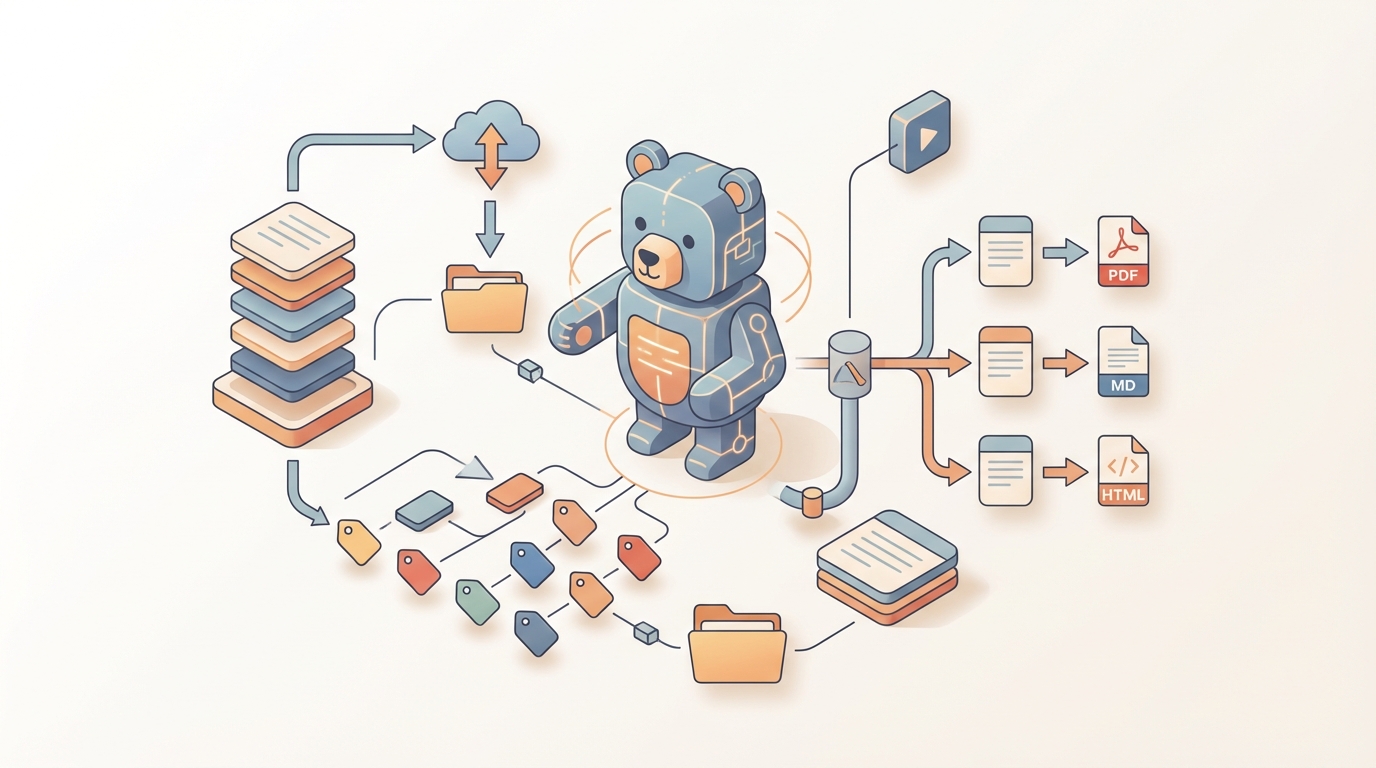
Bear is one of those apps that earns genuine loyalty. The Markdown is beautiful, the nested tags are brilliant, and writing in it just feels good. If you've built your entire professional brain inside Bear — client notes, blog drafts, meeting logs, research threads — you already know why people stick with it despite its limitations.
And the limitations are real. No REST API. No webhooks. No collaboration features. No way to connect it to the dozen other tools your business actually runs on. No AI anything. Bear is a gorgeous island, and everything else in your workflow is the mainland.
Most people just accept this. They copy-paste between Bear and Slack. They manually tag new notes. They forget that important client note from three weeks ago exists. They export Markdown files by hand when it's time to publish.
That's the gap an AI agent fills — not replacing Bear, but turning it from a beautiful silo into a connected, intelligent system. And the fastest way to build that agent is with OpenClaw.
Let me walk through exactly how this works.
The Core Problem: Bear's Automation Surface Is Paper-Thin
Before we get into solutions, you need to understand what you're working with. Bear doesn't have a normal API. There's no REST endpoint you can hit from a server. What it has is:
- x-callback-url scheme — URLs like
bear://x-callback-url/create?title=My%20Note&text=Hellothat trigger actions when called on a Mac or iOS device where Bear is installed. - Apple Shortcuts actions — Create, append, search, and retrieve notes through the Shortcuts app. Bear 2 improved these significantly.
That's it. Both of these are device-bound. They only work on the specific Mac or iPhone where Bear is running. There's no authentication model, no API keys, no OAuth. You can't call Bear from a cloud server. You can't receive webhooks. If Bear isn't running in the foreground or background when the call hits, it silently fails.
For a solo user doing basic automation — "save this URL as a note" — the URL scheme is fine. For anything business-grade, it's a non-starter.
This is where OpenClaw changes the equation.
How OpenClaw Bridges the Gap
OpenClaw is designed to build AI agents that connect to tools exactly like Bear — apps with limited or non-standard APIs that need an intelligence layer on top. Here's the architecture that actually works:
The basic setup:
- A dedicated Mac (can be a Mac Mini sitting on a shelf, or your daily driver) runs a lightweight local service that wraps Bear's x-callback-url scheme in a proper REST API.
- OpenClaw connects to this local service as a tool, giving your AI agent the ability to create notes, append to existing notes, search, manage tags, and export.
- OpenClaw's agent layer handles all the logic: when to create vs. append, how to tag, what to summarize, when to act.
Think of it this way: the local Mac service is the hands. OpenClaw is the brain.
Here's a simplified version of what the local bridge service looks like:
from flask import Flask, request, jsonify
import subprocess
import urllib.parse

app = Flask(__name__)

@app.route('/bear/create', methods=['POST'])
def create_note():
    data = request.json
    title = urllib.parse.quote(data.get('title', ''))
    text = urllib.parse.quote(data.get('text', ''))
    tags = urllib.parse.quote(data.get('tags', ''))

    url = f"bear://x-callback-url/create?title={title}&text={text}&tags={tags}&open_note=no"
    subprocess.run(['open', url])

    return jsonify({"status": "created", "title": data.get('title')})

@app.route('/bear/search', methods=['GET'])
def search_notes():
    term = urllib.parse.quote(request.args.get('term', ''))
    token = request.args.get('token', '')  # Bear API token from preferences

    url = f"bear://x-callback-url/search?term={term}&token={token}&show_window=no"
    subprocess.run(['open', url])

    return jsonify({"status": "searched", "term": request.args.get('term')})

@app.route('/bear/add-text', methods=['POST'])
def add_text():
    data = request.json
    note_id = data.get('id', '')
    text = urllib.parse.quote(data.get('text', ''))
    mode = data.get('mode', 'append')  # append, prepend, replace

    url = f"bear://x-callback-url/add-text?id={note_id}&text={text}&mode={mode}&open_note=no"
    subprocess.run(['open', url])

    return jsonify({"status": "updated", "id": note_id})

if __name__ == '__main__':
    app.run(port=5123)
This is intentionally bare-bones. In production, you'd add authentication (even a simple bearer token), error handling, and — critically — use Apple's Shortcuts or AppleScript for more reliable read operations since the x-callback-url scheme doesn't return note content cleanly. The Shortcuts integration is actually more robust for reads:
import subprocess

def get_note_content(title):
    """Use osascript to trigger a Shortcut that returns note content"""
    script = f'''
    tell application "Shortcuts Events"
        run shortcut "Get Bear Note" with input "{title}"
    end tell
    '''
    result = subprocess.run(['osascript', '-e', script], capture_output=True, text=True)
    return result.stdout.strip()
Once this bridge is running, OpenClaw can interact with Bear as if it were any other API-connected tool.
Five Workflows That Actually Matter
Abstract architecture is useless without concrete workflows. Here are the five that deliver the most value, in order of impact.
1. Intelligent Auto-Tagging and Filing
This is the lowest-effort, highest-return workflow. Bear's nested tag system (#client/acme/project-x, #type/meeting-note, #status/needs-review) is powerful, but manually tagging every note is tedious and inconsistent. People get lazy. Tags drift.
The OpenClaw workflow:
- Agent monitors for new or recently modified notes (via periodic search or file system watch on Bear's SQLite database).
- For each untagged or minimally tagged note, the agent reads the content and applies your tag taxonomy.
- The agent uses
bear://x-callback-url/add-textto prepend or append the appropriate tags.
Why this matters for business: Tag consistency is what makes Bear usable at scale. Without it, your 2,000-note library becomes a junk drawer. With an AI agent handling it, your tag taxonomy stays clean without you thinking about it.
The OpenClaw agent can learn your taxonomy from a single reference note — you write out your tag structure once, the agent internalizes it, and every future note gets filed correctly.
2. Meeting Note Processing Pipeline
This is the one that saves the most time per occurrence.
The flow:
- You have a meeting. Zoom/Meet/Otter generates a transcript.
- The transcript hits OpenClaw (via email forward, webhook from Otter, or manual paste).
- OpenClaw's agent processes the transcript: extracts summary, key decisions, action items with owners, open questions, and follow-up dates.
- The agent creates a new Bear note with proper Markdown formatting, correct tags (
#client/acme,#type/meeting,#date/2026-06), and wikilinks to related existing notes. - If action items reference specific people, the agent can also push those to your task manager via a parallel integration.
Sample output the agent creates in Bear:
# Meeting: Acme Q3 Planning — June 12, 2026

#client/acme #type/meeting #status/has-action-items

## Summary
Discussed Q3 roadmap priorities. Agreed to deprioritize mobile redesign in favor of API v2. Budget approved for contractor support.

## Key Decisions
- API v2 is the Q3 priority (unanimous)
- Mobile redesign pushed to Q4
- $15K approved for backend contractor

## Action Items
- [ ] @sarah: Draft API v2 spec by June 20 → [[Acme API v2 Spec]]
- [ ] @mike: Source backend contractor candidates by June 18
- [ ] @you: Send revised timeline to client by EOW

## Open Questions
- Do we need a staging environment for API v2?
- Client hasn't confirmed Q4 budget yet

## Related Notes
- [[Acme Master Brief]]
- [[Acme Q2 Retrospective]]
That's a five-minute meeting note that used to take twenty minutes of cleanup. Multiply by four meetings a day and the math gets ridiculous.
3. Automated Content Publishing Pipeline
If you use Bear for drafting blog posts, newsletters, or documentation, the export-and-publish step is annoying. You write in Bear, export to Markdown or HTML, then manually paste into WordPress, Ghost, Substack, or whatever.
The OpenClaw workflow:
- Tag a note with
#status/ready-to-publishand#publish/blog(or newsletter, or docs). - The OpenClaw agent picks this up on its next scan.
- It reads the note content, formats it for the target platform (WordPress API, Ghost API, or even a static site generator like Hugo).
- It publishes the draft (or creates it as a draft for your final review).
- It updates the Bear note's tag from
#status/ready-to-publishto#status/publishedand appends the live URL.
No copy-pasting. No manual export. Tag the note, and it shows up on your site.
4. Semantic Search and Knowledge Q&A
Bear's search is keyword-based. Good, but not great. If you wrote about "customer churn reduction strategies" but search for "how to retain clients," you get nothing.
The OpenClaw approach:
- On a scheduled basis (or triggered by note changes), the agent reads all notes and generates embeddings stored in a vector database.
- When you query the agent — via Slack, a simple web UI, or even a Shortcut — it performs semantic search across your entire Bear library.
- It returns not just matching notes but synthesized answers with citations: "Based on your notes from the Acme Q2 retro and your blog draft on retention, here's what you've written about client retention..."
This turns Bear from a note-taking app into a queryable knowledge base. For consultants and analysts with thousands of research notes, this alone justifies the setup.
5. Bidirectional Sync with External Tools
This is the integration play. Bear doesn't connect to anything natively. OpenClaw makes it connect to everything.
Examples:
- Slack → Bear: Important messages in a
#decisionschannel automatically become Bear notes with proper tags. - GitHub → Bear: When a PR is merged, the agent appends a summary to the relevant project note in Bear.
- CRM → Bear: When a deal stage changes, the agent creates or updates the client note in Bear.
- Bear → Email: A weekly digest of all notes tagged
#client/acmefrom the past week, auto-generated and sent to you (or your client) every Friday.
The OpenClaw agent acts as the middleware layer that Bear desperately needs but will probably never build natively.
What This Actually Takes to Set Up
Let me be real about the requirements:
Hardware/Software:
- A Mac that stays on (Mac Mini is perfect for this — a dedicated "Bear bot" machine).
- Bear 2 installed and running.
- Python 3.9+ for the local bridge service.
- OpenClaw account for the agent logic and LLM orchestration.
Setup time:
- Basic bridge service: 2-3 hours if you're comfortable with Python.
- First workflow (auto-tagging): Another 2-3 hours to configure the OpenClaw agent with your taxonomy and test.
- Each additional workflow: 1-4 hours depending on complexity.
- Semantic search with vector DB: Half a day, mostly spent on initial embedding generation.
Ongoing maintenance:
- Minimal. The bridge service is simple enough to be stable. The OpenClaw agent handles the complex logic. You'll occasionally update your tag taxonomy or tweak workflow rules.
This is not a weekend project that becomes a second job to maintain. It's a focused setup that then runs quietly in the background.
Who Should Actually Build This
Not everyone needs this. If you have 200 notes and you're the only person who reads them, just use Bear as-is. It's great.
This makes sense if:
- You have 1,000+ notes and finding things is becoming a problem.
- You use Bear for client work and need structured outputs (reports, summaries, digests).
- You're a content creator who drafts in Bear and publishes elsewhere.
- You run a small team where Bear is the writing tool but you need it connected to Slack, your CRM, or project management.
- You're a consultant or analyst whose Bear library is genuinely a competitive advantage — if you could actually search it properly.
Why OpenClaw Instead of Duct-Taping It Yourself
You could technically build all of this with raw Python scripts, a self-hosted LLM, and a cron job. I've seen people try. Here's what happens: it works for two weeks, then something breaks, then you spend more time debugging your automation than it ever saved you.
OpenClaw gives you the agent orchestration, LLM integration, tool management, and monitoring in one layer. You write the Bear bridge service (the simple part) and let OpenClaw handle everything above it (the hard part). The agent decides when to act, what to do, and how to handle edge cases. You don't write if/else trees for every scenario.
It's the difference between building a robot from scratch and giving a capable robot instructions for what you need done.
Getting Started
Here's your move:
- Audit your Bear library. How many notes? What's your tag structure? What are the three workflows that would save you the most time?
- Set up the local bridge service on the Mac where Bear runs. Start with create and search endpoints.
- Connect it to OpenClaw. Define your first agent with the Bear tools and one workflow — I'd start with auto-tagging since it's the easiest to validate.
- Expand from there. Add meeting processing, publishing, semantic search, or external syncs based on what actually matters for your work.
If you want help designing the architecture for your specific setup — your particular tag taxonomy, your publishing targets, your team's tools — that's exactly what Clawsourcing is for. You bring the Bear library and the workflows you want automated. We figure out the OpenClaw agent design, the bridge configuration, and the integration points.
Bear is a great app that's trapped inside Apple's ecosystem with no way to talk to the rest of your stack. OpenClaw gives it a voice. The combination — Bear's beautiful writing environment plus OpenClaw's intelligence layer — is what Bear probably should have been all along but never will be, because Shiny Frog (understandably) wants to stay focused on making writing feel good.
Let them do that. Let OpenClaw handle the rest.