AI Agent for Any.do: Automate Task Management, Daily Planning, and Team Coordination
Automate Task Management, Daily Planning, and Team Coordination
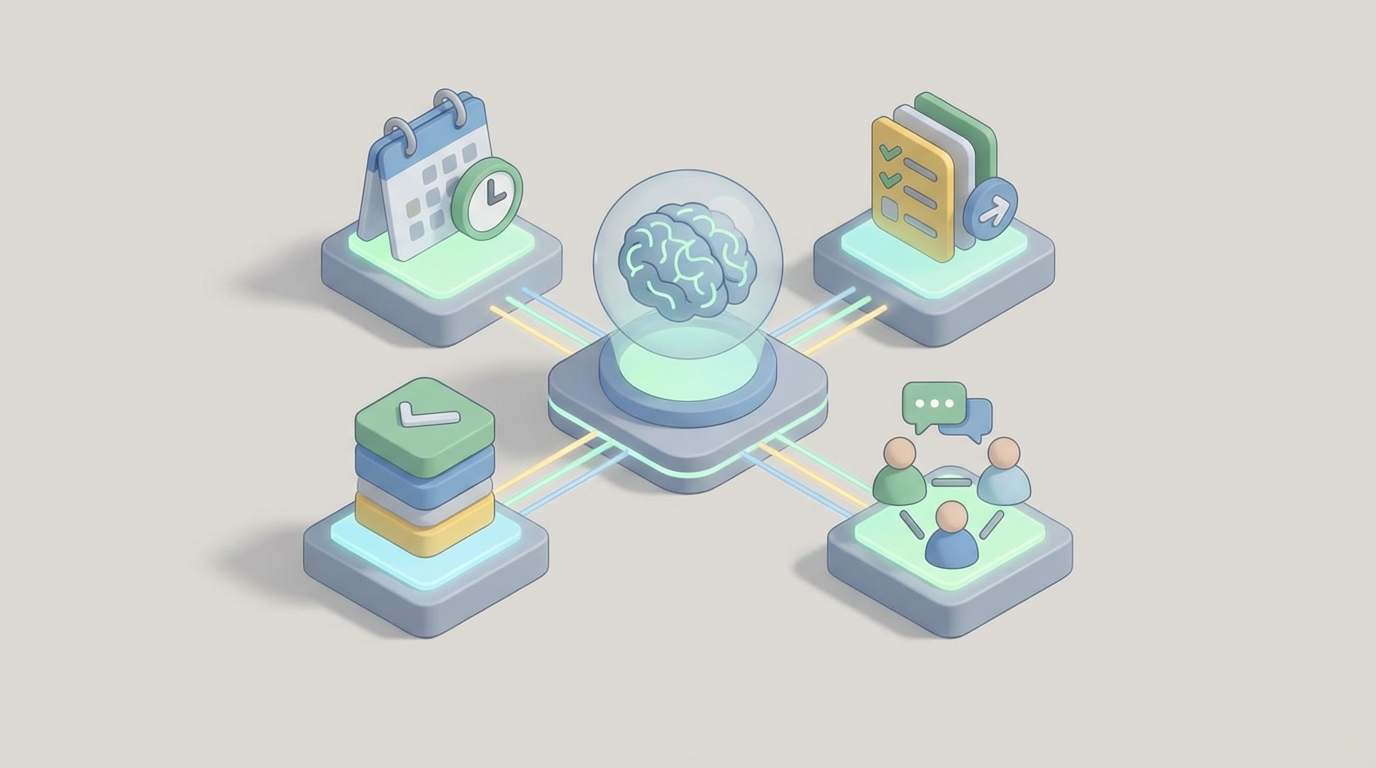
Most task management apps have the same problem: they're gloriously organized graveyards. You spend twenty minutes every morning shuffling cards around a Kanban board, rescheduling yesterday's leftovers, and pretending that moving a due date from Tuesday to Thursday counts as progress.
Any.do is better than most. It's clean, fast, genuinely pleasant to use on mobile, and the "Moments" daily planning feature is one of the few things in productivity software that actually changes behavior. For small teams — sales, marketing, ops, agencies — it hits a sweet spot between "sticky notes on a monitor" and "enterprise Jira nightmare."
But here's the thing: Any.do's native automation is basically nonexistent. Recurring tasks and reminders. That's about it. There's no conditional logic, no multi-step workflows, no "if this task hasn't been touched in three days and it's tagged high-priority, escalate it to the team lead." You're either doing that stuff manually or duct-taping it together with Zapier.
Which is exactly why building a custom AI agent on top of Any.do — using it as the system of record while adding an intelligent reasoning layer — is one of the highest-leverage things you can do if your team actually runs on this tool.
Not Any.do's AI features. Not whatever chatbot they may or may not ship someday. A custom agent you control, connected to Any.do's API, that understands your business context and acts on it.
Here's how to build it with OpenClaw.
Why Any.do Needs an External Brain
Let's be specific about what's missing. Any.do gives you:
- Tasks, subtasks, sections, recurring tasks
- Shared workspaces with assignment and comments
- Calendar sync (Google Calendar, Outlook)
- Email-to-task conversion
- List, Board, and Calendar views
- A REST API with CRUD on tasks, lists, comments, and webhooks
What it does not give you:
- Conditional automation — no "if/then" rules beyond basic recurrence
- Intelligent prioritization — no understanding of which tasks actually matter given your current goals
- Cross-tool context — no awareness of what's happening in your CRM, email, Slack, or meeting transcripts
- Proactive monitoring — no alerts when work is stalling, blocked, or about to miss a deadline
- Reporting or analytics — almost zero insight into team throughput, bottlenecks, or completion rates
- Task decomposition — no ability to break "Prepare Q3 board deck" into the fifteen subtasks it actually requires
These aren't minor gaps. They're the difference between a to-do list and an execution system. And they're exactly the gaps an AI agent fills.
The Architecture: Any.do as System of Record, OpenClaw as the Brain
The mental model is simple. Any.do stays where it is — your team keeps using it the same way they always have. Lists, boards, mobile app, daily Moments review. Nothing changes for end users.
Behind the scenes, an OpenClaw agent connects to Any.do's API and adds a layer of intelligence on top. It reads tasks, understands context, makes decisions, takes action, and reports back. Think of it as a chief of staff who never sleeps, never forgets, and has read every email thread your team has touched this quarter.
Here's the technical stack:
Any.do API → provides the task data layer (CRUD operations, webhooks for real-time events)
OpenClaw → provides the agent framework (reasoning engine, tool orchestration, memory, scheduling)
Integrations → Gmail/Outlook, Google Calendar, Slack/Teams, CRM (HubSpot, Salesforce), meeting transcript tools (Fireflies, Otter), Google Docs/Notion
Webhooks → Any.do fires events when tasks are created, updated, completed, deleted, or when due dates change. OpenClaw listens and reacts.
The data flows both directions. The agent reads from Any.do to understand current state. It writes back to Any.do to create tasks, update priorities, add comments, reassign work, and modify due dates. And it pulls from external tools to enrich its understanding.
Five Workflows That Actually Matter
Let me walk through the specific workflows worth building, in order of impact.
1. Meeting Transcript → Structured Tasks
This is the single highest-ROI automation for most teams.
Your team has a 30-minute client call. Someone says "we'll get the revised proposal over by Friday" and "let's loop in legal on the contract language" and "can you pull last quarter's metrics for the deck?" Three action items. In a normal world, maybe one of them makes it into Any.do. The other two live in someone's head until they're forgotten.
With OpenClaw, here's what happens:
The agent receives the meeting transcript (via Fireflies, Otter.ai, or Google Meet's built-in transcription). It parses the conversation, identifies action items, maps them to team members based on context, assigns realistic due dates, and creates structured tasks in Any.do — complete with subtasks, labels, and notes linking back to the relevant section of the transcript.
Trigger: New meeting transcript received
Agent Action:
  1. Parse transcript for action items, owners, deadlines
  2. Match owners to Any.do workspace members
  3. For each action item:
     - Create task in appropriate Any.do list
     - Set due date (explicit or inferred)
     - Add subtasks if the item is compound
     - Add comment with transcript excerpt for context
     - Set priority based on client urgency signals
  4. Post summary to Slack channel with task links
This alone saves 15-30 minutes per meeting and catches the action items that otherwise fall through the cracks. For a team that has five meetings a day, that's real time back.
2. Intelligent Daily Planning
Any.do's Moments feature already prompts you to review today's tasks each morning. It's a good nudge. But it's dumb — it just shows you what's due today and lets you reschedule.
An OpenClaw agent makes this smart. Every morning at 7 AM (or whatever time you configure), the agent:
- Reviews all tasks assigned to each team member
- Cross-references with their calendar to see how much free time they actually have
- Checks task priorities against team OKRs or project deadlines
- Identifies conflicts (three high-priority tasks due today but only two hours of free time)
- Generates a recommended daily plan and sends it via Slack DM or email
Daily Planning Agent:
  Schedule: 7:00 AM, Monday-Friday
  For each team member:
    1. Fetch tasks due today + overdue from Any.do API
    2. Fetch calendar events from Google Calendar
    3. Calculate available work hours
    4. Rank tasks by: deadline proximity, priority label,
       dependency chain, business impact
    5. If overloaded: suggest deferrals with reasoning
    6. If underloaded: pull forward upcoming high-priority items
    7. Send personalized daily brief via Slack
The key differentiator: this isn't a static list. The agent reasons about what matters. It knows that the client deliverable due Thursday is more important than the internal wiki update, even if both are tagged "high priority." It knows Sarah has three hours of meetings today so she can only realistically handle two deep-work tasks. It knows the legal review has been sitting untouched for four days and should probably get escalated.
3. Stale Task Detection and Escalation
This is the workflow that prevents tasks from silently dying. In every team workspace, there are tasks that get created, assigned, and then... nothing. Nobody touches them. Nobody asks about them. They sit in the list like forgotten leftovers in the back of the fridge.
The OpenClaw agent monitors for this pattern:
Stale Task Monitor:
  Schedule: Every 6 hours
  Logic:
    1. Fetch all open tasks from Any.do API
    2. For each task, check:
       - Days since last activity (update, comment, status change)
       - Priority level
       - Due date proximity
    3. If high-priority + no activity in 48 hours:
       - Add comment: "This task hasn't been updated in 2 days.
         @assignee — is this blocked?"
       - Notify assignee via Slack
    4. If high-priority + no activity in 96 hours:
       - Escalate to team lead
       - Add "blocked" label
    5. If any task is overdue + no activity:
       - Flag in daily team summary
       - Suggest reassignment if assignee is overloaded
This is genuinely transformative for teams that use Any.do as their primary task system. It turns a passive list into an active management layer. Tasks don't disappear anymore.
4. Email and Slack Triage → Auto-Task Creation
Any.do already has an email-to-task feature, but it's manual — you have to forward the email or use the add-on. And it creates a raw task with the email subject as the title, which is usually garbage like "Re: Re: Fwd: Q3 stuff."
An OpenClaw agent does this properly:
- Monitors a shared inbox or specific Slack channels
- Identifies messages that contain actionable requests (using LLM reasoning, not keyword matching)
- Extracts the actual action item, the requester, the deadline (if mentioned), and the relevant context
- Creates a clean, well-structured task in the appropriate Any.do list
- Assigns it based on team routing rules (all legal requests go to Maria, all design requests go to the design board, etc.)
Slack Channel Monitor:
  Trigger: New message in #client-requests
  Agent Action:
    1. Analyze message: Is this actionable? (Yes/No)
    2. If yes:
       - Extract: action needed, requester, urgency, deadline
       - Determine correct Any.do list based on request type
       - Determine assignee based on routing rules
       - Create task with structured title, notes, due date
       - Reply in thread: "✅ Task created and assigned to
         @maria — due Thursday"
    3. If ambiguous:
       - Reply in thread asking for clarification
The important thing here is that the agent uses actual language understanding, not just pattern matching. "Hey, can someone take a look at the Johnson contract when they get a chance?" becomes a task titled "Review Johnson contract" assigned to the contracts team with a due date of next business day. Because the agent understands that "when they get a chance" in client-speak means "soon."
5. Weekly Team Intelligence Report
Any.do has essentially zero reporting. You can't see how many tasks your team completed last week, what the completion rate was, where the bottlenecks are, or whether you're on track for project milestones. This is one of the biggest complaints in every review forum.
An OpenClaw agent fixes this by generating a weekly intelligence report:
Weekly Report Agent:
  Schedule: Monday 8:00 AM
  Actions:
    1. Pull all task activity from past 7 days via Any.do API
    2. Calculate:
       - Tasks created vs. completed (per person, per list)
       - Average time-to-completion by priority level
       - Overdue task count and trend
       - Most active and least active team members
       - Lists/projects with highest stale task ratios
    3. Identify patterns:
       - "Legal review tasks take 3x longer than average"
       - "Design requests spike on Thursdays after client calls"
       - "Jake completed 12 tasks but created 0 — is he only
         executing and not planning?"
    4. Generate narrative summary with recommendations
    5. Post to #team-ops Slack channel and email to team lead
This turns Any.do into a system that actually gives you management visibility without requiring anyone to fill out timesheets or update status fields.
Implementation: Getting Started with OpenClaw
Here's the practical path to building this.
Step 1: API Access. You need an Any.do Business or Enterprise plan to get API access. Set up OAuth 2.0 authentication and get your workspace credentials. Map out your lists, labels, and team members — you'll reference these in every agent workflow.
Step 2: OpenClaw Agent Setup. In OpenClaw, you'll configure your agent with:
- Any.do API as a primary tool (read/write tasks, lists, comments)
- Webhook listeners for real-time Any.do events
- Additional tool connections (Slack, Gmail, Google Calendar, CRM, transcript tools)
- Memory layer for persistent context (team member preferences, project history, routing rules)
- Scheduled triggers for daily/weekly workflows
Step 3: Start with One Workflow. Don't build all five at once. Pick the one that solves your biggest pain point. For most teams, it's either the meeting-to-tasks workflow or the stale task monitor. Get one working, let your team use it for two weeks, then iterate.
Step 4: Add Context Over Time. The agent gets more valuable as you feed it more context. Connect your CRM so it understands client priority. Connect your calendar so it understands availability. Connect your docs tool so it can reference project briefs when decomposing tasks. Each connection makes the reasoning better.
Step 5: Tune the Reasoning. This is where OpenClaw's agent framework matters. You're not writing brittle if/then rules. You're giving the agent guidelines and letting it reason. "High-priority client tasks should generally be escalated after 24 hours of inactivity, but use judgment — if the assignee is on PTO, reassign instead of escalating." That kind of nuance is what separates an AI agent from a Zapier automation.
What This Actually Looks Like Day-to-Day
Once everything is running, here's a typical Tuesday for a marketing team lead using Any.do + OpenClaw:
7:00 AM — Slack DM arrives with a personalized daily plan. Three priority tasks, two meetings, one flagged item ("The blog post review has been with Sarah for three days — suggest pinging her or reassigning").
9:15 AM — Team standup ends. The agent processed the Google Meet transcript and created four tasks: two for the copywriter, one for the designer, one for the team lead. Each task has context from the meeting and realistic due dates based on calendar availability.
11:30 AM — A client emails asking for updated case study metrics. The agent detects the request, creates a task in the "Client Requests" list, assigns it to the analyst, sets a Thursday due date, and replies in the team Slack channel confirming.
2:00 PM — The stale task monitor flags that a campaign brief (high priority, due Friday) hasn't been touched since it was created last week. It comments on the task, notifies the assignee, and adds it to the team lead's attention list.
Monday 8:00 AM — Weekly report drops. Team completed 34 of 41 tasks (83%). Two projects are behind. The bottleneck is design review — average turnaround is 4.2 days vs. the team target of 2. Recommendation: either add design capacity or batch review sessions.
None of this required the team to change how they use Any.do. They still open the app, check their lists, move tasks around. But now the system is working for them instead of just holding their data.
The Honest Limitations
A few things to know before you build:
Any.do's API has constraints. Rate limits are relatively strict. Bulk operations at scale aren't great. Attachment handling is limited. If you have more than 20-30 active users in a workspace, you may hit performance ceilings. The API surface is smaller than Todoist, Asana, or ClickUp — so some advanced operations require creative workarounds.
This doesn't fix organizational problems. If your team doesn't agree on what "high priority" means or if nobody checks their task list, an AI agent will just create more noise. The agent amplifies good habits and catches lapses — but it can't replace basic task hygiene.
Start narrow, expand gradually. The temptation is to build all five workflows on day one. Don't. Each workflow needs tuning — the meeting parser needs to learn your team's communication style, the escalation rules need calibration, the daily planner needs feedback on what "realistic" means for your team. Give each one time.
Next Steps
If you're running a team on Any.do and you're tired of being the human glue that holds all the workflows together — manually triaging emails, chasing overdue tasks, compiling status updates from a tool that offers no reporting — this is the move.
OpenClaw gives you the agent framework. Any.do's API gives you the data layer. The combination turns a simple, clean task manager into something that actually manages.
If you want help designing and building these workflows for your team, check out Clawsourcing. We'll scope the integration, build the agent, and get it running — so you can stop being your team's project management middleware and get back to the work that actually matters.
Recommended for this post
Three-level OODA strategy, five-phase Ralph execution, and a recursive feedback engine. Your agent gets faster — this makes it get better.
 JerryRunsOps
The skill every OpenClaw user needs. Gives your agent persistent memory across sessions — daily logs, long-term recall, and structured knowledge that survives restarts. Less than a coffee.
Your memory engineer that builds persistent context, tiered storage, and retrieval systems -- agents that remember.
 SpookyJuice.ai